
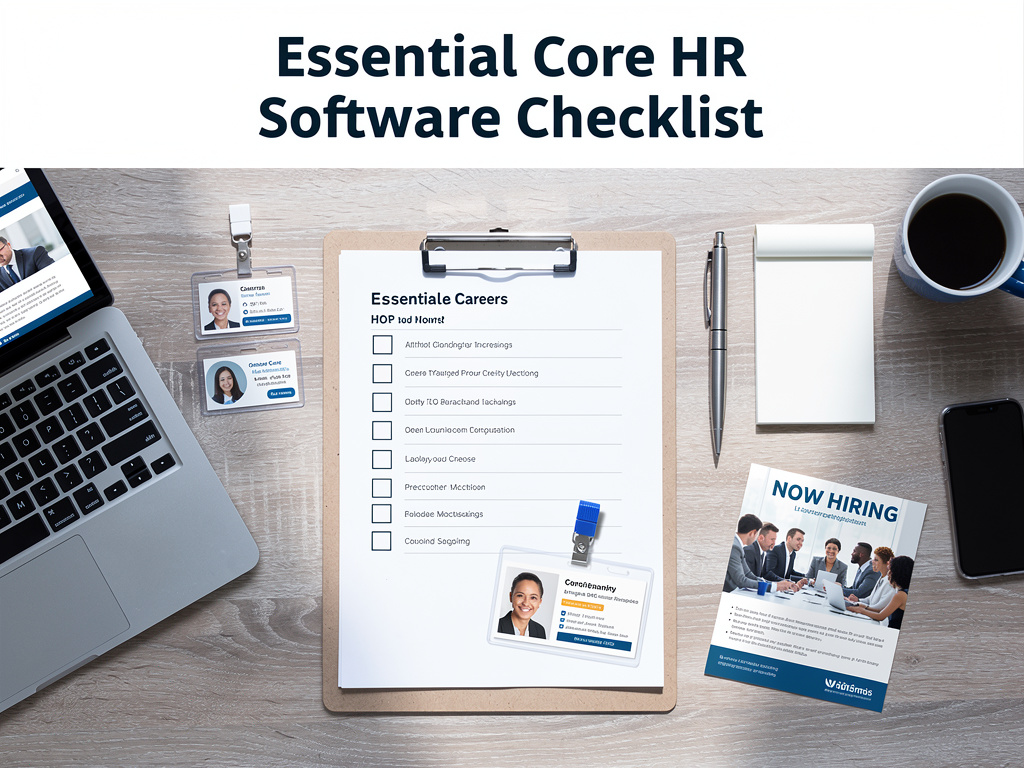
Core HR Software Features Checklist: Essential Components for Modern Human Resource Management Systems
Introduction
Selecting the right Core HR software requires a comprehensive understanding of essential features that drive organizational success. Modern human resource management systems serve as the backbone of workforce operations, streamlining everything from recruitment to retirement. The complexity of today’s business environment demands sophisticated HR technology solutions that can adapt to evolving needs while maintaining operational efficiency.
This comprehensive checklist examines critical HR software capabilities that organizations should prioritize when evaluating platforms. Understanding these features empowers decision-makers to make informed choices that align with strategic objectives. The right system transforms HR from administrative burden to strategic advantage, enabling teams to focus on people rather than paperwork.
Core Employee Data Management and HRIS Foundation
The foundation of any robust HR software lies in its ability to manage employee data effectively. Central employee databases serve as the single source of truth for all workforce information. These systems must handle personal details, employment history, compensation records, and performance metrics with precision and security.
Modern HRIS platforms provide comprehensive employee profiles that go beyond basic contact information. They include skills inventories, certifications, training records, and career progression paths. This holistic view enables HR professionals to make data-driven decisions about talent deployment and development opportunities.
Data security and compliance represent critical considerations in employee information management. Systems must incorporate role-based access controls, audit trails, and encryption protocols. GDPR compliance and other regulatory requirements demand sophisticated privacy controls that protect sensitive employee information while enabling necessary business operations.
Integration capabilities ensure seamless data flow between HR systems and other business applications. APIs and middleware solutions connect HRIS platforms with payroll systems, time tracking tools, and enterprise resource planning software. This connectivity eliminates data silos and reduces manual data entry errors.
Employee Self-Service Portals
Self-service functionality empowers employees to manage their own information and requests. These portals typically include personal data updates, time-off requests, benefits enrollment, and document access. Employee autonomy in routine tasks reduces HR administrative burden significantly.
Mobile accessibility ensures employees can access their information anytime, anywhere. Responsive design and dedicated mobile applications provide seamless user experiences across devices. This flexibility particularly benefits remote workers and field-based employees who need constant access to HR systems.
Recruitment and Applicant Tracking Systems
Comprehensive recruitment modules streamline the entire hiring process from job posting to onboarding. Applicant tracking systems (ATS) automate workflow management, candidate communication, and interview scheduling. These tools significantly reduce time-to-hire while improving candidate experience.
Modern ATS platforms integrate with popular job boards and social media networks. Automated posting capabilities ensure consistent job advertisements across multiple channels. LinkedIn, Indeed, and other platform integrations expand reach while maintaining centralized candidate management.
Candidate screening and assessment tools enhance hiring quality through standardized evaluation processes. Resume parsing technology extracts relevant information automatically, while customizable scoring systems rank candidates based on predetermined criteria. Video interviewing capabilities support remote hiring initiatives.
Collaboration features enable hiring teams to share feedback and make collective decisions. Structured interview guides ensure consistent evaluation standards across interviewers. Real-time notifications keep stakeholders informed about candidate progress through the hiring pipeline.
Talent Pool Management
Advanced recruitment systems maintain databases of potential candidates for future opportunities. These talent pools capture information from previous applicants, referrals, and passive candidates. Automated nurturing campaigns keep promising prospects engaged over time.
Skills-based searching capabilities help recruiters identify candidates with specific qualifications. Boolean search functions and AI-powered matching algorithms improve candidate discovery. These tools become particularly valuable for specialized roles requiring unique skill combinations.
Employee Onboarding and Offboarding Workflows
Structured onboarding processes ensure consistent new hire experiences while reducing administrative overhead. Automated workflow systems guide new employees through required tasks, document completion, and training modules. Digital onboarding reduces paperwork and accelerates productivity timelines.
Pre-boarding capabilities allow new hires to complete necessary paperwork before their start date. Electronic signature functionality and document management systems streamline form completion. This preparation enables more productive first days focused on integration rather than administration.
Customizable onboarding checklists ensure nothing falls through cracks during transition periods. Role-specific templates accommodate different position requirements while maintaining consistency. Automated reminders keep managers and HR teams aligned on completion status.
Offboarding workflows ensure smooth transitions when employees leave organizations. Exit interview management, asset recovery tracking, and access revocation processes protect company interests. Structured offboarding maintains positive relationships with departing employees who may return or provide referrals.
Compliance and Documentation
I-9 verification and other compliance requirements integrate seamlessly into onboarding workflows. Electronic verification systems maintain audit trails while ensuring regulatory compliance. Document storage capabilities provide secure access to completed forms and supporting materials.
Integration with background check providers automates verification processes. Real-time status updates keep HR teams informed about completion timelines. Conditional offer management ensures compliance with pre-employment screening requirements.
Time and Attendance Management Systems
Comprehensive time tracking capabilities accommodate various work arrangements and scheduling needs. Flexible timekeeping options include web-based clock-ins, mobile applications, and biometric devices. These systems accurately capture work hours while providing employees convenient access methods.
Automated overtime calculations ensure compliance with labor laws and company policies. Configurable rules accommodate different employee classifications and union agreements. Real-time alerts notify managers when employees approach overtime thresholds, enabling proactive scheduling adjustments.
Schedule management features support complex workforce planning requirements. Shift scheduling tools consider employee availability, skills, and labor budget constraints. Automated scheduling reduces administrative time while optimizing workforce coverage.
Leave management integration provides comprehensive absence tracking capabilities. Vacation requests, sick leave, and other time-off types connect seamlessly with attendance records. Accrual calculations automatically update based on tenure and company policies.
Mobile Time Tracking
GPS-enabled mobile applications support field-based employees and remote workers. Location verification ensures accurate time reporting for off-site work. Geofencing capabilities automatically clock employees in and out at designated locations.
Offline functionality maintains time tracking capabilities during connectivity interruptions. Data synchronization occurs automatically when connections restore. This reliability ensures accurate payroll processing regardless of technical challenges.
Payroll Integration and Management
Seamless payroll integration eliminates double data entry and reduces processing errors. Real-time data synchronization ensures payroll calculations reflect current employee information, time records, and benefit elections. This automation significantly reduces payroll processing time and improves accuracy.
Multi-state and international payroll capabilities accommodate organizations with distributed workforces. Tax calculation engines automatically apply appropriate rates based on employee locations and classifications. Compliance reporting ensures adherence to various jurisdictional requirements.
Direct deposit management and pay stub distribution streamline compensation delivery. Electronic pay statements reduce paper costs while providing employees instant access to earnings information. Multiple payment method support accommodates diverse employee preferences.
Year-end reporting automates W-2 generation and other tax document preparation. Electronic filing capabilities submit required reports directly to government agencies. This automation ensures timely compliance while reducing manual preparation efforts.
Compensation Management
Salary administration tools support merit increase planning and compensation analysis. Market data integration enables competitive benchmarking for various positions. Budget planning features help organizations manage compensation costs while remaining competitive.
Variable compensation tracking accommodates commission, bonus, and incentive programs. Automated calculations ensure accurate payments based on predetermined criteria. Real-time reporting provides visibility into compensation costs and program effectiveness.
Benefits Administration and Open Enrollment
Comprehensive benefits management streamlines enrollment, changes, and carrier communications. Decision support tools help employees compare options and make informed choices. Cost calculators and benefit summaries provide clear information about available options and their financial implications.
Automated eligibility management ensures employees access appropriate benefits based on status and tenure. Life event processing accommodates mid-year changes due to marriage, birth, or other qualifying events. Workflow approvals maintain control while enabling timely updates.
Carrier integration capabilities facilitate data exchange with insurance providers and other benefit vendors. Electronic data interchange (EDI) reduces manual processes while improving data accuracy. Real-time enrollment updates ensure current coverage information.
Open enrollment automation guides employees through annual benefit selections. Deadline management and reminder systems ensure timely completion. Passive enrollment options maintain coverage for employees who don’t make active selections.
COBRA and Compliance
Automated COBRA administration ensures compliance with continuation coverage requirements. Notice generation and deadline tracking reduce compliance risks. Qualified event identification triggers appropriate notifications automatically.
ACA reporting capabilities manage Affordable Care Act compliance requirements. Form generation and filing support reduce manual preparation efforts. Ongoing monitoring ensures continuous compliance with evolving regulations.
Performance Management and Appraisals
Modern performance management systems support continuous feedback rather than annual review cycles. Goal setting and tracking capabilities align individual objectives with organizational priorities. Progress monitoring enables real-time adjustments and coaching opportunities.
360-degree feedback functionality gathers input from multiple sources including peers, subordinates, and customers. Anonymous feedback options encourage honest communication. Competency-based evaluations focus on skills and behaviors rather than just outcomes.
Performance calibration tools ensure consistent evaluation standards across departments and managers. Rating distributions and normalization features prevent grade inflation. Succession planning integration identifies high-potential employees for development opportunities.
Development planning connects performance outcomes with learning opportunities. Individual development plans outline specific actions for skill improvement. Career pathing tools help employees understand advancement requirements and opportunities.
Continuous Feedback Systems
Real-time feedback mechanisms replace traditional annual reviews with ongoing conversations. Check-in scheduling ensures regular manager-employee interactions. Feedback templates provide structure while maintaining flexibility.
Peer recognition systems encourage positive reinforcement throughout organizations. Social recognition features amplify achievements across teams. Points-based reward systems can integrate with tangible recognition programs.
Learning and Development Management
Learning management system (LMS) integration supports comprehensive training programs. Course catalog management organizes training content by topic, audience, and requirements. Automated enrollment ensures employees complete mandatory training on schedule.
Competency mapping connects training programs with skill development objectives. Learning paths guide employees through structured development programs. Prerequisite management ensures logical skill building sequences.
Virtual classroom capabilities support remote learning initiatives. Video conferencing integration enables live training sessions. Recording functionality allows on-demand access to training content.
Certification tracking monitors credential expiration dates and renewal requirements. Automated reminders ensure employees maintain required certifications. Compliance reporting demonstrates training completion for audit purposes.
Skills Assessment and Gap Analysis
Skills inventory management captures current employee capabilities and identifies development needs. Competency assessments evaluate proficiency levels across various skills. Gap analysis reports highlight areas requiring additional training investment.
External training integration connects with universities and professional development organizations. Credit tracking maintains records of external learning activities. Tuition reimbursement management supports continuing education programs.
Analytics and Reporting Capabilities
Comprehensive reporting suites provide insights into HR metrics and trends. Dashboard functionality presents key performance indicators in visual formats. Real-time data updates ensure current information for decision-making purposes.
Predictive analytics capabilities identify trends and potential issues before they impact operations. Turnover prediction models help retain valuable employees. Workforce planning analytics support strategic staffing decisions.
Custom report builders enable organizations to create specific analyses for unique requirements. Drag-and-drop interfaces simplify report creation for non-technical users. Scheduled reporting automates regular information distribution.
Benchmark comparisons provide context for organizational metrics. Industry standard comparisons highlight areas of strength and improvement opportunity. Historical trending shows progress over time.
Compliance Reporting
Automated compliance reports ensure adherence to various regulatory requirements. EEO reporting supports diversity and inclusion initiatives. OSHA recordkeeping maintains workplace safety documentation.
Audit trail capabilities provide detailed records of system changes and access. User activity logging supports security investigations. Data retention policies ensure appropriate record keeping periods.
Mobile Accessibility and User Experience
Mobile-first design ensures optimal user experiences across all devices. Responsive interfaces adapt seamlessly to smartphones, tablets, and desktop computers. Touch-friendly navigation accommodates mobile interaction patterns.
Native mobile applications provide enhanced functionality and offline capabilities. Push notifications keep users informed about important updates and deadlines. Biometric authentication offers secure access without complex passwords.
Progressive web applications combine mobile app benefits with web-based flexibility. Fast loading times and smooth interactions improve user adoption. Cross-platform compatibility reduces development and maintenance costs.
User interface customization allows organizations to tailor experiences for different user groups. Role-based dashboards present relevant information for each user type. Personalization options enable individual preference settings.
Accessibility Standards
WCAG compliance ensures accessibility for users with disabilities. Screen reader compatibility supports visually impaired users. Keyboard navigation provides alternatives to mouse interactions.
Multi-language support accommodates diverse workforces. Localization capabilities adjust content for different cultural contexts. Right-to-left language support serves global organizations.
Integration and System Architecture
Enterprise integration capabilities connect HR systems with other business applications. API-first architecture enables flexible data exchange with third-party systems. Real-time synchronization maintains data consistency across platforms.
Single sign-on (SSO) integration provides seamless access across multiple systems. Active Directory integration leverages existing authentication infrastructure. Multi-factor authentication enhances security without sacrificing convenience.
Cloud-based architecture offers scalability and reliability advantages. Automatic updates ensure access to latest features and security patches. Disaster recovery capabilities protect against data loss and system failures.
Data migration tools facilitate transitions from legacy systems. Mapping utilities ensure accurate data transfer during implementations. Validation processes verify data integrity throughout migration processes.
Security and Compliance
Enterprise-grade security protects sensitive employee information. Encryption at rest and in transit safeguards data during storage and transmission. Regular security audits ensure ongoing protection against evolving threats.
SOC 2 compliance demonstrates commitment to security best practices. GDPR compliance capabilities support international privacy requirements. Data residency options accommodate various jurisdictional requirements.
Vendor Support and Implementation Services
Comprehensive implementation support ensures successful system deployments. Project management services guide organizations through configuration and go-live processes. Training programs prepare users for effective system utilization.
Ongoing technical support provides assistance when issues arise. Multiple support channels including phone, email, and chat accommodate different communication preferences. Knowledge bases and documentation enable self-service problem resolution.
Regular system updates introduce new features and improvements. Release management processes ensure smooth transitions to updated versions. Beta testing programs allow early access to upcoming functionality.
Change management support helps organizations adapt to new processes and technologies. Communication planning ensures stakeholder awareness throughout transitions. User adoption strategies maximize system utilization and ROI.
Training and Certification Programs
Administrator training programs develop internal system expertise. Certification programs validate user competencies. Train-the-trainer options enable organizations to provide ongoing internal education.
User conferences and online training resources support continuous learning. Best practice sharing helps organizations optimize system utilization. Peer networking opportunities facilitate knowledge exchange.
Cost Considerations and ROI Analysis
Total cost of ownership analysis considers all expenses associated with HR system implementation and maintenance. Subscription pricing models provide predictable monthly or annual costs. Implementation fees and customization charges require careful budgeting consideration.
ROI calculations should consider both hard and soft benefits. Administrative time savings provide quantifiable returns. Improved employee satisfaction and retention deliver longer-term value.
Scalability considerations ensure systems can grow with organizational needs. Per-employee pricing models align costs with usage levels. Enterprise licensing options may provide better value for larger organizations.
Hidden costs include integration expenses, data migration fees, and ongoing customization requirements. Training costs and change management expenses impact overall investment. Maintenance and support fees continue throughout system lifecycle.
Budget Planning Considerations
Multi-year budget planning accommodates implementation timelines and feature rollouts. Phased implementations spread costs over time while delivering incremental value. Annual subscription increases should factor into long-term planning.
Cost comparison tools help evaluate different vendor options. Feature-to-cost ratios highlight value propositions. Reference customer discussions provide real-world cost experiences.
Conclusion
Selecting appropriate Core HR software features requires careful analysis of organizational needs and strategic objectives. This comprehensive checklist provides the foundation for evaluating systems that will drive workforce efficiency and employee satisfaction. The right combination of features transforms HR operations from reactive administration to proactive strategic partnership. Investment in robust HR technology pays dividends through improved compliance, enhanced employee experiences, and data-driven decision making capabilities that position organizations for sustained success.
Frequently Asked Questions About Core HR Software Features Checklist
- What are the most essential Core HR software features every organization needs?
The most critical features include employee data management, recruitment and applicant tracking, time and attendance management, payroll integration, benefits administration, and basic reporting capabilities. These foundational elements support daily HR operations and ensure compliance with labor regulations. - How do I determine which HR software features my organization actually needs?
Conduct a thorough needs assessment by surveying HR staff, managers, and employees about current pain points and desired improvements. Analyze existing processes to identify automation opportunities and compliance requirements specific to your industry and location. - Should I prioritize cloud-based or on-premise HR software solutions?
Cloud-based solutions typically offer better scalability, automatic updates, and lower upfront costs, while on-premise systems provide more control over data and customization options. Most organizations in 2026 benefit from cloud-based solutions due to their flexibility and reduced IT maintenance requirements. - What integration capabilities should I look for in Core HR software?
Essential integrations include payroll systems, time tracking tools, email platforms, and existing business applications. Look for APIs, single sign-on capabilities, and pre-built connectors with popular software vendors your organization already uses. - How important are mobile features in modern HR software?
Mobile accessibility is crucial for employee engagement and manager efficiency. Essential mobile features include time clock functionality, leave requests, employee directory access, and basic self-service capabilities that enable workforce productivity regardless of location. - What security features are mandatory for HR software handling employee data?
Required security features include data encryption, role-based access controls, audit trails, and compliance with regulations like GDPR or HIPAA. Look for vendors with SOC 2 certification and regular security audits to ensure ongoing data protection. - How much should I budget for implementing comprehensive HR software?
Implementation costs vary widely based on organization size and feature complexity. Budget for software subscriptions, implementation services, data migration, training, and ongoing support. Typical costs range from $5-25 per employee per month depending on feature sets and vendor selection. - What reporting and analytics capabilities should I expect from modern HR software?
Essential reporting includes compliance reports, turnover analysis, headcount reports, and benefits utilization. Advanced analytics should offer predictive insights, benchmark comparisons, and customizable dashboards that support strategic decision-making and trend identification.
Additional Resources
For more detailed guidance on HR software selection, visit SHRM’s HR Technology Resources which provides comprehensive vendor comparisons and implementation best practices for human resource management systems.




 Stack Insight is intended to support informed decision-making by providing independent information about business software and services. Some product details, including pricing, features, and promotional offers, may be supplied by vendors or partners and can change without notice.