
Prisma Cloud Review


Prisma Cloud Review 2026: A Complete Guide to Palo Alto Networks’ Enterprise CNAPP Platform
Cloud security has become a top priority for organizations running workloads across AWS, Azure, Google Cloud, and private infrastructure. With 69% of organizations now hosting more than half of their workloads in the cloud, the need for protection that spans the entire application lifecycle is clear. Prisma Cloud from Palo Alto Networks positions itself as the answer to this challenge.
This Prisma Cloud review breaks down everything you need to know about this cloud-native application protection platform. We’ll cover its core features, pricing structure, deployment options, strengths, weaknesses, and how it compares to alternatives. Whether you’re evaluating Prisma Cloud for a new deployment or considering a switch from your current CNAPP solution, this guide will help you make an informed decision.
What Is Prisma Cloud? Understanding the Platform’s Origins and Purpose
Prisma Cloud is the consolidated CNAPP product that Palo Alto Networks assembled through a series of acquisitions starting in 2018. The platform didn’t emerge from a single development effort. Instead, Palo Alto Networks bought several specialized security companies and stitched their technologies together into one offering.
The Acquisition History Behind Prisma Cloud
Understanding how Prisma Cloud came together helps explain both its strengths and its quirks. Here’s the timeline of key acquisitions:
- 2018: Evident.io – Cloud security posture management (CSPM) capabilities
- 2018: RedLock – Cloud threat defense and compliance monitoring
- 2019: Twistlock – Container security and runtime protection
- 2019: PureSec – Serverless security functions
- 2020: Bridgecrew – Infrastructure as code (IaC) security
- 2021: Dig Security – Data security posture management
Each acquisition brought specific expertise. Twistlock was a leader in container security. RedLock excelled at cloud threat detection. Bridgecrew pioneered shift-left security for infrastructure code. Palo Alto Networks combined these tools under the Prisma Cloud umbrella.
What Makes a CNAPP?
CNAPP stands for Cloud-Native Application Protection Platform. It’s a category defined by Gartner that combines multiple cloud security functions into one platform. A true CNAPP includes:
- CSPM (Cloud Security Posture Management) – Monitors cloud configurations for misconfigurations and compliance violations
- CWPP (Cloud Workload Protection Platform) – Protects running workloads including VMs, containers, and serverless functions
- CIEM (Cloud Infrastructure Entitlement Management) – Manages identities and permissions across cloud environments
- Code Security – Scans infrastructure as code, dependencies, and source code for vulnerabilities
- Data Security – Discovers and protects sensitive data stored in cloud environments
Prisma Cloud includes all five modules under one license. This makes it a complete CNAPP by definition. According to Frost & Sullivan, “Palo Alto Networks is one of the first vendors in the market that can provide a full-stack CNAPP platform that delivers all aspects of security for cloud-native applications.”
Prisma Cloud Core Features: A Deep Technical Breakdown
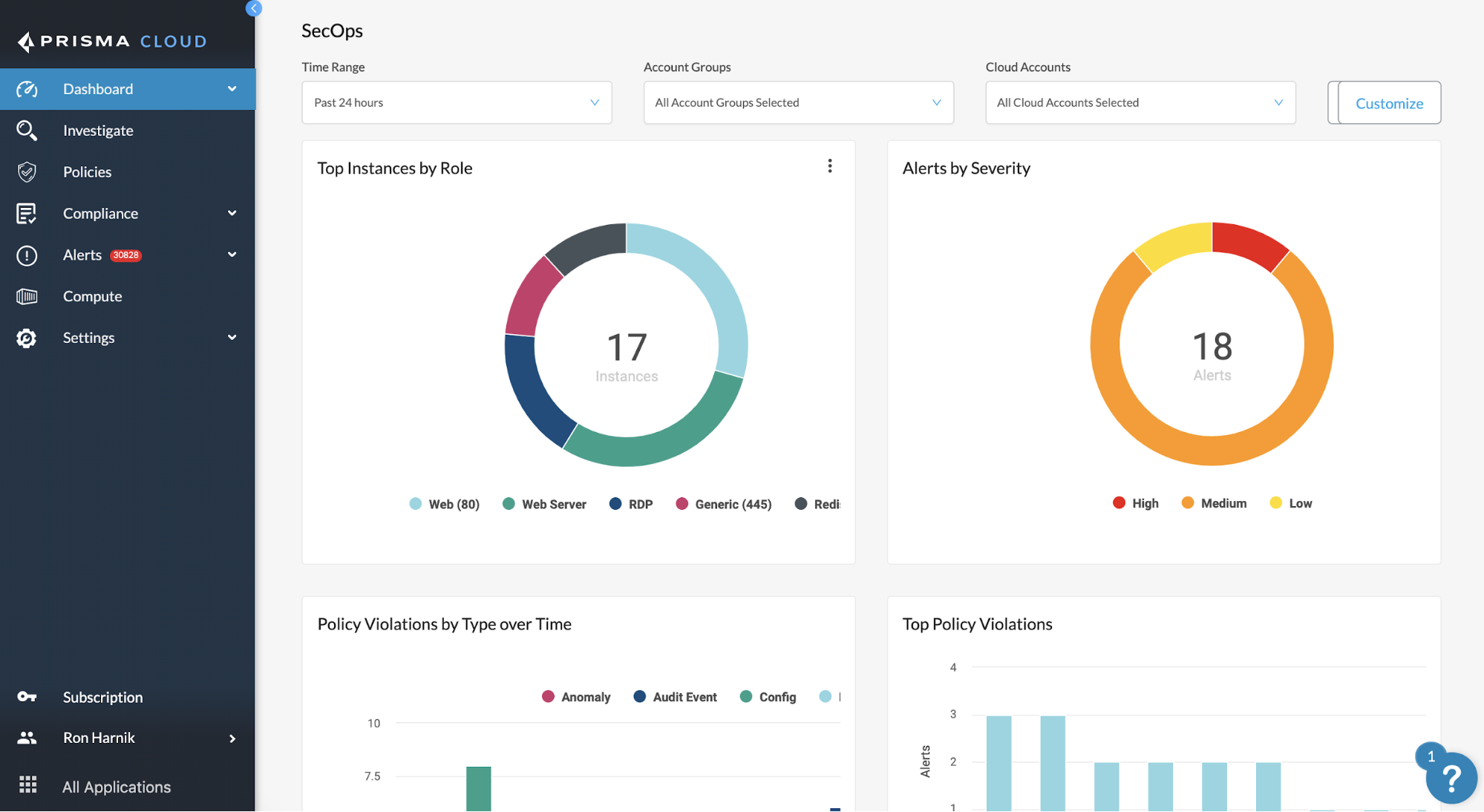
Let’s dig into each major capability that Prisma Cloud offers. Understanding these features in detail will help you evaluate whether they match your security requirements.
Cloud Security Posture Management (CSPM)
The CSPM module continuously monitors your cloud environments for misconfigurations. It connects to AWS, Azure, Google Cloud, Oracle Cloud, and Alibaba Cloud through API integrations.
Configuration Assessment: Prisma Cloud scans cloud resources against hundreds of built-in policies. These policies map to compliance frameworks like CIS Benchmarks, NIST, PCI-DSS, HIPAA, and SOC 2. When a resource violates a policy, Prisma Cloud generates an alert with remediation guidance.
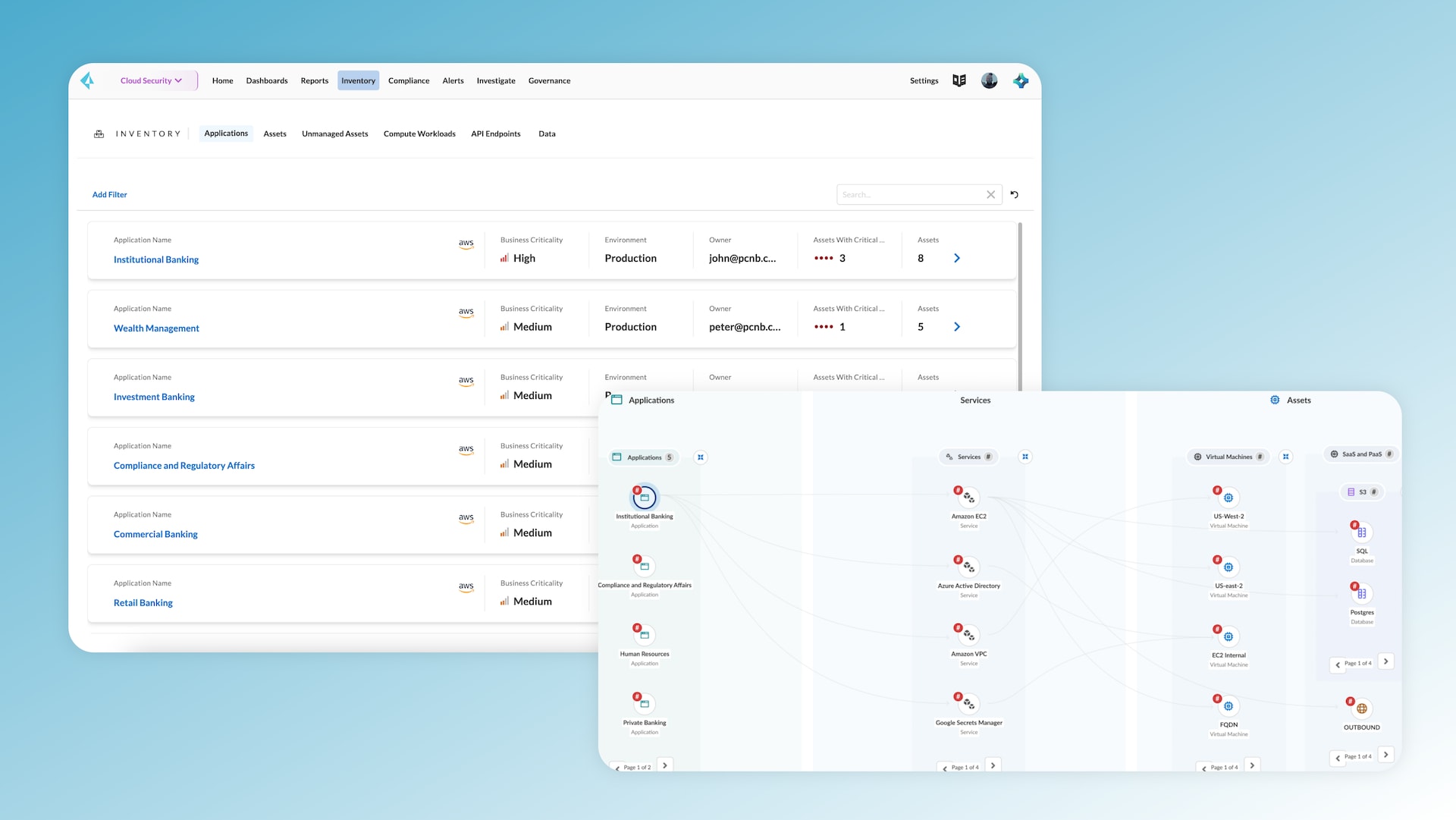
Asset Inventory: The platform maintains a real-time inventory of all cloud resources. This includes compute instances, storage buckets, databases, networking components, IAM roles, and more. The inventory updates automatically as resources are created, modified, or deleted.
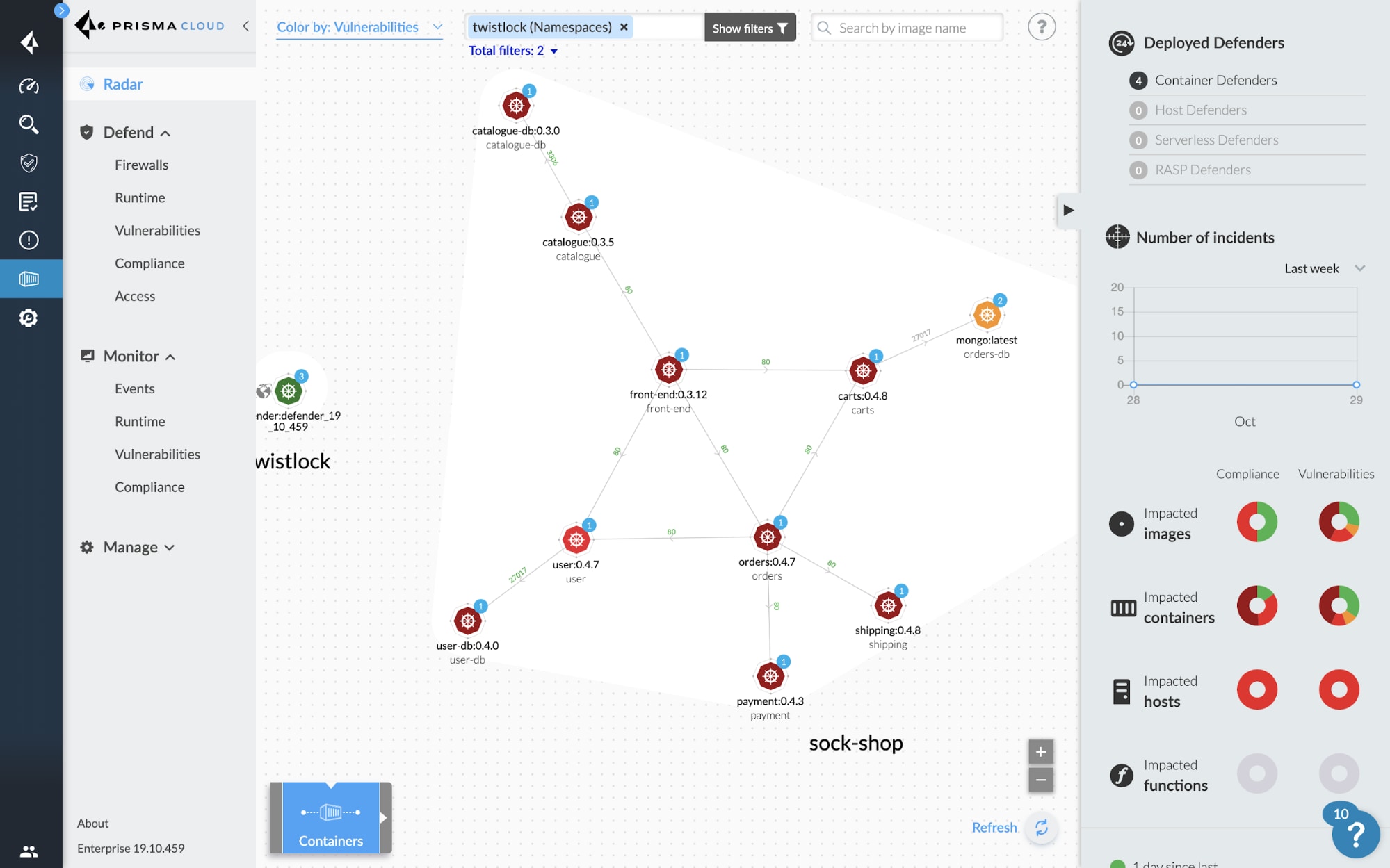
Network Visualization: Prisma Cloud creates visual maps of network flows between cloud resources. This helps security teams understand how traffic moves through their environment and identify unexpected connections.
Compliance Reporting: Built-in compliance reports show your posture against specific frameworks. You can generate reports for auditors, track compliance trends over time, and identify which teams or accounts have the most violations.
| CSPM Capability | What It Does | Use Case |
|---|---|---|
| Configuration Assessment | Scans resources against security policies | Finding publicly exposed S3 buckets |
| Compliance Monitoring | Maps configurations to regulatory frameworks | Preparing for PCI-DSS audits |
| Network Flow Analysis | Visualizes traffic patterns between resources | Detecting unauthorized data exfiltration paths |
| Asset Inventory | Catalogs all cloud resources automatically | Understanding total cloud footprint |
| Drift Detection | Identifies changes from baseline configurations | Catching unauthorized modifications |
Cloud Workload Protection Platform (CWPP)
The CWPP module protects running workloads across virtual machines, containers, Kubernetes clusters, and serverless functions. This is where the Twistlock acquisition shines.
Vulnerability Management: Prisma Cloud scans container images, VM images, and running hosts for known vulnerabilities. It pulls data from multiple vulnerability databases and correlates findings with your actual deployments.
Runtime Protection: Defenders (lightweight agents) deploy to hosts and monitor running processes. They detect anomalous behavior, block exploits, and prevent malware execution. The runtime models are built from behavioral baselines specific to each workload.
Container Security: For containerized environments, Prisma Cloud provides image scanning in CI/CD pipelines, registry scanning for stored images, and runtime protection for running containers. It integrates with popular registries like Docker Hub, Amazon ECR, Azure Container Registry, and Google Container Registry.
Kubernetes Security: The platform includes specialized protections for Kubernetes. It assesses cluster configurations against CIS Kubernetes Benchmarks, monitors admission controllers, and provides network segmentation policies.
Serverless Security: Prisma Cloud protects AWS Lambda, Azure Functions, and Google Cloud Functions. It scans function code for vulnerabilities, monitors runtime behavior, and enforces least-privilege permissions.
Cloud Infrastructure Entitlement Management (CIEM)
The CIEM module tackles one of the hardest problems in cloud security: managing identities and permissions at scale. Cloud environments often accumulate thousands of roles, policies, and permissions that nobody fully understands.
Permission Analysis: Prisma Cloud calculates effective permissions for every identity in your environment. It shows what each user, service account, or role can actually do, cutting through the complexity of inherited and cascading permissions.
Least Privilege Recommendations: The platform analyzes actual permission usage over time. It then recommends right-sized policies that grant only the permissions each identity actually needs. This reduces the blast radius if any identity gets compromised.
Identity Graphing: Visual graphs show relationships between identities, resources, and permissions. Security teams can trace access paths and identify overly permissive configurations.
Cross-Cloud Analysis: For organizations using multiple clouds, CIEM provides a unified view of identities and permissions. This helps identify inconsistencies and ensure policies are applied consistently.
Code Security and Shift-Left Capabilities
The code security module, largely derived from the Bridgecrew acquisition, brings security into the development process before code reaches production.
Infrastructure as Code Scanning: Prisma Cloud scans Terraform, CloudFormation, Kubernetes manifests, ARM templates, and other IaC formats. It identifies misconfigurations in the code before resources are provisioned.
Software Composition Analysis: The platform scans application dependencies for known vulnerabilities. It supports multiple package managers including npm, pip, Maven, Go modules, and others.
Secrets Detection: Prisma Cloud identifies hardcoded secrets, API keys, passwords, and certificates in source code and configuration files. Finding secrets before they reach repositories prevents credential exposure.
CI/CD Integration: Native integrations with Jenkins, GitHub Actions, GitLab CI, CircleCI, and other pipeline tools. Security checks run automatically during builds, and policies can block deployments that fail security gates.
IDE Plugins: Developers can scan code directly in VS Code, IntelliJ, and other IDEs. Catching issues during development is faster and cheaper than fixing them later.
Data Security Posture Management (DSPM)
The data security module, added through the Dig Security acquisition, discovers and protects sensitive data across cloud storage.
Data Discovery: Prisma Cloud scans cloud storage services (S3, Azure Blob, GCS) to find sensitive data. It uses pattern matching and machine learning to identify PII, financial data, healthcare records, and other sensitive information.
Data Classification: Discovered data gets classified by sensitivity level and regulatory category. This classification feeds into access controls and compliance reporting.
Data Flow Mapping: The platform tracks how sensitive data moves between services and environments. This helps identify unexpected data exposure and compliance violations.
Exposure Detection: Prisma Cloud alerts when sensitive data is stored in publicly accessible locations or when access permissions are overly broad.
Prisma Cloud Architecture: How the Platform Works
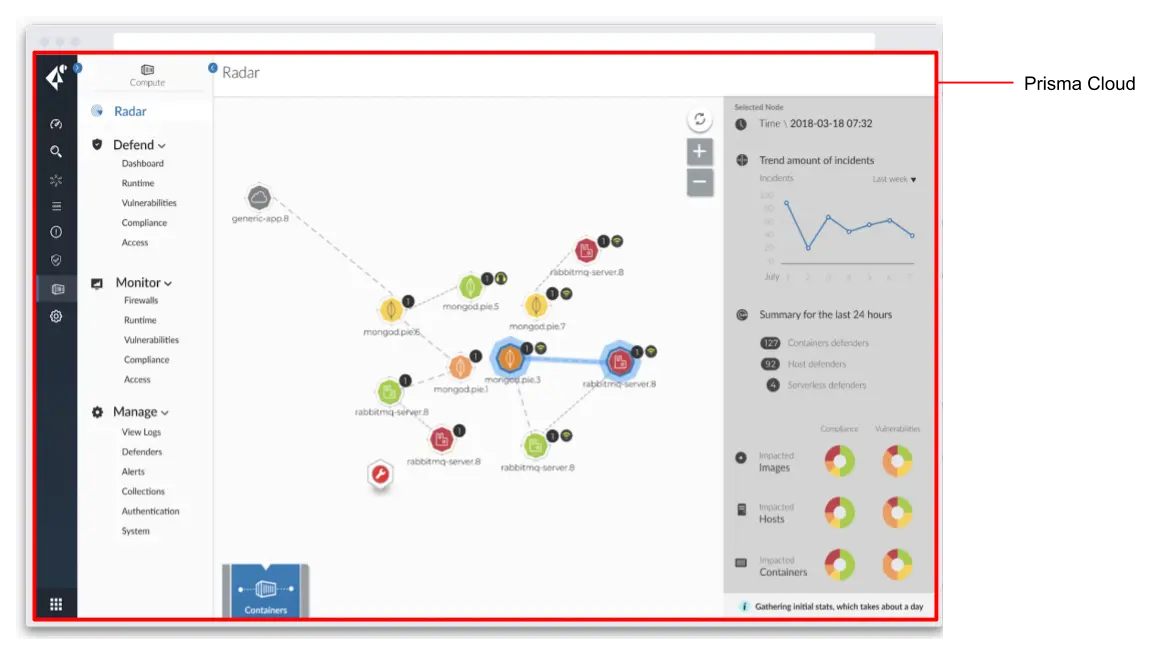
Understanding Prisma Cloud’s architecture helps you plan deployments and troubleshoot issues. The platform uses a combination of agentless scanning and agent-based protection.
SaaS Console vs. Self-Hosted Options
Most customers deploy Prisma Cloud as a SaaS solution. Palo Alto Networks hosts the management console, stores findings, and handles updates. You configure cloud accounts to grant Prisma Cloud read access (and optionally write access for auto-remediation).
For organizations with strict data residency requirements, Prisma Cloud also offers self-hosted deployment options. The self-hosted console runs in your own environment, keeping all data under your control.
Government customers can use Prisma Cloud Government Cloud Services, which meets FedRAMP requirements and operates in authorized cloud regions.
Agentless vs. Agent-Based Protection
Prisma Cloud uses two approaches to protect workloads:
Agentless Scanning: Snapshots of running workloads are analyzed without deploying any software to the workload itself. This approach covers vulnerability scanning and configuration assessment with minimal operational overhead.
Agent-Based Protection (Defenders): For runtime protection, Prisma Cloud deploys lightweight agents called Defenders. These run on hosts, inside containers, or as serverless wrappers. Defenders provide real-time protection, behavioral monitoring, and forensics capabilities.
Most customers use both approaches. Agentless scanning provides broad coverage with low friction. Defenders add deeper protection for critical workloads.
| Approach | Pros | Cons | Best For |
|---|---|---|---|
| Agentless | No deployment required, low overhead, fast coverage | Point-in-time scanning, no runtime protection | Initial visibility, development environments |
| Agent-Based (Defenders) | Real-time protection, behavioral monitoring, forensics | Requires deployment, consumes resources | Production workloads, compliance requirements |
API Integrations and Data Collection
Prisma Cloud connects to cloud provider APIs to collect configuration data. For AWS, this includes IAM, EC2, S3, RDS, Lambda, and dozens of other services. Similar coverage exists for Azure, GCP, and other supported clouds.
The platform also integrates with:
- Version Control Systems: GitHub, GitLab, Bitbucket, Azure DevOps
- Container Registries: Docker Hub, ECR, ACR, GCR, Harbor, Artifactory
- CI/CD Pipelines: Jenkins, GitHub Actions, GitLab CI, CircleCI, Azure Pipelines
- Ticketing Systems: Jira, ServiceNow, Slack, PagerDuty
- SIEM Platforms: Splunk, Sumo Logic, and others via API or syslog
Prisma Cloud and the Palo Alto Networks Ecosystem
One of Prisma Cloud’s biggest differentiators is its integration with other Palo Alto Networks products. For organizations already using Palo Alto for network security or endpoint protection, these integrations provide meaningful workflow value.
Cortex XSIAM Integration
Cortex XSIAM is Palo Alto Networks’ security operations platform. Prisma Cloud findings flow directly into XSIAM, where they join alerts from network firewalls, endpoints, and other sources. Security analysts get a unified view of threats across infrastructure.
The integration enables automated response workflows. When Prisma Cloud detects a compromised cloud workload, XSIAM can automatically isolate it, revoke credentials, or trigger other response actions.
Cortex XDR Platform Integration
Prisma Cloud is now integrated into the Cortex XDR platform, creating a unified security experience. This integration means that cloud security findings appear alongside endpoint and network detections in a single console.
For security teams managing both traditional infrastructure and cloud workloads, this consolidation reduces tool sprawl and speeds up investigation.
Prisma Access Integration
Prisma Access is Palo Alto Networks’ SASE (Secure Access Service Edge) product. Integration with Prisma Cloud enables coordinated policies across network access and cloud workload security.
For example, if Prisma Cloud detects that a cloud service is misconfigured, Prisma Access can adjust network policies to restrict traffic to that service until the issue is resolved.
Value of Ecosystem Integration
Organizations standardized on Palo Alto Networks often cite integration as a primary reason for choosing Prisma Cloud. The benefits include:
- Unified Visibility: One place to see security status across network, endpoint, and cloud
- Consistent Policies: Security rules that span infrastructure types
- Automated Response: Workflows that trigger actions across multiple products
- Simplified Procurement: Enterprise license agreements covering multiple products
- Reduced Training: Familiar interfaces and concepts across tools
If you’re not already a Palo Alto Networks customer, these integrations provide less value. But for existing customers, they’re a strong reason to consider Prisma Cloud over standalone CNAPP alternatives.
Prisma Cloud Pricing and Licensing Structure
Prisma Cloud pricing is complex. Palo Alto Networks uses a credit-based licensing model that can be difficult to predict and manage.
Credit-Based Licensing Explained
Instead of straightforward per-asset pricing, Prisma Cloud charges credits based on the type and size of protected resources. Different workload types consume credits at different rates:
| Resource Type | Credit Consumption | Notes |
|---|---|---|
| Cloud Accounts (CSPM) | Credits per resource | Varies by cloud provider and service type |
| Virtual Machines | Credits per instance | Large instances may consume more credits |
| Containers | Credits per container | Dynamic environments can be unpredictable |
| Serverless Functions | Credits per function | Based on invocations or deployment count |
| Code Repositories | Credits per repository | Additional credits for scanning frequency |
Module-Based Pricing Tiers
Prisma Cloud offers different licensing tiers based on which modules you need:
Cloud Security Foundations: Includes CSPM and basic compliance capabilities. Entry point for organizations focused on configuration monitoring.
Cloud Security Plus: Adds CWPP capabilities for workload protection. Includes container security and vulnerability management.
Cloud Security Enterprise: Full CNAPP capabilities including CIEM, code security, and data security modules. Most comprehensive coverage.
Organizations often start with a lower tier and add modules as needs expand. The modular approach lets you pay only for what you use, but it also means costs can increase as you adopt more features.
Pricing Considerations and Challenges
Customers frequently mention these pricing challenges:
- Unpredictable Costs: Dynamic cloud environments make credit consumption hard to forecast
- Complexity: Understanding which resources consume credits requires careful analysis
- Module Overlap: Some capabilities span modules, creating confusion about what’s included
- True-Up Risk: Exceeding licensed credits can result in unexpected bills or service limitations
Before committing, request a detailed sizing exercise from Palo Alto Networks. Provide accurate inventory data to get realistic credit estimates. Build in buffer capacity for growth and ephemeral workloads.
Enterprise License Agreements
Large organizations often negotiate enterprise license agreements (ELAs) that bundle Prisma Cloud with other Palo Alto Networks products. These agreements can provide:
- Volume discounts across the product portfolio
- Flexible credit allocation between products
- Predictable annual costs
- Simplified procurement and renewal
If you’re already buying Palo Alto Networks firewalls, endpoint protection, or SASE, explore bundling Prisma Cloud into an existing agreement.
Prisma Cloud Deployment: Getting Started and Implementation
Deploying Prisma Cloud involves several phases. The process is more involved than some competing CNAPPs, but the modular architecture allows you to roll out capabilities incrementally.
Initial Setup and Cloud Account Onboarding
The first step is connecting cloud accounts to Prisma Cloud. This requires creating IAM roles or service accounts that grant Prisma Cloud read access to your cloud resources.
For AWS:
- Create a cross-account IAM role with read permissions
- Configure CloudTrail integration for event monitoring
- Enable flow logs for network visibility
- Grant additional permissions if using auto-remediation
For Azure:
- Register Prisma Cloud as an application in Azure AD
- Assign Reader role at the subscription or management group level
- Configure activity log streaming
- Grant Contributor role for remediation capabilities
For Google Cloud:
- Create a service account with appropriate IAM roles
- Enable required APIs for data collection
- Configure Pub/Sub for real-time event ingestion
Policy Configuration and Tuning
After connecting accounts, you’ll see an initial flood of alerts. Every environment has configuration drift and legacy decisions that trigger policy violations. The tuning phase separates useful findings from noise.
Step 1: Baseline Assessment
Run the default policies to establish your current posture. Accept that you’ll see many findings. Don’t panic.
Step 2: Prioritize by Risk
Focus on critical and high severity findings first. Address publicly exposed resources, overly permissive IAM, and missing encryption before tackling medium and low findings.
Step 3: Create Exceptions
Some findings reflect intentional decisions. Create exceptions for known acceptable risks. Document the business justification for each exception.
Step 4: Customize Policies
Modify built-in policies or create custom policies to match your organization’s standards. Disable policies that don’t apply to your environment.
Step 5: Establish Workflows
Configure alert routing to appropriate teams. Integrate with ticketing systems to track remediation. Set up automated remediation for specific policy types.
Defender Deployment for Runtime Protection
If you’re using CWPP capabilities, you’ll need to deploy Defenders to protected workloads. Deployment methods vary by environment:
Kubernetes Clusters: Deploy as a DaemonSet that runs on every node. Helm charts and Kubernetes manifests are available.
Docker Hosts: Deploy as a privileged container on each host.
Virtual Machines: Install the Defender as a host service.
Serverless Functions: Wrap functions with the Defender layer or use native runtime protection.
Defender deployment requires coordination with platform teams. Plan for testing in non-production environments before rolling out to production.
CI/CD Pipeline Integration
Code security requires integrating scanning into development workflows. This involves:
- Connecting version control repositories (GitHub, GitLab, etc.)
- Adding scanning steps to CI/CD pipelines
- Configuring policy gates to block vulnerable deployments
- Setting up developer notifications for findings
Start with soft enforcement (alerts only) before enabling hard gates that block builds. Give developers time to learn the system and address existing issues.
Prisma Cloud Strengths: Where the Platform Excels
After examining the platform in detail, several strengths stand out. These are areas where Prisma Cloud performs well compared to alternatives.
Broadest Feature Coverage
Prisma Cloud has the longest feature checklist of any CNAPP. It covers more capability areas than most competitors and includes specialized features for edge cases.
This breadth comes from the acquisition strategy. By buying best-in-class point solutions, Palo Alto Networks assembled a platform that addresses nearly every cloud security use case.
For organizations that want a single platform to cover everything, this breadth is valuable. You won’t need to supplement with additional tools as your cloud security program matures.
Enterprise Certification and Compliance
Prisma Cloud holds more enterprise certifications than most competitors. This includes:
- FedRAMP Authorization: Approved for US government use
- SOC 2 Type II: Verified security controls
- ISO 27001: Information security management certification
- HIPAA Compliance: Suitable for healthcare workloads
- PCI-DSS: Validated for payment card environments
For regulated industries and government agencies, these certifications reduce procurement friction and audit burden.
Palo Alto Ecosystem Integration
As discussed earlier, integration with Cortex XSIAM, Prisma Access, and other Palo Alto products is a major differentiator. No other CNAPP offers equivalent integration with a complete security platform.
For organizations already invested in Palo Alto Networks, this integration creates meaningful operational value. Security teams work in familiar tools with unified data and coordinated response capabilities.
Container and Kubernetes Security Depth
The Twistlock heritage gives Prisma Cloud strong container security capabilities. The platform was protecting containers before many competitors existed.
Specific strengths include:
- Comprehensive image scanning across the build pipeline
- Detailed vulnerability analysis with exploitability context
- Strong runtime protection with behavioral modeling
- Kubernetes-native security features and CIS benchmark coverage
- Support for service mesh environments
Code Security Integration
The Bridgecrew acquisition brought mature infrastructure as code security capabilities. Prisma Cloud’s code security module is one of the better IaC scanning tools on the market.
Features that stand out:
- Broad language and framework support
- Custom policy creation with Python and YAML
- Drift detection between code and deployed resources
- Developer-friendly IDE integrations
- Supply chain security for dependencies
Prisma Cloud Weaknesses: Challenges to Consider
No product is perfect. Prisma Cloud has well-known challenges that affect adoption and ongoing operations. Understanding these helps you plan for success.
Product Complexity and Learning Curve
Customers consistently report that Prisma Cloud is harder to operate than competing CNAPPs. The platform’s acquisition history created a complex product with multiple interfaces, overlapping capabilities, and inconsistent user experiences.
Different modules sometimes feel like different products. The CSPM interface differs from the CWPP interface. Code security has its own workflow. Users need to learn multiple paradigms to master the platform.
This complexity affects:
- Onboarding: New users take longer to become productive
- Administration: Managing policies across modules requires expertise
- Troubleshooting: Diagnosing issues often requires vendor support
- Training: Teams need ongoing education as features evolve
Alert Fatigue and Noise
Out of the box, Prisma Cloud generates many alerts. Tuning the platform to produce actionable findings requires time and expertise.
Organizations that deploy without proper tuning quickly experience alert fatigue. Security teams ignore alerts because most don’t require action. This defeats the purpose of having a CNAPP.
Success requires dedicating resources to policy tuning, creating appropriate exceptions, and continuously refining alert thresholds.
Performance and Resource Requirements
Prisma Cloud Defenders consume resources on protected hosts. In resource-constrained environments, this overhead can be noticeable.
The SaaS console can also feel slow during complex queries or when processing large environments. Report generation sometimes takes longer than expected.
Pricing Unpredictability
The credit-based licensing model makes costs difficult to predict. Organizations with highly dynamic environments may struggle to forecast credit consumption accurately.
Some customers report surprise bills when cloud usage spikes or when they deploy more containers than anticipated. Close monitoring of credit consumption is required to avoid budget overruns.
Integration Challenges Outside Palo Alto Ecosystem
While Prisma Cloud integrates beautifully with other Palo Alto products, integrations with third-party tools can be less polished.
Organizations using competing SIEM, SOAR, or ticketing systems may find integrations require more configuration work than expected. Some features work best when paired with Palo Alto products.
Prisma Cloud vs. Alternatives: How It Compares to Other CNAPPs
Understanding how Prisma Cloud stacks up against alternatives helps you make an informed selection. Here’s how it compares to major competitors.
Prisma Cloud vs. Wiz
Wiz is Prisma Cloud’s most direct competitor. Founded in 2020 by former Microsoft cloud security leaders, Wiz took a different approach to CNAPP.
| Criteria | Prisma Cloud | Wiz |
|---|---|---|
| Architecture | Hybrid (agentless + agents) | Agentless-first |
| Time to Value | Weeks to months | Days to weeks |
| Feature Breadth | Broader | More focused |
| Ease of Use | Steeper learning curve | Simpler interface |
| Runtime Protection | Strong with Defenders | Developing |
| Ecosystem Integration | Deep Palo Alto integration | Broad third-party integrations |
| Pricing Model | Credit-based, complex | Workload-based, simpler |
Wiz is often preferred by organizations that want fast deployment and simplicity. Prisma Cloud is preferred by Palo Alto shops that value ecosystem integration and feature depth.
Prisma Cloud vs. CrowdStrike Falcon Cloud Security
CrowdStrike extended its endpoint protection platform into cloud security. Organizations using CrowdStrike for endpoints often consider Falcon Cloud Security for cloud workloads.
CrowdStrike Strengths:
- Strong runtime protection from endpoint heritage
- Unified agent across endpoint and cloud
- Threat intelligence from CrowdStrike’s massive dataset
Prisma Cloud Advantages:
- Deeper CSPM and compliance capabilities
- More mature code security features
- Better CIEM functionality
- Stronger container security depth
Prisma Cloud vs. Microsoft Defender for Cloud
Microsoft Defender for Cloud is the native security solution for Azure. Organizations heavily invested in Azure often consider it as their primary CNAPP.
Microsoft Strengths:
- Native Azure integration with no additional configuration
- Included in some Microsoft licensing agreements
- Tight integration with Microsoft Sentinel SIEM
Prisma Cloud Advantages:
- Equal coverage across AWS, Azure, and GCP
- Independent third-party validation
- Stronger multi-cloud capabilities
- More mature container and code security
Prisma Cloud vs. AWS Security Hub + Native Tools
Organizations running primarily on AWS sometimes consider using native AWS security services instead of a third-party CNAPP.
AWS Native Strengths:
- Deep AWS integration
- Consumption-based pricing aligned with AWS usage
- No additional vendor relationship
Prisma Cloud Advantages:
- Multi-cloud support for hybrid environments
- Unified view instead of multiple AWS consoles
- Stronger correlation and risk prioritization
- Vendor-independent perspective on security
Prisma Cloud for Federal and Government Use
Prisma Cloud has strong credentials for government and regulated industry deployments. This makes it attractive for organizations with compliance mandates.
FedRAMP Authorization
Prisma Cloud Government Cloud Services holds FedRAMP authorization, allowing US federal agencies to use the platform for moderate-impact workloads.
According to Palo Alto Networks documentation: “Prisma Cloud makes it simpler and more intuitive for Federal agencies to protect applications from code to cloud. Prisma Cloud Government Cloud Services delivers industry-leading CNAPP capabilities to secure applications from code to cloud.”
Meeting Federal Security Requirements
Federal agencies face specific requirements that Prisma Cloud addresses:
Executive Order Requirements: Recent executive orders require agencies to enhance cybersecurity and software supply chain integrity. Prisma Cloud’s code-to-cloud approach addresses these requirements by securing applications throughout the development lifecycle.
Zero Trust Architecture: Prisma Cloud supports zero trust principles with CIEM capabilities that enforce least-privilege access and continuous verification.
Continuous Monitoring: The CSPM module provides continuous monitoring required by FISMA and other federal frameworks.
Supply Chain Security: Code security features address software supply chain requirements from recent directives.
Government Cloud Deployment Options
For government customers, Prisma Cloud offers deployment in authorized cloud regions:
- AWS GovCloud integration
- Azure Government support
- Google Cloud government regions
Data residency controls ensure sensitive information stays within authorized boundaries.
Best Practices for Prisma Cloud Success
Based on common deployment patterns and customer feedback, these practices improve your chances of success with Prisma Cloud.
Start with Clear Goals
Define what you want to achieve before deployment. Common goals include:
- Passing a specific compliance audit (PCI, SOC 2, FedRAMP)
- Gaining visibility into shadow cloud usage
- Reducing misconfiguration-related incidents
- Securing container workloads and Kubernetes clusters
- Shifting security into development pipelines
Different goals suggest different implementation approaches. A compliance-focused deployment prioritizes CSPM and reporting. A DevSecOps-focused deployment emphasizes code security and CI/CD integration.
Phase the Rollout
Don’t try to deploy everything at once. A phased approach reduces risk and allows learning:
Phase 1 (Weeks 1-4): Foundation
- Connect primary cloud accounts
- Enable CSPM with default policies
- Establish baseline posture assessment
- Identify quick wins for remediation
Phase 2 (Weeks 5-12): Workload Protection
- Deploy Defenders to test environments
- Configure vulnerability scanning
- Tune runtime policies
- Expand to production workloads
Phase 3 (Months 3-6): Developer Integration
- Connect code repositories
- Integrate with CI/CD pipelines
- Train developers on findings
- Enable enforcement gates gradually
Phase 4 (Months 6+): Optimization
- Add CIEM and data security modules
- Implement automated remediation
- Tune policies based on operational experience
- Integrate with broader security operations
Invest in Training
Prisma Cloud’s complexity means training is not optional. Budget for:
- Palo Alto Networks official training courses
- Certification for key administrators
- Developer awareness training on code security
- Ongoing education as features evolve
Establish Ownership
Assign clear ownership for Prisma Cloud operations. Ambiguous ownership leads to neglected platforms and ignored alerts.
Typical ownership models:
- Centralized: Security team owns the platform, produces reports for other teams
- Federated: Platform team manages infrastructure, individual teams own their alerts
- Hybrid: Security team sets policies, cloud teams handle remediation
Measure and Report
Track metrics to demonstrate value and identify improvement areas:
- Number of critical misconfigurations detected and remediated
- Time to remediate high-severity findings
- Compliance score trends over time
- Vulnerabilities blocked in CI/CD pipelines
- Coverage percentage across cloud accounts and workloads
Regular reporting to leadership maintains executive support and justifies continued investment.
Who Should Use Prisma Cloud? Ideal Customer Profiles
Prisma Cloud isn’t the right choice for every organization. Understanding the ideal customer profile helps you assess fit.
Organizations That Fit Well
Existing Palo Alto Networks Customers: Organizations already using Palo Alto firewalls, Cortex XDR, or Prisma Access get the most value from ecosystem integration. The unified platform approach reduces complexity and improves security outcomes.
Large Enterprises with Complex Requirements: Organizations with thousands of cloud resources, multiple cloud providers, and diverse workload types benefit from Prisma Cloud’s breadth. The platform can handle enterprise scale and complexity.
Regulated Industries: Financial services, healthcare, and government organizations value Prisma Cloud’s compliance features and certifications. The platform simplifies audit preparation and continuous compliance monitoring.
Mature Security Teams: Organizations with dedicated cloud security expertise can handle Prisma Cloud’s complexity. Skilled teams extract value from advanced features that less mature organizations wouldn’t use.
Organizations That May Struggle
Small Teams with Limited Resources: Organizations without dedicated cloud security staff may find Prisma Cloud overwhelming. The platform requires ongoing attention to deliver value.
Simple Cloud Environments: If you’re running a handful of applications in a single cloud with standard configurations, Prisma Cloud may be overkill. Simpler tools might meet your needs at lower cost and complexity.
Organizations Wanting Quick Time-to-Value: If you need visibility in days rather than weeks, Prisma Cloud’s deployment timeline may not meet expectations. Agentless-first platforms often provide faster initial results.
Non-Palo Alto Shops: Without existing Palo Alto investment, you lose the integration benefits that make Prisma Cloud compelling. Other CNAPPs may offer better value for organizations without Palo Alto products.
Prisma Cloud Roadmap and Future Direction
Understanding where Prisma Cloud is headed helps you assess long-term fit. Palo Alto Networks continues investing in the platform across several areas.
Deeper AI and Automation
Palo Alto Networks is incorporating AI capabilities across its portfolio. For Prisma Cloud, this means:
- Better prioritization of alerts based on actual risk
- Automated remediation recommendations
- Improved anomaly detection in runtime behavior
- Natural language policy creation
Continued Platform Consolidation
The company is working to unify the user experience across modules. Future releases should reduce the “different products stitched together” feeling that current users experience.
Expanded Cloud Provider Coverage
Expect continued expansion of coverage for cloud services. As cloud providers release new services, Prisma Cloud adds monitoring and protection capabilities.
Enhanced Developer Experience
Code security features are getting more attention. Improvements to IDE plugins, developer workflows, and security education tools are planned.
Conclusion: Is Prisma Cloud Right for You?
Prisma Cloud is a powerful CNAPP with broad capabilities and strong enterprise credentials. It’s the right choice for organizations already invested in Palo Alto Networks that need a complete cloud security platform. The integration benefits are real, and the feature breadth handles complex requirements.
But that power comes with complexity. Teams need skills and time to operate Prisma Cloud effectively. Organizations seeking simplicity and fast time-to-value may find better options elsewhere. Assess your specific needs, existing technology investments, and team capabilities before committing.
Frequently Asked Questions About Prisma Cloud Review
| What is Prisma Cloud and what does it do? | Prisma Cloud is a cloud-native application protection platform (CNAPP) from Palo Alto Networks. It combines cloud security posture management, workload protection, identity management, code security, and data security into one platform. The product protects cloud applications from development through production across AWS, Azure, Google Cloud, and other environments. |
| Who should use Prisma Cloud? | Prisma Cloud fits best for large enterprises already using Palo Alto Networks products, organizations in regulated industries needing compliance certifications, and mature security teams with cloud expertise. Smaller teams or organizations wanting quick deployment may find simpler alternatives more appropriate. |
| How does Prisma Cloud pricing work? | Prisma Cloud uses a credit-based licensing model. Different resource types consume credits at different rates. The platform offers tiered licensing based on which modules you need. Enterprise license agreements can bundle Prisma Cloud with other Palo Alto products for volume discounts. |
| How does Prisma Cloud compare to Wiz? | Prisma Cloud offers broader features and deeper Palo Alto ecosystem integration but has a steeper learning curve. Wiz provides faster deployment and simpler operations with an agentless-first approach. Organizations often choose Prisma Cloud for ecosystem fit and Wiz for ease of use. |
| Is Prisma Cloud authorized for government use? | Yes. Prisma Cloud Government Cloud Services holds FedRAMP authorization for moderate-impact workloads. The platform supports AWS GovCloud, Azure Government, and Google Cloud government regions with appropriate data residency controls. |
| How long does it take to deploy Prisma Cloud? | Initial deployment with basic CSPM takes one to two weeks. Full deployment with workload protection, code security, and tuned policies typically takes three to six months. Phased rollouts are recommended to manage complexity. |
| Does Prisma Cloud require agents? | Prisma Cloud uses both agentless and agent-based approaches. Agentless scanning provides visibility without deploying software. Agents called Defenders provide runtime protection for workloads requiring real-time monitoring and response. |
| What cloud providers does Prisma Cloud support? | Prisma Cloud supports AWS, Microsoft Azure, Google Cloud Platform, Oracle Cloud, and Alibaba Cloud. The platform provides consistent security policies across multi-cloud environments. |
| What makes Prisma Cloud different from other CNAPPs? | Prisma Cloud differentiates through its integration with the broader Palo Alto Networks portfolio (Cortex XSIAM, Prisma Access), extensive feature breadth from multiple acquisitions, and enterprise certifications. It’s the most comprehensive CNAPP by feature count but also the most complex to operate. |
| What are the main challenges with Prisma Cloud? | Common challenges include platform complexity and learning curve, alert fatigue from untuned policies, unpredictable credit-based pricing, and integration difficulties outside the Palo Alto ecosystem. Success requires dedicated resources and expertise. |





 Stack Insight is intended to support informed decision-making by providing independent information about business software and services. Some product details, including pricing, features, and promotional offers, may be supplied by vendors or partners and can change without notice.