


Uptycs Review 2026: A Complete Analysis of the Cloud-Native Application Protection Platform
Security teams face a growing challenge. Cloud environments are getting more complex every day. Containers, Kubernetes, multi-cloud setups, and hybrid infrastructure create blind spots that attackers love to exploit. Traditional security tools weren’t built for this reality. They create silos, miss connections between threats, and slow down response times.
Uptycs offers a different approach. It’s a Cloud-Native Application Protection Platform (CNAPP) that brings together workload protection, cloud security posture management, identity management, and Kubernetes security into one unified platform. This Uptycs review will break down everything you need to know. We’ll cover the features, the architecture, how it compares to competitors, and who should actually consider using it. By the end, you’ll have a clear picture of whether Uptycs fits your security needs.
What Is Uptycs? Understanding the Platform’s Core Identity
Uptycs started as a security analytics platform. Over time, it evolved into a full CNAPP solution. The company recognized that cloud-native security needed a fundamentally different approach. Point solutions weren’t cutting it anymore.
The Foundation: A Security Analytics Engine
At its heart, Uptycs runs on a powerful security analytics engine. This isn’t just another scanning tool. It collects telemetry data from across your entire environment. Workloads, containers, cloud configurations, identities, and Kubernetes clusters all feed into one central system.
The platform processes this data in real time. It correlates events across different sources. A suspicious login attempt in one area can be connected to unusual container behavior somewhere else. This connected view is what sets Uptycs apart from tools that only look at one piece of the puzzle.
The CNAPP Evolution
Uptycs has been adding capabilities to meet CNAPP use cases for several years now. The result is a platform that combines:
- CWPP (Cloud Workload Protection Platform) for securing workloads
- CSPM (Cloud Security Posture Management) for configuration monitoring
- CIEM (Cloud Infrastructure Entitlement Management) for identity security
- KSPM (Kubernetes Security Posture Management) for container orchestration security
These aren’t bolted-on features. They share the same data layer. They use the same analytics engine. This unified architecture is a core selling point that we’ll explore throughout this review.
Recent Platform Expansion: IBM Cloud Support
In 2026, Uptycs became the only provider offering a comprehensive cloud-native security platform built specifically for IBM Cloud. This matters for enterprises running hybrid environments. Many large organizations use IBM Cloud alongside AWS, Azure, or Google Cloud.
The IBM Cloud integration brings the same CWPP, CSPM, CIEM, and KSPM capabilities that Uptycs offers for other cloud providers. Security teams can now monitor their entire multi-cloud and hybrid environment from one console. No more switching between different tools for different clouds.
Uptycs CNAPP Features: A Detailed Breakdown
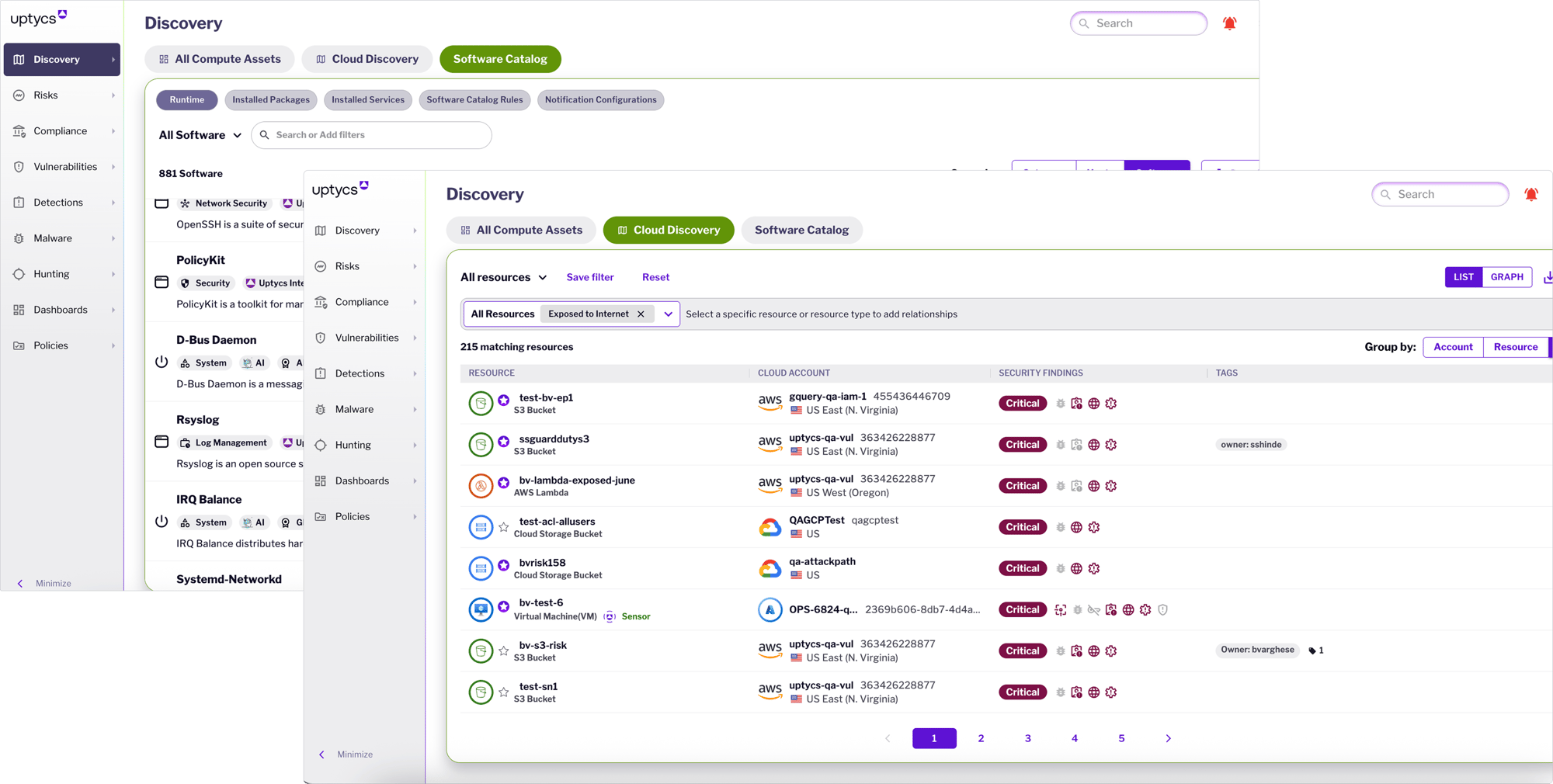
Let’s dig into what Uptycs actually does. The feature set is extensive, so we’ll organize this by the main capability areas.
Cloud Workload Protection Platform (CWPP)
Workload protection is where Uptycs shines brightest. The platform protects everything from virtual machines to containers to serverless functions.
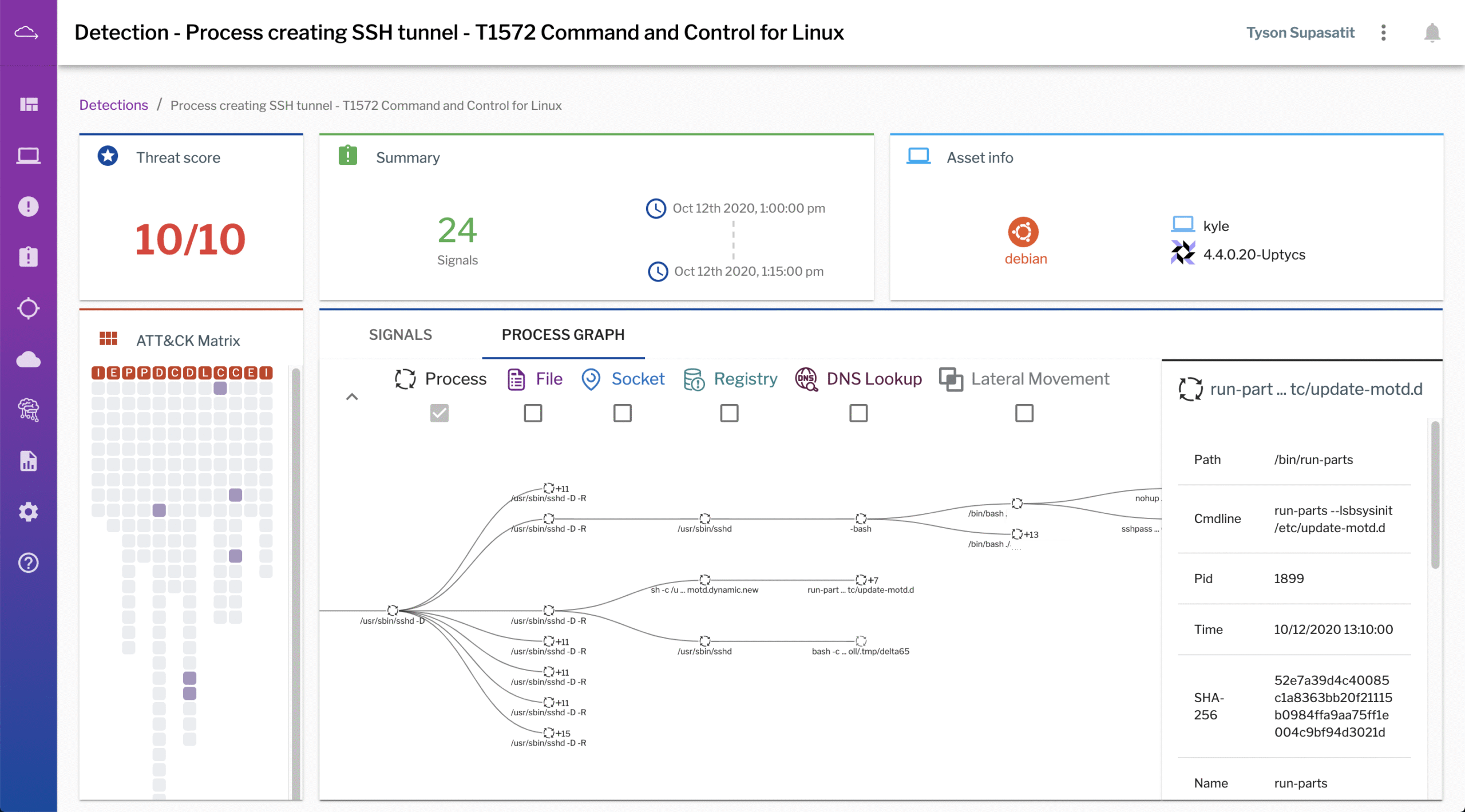
Runtime Protection: Uptycs monitors workloads while they’re running. It detects suspicious processes, unusual file modifications, and network anomalies. The system uses behavioral analysis to spot threats that signature-based tools would miss.
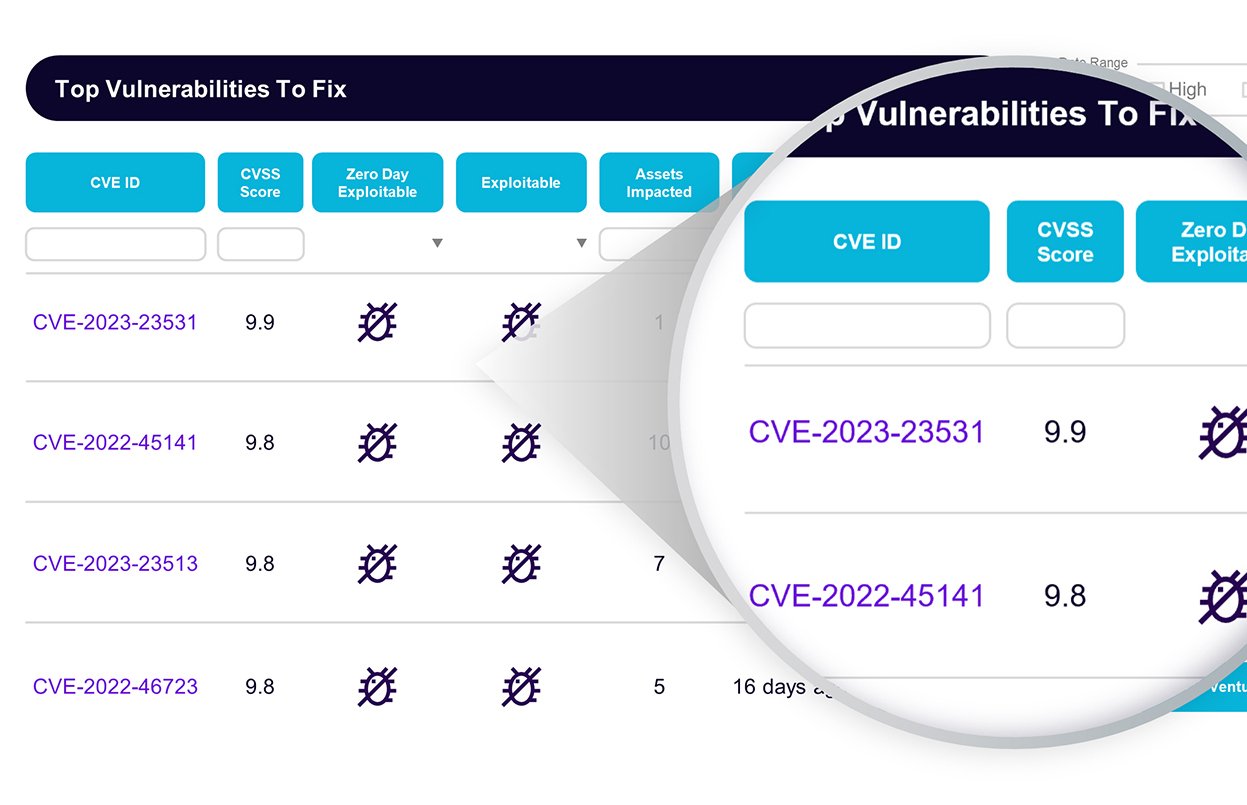
Vulnerability Management: The platform scans workloads for known vulnerabilities. But it goes beyond simple scanning. Uptycs contextualizes vulnerabilities based on:
- Whether the vulnerable component is actually running
- Network exposure of the affected workload
- Exploitation status in the wild
- Business criticality of the asset
This context helps teams prioritize. Not all vulnerabilities are equal. A critical CVE on an internet-facing production server matters more than the same CVE on an isolated test machine.
File Integrity Monitoring: Changes to critical system files trigger alerts. This catches both malware and unauthorized modifications by insiders.
Cloud Security Posture Management (CSPM)
Misconfigurations cause a huge percentage of cloud breaches. Uptycs continuously monitors cloud configurations against security benchmarks and best practices.
Multi-Cloud Coverage: The platform supports AWS, Google Cloud, Azure, and now IBM Cloud. Each cloud provider has its own configuration quirks. Uptycs understands these differences and checks for provider-specific issues.
Compliance Frameworks: Uptycs maps findings to compliance frameworks like:
- CIS Benchmarks
- SOC 2
- HIPAA
- PCI DSS
- NIST frameworks
- ISO 27001
Drift Detection: The platform notices when configurations change. If someone opens up a security group that should be restricted, Uptycs flags it immediately. This catches both mistakes and malicious changes.
Cloud Infrastructure Entitlement Management (CIEM)
Identity is the new perimeter. Overprivileged accounts and service principals are common attack vectors. Uptycs analyzes entitlements across your cloud environment.
Privilege Analysis: The platform identifies accounts with excessive permissions. It shows which permissions are actually being used versus which are just sitting there creating risk.
Risky Permission Combinations: Some permission combinations are particularly dangerous. Uptycs flags these risky patterns even when individual permissions seem harmless.
Service Account Monitoring: Non-human identities often have more access than they need. Uptycs tracks service accounts, roles, and their associated permissions.
Kubernetes Security Posture Management (KSPM)
Kubernetes adds another layer of complexity. Uptycs provides dedicated security capabilities for container orchestration environments.
Cluster Configuration Checks: The platform evaluates Kubernetes configurations against security benchmarks. It catches issues like:
- Privileged containers running unnecessarily
- Missing network policies
- Overly permissive RBAC settings
- Exposed Kubernetes APIs
- Missing pod security standards
Admission Control: Uptycs can prevent insecure workloads from deploying in the first place. This shifts security left without slowing down development.
Container Image Scanning: Before containers reach production, Uptycs scans images for vulnerabilities, malware, and configuration issues.
Juno AI Analyst: Uptycs Intelligence Capabilities
Uptycs includes an AI-powered analyst called Juno. This isn’t just a marketing feature. It changes how teams interact with security data.
Natural Language Queries
Security analysts can ask questions in plain English. Instead of writing complex queries, they can type things like “Show me all containers running as root that have network access to the internet.”
Juno translates these questions into the appropriate queries. It pulls back relevant data and presents it clearly. This lowers the barrier to entry for less experienced team members. It also speeds up investigations for veterans.
Detection Analysis
When Uptycs generates an alert, Juno helps analyze it. The AI explains what triggered the detection. It provides context about why this behavior is suspicious. It suggests next steps for investigation.
This guidance helps analysts make faster decisions. They don’t have to start from scratch understanding each alert. Juno gives them a head start.
Cross-Context Correlation
Juno connects dots across cloud, workload, and runtime contexts. A detection in one area might be related to activity in another. The AI surfaces these connections that humans might miss.
For example, an unusual API call in your cloud environment might be linked to suspicious process activity on a specific workload. Juno helps analysts see the full attack chain.
Data Depth and Historical Investigation Capabilities
One of Uptycs’ standout features is its approach to data retention and forensic investigation. This deserves its own section because it’s genuinely different from most competitors.
13-Month Data Retention
Uptycs supports historical investigations with the ability to query data for up to 13 months. This is a huge deal for security teams. Here’s why it matters:
Dwell Time Reality: Attackers often sit in environments for months before being detected. The average dwell time varies by study, but it’s typically measured in weeks or months. If your security tool only keeps 30 days of data, you can’t investigate attacks that happened before that window.
Compliance Requirements: Many regulations require extended log retention. Having 13 months of queryable data helps meet these requirements without maintaining separate archival systems.
Trend Analysis: Long-term data allows teams to spot gradual changes that might indicate a slow-moving attack or insider threat.
Forensic Investigation Capabilities
Uptycs doesn’t just store data. It makes that data useful for investigations. The platform provides:
- Timeline views of activity across affected systems
- Process ancestry tracking to see how malicious processes spawned
- Network connection history
- File access and modification records
- User activity correlation
This depth of forensic capability is typically found in dedicated EDR tools. Having it built into a CNAPP means fewer tools to juggle during incident response.
Proactive Threat Hunting
The data depth also enables proactive threat hunting. Security teams can search for indicators of compromise across their entire environment and historical data. They can test hypotheses about potential attacks. They can look for subtle patterns that automated detection might miss.
Shift-Left Security: From Buildtime to Runtime
Uptycs emphasizes protection throughout the software pipeline. Security doesn’t just happen in production. It starts in development.
Code Repository Integration
The platform connects to code repositories and CI/CD pipelines. It scans for security issues before code reaches production. This includes:
Infrastructure as Code Scanning: Terraform, CloudFormation, and other IaC files get checked for misconfigurations. Finding these issues during code review is much cheaper than fixing them after deployment.
Secret Detection: Hardcoded credentials and API keys in code get flagged. This prevents embarrassing and dangerous exposures.
Dependency Analysis: Third-party libraries and packages get checked for known vulnerabilities. The software supply chain is a major attack vector.
GitHub Integration
Uptycs specifically mentions GitHub integration in their marketing. The platform can:
- Set up preventative guardrails based on pipeline security posture
- Monitor activity in GitHub for suspicious patterns
- Trace threats from image builds through to runtime
This traceability is powerful. If you detect a problem in production, you can trace it back to the specific build and code change that introduced it.
Container Image Pipeline Security
Images get scanned at multiple points:
Build Time: As images are created, they’re checked for vulnerabilities and misconfigurations.
Registry: Images in registries get continuous scanning. New vulnerabilities are discovered daily. An image that was clean last week might have issues today.
Admission: Before deploying to Kubernetes, images can be re-checked. This catches any issues that slipped through earlier stages.
Runtime: Even after deployment, monitoring continues. The same image might behave differently in production than expected.
Unified Risk Visibility and Attack Path Analysis
Uptycs provides unified risk visibility, protection, and prevention from buildtime to runtime for every hybrid cloud workload. But what does that actually mean in practice?
Attack Path Mapping
The platform understands how attackers might move through your environment. It maps potential attack paths by combining:
- Network connectivity between resources
- Identity and permission relationships
- Vulnerability presence on different systems
- Misconfiguration exposures
This shows you where the real risk is. A vulnerable server that’s network-isolated is less urgent than one that’s directly exposed to the internet and connected to sensitive data.
Exposure Management
Uptycs helps teams understand their most critical exposures. The platform prioritizes based on multiple factors:
| Factor | Why It Matters |
|---|---|
| Vulnerability Severity | Higher severity means higher potential impact |
| Exploit Availability | Known exploits in the wild increase risk |
| Network Exposure | Internet-facing assets are easier to attack |
| Data Sensitivity | Systems with sensitive data are higher value targets |
| Connected Risk | Compromising one system might enable access to others |
Remediation Guidance
Finding problems is only half the job. Uptycs provides guidance on fixing issues. This includes:
- Specific remediation steps for each finding
- Code snippets for fixing IaC misconfigurations
- Prioritization to focus effort where it matters most
- Integration with ticketing systems to track remediation
Uptycs vs Lacework: A Head-to-Head Comparison
Lacework is one of Uptycs’ main competitors. Let’s look at how they compare across key dimensions.
Data Depth Comparison
This is where Uptycs makes its strongest case against Lacework. According to Uptycs’ own comparison materials:
| Capability | Uptycs | Lacework |
|---|---|---|
| Historical Data Retention | 13 months queryable | Limited retention period |
| Forensic Investigation | Deep forensic insights | Basic investigation |
| Threat Hunting | Proactive hunting supported | Limited capabilities |
Pipeline Security Comparison
Both platforms offer shift-left capabilities, but with different depths:
Uptycs: Empowers proactive security throughout the software pipeline. Traces threats from image builds to runtime. Enables preventative guardrails based on pipeline security posture and GitHub activity.
Lacework: According to Uptycs’ comparison, Lacework relies solely on image scanning for limited visibility and security controls.
This is an area where Uptycs claims a clear advantage. The ability to trace issues from build to runtime and set up proactive guardrails goes beyond basic scanning.
Automation and Response
Uptycs emphasizes automation capabilities for security teams. The platform enables automated responses to certain threat types. It also provides the deep data needed for thorough investigation when human analysis is required.
Uptycs vs Aqua Security: Feature-by-Feature Analysis
Aqua Security is another major player in the CNAPP market. Here’s how the platforms stack up.
Aqua Security’s Strengths
Aqua differentiates with several capabilities:
- Software supply chain security across code, infrastructure, tools, and processes
- Runtime protection against cloud-native and AI attacks including prompt injection
- Multi-cloud visibility through cloud security posture management
The AI attack protection is notable. As organizations deploy more AI applications, protecting against prompt injection and similar attacks becomes more relevant.
Uptycs’ Advantages
Uptycs counters with:
- Deeper data retention for historical analysis
- Unified analytics platform that correlates across all data sources
- Juno AI Analyst for natural language queries and investigation assistance
- Broader endpoint and workload coverage beyond just containers
Platform Philosophy Differences
Aqua started with a container-first approach. Their heritage is in container security, and they’ve expanded from there.
Uptycs started with security analytics. Their foundation is in collecting and analyzing security telemetry. They’ve built CNAPP capabilities on top of that analytics engine.
This difference in heritage shows up in the products. Aqua tends to be stronger in pure container environments. Uptycs tends to excel when you need deep investigation capabilities and have hybrid workloads beyond just containers.
Multi-Cloud and Hybrid Cloud Support
Most enterprises don’t run everything in one cloud. Uptycs addresses this reality head-on.
Supported Cloud Providers
The platform covers the major cloud providers:
- AWS: Full CNAPP support, this is where Uptycs started
- Azure: Complete coverage for Microsoft’s cloud
- Google Cloud: GCP environments fully supported
- IBM Cloud: Newest addition, making Uptycs unique in this market
The IBM Cloud Story
Uptycs claims to be the only provider offering a truly comprehensive cloud-native security platform purpose-built for IBM Cloud. This matters for specific customer segments:
Regulated Industries: Banks, healthcare organizations, and government agencies often use IBM Cloud. They value IBM’s compliance certifications and enterprise support.
Hybrid Cloud Users: Organizations using IBM’s hybrid cloud offerings with Red Hat OpenShift need security tools that understand this environment.
Legacy Modernization: Companies moving mainframe workloads to cloud often choose IBM. Uptycs can protect these modernized applications.
Unified View Across Clouds
The real value isn’t just checking boxes for cloud support. It’s providing a unified view. With Uptycs, security teams see all their clouds in one place. They don’t have to mentally translate between different tools and different terminology.
A misconfiguration in AWS gets reported the same way as one in Azure or IBM Cloud. Alerts use consistent severity ratings. Remediation workflows work the same way regardless of the underlying platform.
Integration Capabilities and Ecosystem
No security tool works in isolation. Uptycs needs to fit into existing security operations.
SIEM and SOAR Integration
Uptycs sends alerts and event data to security information and event management (SIEM) systems. This allows centralized alert handling for organizations that have invested in SIEM platforms.
Security orchestration and automated response (SOAR) integration enables automated playbooks. When Uptycs detects a specific threat type, SOAR tools can automatically take action.
Ticketing System Integration
Security findings need to become actionable tickets. Uptycs integrates with ticketing systems like Jira and ServiceNow. This creates a clear workflow from detection to remediation to closure.
CI/CD Pipeline Integration
As discussed earlier, Uptycs integrates with CI/CD tools. This includes:
- GitHub and GitLab for repository scanning
- Jenkins, CircleCI, and other build tools
- Container registries for image scanning
- Kubernetes admission controllers
API Access
For custom integrations, Uptycs provides API access. Organizations can build their own integrations or pull data into custom dashboards and reporting tools.
Who Should Consider Uptycs? Ideal Use Cases
Not every organization needs a full CNAPP. Here’s who gets the most value from Uptycs.
Organizations with Complex Multi-Cloud Environments
If you’re running workloads across multiple cloud providers, managing separate security tools for each is painful. Uptycs’ unified approach simplifies this significantly.
Teams Needing Deep Forensic Capabilities
The 13-month data retention and forensic investigation tools are unique. Organizations that conduct regular threat hunting or deal with advanced persistent threats will appreciate this depth.
Security Teams Working Closely with Developers
Uptycs calls itself “the top cloud-native application protection platform choice for security teams collaborating with developers.” The shift-left capabilities and pipeline integration support this use case well.
Enterprises Using IBM Cloud
If IBM Cloud is part of your infrastructure, Uptycs is now the most comprehensive native security option. This is a clear differentiation point.
Organizations Dealing with Hybrid Workloads
Uptycs doesn’t just protect containers. It covers VMs, bare metal, and various workload types. Organizations with mixed environments benefit from this breadth.
Potential Limitations and Considerations
Every product has tradeoffs. Here are some things to consider before choosing Uptycs.
Complexity for Small Teams
Uptycs is a feature-rich platform. Small security teams might find it overwhelming. The depth of capability requires investment to fully use.
Organizations with limited security staff might prefer simpler tools, at least initially. They can always grow into more sophisticated platforms later.
Market Position
Uptycs is a smaller company compared to some competitors. Organizations evaluating vendors often consider company size and financial stability as factors. This isn’t necessarily a disadvantage, but it’s worth noting.
Pricing Considerations
CNAPP pricing varies widely across vendors. Uptycs’ pricing model should be evaluated against alternatives during any selection process. The value of deep data retention and forensic capabilities might justify higher costs for some organizations.
Learning Curve
Taking full advantage of Uptycs requires learning the platform. The Juno AI helps lower this barrier, but teams should plan for a ramp-up period.
Implementation Approach and Getting Started
Rolling out a CNAPP is a project. Here’s what to expect with Uptycs.
Deployment Options
Uptycs offers different deployment approaches:
Agent-Based: For workloads requiring deep visibility, installing the Uptycs agent provides the richest data collection.
Agentless: For cloud posture and configuration assessment, agentless scanning provides quick visibility without deploying software everywhere.
Hybrid: Most organizations use a combination. Agentless for quick wins and agent-based for critical workloads needing full protection.
Recommended Rollout Phases
| Phase | Focus | Timeline |
|---|---|---|
| 1. Discovery | Cloud inventory and basic posture assessment | Weeks 1-2 |
| 2. Critical Workloads | Agent deployment on high-value systems | Weeks 3-4 |
| 3. Pipeline Integration | CI/CD scanning and shift-left | Weeks 5-8 |
| 4. Full Coverage | Expanding to all workloads | Weeks 9-12 |
| 5. Optimization | Tuning, automation, advanced hunting | Ongoing |
Success Metrics
Organizations should track metrics to measure CNAPP success:
- Mean time to detect (MTTD) security issues
- Mean time to respond (MTTR) to incidents
- Vulnerability backlog size over time
- Misconfiguration count by severity
- Coverage percentage of workloads
- Developer friction and feedback
The Future of CNAPP: Where Uptycs Is Heading
Uptycs has published thoughts on what comes beyond CNAPP. Understanding their roadmap vision helps evaluate long-term fit.
Beyond Traditional CNAPP
The company sees CNAPP evolving beyond its current definition. Key themes include:
AI Integration: Juno AI is just the beginning. Expect more AI-powered analysis, automated response, and predictive capabilities.
Broader Exposure Management: Moving beyond just cloud to unified exposure management across all enterprise assets.
Developer Experience: Security tools need to fit developer workflows better. Expect continued investment in CI/CD integration and developer-friendly interfaces.
2025 Gartner Market Guide Insights
Uptycs has shared key takeaways from the 2025 Gartner Market Guide for CNAPP. While specific details require accessing Gartner’s research, Uptycs positions itself as aligned with Gartner’s direction for the market.
The CNAPP market is consolidating. Vendors are expanding capabilities. Customers are demanding broader coverage with less tool sprawl. Uptycs’ unified platform approach fits this trend.
Making the Decision: Is Uptycs Right for You?
After reviewing all aspects of Uptycs, here’s a framework for deciding.
Choose Uptycs If:
- You run workloads across multiple clouds including IBM Cloud
- Deep forensic investigation and threat hunting are priorities
- You want one platform instead of multiple point solutions
- Developer and security collaboration is a goal
- You need extended data retention for compliance or investigations
- Hybrid workloads with VMs and containers need protection
Consider Alternatives If:
- You only use containers and need the deepest container-specific features
- Your environment is simple with one cloud and basic workloads
- You have a very small team that needs the simplest possible tool
- Budget is extremely constrained
Evaluation Checklist
Before making a decision, verify these items:
- Run a proof of concept in your actual environment
- Test the investigation workflow with a simulated incident
- Evaluate the CI/CD integration with your specific tools
- Get hands-on with Juno AI to see if it helps your team
- Review pricing against your workload count and data needs
- Check references from organizations similar to yours
Conclusion
Uptycs delivers a comprehensive CNAPP that stands out through its unified architecture and deep data capabilities. The platform combines workload protection, cloud posture management, identity security, and Kubernetes protection in one solution. Its 13-month data retention enables forensic investigations that most competitors can’t match. The IBM Cloud support makes it unique for enterprises using that platform. While the feature depth means a learning curve, organizations with complex cloud environments and strong security requirements will find real value in Uptycs’ approach to cloud-native security.
Frequently Asked Questions About Uptycs Review
| Who is Uptycs best suited for? | Uptycs works best for mid-size to large enterprises running multi-cloud or hybrid cloud environments. Security teams that need deep forensic capabilities and extended data retention will get the most value. Organizations using IBM Cloud alongside other providers have few alternatives with comparable coverage. |
| How does Uptycs compare to other CNAPP vendors? | Uptycs differentiates through its data depth and unified analytics platform. The 13-month data retention exceeds most competitors. Compared to Lacework, Uptycs offers deeper forensic investigation. Compared to Aqua Security, Uptycs provides broader workload coverage beyond containers. Each platform has strengths for different use cases. |
| What cloud providers does Uptycs support? | Uptycs supports AWS, Azure, Google Cloud, and IBM Cloud. The IBM Cloud support launched in 2026, making Uptycs the only CNAPP with comprehensive native support for that platform. All major cloud providers receive the same CWPP, CSPM, CIEM, and KSPM capabilities. |
| What is Juno AI Analyst? | Juno AI is Uptycs’ built-in AI assistant. It lets security teams ask questions in natural language instead of writing complex queries. Juno helps analyze detections, provides investigation guidance, and correlates findings across cloud, workload, and runtime contexts. |
| How long does Uptycs retain data for investigations? | Uptycs retains queryable data for up to 13 months. This extended retention supports historical investigations, compliance requirements, and threat hunting. Most competitors offer shorter retention periods, making deep forensic analysis more difficult. |
| Does Uptycs support shift-left security practices? | Yes. Uptycs integrates with code repositories and CI/CD pipelines. It scans infrastructure as code, detects secrets, and analyzes dependencies. The platform connects to GitHub for activity monitoring and can trace issues from image builds through to runtime. |
| What types of workloads can Uptycs protect? | Uptycs protects virtual machines, containers, Kubernetes clusters, and serverless functions. The platform isn’t limited to just containers like some competitors. This makes it suitable for organizations with hybrid workloads that include both legacy VMs and modern container deployments. |
| How does Uptycs pricing work? | Specific pricing should be obtained directly from Uptycs as it varies based on workload count, data retention needs, and selected features. Contact their sales team for a quote tailored to your environment. Most CNAPP vendors price based on protected assets or cloud spend. |
| Can Uptycs replace multiple point security tools? | Potentially yes. Uptycs combines CWPP, CSPM, CIEM, and KSPM capabilities that would otherwise require separate tools. Organizations have consolidated their cloud security stack onto Uptycs. Evaluate whether the depth of each capability meets your specific requirements before consolidating. |
| What kind of support and training does Uptycs provide? | Uptycs offers documentation, training resources, and customer support. Contact their team for details on support tiers and professional services for implementation assistance. The Juno AI also serves as an always-available assistant for using the platform effectively. |





 Stack Insight is intended to support informed decision-making by providing independent information about business software and services. Some product details, including pricing, features, and promotional offers, may be supplied by vendors or partners and can change without notice.