
OX Security vs GitLab Ultimate: A Complete Comparison for 2026
Picking the right application security platform can feel overwhelming. Both OX Security and GitLab Ultimate promise to protect your code, pipelines, and software supply chain. But they take different approaches to solving similar problems.
OX Security focuses specifically on Application Security Posture Management (ASPM). It maps your entire software factory and gives you visibility across code, cloud, and runtime environments. GitLab Ultimate, on the other hand, bundles security directly into its DevOps platform. You get security scanning built right into your CI/CD workflows.
This comparison breaks down everything you need to know. We’ll look at features, pricing, integration capabilities, and real user feedback. By the end, you’ll understand which tool fits your team’s needs. Whether you’re a startup shipping fast or an enterprise managing complex compliance requirements, this guide will help you decide.
Understanding the Core Difference Between OX Security and GitLab Ultimate
Before we dig into specific features, let’s clarify what each product actually is. This distinction matters because it shapes how each tool fits into your workflow.
What Is OX Security?
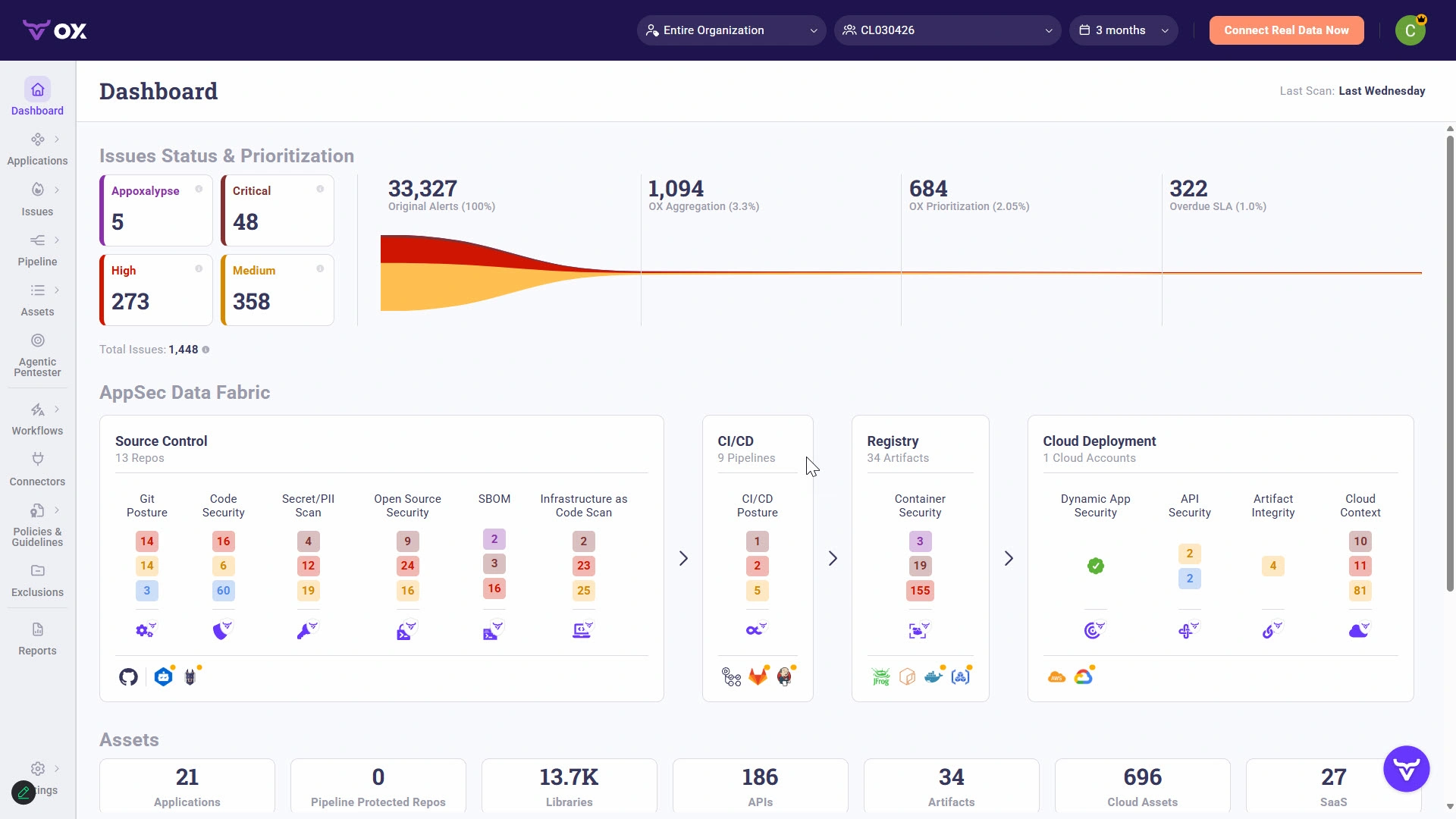
OX Security is a dedicated ASPM platform. It was built from the ground up to manage application security across your entire development lifecycle. The platform connects to your existing tools and provides a unified view of security risks.
Think of OX as a security orchestration layer. It sits on top of your development stack and pulls data from multiple sources:
- Source code repositories like GitHub, GitLab, and Bitbucket
- CI/CD pipelines across different platforms
- Cloud infrastructure including AWS, Azure, and GCP
- Container registries and runtime environments
- Third-party security scanners you already use
OX doesn’t replace your existing security tools. It aggregates findings, removes duplicates, and prioritizes what actually matters. The platform maps out your applications directly from connected repositories. This mapping helps you understand which assets are most critical and where vulnerabilities create real business risk.
According to PeerSpot data, OX Security holds about 1.1% mindshare in the SAST category as of 2026. That’s up from 0.6% the previous year, showing strong growth in adoption. And 100% of OX Security users say they would recommend the solution to others.
What Is GitLab Ultimate?
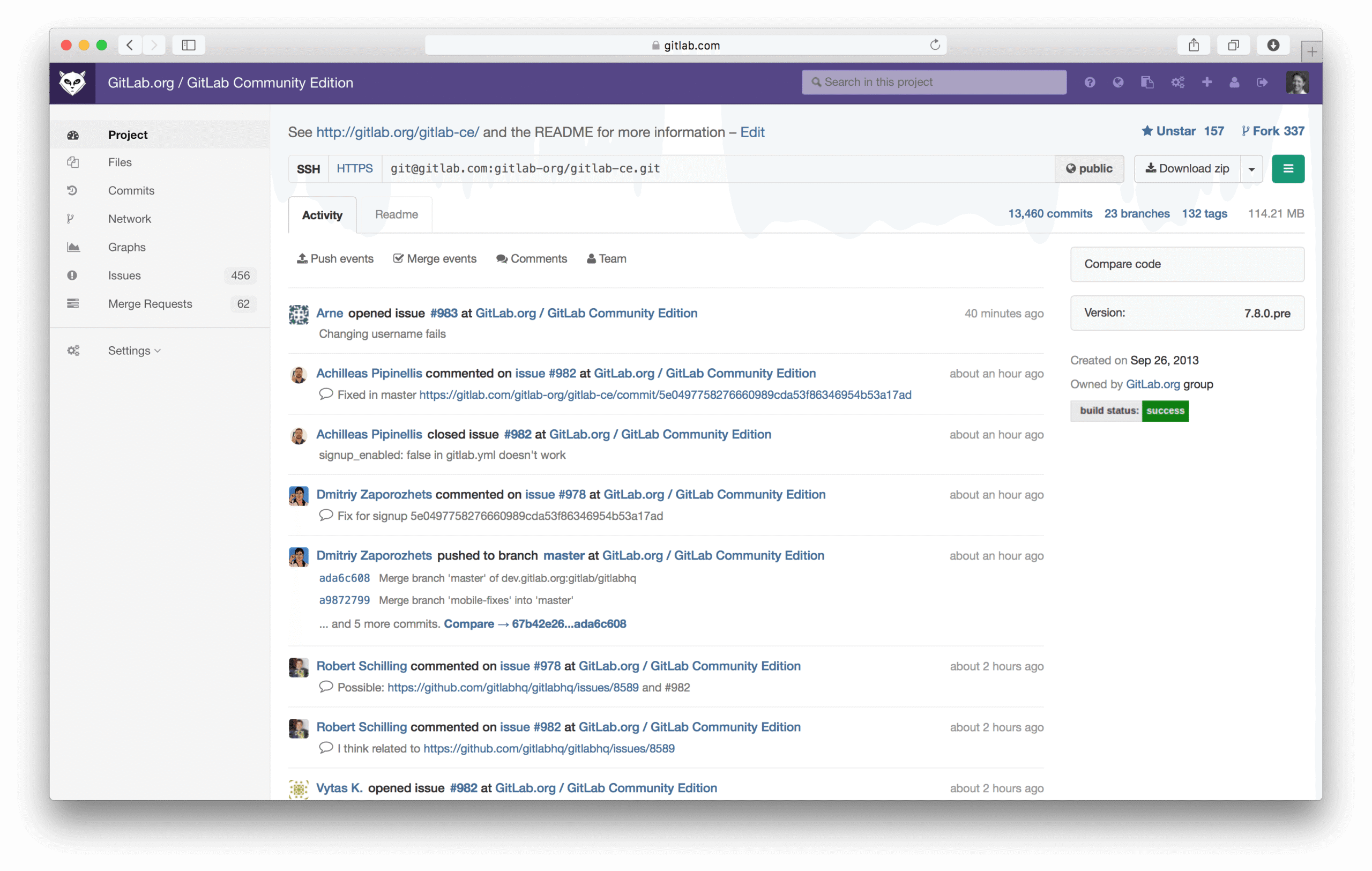
GitLab Ultimate is the top tier of GitLab’s DevOps platform. It includes everything from source code management to CI/CD to security scanning. Unlike OX Security, GitLab Ultimate isn’t a standalone security product. It’s a complete DevOps platform with security features built in.
The security capabilities in GitLab Ultimate include:
- Static Application Security Testing (SAST) for code analysis
- Dynamic Application Security Testing (DAST) for running applications
- Dependency scanning for third-party libraries
- Container scanning for Docker images
- Secret detection to find exposed credentials
- License compliance checking
- Security dashboards and vulnerability management
GitLab holds 2.4% mindshare in SAST tools, according to PeerSpot data from 2026. That’s down slightly from 2.7% the previous year. Still, 97% of GitLab users would recommend the platform.
Platform Approach vs Dedicated Security Tool
Here’s the key difference. GitLab Ultimate gives you security as part of a larger DevOps platform. OX Security gives you security as a dedicated focus area that works with any DevOps platform.
If your team already uses GitLab for everything, Ultimate’s built-in security makes sense. You don’t need to set up integrations or manage another vendor relationship. Everything lives in one place.
But if your organization uses multiple source control systems, different CI/CD tools, or has complex multi-cloud environments, OX Security’s flexibility becomes valuable. It can aggregate security data from GitLab, GitHub, Jenkins, CircleCI, and dozens of other tools into a single view.
| Aspect | OX Security | GitLab Ultimate |
|---|---|---|
| Product Type | Dedicated ASPM Platform | Full DevOps Platform with Security |
| Primary Focus | Security orchestration and posture management | End-to-end DevOps with integrated security |
| Best For | Multi-tool environments, security-first teams | Teams fully committed to GitLab ecosystem |
| Vendor Lock-in | Low (works with any tools) | Higher (security tied to GitLab platform) |
Security Scanning Capabilities: OX Security Compared to GitLab Ultimate
Both platforms offer security scanning. But the scope, depth, and approach differ quite a bit. Let’s break down what each one actually does.
Static Application Security Testing (SAST)
SAST analyzes your source code for vulnerabilities without running the application. It catches issues like SQL injection, cross-site scripting, and insecure coding patterns early in development.
GitLab Ultimate’s SAST:
GitLab includes SAST scanners that run automatically in your CI/CD pipelines. The platform supports over 30 programming languages through various analyzers. When you push code, GitLab scans it and reports findings directly in merge requests.
Developers see vulnerabilities right where they work. They don’t need to switch to another tool or dashboard. GitLab shows exactly which lines of code have issues and suggests fixes when available.
The downside? GitLab’s SAST is limited to code hosted in GitLab repositories. If you have code in GitHub or Bitbucket, you can’t scan it with GitLab’s native tools.
OX Security’s SAST Approach:
OX Security doesn’t run its own SAST scans by default. Instead, it integrates with existing SAST tools and aggregates their findings. You can connect Checkmarx, SonarQube, Snyk, or GitLab’s own SAST results to OX.
The platform then correlates findings across tools. If two scanners flag the same vulnerability, OX deduplicates it. This prevents alert fatigue and helps teams focus on unique issues.
OX also adds context. It shows you which vulnerabilities sit in code paths that actually get deployed to production. A vulnerability in dead code matters less than one in your main application logic.
Software Composition Analysis (SCA)
SCA scans your dependencies for known vulnerabilities. Most modern applications use hundreds of open-source libraries. SCA tells you when those libraries have security issues.
GitLab Ultimate’s Dependency Scanning:
GitLab scans your project’s dependencies and checks them against vulnerability databases. It supports package managers like npm, pip, Maven, and many others.
Results appear in your pipeline and merge requests. GitLab creates remediation merge requests when possible, making it easy to update vulnerable dependencies.
The platform also provides a Dependency List view. You can see all dependencies across your projects and their security status in one place.
OX Security’s SCA Capabilities:
OX pulls SCA data from multiple sources. It can ingest results from Snyk, WhiteSource, Dependabot, and other SCA tools. The platform also has native scanning capabilities.
What sets OX apart is its software supply chain focus. Beyond just scanning dependencies, OX maps how those dependencies flow through your build process. It can detect if a dependency got modified or tampered with during CI/CD.
OX also tracks Software Bill of Materials (SBOM) data. You can generate SBOMs in standard formats like CycloneDX and SPDX. This matters for compliance and for understanding exactly what ships in your products.
Container and Infrastructure Scanning
Modern applications run in containers and cloud infrastructure. Both platforms address this, but with different strengths.
GitLab Ultimate’s Container Scanning:
GitLab scans Docker images for vulnerabilities in your CI/CD pipelines. It checks the operating system packages and installed software against vulnerability databases.
You can block deployments if containers have high-severity vulnerabilities. GitLab also supports container registries, so you can scan images stored in GitLab’s built-in registry.
OX Security’s Container and Cloud Scanning:
OX connects to container registries across your infrastructure. It can scan images in Docker Hub, Amazon ECR, Azure Container Registry, and Google Container Registry.
Beyond containers, OX scans cloud infrastructure configurations. It connects to AWS, Azure, and GCP to identify misconfigurations. Exposed S3 buckets, overly permissive IAM roles, and unencrypted databases all get flagged.
OX also monitors runtime environments. It can detect when a container in production differs from what was scanned during build time. This catches scenarios where attackers inject malicious code after deployment.
| Scanning Type | OX Security | GitLab Ultimate |
|---|---|---|
| SAST | Aggregates from multiple tools, adds context | Native scanning in pipelines, 30+ languages |
| SCA/Dependencies | Native + multi-tool aggregation, SBOM generation | Native scanning, remediation MRs |
| Container Scanning | Multi-registry support, runtime monitoring | Native pipeline scanning, registry support |
| DAST | Integration with DAST tools | Native DAST scanning |
| Secret Detection | Yes, including historical scanning | Yes, pipeline and pre-receive hooks |
| Infrastructure as Code | Yes, Terraform, CloudFormation, etc. | Yes, via third-party integrations |
CI/CD Pipeline Security: How Each Platform Protects Your Software Factory
Your CI/CD pipeline is a high-value target. Attackers who compromise your build process can inject malicious code into every release. Both OX Security and GitLab Ultimate address pipeline security, but from different angles.
GitLab Ultimate’s Built-in Pipeline Security
GitLab Ultimate has natural advantages here. The platform owns the entire pipeline. It controls who can trigger builds, what those builds can access, and where artifacts get stored.
Key pipeline security features in GitLab Ultimate:
- Protected branches and tags control who can push to production branches
- Approval rules require security team sign-off before merges
- Environment protections limit who can deploy to production
- Variable masking keeps secrets out of logs
- Signed commits verify code authenticity
- Pipeline artifacts retention creates audit trails
GitLab also runs security scans as part of every pipeline. You can set policies that block merges or deployments when vulnerabilities exceed certain thresholds. A merge request with critical SAST findings can be automatically blocked until someone addresses the issues.
The automation features work well with external tools too. One GitLab user mentioned on PeerSpot: “The automation features make my work easier because we use a tool called AWX, which is connected to GitLab. Whenever we run a job on AWX, it directly checks the code and uses it.”
OX Security’s Pipeline Visibility and Protection
OX Security takes a different approach. It connects to your pipelines as an observer and guardian, regardless of which CI/CD platform you use.
OX’s documentation describes it this way: “Integrating OX with GitLab improves security by automating application vulnerability scans. OX directly maps out applications from GitLab.”
OX Security pipeline features include:
- Multi-pipeline visibility across GitLab, GitHub Actions, Jenkins, CircleCI, and more
- Pipeline configuration scanning to detect misconfigurations
- Secret exposure detection across all connected systems
- Workflow analysis to find security gaps in your build process
- Supply chain mapping showing how code flows from commit to deployment
OX can identify when pipeline configurations allow untrusted code execution. It flags cases where pull requests from forks can trigger pipelines that have access to secrets. These attack vectors have been used in real supply chain compromises.
The platform also monitors for pipeline tampering. If someone modifies your CI/CD configuration in suspicious ways, OX alerts you. This catches insider threats and compromised accounts.
Supply Chain Security Focus
Software supply chain attacks have exploded in recent years. SolarWinds, Codecov, and Log4Shell showed how devastating these attacks can be. Both platforms address supply chain security, but OX Security makes it a primary focus.
OX Security’s supply chain features:
- Maps your entire software supply chain visually
- Tracks dependencies from source to deployed artifact
- Detects dependency confusion attacks
- Monitors for typosquatting packages
- Verifies artifact integrity throughout the build
- Generates and validates SBOMs
GitLab Ultimate’s supply chain approach:
- Dependency scanning for known vulnerabilities
- License compliance checking
- Package registry for internal packages
- Signed artifacts and attestation support
GitLab covers the basics well. OX goes deeper by treating supply chain security as a dedicated discipline rather than a collection of features.
Vulnerability Management and Prioritization
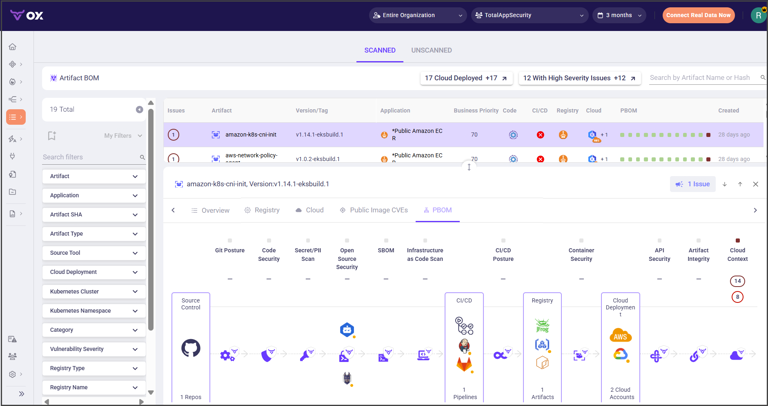
Finding vulnerabilities is easy. Managing thousands of them across hundreds of applications is hard. The real value of security tools lies in helping teams prioritize what to fix first.
GitLab Ultimate’s Vulnerability Management
GitLab Ultimate includes a Vulnerability Management dashboard. It shows all findings from SAST, DAST, dependency scanning, and container scanning in one view.
You can filter by:
- Severity level (critical, high, medium, low)
- Scanner type
- Project or group
- Status (detected, confirmed, dismissed, resolved)
GitLab lets you create issues directly from vulnerabilities. You can track remediation work in the same platform where you manage all other development tasks.
The platform also provides security dashboards at the group level. Security teams can see vulnerability trends across multiple projects. They can track metrics like time to remediation and vulnerability density over time.
However, GitLab’s prioritization is relatively basic. It relies mainly on CVSS scores, which don’t always reflect real-world risk. A critical CVSS vulnerability in dead code might rank higher than a medium-severity issue in your authentication module.
OX Security’s Risk-Based Prioritization
OX Security built its platform around the idea that context matters more than severity scores. The platform uses multiple factors to calculate actual business risk:
Factors OX considers:
- Asset criticality: Is this code in your main revenue-generating application or a test project?
- Exposure: Is the vulnerable component internet-facing?
- Exploitability: Does a public exploit exist? Is it being used in the wild?
- Reachability: Can the vulnerability actually be triggered based on how the code is called?
- Data sensitivity: Does this application handle PII, financial data, or health records?
- Regulatory requirements: Are there compliance implications?
OX correlates data from multiple scanners to build this picture. If your SAST tool, SCA tool, and cloud scanner all flag related issues, OX connects them. You see the full attack chain, not isolated findings.
The platform also learns from your team’s behavior. If certain types of findings always get marked as false positives, OX adjusts. Over time, the prioritization becomes more accurate for your specific environment.
Deduplication and Correlation
Alert fatigue is a real problem. Teams running multiple security scanners often see the same vulnerability reported three or four times. Each scanner uses different naming conventions and severity ratings.
OX Security specifically addresses this. The platform deduplicates findings across tools and correlates related issues. Five scanner alerts about the same vulnerable library become one actionable item.
GitLab doesn’t face this problem as severely because it uses its own native scanners. But if you integrate third-party tools, GitLab doesn’t correlate their findings with its native results.
Integration Capabilities: Connecting Your Security Stack
No security tool exists in isolation. Both platforms need to work with your existing tools, workflows, and processes. Let’s compare how well they integrate.
OX Security’s Integration Philosophy
OX Security was designed as an integration platform from day one. It connects to tools across your entire software development lifecycle.
Source Control Integrations:
- GitHub (including GitHub Enterprise)
- GitLab (cloud and self-managed)
- Bitbucket (cloud and server)
- Azure DevOps
CI/CD Pipeline Integrations:
- GitLab CI
- GitHub Actions
- Jenkins
- CircleCI
- Azure Pipelines
- AWS CodePipeline
- Travis CI
Security Tool Integrations:
- Checkmarx
- Snyk
- SonarQube
- Veracode
- WhiteSource/Mend
- Semgrep
- Prisma Cloud
- And dozens more
Cloud Provider Integrations:
- AWS
- Azure
- Google Cloud Platform
Ticketing and Communication:
- Jira
- ServiceNow
- Slack
- Microsoft Teams
- PagerDuty
OX acts as a hub that pulls security data from all these sources. This matters for organizations that have grown through acquisition or have teams using different toolchains.
GitLab Ultimate’s Integration Approach
GitLab takes a “batteries included” approach. Most features are built into the platform, reducing the need for integrations.
That said, GitLab does support integrations where needed:
Built-in integrations:
- Jira for issue tracking
- Slack and Microsoft Teams for notifications
- Prometheus for monitoring
- Kubernetes for deployment
- Various cloud providers for infrastructure
Security tool integrations:
- Security scanners can output to GitLab’s format
- SARIF import for third-party SAST results
- API for custom integrations
GitLab’s integration model works best when GitLab is your primary platform. If you’re using GitLab for source control and CI/CD, the built-in security tools integrate perfectly. No configuration needed.
But GitLab doesn’t aggregate security data from external sources as easily as OX does. If you want to see Snyk findings alongside GitLab SAST findings in one dashboard, you’ll need to build that yourself.
API and Automation
Both platforms offer APIs for custom integrations and automation.
GitLab’s API:
- REST and GraphQL APIs
- Comprehensive documentation
- Webhooks for event-driven automation
- Terraform provider for infrastructure as code
OX Security’s API:
- REST API for all major functions
- Webhooks for real-time notifications
- Pre-built integrations reduce custom API work
GitLab’s API is more mature and better documented, which makes sense given GitLab’s longer history and larger user base. OX Security’s API covers the essentials but may require more support engagement for complex use cases.
User Experience and Developer Workflow
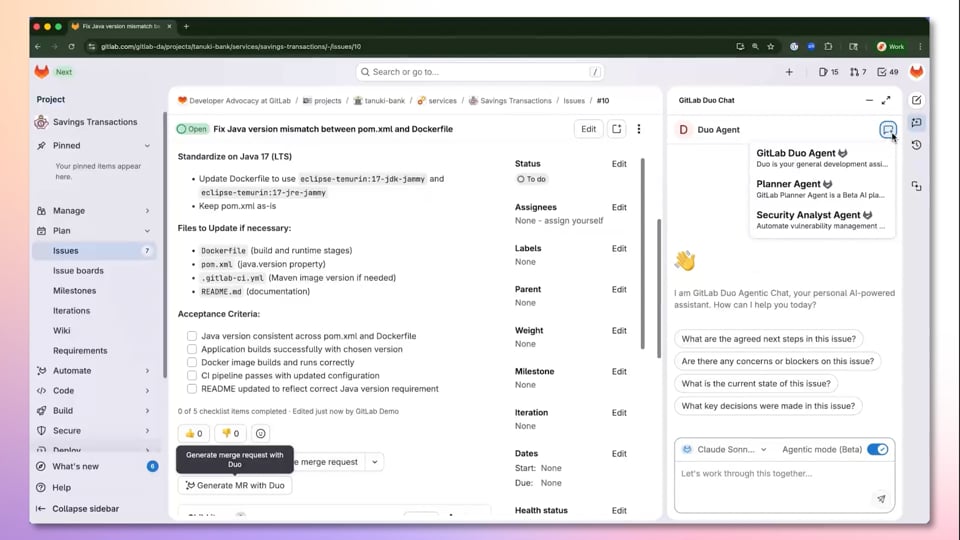
Security tools only work if developers actually use them. A tool that frustrates developers gets ignored or worked around. Let’s compare how each platform fits into daily development work.
Developer Experience in GitLab Ultimate
GitLab Ultimate shines here. Developers already use GitLab for code, pipelines, and collaboration. Security findings appear in the same interface they use all day.
How developers interact with security in GitLab:
- Merge request widgets show security scan results inline
- Vulnerability details link directly to the affected code
- One-click issue creation for tracking remediation
- Suggested fixes for some vulnerability types
- Auto-remediation merge requests for dependency updates
There’s no context switching. Developers don’t need to learn a new tool or check a separate dashboard. Security becomes part of the normal code review process.
The tradeoff is that developers might see security as just another thing blocking their merge requests. Without proper training, they might dismiss findings without understanding them.
Developer Experience with OX Security
OX Security sits outside the developer’s primary workflow. It’s a separate platform that aggregates information from where developers work.
This creates friction. Developers need to check another dashboard or respond to notifications from another system. OX tries to minimize this by pushing information back to native tools:
- Comments on pull requests in GitHub/GitLab
- Slack notifications with vulnerability details
- Jira tickets created automatically
- IDE plugins for some integrations
Still, the experience isn’t as seamless as GitLab’s native security. OX is really designed for security teams to manage the program, not for individual developers to interact with directly.
Security Team Experience
The picture flips when you consider security team workflows.
Security teams using GitLab Ultimate:
GitLab provides security dashboards and vulnerability lists. Security teams can see findings across projects and track trends. But the interface is primarily designed for developers.
Security teams often want different views. They care about aggregate risk, compliance status, and policy enforcement across the entire organization. GitLab’s security features work at the project and group level, which may not match how security teams think about applications.
Security teams using OX Security:
OX was built for security teams from the start. The interface supports security program management workflows:
- Application inventory management
- Risk scoring at the application level
- Policy creation and enforcement
- Compliance reporting and evidence collection
- Security metrics and KPIs
- Executive reporting dashboards
OX gives security teams the big picture view they need while still enabling drill-down to specific findings.
Pricing Comparison: OX Security vs GitLab Ultimate Cost Analysis
Budget matters. Let’s look at how these platforms are priced and what you actually get for your money.
GitLab Ultimate Pricing
GitLab uses per-user pricing across all tiers. As of 2026, GitLab Ultimate costs approximately $99 per user per month when billed annually.
What you get with Ultimate:
- All GitLab features (source control, CI/CD, package registry, etc.)
- All security scanning features (SAST, DAST, dependency scanning, etc.)
- Vulnerability management
- Security dashboards
- Compliance management
- Advanced CI/CD features
- Priority support
The pricing is predictable. You know exactly what you’ll pay based on your user count. But costs scale linearly with team size. A 500-person engineering organization pays significantly more than a 50-person team.
Also consider that you might be paying for more than security. If you only want GitLab for security scanning but use GitHub for source control, you’re paying for features you won’t use.
OX Security Pricing
OX Security doesn’t publish pricing on their website. You need to contact sales for a quote. This is common for enterprise security products but makes comparison harder.
Based on industry information, OX Security pricing typically depends on:
- Number of applications being monitored
- Number of developers
- Features and modules selected
- Support level required
Enterprise ASPM platforms like OX typically cost more per seat than GitLab’s security features. But the comparison isn’t apples to apples. OX provides capabilities that GitLab doesn’t, like multi-tool aggregation and supply chain mapping.
Total Cost of Ownership Considerations
Sticker price isn’t everything. Consider these factors when calculating total cost:
For GitLab Ultimate:
- You may already have GitLab licenses. Upgrading to Ultimate adds security at marginal cost.
- Self-managed GitLab requires infrastructure and administration costs.
- Compute costs for running security scans in your pipelines.
- Training costs if your team is new to GitLab.
For OX Security:
- You still need your underlying DevOps tools (GitLab, GitHub, etc.).
- Potential to consolidate multiple security tools, reducing overall spend.
- May require professional services for complex setups.
- Ongoing integration maintenance as your tool stack evolves.
A large enterprise with existing investments in multiple security tools might actually save money by using OX to orchestrate them rather than replacing everything with GitLab.
| Cost Factor | OX Security | GitLab Ultimate |
|---|---|---|
| Pricing Model | Custom quotes, typically per application or developer | $99/user/month (annual billing) |
| Pricing Transparency | Contact sales required | Published pricing |
| Includes DevOps Platform | No, requires separate tools | Yes, complete platform |
| Scales With | Applications and scope | Number of users |
| Free Tier | Limited trial available | Free tier with basic features |
Compliance and Regulatory Support
Organizations in regulated industries need security tools that help them demonstrate compliance. Let’s compare how each platform handles compliance requirements.
GitLab Ultimate Compliance Features
GitLab Ultimate includes several compliance-focused capabilities:
Compliance management features:
- Compliance frameworks: Apply policies across groups of projects
- Compliance pipelines: Enforce specific CI/CD jobs that can’t be skipped
- Audit events: Track who did what and when
- Merge request approvals: Require specific reviewers before changes merge
- Protected branches: Control who can push to important branches
GitLab also generates compliance reports and provides audit logs. These help during external audits when you need to show evidence of security controls.
License compliance scanning helps organizations track open-source license obligations. This matters for companies distributing software or facing license audit risks.
OX Security Compliance Capabilities
OX Security was designed with compliance in mind. The platform supports multiple compliance frameworks:
Frameworks OX supports:
- SOC 2
- ISO 27001
- PCI DSS
- HIPAA
- GDPR
- NIST CSF
- FedRAMP
OX maps your security controls to framework requirements. You can see which controls are met, which have gaps, and what evidence exists for each requirement.
The platform generates compliance reports automatically. During audits, you can show exactly what security measures protect specific applications and data.
For organizations in highly regulated industries, this framework mapping is valuable. As one comparison noted: “Legit Security is better suited for large enterprises with complex, diverse development environments in highly regulated industries.” The same logic applies to OX Security’s compliance focus.
Evidence Collection and Audit Support
Auditors want evidence. They want to see that security controls exist, that they’re working, and that you have records.
GitLab provides:
- Audit event logs
- Security scan results over time
- Merge request history
- Pipeline execution records
OX Security provides:
- Centralized evidence repository across all tools
- Automated evidence collection mapped to control requirements
- Historical snapshots of security posture
- Executive-level compliance dashboards
- Pre-built audit report templates
OX’s advantage is centralization. If your organization uses multiple tools, OX collects evidence from all of them. GitLab can only provide evidence for what happens within GitLab.
Real User Feedback and Market Perception
What do actual users say about these platforms? Let’s look at reviews and market data.
GitLab Ultimate User Feedback
According to PeerSpot data, 97% of GitLab users would recommend the platform. That’s strong endorsement.
Users commonly praise:
- Single platform for everything (code, CI/CD, security)
- Smooth integration between features
- Good documentation and community support
- Regular feature updates and improvements
Common criticisms include:
- Security features not as deep as dedicated tools
- Per-user pricing gets expensive at scale
- Self-managed GitLab requires significant administration
- Some advanced features have steep learning curves
G2 reviews show similar patterns. Users love GitLab as a DevOps platform but sometimes find the security features lacking compared to purpose-built security tools.
OX Security User Feedback
OX Security has 100% of users willing to recommend it, according to PeerSpot. That’s impressive, though based on a smaller sample size.
Users commonly praise:
- Unified visibility across multiple tools
- Strong prioritization and noise reduction
- Good support and customer success engagement
- Continuous improvement and feature additions
Common criticisms include:
- Newer platform with evolving features
- Requires integration work to get full value
- Enterprise pricing may not fit smaller teams
- Less community content and third-party resources
One review site listed GitLab Ultimate as a top alternative to OX Security for teams wanting “built-in security for CI/CD pipelines.” This suggests that GitLab is a valid choice when you want simplicity over depth.
Market Position and Growth
GitLab has 2.4% mindshare in the SAST market, down slightly from 2.7% the previous year. This reflects increasing competition in the application security space.
OX Security has 1.1% mindshare, up from 0.6% the previous year. That’s nearly doubling market presence, indicating strong growth and increasing awareness.
These numbers suggest GitLab has the established presence, but OX Security is gaining ground quickly. The ASPM category itself is growing as organizations realize they need better ways to manage security program complexity.
Deployment Options and Architecture
How you deploy and run these platforms matters, especially for organizations with specific security requirements.
GitLab Deployment Options
GitLab offers multiple deployment models:
GitLab.com (SaaS):
- Fully managed by GitLab
- No infrastructure to maintain
- Regular automatic updates
- Shared or dedicated runners available
- Data stored in GitLab’s infrastructure
GitLab Self-Managed:
- Run GitLab on your own infrastructure
- Full control over data location
- Can run in air-gapped environments
- Requires administration and maintenance
- You control update timing
GitLab Dedicated:
- Single-tenant SaaS offering
- Managed by GitLab but isolated infrastructure
- Best of both worlds for some organizations
- Premium pricing
Organizations with strict data residency requirements often choose self-managed. Those wanting less operational burden use SaaS.
OX Security Deployment Options
OX Security is primarily a SaaS platform. Your data flows to OX’s cloud infrastructure for analysis and correlation.
For organizations with specific requirements, OX offers:
- Data residency options in specific regions
- SOC 2 Type II certified infrastructure
- Enterprise data retention policies
- Single Sign-On with your identity provider
OX doesn’t appear to offer a self-managed option. This may be a dealbreaker for organizations that can’t send security data to external services. Air-gapped environments or certain government applications may not be able to use OX Security.
Architecture Considerations
GitLab’s architecture:
GitLab runs as a monolithic application with multiple components. When self-managed, you’re responsible for the database, object storage, and compute resources. High availability configurations are possible but complex.
Security scans run in your CI/CD runners. Scan results stay within your GitLab instance. You control where data lives at every step.
OX Security’s architecture:
OX uses connectors to integrate with your tools. These connectors may run as webhooks, API integrations, or lightweight agents depending on the integration type.
Data flows to OX’s cloud platform for processing. The correlation engine, prioritization logic, and dashboards run in OX’s infrastructure. This is typical for ASPM platforms.
Implementation and Time to Value
How long does it take to get value from each platform? This matters for teams under pressure to improve security quickly.
Implementing GitLab Ultimate
If you’re already using GitLab, upgrading to Ultimate is straightforward. You enable the security features and start seeing scan results in your pipelines immediately.
Typical implementation steps:
- Upgrade your GitLab subscription to Ultimate
- Enable security scanners in your .gitlab-ci.yml files
- Configure security policies if desired
- Train developers on the new features
- Set up dashboards and reporting
For existing GitLab users, you can have basic security scanning working within hours. Getting full value from all features takes longer as you refine policies and train your team.
New GitLab implementations take longer. Migrating from another platform, setting up CI/CD pipelines, and configuring runners adds weeks or months to the timeline.
Implementing OX Security
OX Security requires connecting to your existing tools. The implementation scope depends on how many integrations you need.
Typical implementation steps:
- Inventory your development tools and security scanners
- Connect source control systems (GitLab, GitHub, etc.)
- Connect CI/CD pipelines
- Connect existing security tools
- Configure application grouping and asset inventory
- Set up policies and prioritization rules
- Customize dashboards and reports
- Train security team on the platform
Basic connectivity can happen quickly. OX’s integrations are designed to be straightforward. But getting full value takes time as you tune prioritization, build workflows, and integrate OX into your processes.
OX typically provides customer success support during implementation. This helps organizations get value faster than they might on their own.
Time to Value Comparison
| Milestone | OX Security | GitLab Ultimate |
|---|---|---|
| Basic scanning working | 1-2 weeks (depends on integrations) | Hours to days (existing GitLab users) |
| Full visibility achieved | 2-4 weeks | 1-2 weeks |
| Policies and workflows tuned | 1-3 months | 1-2 months |
| Full program maturity | 3-6 months | 2-4 months |
GitLab Ultimate wins on speed for existing GitLab users. OX Security requires more upfront work but potentially delivers more value for complex environments.
Use Cases: When to Choose Each Platform
Let’s get practical. Which platform fits which situations?
Choose GitLab Ultimate When:
You’re all-in on GitLab. If your engineering team uses GitLab for source control, CI/CD, project management, and more, Ultimate is the natural choice. Everything works together without integration effort.
You want simplicity. One vendor, one platform, one bill. No integration maintenance. No tool sprawl. GitLab handles everything.
You’re a smaller team. Teams under 50 developers often don’t need the sophistication of an ASPM platform. GitLab’s built-in security covers the basics well.
You’re starting fresh. New projects or organizations without existing security tool investments can build on GitLab from day one.
Budget is predictable. Per-user pricing makes budgeting easy. You know exactly what you’ll pay.
Choose OX Security When:
You use multiple source control systems. Organizations with GitHub, GitLab, and Bitbucket all in use need a platform that works across all of them. OX does this; GitLab doesn’t.
You have existing security tool investments. If you’ve already bought Checkmarx, Snyk, SonarQube, or similar tools, OX helps you get more value from them. GitLab would require replacing them.
You need advanced supply chain security. OX’s focus on software supply chain protection goes deeper than GitLab’s capabilities.
You want risk-based prioritization. If your team is drowning in vulnerability alerts, OX’s contextual prioritization helps focus on what matters.
You’re in a highly regulated industry. OX’s compliance framework mapping and evidence collection is built for complex regulatory environments.
You’re a large enterprise. Organizations with hundreds of applications and multiple development teams benefit from OX’s centralized visibility.
Scenarios Where Both Could Work
Some organizations might actually use both. Here’s how:
Teams use GitLab for source control and CI/CD, including GitLab’s native security scanning. OX Security then aggregates GitLab’s findings with results from other tools and adds the orchestration layer.
This approach gives developers the tight GitLab integration they want while giving security teams the cross-platform visibility they need. It’s not the cheapest option, but it might be the right one for complex environments.
Strengths and Weaknesses Summary
Let’s summarize what each platform does best and where it falls short.
OX Security Strengths
- Multi-tool aggregation: Works with your existing security and DevOps stack
- Risk-based prioritization: Helps teams focus on what actually matters
- Supply chain focus: Deep visibility into software supply chain risks
- Compliance support: Built-in framework mapping and evidence collection
- Security team focus: Interface designed for program management
- Deduplication: Reduces alert fatigue across multiple scanners
- Growing quickly: Active development and expanding capabilities
OX Security Weaknesses
- Requires integration: More setup work than native platform security
- Additional cost: Added expense on top of your DevOps platform
- SaaS only: May not work for air-gapped or highly restricted environments
- Developer friction: Another tool for developers to learn
- Newer platform: Less mature than established competitors
GitLab Ultimate Strengths
- All-in-one platform: Code, CI/CD, and security in one place
- Developer experience: Security fits naturally into developer workflow
- No integration needed: Everything works together out of the box
- Multiple deployment options: SaaS, self-managed, or dedicated
- Mature platform: Well-documented with large community
- Predictable pricing: Simple per-user model
GitLab Ultimate Weaknesses
- Platform lock-in: Security features only work within GitLab
- Less depth: Security scanning not as sophisticated as dedicated tools
- Limited aggregation: Doesn’t easily combine with other security scanners
- Basic prioritization: Relies mainly on severity scores
- Cost at scale: Per-user pricing expensive for large organizations
Final Verdict: Making the Right Choice
There’s no universal winner between OX Security and GitLab Ultimate. The right choice depends on your specific situation.
Pick GitLab Ultimate if you want simplicity and already use GitLab. You’ll get solid security scanning with zero integration work. Your developers will love having everything in one place. The cost is predictable, and you won’t need to manage multiple vendor relationships.
Pick OX Security if you have a complex environment with multiple tools. You’ll get better visibility, smarter prioritization, and deeper supply chain protection. Your security team will have the program management capabilities they need. The upfront work pays off in reduced noise and better risk management.
Some organizations will use both. GitLab handles the developer workflow while OX orchestrates the broader security program. This costs more but might be worth it for large enterprises with complex requirements.
Whatever you choose, remember that tools are just part of the equation. People and processes matter just as much. The best security platform is the one your team actually uses effectively.
Frequently Asked Questions About OX Security vs GitLab Ultimate
| What’s the main difference between OX Security and GitLab Ultimate? | OX Security is a dedicated Application Security Posture Management (ASPM) platform that aggregates security data from multiple tools. GitLab Ultimate is a complete DevOps platform with built-in security scanning. OX works across any tool stack while GitLab’s security only works within GitLab. |
| Which platform is better for small teams? | GitLab Ultimate is typically better for smaller teams. It’s simpler to set up, requires no integrations, and provides all-in-one functionality. OX Security’s value increases with environment complexity, which smaller teams often don’t have. |
| Can I use OX Security with GitLab? | Yes. OX Security integrates with GitLab to pull scan results, monitor pipelines, and map applications. Many organizations use both tools together, with GitLab handling developer workflow and OX providing centralized security management. |
| Which platform has better vulnerability prioritization? | OX Security has more advanced prioritization. It considers asset criticality, exploitability, reachability, and business context beyond just CVSS scores. GitLab Ultimate relies more heavily on traditional severity ratings. |
| Is OX Security or GitLab Ultimate better for compliance? | OX Security has stronger compliance features, including framework mapping for SOC 2, ISO 27001, PCI DSS, and others. GitLab Ultimate offers compliance pipelines and audit logs but less built-in framework support. |
| How does pricing compare between OX Security and GitLab Ultimate? | GitLab Ultimate costs approximately $99 per user per month with published pricing. OX Security requires custom quotes based on applications and scope. GitLab is often cheaper for smaller teams while OX may provide better value for complex enterprise environments. |
| Can GitLab Ultimate replace dedicated security tools? | For many teams, yes. GitLab Ultimate includes SAST, DAST, dependency scanning, container scanning, and secret detection. However, organizations with deep security requirements may still want dedicated tools for specific needs. |
| Does OX Security require replacing my current security tools? | No. OX Security is designed to work with your existing tools. It aggregates findings from Checkmarx, Snyk, SonarQube, and many others. This helps you get more value from tools you’ve already purchased. |
| Which platform is better for software supply chain security? | OX Security has deeper supply chain security capabilities. It maps the entire software supply chain, detects tampering, monitors for dependency confusion attacks, and generates SBOMs. GitLab covers basics like dependency scanning but doesn’t go as deep. |
| How long does it take to get value from each platform? | GitLab Ultimate provides value quickly for existing GitLab users, sometimes within hours. OX Security requires more upfront integration work, typically 2-4 weeks to achieve full visibility. Both take months to reach full program maturity. |




 Stack Insight is intended to support informed decision-making by providing independent information about business software and services. Some product details, including pricing, features, and promotional offers, may be supplied by vendors or partners and can change without notice.