
GitLab Ultimate Review
GitLab Ultimate Review 2026: A Complete Breakdown for B2B Buyers
GitLab Ultimate sits at the top of GitLab’s pricing tiers. It promises one platform for your entire DevSecOps workflow. No more jumping between five or six different tools. No more integration headaches. But does it actually deliver?
This review digs into every corner of GitLab Ultimate. We’ll look at its security scanning features, compliance tools, AI capabilities, and pricing structure. You’ll learn who this product is actually built for. And who should probably look elsewhere.
We’ve gathered real user feedback, compared it against standalone tools, and analyzed whether the “single platform” pitch holds up under pressure. By the end, you’ll know if GitLab Ultimate fits your organization or if you’re better off with a different approach.
What Is GitLab Ultimate? Understanding the Top-Tier DevSecOps Platform
GitLab Ultimate is the enterprise-grade version of GitLab’s DevSecOps platform. It bundles source code management, CI/CD pipelines, and security testing into one package. Think of it as the “everything included” tier.
The Core Value Proposition
The pitch is simple. Instead of buying Snyk for dependency scanning, Veracode for SAST, Aqua for container security, and a separate DAST tool, you get all of it in GitLab. Your developers already use GitLab for code. Why not run security there too?
This approach reduces context switching. Engineers don’t need to learn new interfaces. Security findings show up right where they write code. That’s the theory, anyway.
Deployment Options Available
GitLab Ultimate comes in three flavors:
- SaaS on GitLab.com – Hosted by GitLab, managed by GitLab
- Self-Managed – You run it on your own infrastructure
- GitLab Dedicated – A private, single-tenant cloud instance
Each option has different requirements. Self-managed deployments need serious hardware, especially as your team grows. SaaS is simpler but gives you less control. Dedicated splits the difference at a premium price.
Who Actually Uses This?
GitLab markets Ultimate to large enterprises. But the real sweet spot is mid-market engineering organizations. These are companies with 50 to 500 developers who want one platform to govern their entire workflow.
If you’re a startup with five engineers, Ultimate is overkill. If you’re a Fortune 100 company with mature AppSec processes built around dedicated tooling, switching everything to GitLab might create more problems than it solves.
GitLab Ultimate Security Features: A Complete Breakdown
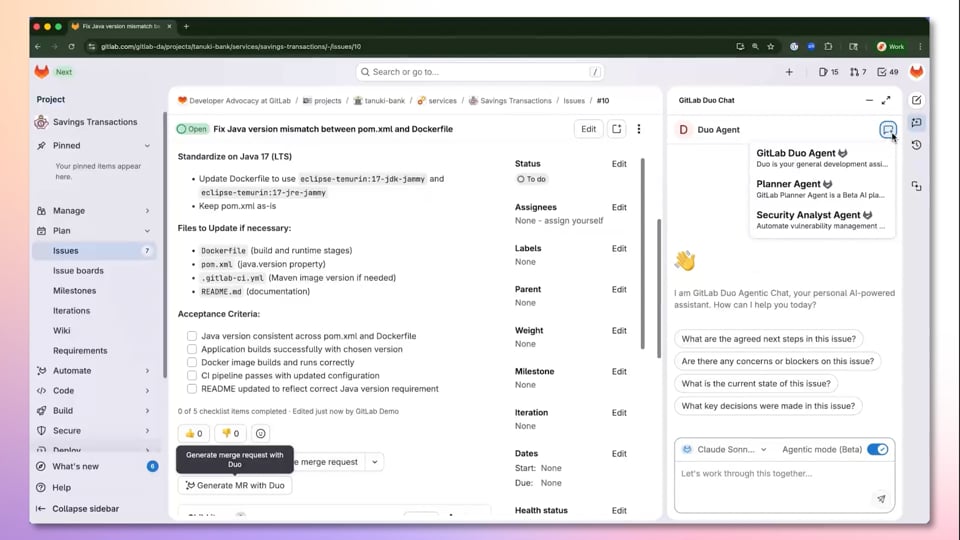
Security is where GitLab Ultimate tries hardest to justify its price tag. The platform bundles multiple scanning technologies that would cost thousands separately. Let’s break down each one.
Static Application Security Testing (SAST)
SAST scans your source code for vulnerabilities before it runs. GitLab’s SAST supports over 20 programming languages. It runs automatically in your CI/CD pipeline.
What works well:
- Scans complete in minutes, not hours
- Findings appear directly in merge requests
- No separate tool to configure
- Language detection is automatic
What falls short:
- Detection depth trails specialized tools
- Custom rule creation is limited
- Some languages get better coverage than others
One user on Gartner’s review platform noted: “Overall, the platform is stable, reliable and intuitive. But the security scan configuration process could be more” refined for complex setups.
Software Composition Analysis (SCA)
SCA finds vulnerabilities in your dependencies. This matters because most modern applications use dozens or hundreds of open-source packages. One bad dependency can expose your entire system.
GitLab’s SCA pulls from the GitLab Advisory Database. This database combines multiple upstream sources. The coverage is decent but not best-in-class.
How does it compare? Based on real-world testing across multiple customer engagements, GitLab’s SCA produces results “roughly comparable to what you get from free-tier Snyk or Dependabot.”
That’s a double-edged observation. Free-tier quality from a paid product isn’t impressive. But if you’re already paying for Ultimate for other reasons, having SCA included saves money.
Container Scanning
Container scanning checks your Docker images for known vulnerabilities. This catches issues in base images, installed packages, and system libraries.
GitLab scans container images automatically during your CI pipeline. Results integrate with the vulnerability management dashboard. You can set policies to block deployments if certain severity levels appear.
Typical workflow:
- Developer pushes code with a Dockerfile
- CI pipeline builds the container image
- GitLab scans the image automatically
- Findings appear in the security dashboard
- Pipeline fails if blocking vulnerabilities exist
Dynamic Application Security Testing (DAST)
DAST tests running applications from the outside. It simulates how an attacker would probe your system. This catches issues that static analysis misses.
GitLab’s DAST can run against deployed applications or review apps. You configure target URLs and the scanner does the rest. It’s simpler than standalone DAST tools but also less powerful.
For basic web application testing, GitLab’s DAST works fine. For complex applications with heavy JavaScript, authentication flows, or API-heavy architectures, you might need something more specialized.
Secret Detection
Secret detection finds API keys, passwords, and tokens accidentally committed to your repository. This is embarrassingly common. Developers commit secrets by mistake all the time.
GitLab scans every commit for patterns that look like secrets. When it finds something, it alerts the developer immediately. You can also scan your entire repository history.
Fuzz Testing
Fuzz testing throws unexpected input at your application to find crashes and edge cases. GitLab offers both coverage-guided fuzzing and API fuzzing.
This feature is less mature than the other scanners. But it’s included at no extra cost, which makes it worth experimenting with.
How GitLab Ultimate’s Security Compares to Specialized Tools
The honest comparison requires acknowledging trade-offs. GitLab’s security suite is “now genuinely usable for many organizations but still trails specialists on the dimensions that matter most.”
GitLab SAST vs. Veracode and Checkmarx
| Feature | GitLab Ultimate | Veracode | Checkmarx |
|---|---|---|---|
| Languages Supported | 20+ | 30+ | 25+ |
| Custom Rules | Limited | Extensive | Extensive |
| IDE Integration | Basic | Strong | Strong |
| Scan Speed | Fast | Varies | Varies |
| False Positive Rate | Moderate | Lower | Lower |
| Integration Effort | Native | Requires Setup | Requires Setup |
Veracode and Checkmarx have years of focus on static analysis. Their detection engines are more refined. They catch more real vulnerabilities and generate fewer false positives.
But they’re also separate products. You need to integrate them, maintain them, and train your team on yet another interface. GitLab’s advantage is that everything is already connected.
GitLab SCA vs. Snyk and Dependabot
| Feature | GitLab Ultimate | Snyk | Dependabot |
|---|---|---|---|
| Vulnerability Database | GitLab Advisory + upstream | Snyk DB (curated) | GitHub Advisory |
| Fix Suggestions | Basic | Advanced | Auto PRs |
| License Compliance | Yes | Yes | No |
| Reachability Analysis | Limited | Yes | No |
| Price | Included | $$$ | Free |
Snyk’s database is curated by security researchers who add context and prioritization. They tell you which vulnerabilities are actually exploitable in your specific usage. That’s valuable intelligence GitLab doesn’t match.
Dependabot is free and creates pull requests automatically. It’s lightweight but effective for simple use cases.
When GitLab’s Security Makes Sense
Choose GitLab’s built-in security when:
- You want one platform to manage
- Your AppSec program is young or growing
- Budget constraints prevent buying multiple tools
- Speed of scanning matters more than depth
- Developer experience is a priority
Keep specialized tools when:
- You have mature AppSec processes already working
- Your industry requires specific compliance certifications
- False positive reduction is critical
- You need advanced features like custom rules or reachability analysis
GitLab Ultimate’s AI Capabilities: Duo and the Agent Platform
GitLab has made AI a major focus in 2026. The platform now includes GitLab Duo, an AI assistant that helps with coding, security, and project management.
Code Suggestions
GitLab Duo suggests code as you type. It’s similar to GitHub Copilot or Amazon CodeWhisperer. The suggestions draw from your repository context, so they’re more relevant than generic completions.
What developers can expect:
- Inline code completion in supported IDEs
- Natural language to code generation
- Context-aware suggestions based on your codebase
- Security-conscious recommendations
The AI runs on GitLab’s infrastructure. Your code stays within GitLab’s security boundary. This matters for organizations worried about sending code to third-party AI services.
Security Vulnerability Explanation
When scanners find vulnerabilities, Duo can explain them in plain language. It describes what the vulnerability is, why it matters, and suggests how to fix it.
This saves time for developers who aren’t security experts. Instead of researching CVE numbers, they get actionable explanations right in their workflow.
Agentic AI Platform
GitLab’s newest addition is agentic AI. These are AI agents that can perform tasks autonomously. They go beyond suggestions to actually take action.
Current capabilities include:
- Automated code review
- Issue triage and assignment
- Documentation generation
- Test case creation
This is still early technology. Don’t expect AI to replace your team. But it can handle routine tasks that eat up developer time.
IP Protection and Data Privacy
GitLab emphasizes that Duo protects your intellectual property. Your code isn’t used to train models for other customers. Data stays within your instance boundary.
For self-managed deployments, you can even run AI features on your own infrastructure. This addresses the biggest concern enterprises have about AI tools.
Compliance and Governance Features in GitLab Ultimate
Compliance is where Ultimate pulls ahead of lower tiers. If you operate in regulated industries, these features might justify the cost alone.
Compliance Frameworks
GitLab Ultimate includes pre-built compliance frameworks for common standards. You can apply these to projects and track adherence automatically.
Supported frameworks include:
- SOC 2
- PCI-DSS
- HIPAA
- GDPR
- ISO 27001
- Custom frameworks you define
The platform checks projects against framework requirements. It flags violations in dashboards. Auditors can see compliance status without digging through individual repositories.
Audit Events and Logging
Ultimate provides detailed audit logs for everything that happens in your GitLab instance. Every code push, every permission change, every pipeline run gets logged.
These logs integrate with external SIEM tools. You can stream events to Splunk, Datadog, or whatever platform your security team uses.
Audit log captures:
- User authentication events
- Permission changes
- Project and group modifications
- Repository actions
- CI/CD pipeline activities
- Security scan results
Separation of Duties
Merge request approval rules let you enforce separation of duties. You can require that different people review and approve code changes. The person who wrote the code can’t be the one who approves it.
You can also require approval from specific teams. Security-sensitive changes might need sign-off from the security team. Infrastructure changes might need platform team approval.
Policy Enforcement
Security policies define what must happen before code can be deployed. These policies are version-controlled like any other code. Changes require approval.
Example policies you can enforce:
- All merge requests must have passing security scans
- Critical vulnerabilities block deployment
- License compliance checks must pass
- Minimum test coverage thresholds
- Required approvals from designated reviewers
Policies apply at the group level and cascade down to projects. This lets you set organization-wide standards while allowing project-specific exceptions where needed.
Value Stream Management and Portfolio Features
Beyond security, Ultimate includes tools for measuring and managing your software delivery process. These help you understand where time goes and where bottlenecks exist.
Value Stream Analytics
Value stream analytics track how long work takes at each stage. From issue creation to production deployment, you see where things get stuck.
Stages typically measured:
- Issue (time in backlog)
- Plan (time until first commit)
- Code (time in development)
- Test (time in testing)
- Review (time in code review)
- Staging (time in staging environment)
- Production (time to production deployment)
With this data, you can spot problems. Maybe code review takes three days on average. That’s a signal to improve your review process or add reviewers.
DORA Metrics
GitLab calculates DORA metrics automatically. DORA stands for DevOps Research and Assessment. These metrics correlate with high-performing software teams.
| Metric | What It Measures | Elite Performance |
|---|---|---|
| Deployment Frequency | How often you deploy to production | Multiple times per day |
| Lead Time for Changes | Time from commit to production | Less than one hour |
| Time to Restore Service | Recovery time after incidents | Less than one hour |
| Change Failure Rate | Percentage of deployments causing failures | 0-15% |
GitLab tracks these metrics from your pipeline data. No manual reporting needed. You can benchmark against industry standards and track improvement over time.
Portfolio Management
For organizations running multiple projects, portfolio management provides a bird’s-eye view. You see status across all your projects in one dashboard.
Portfolio features include:
- Roadmap visualization across projects
- Resource allocation tracking
- Cross-project dependency mapping
- Health scores for project status
- Executive-level reporting
This helps leadership understand what’s happening without getting into technical details. They can make resource decisions based on real data.
CI/CD Pipeline Capabilities in GitLab Ultimate
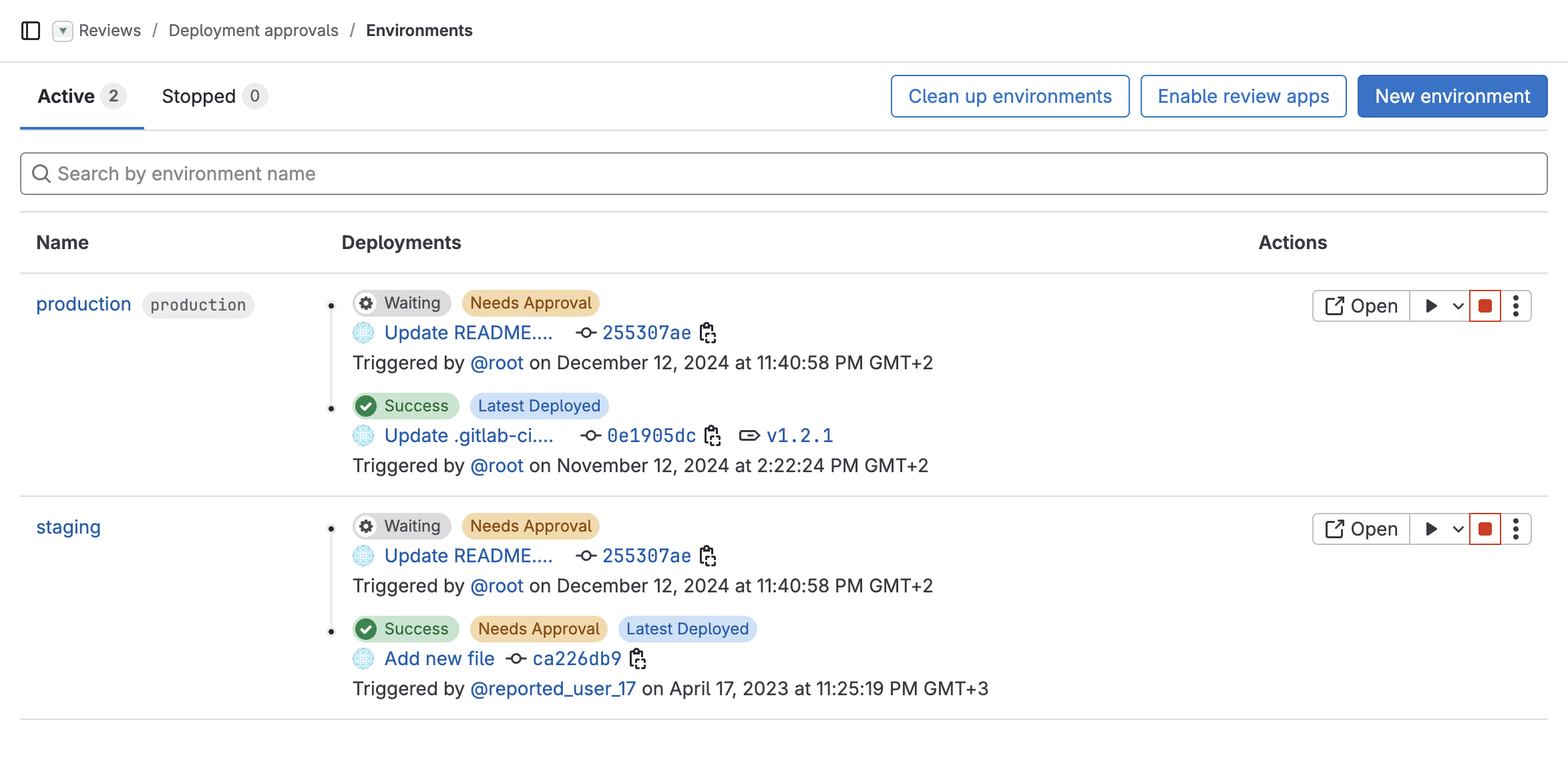
CI/CD is GitLab’s core strength. While lower tiers include CI/CD, Ultimate adds features for enterprise-scale operations.
Pipeline Architecture
GitLab pipelines are defined in YAML files. You describe your build, test, and deployment process as code. This makes pipelines version-controlled and reviewable.
Example pipeline structure:
- Build stage: Compile code, create artifacts
- Test stage: Run unit tests, integration tests
- Security stage: Run SAST, SCA, DAST scans
- Deploy staging: Push to staging environment
- Deploy production: Push to production with approval
Pipelines can be complex. Parent-child pipelines let you break large configurations into manageable pieces. Multi-project pipelines coordinate work across repositories.
Auto DevOps
Auto DevOps detects your application type and generates a pipeline automatically. It works for common frameworks and languages. You get builds, tests, security scans, and deployments without writing YAML.
This is great for getting started quickly. Most teams eventually customize their pipelines, but Auto DevOps provides a solid starting point.
Deployment Strategies
Ultimate supports advanced deployment strategies out of the box:
- Blue-green deployments: Run two environments, switch traffic between them
- Canary releases: Deploy to a small percentage of users first
- Rolling updates: Gradually replace instances
- Feature flags: Control feature visibility without deployments
These strategies reduce deployment risk. Problems affect fewer users. Rollbacks are faster.
Runner Management
GitLab runners execute your pipelines. You can use GitLab’s shared runners or run your own. Ultimate includes more shared runner minutes than lower tiers.
For self-managed deployments, you configure your own runner fleet. GitLab supports runners on Kubernetes, Docker, bare metal, and major cloud providers.
Technical Requirements and Scaling Considerations
GitLab Ultimate is resource-intensive. Understanding the technical requirements upfront prevents surprises later.
Self-Managed Hardware Requirements
Self-managed deployments need substantial infrastructure. Requirements scale with users and activity.
| Users | CPU Cores | Memory | Storage |
|---|---|---|---|
| Up to 500 | 8 cores | 32 GB | 500 GB SSD |
| Up to 2,000 | 16 cores | 64 GB | 1 TB SSD |
| Up to 5,000 | 32 cores | 128 GB | 2 TB SSD |
| 5,000+ | Multi-node required | Varies | Varies |
Large deployments require multiple nodes. GitLab provides reference architectures for different scales. Following these architectures is strongly recommended.
Factors That Affect Resource Needs
User count is just the starting point. Other factors increase resource requirements:
- Repository size: Large repositories need more memory
- CI/CD activity: Heavy pipeline usage increases CPU needs
- Mirroring: Repository mirroring consumes bandwidth and storage
- Container registry: Storing container images requires significant storage
- Security scanning: Running scans adds to compute requirements
SaaS vs Self-Managed Trade-offs
SaaS advantages:
- No infrastructure to manage
- Automatic updates
- GitLab handles availability
- Faster to get started
SaaS limitations:
- Less customization available
- Data stored on GitLab’s infrastructure
- Some features only available self-managed
- Runner minute limits
Self-managed advantages:
- Full control over data location
- Unlimited runners (your own hardware)
- More customization options
- Can run in air-gapped environments
Self-managed limitations:
- You handle upgrades and maintenance
- Infrastructure costs add up
- Need GitLab expertise on staff
- Availability is your responsibility
GitLab Ultimate Pricing Analysis
Pricing is where many organizations struggle with GitLab Ultimate. Let’s break down the real costs.
Published Pricing
GitLab uses per-user per-month pricing. Ultimate costs significantly more than Premium or Free tiers. The exact price varies based on whether you commit annually or need monthly billing.
Tier comparison:
| Tier | Security Features | Compliance Features | Relative Cost |
|---|---|---|---|
| Free | None | None | $0 |
| Premium | Limited | Basic | $$ |
| Ultimate | Full | Full | $$$ |
Total Cost of Ownership
The license cost is only part of the picture. Consider these additional costs:
- Infrastructure: Self-managed requires servers, storage, networking
- Administration: Someone needs to maintain the instance
- Training: Teams need to learn the platform
- Migration: Moving from existing tools takes time
- Integration: Connecting to other systems requires effort
Cost Comparison: One Platform vs Multiple Tools
The value proposition assumes you’re replacing multiple tools. Let’s compare scenarios:
Scenario A: GitLab Ultimate only
- GitLab Ultimate licenses
- Infrastructure (if self-managed)
- Total: One vendor, one bill
Scenario B: GitLab Premium + specialized security tools
- GitLab Premium licenses
- Snyk for SCA
- Veracode for SAST
- Aqua for container scanning
- Burp Suite or similar for DAST
- Integration and maintenance overhead
- Total: Multiple vendors, multiple bills, more management
For many organizations, the all-in-one approach costs less overall. But if you need best-in-class security tools, you might pay more for Ultimate AND still add specialized tools.
When the Premium Tier Makes More Sense
Not everyone needs Ultimate. Premium might be better if:
- Your security requirements are minimal
- You’re not in a regulated industry
- Your team is small (under 50 developers)
- Budget constraints are severe
- You already have security tools you’re happy with
You can always upgrade later. Starting with Premium and adding Ultimate when needed is a valid approach.
Real User Feedback and Market Perception
What do actual users think? We gathered feedback from Gartner reviews, community forums, and direct customer interviews.
What Users Praise
Single platform experience: Users consistently appreciate having everything in one place. The reduced context switching improves productivity.
Developer experience: Security findings appear in merge requests. Developers don’t need to check a separate dashboard. This leads to faster remediation.
Scan speed: GitLab highlights that “other scanner tools could take up to a day to finish scanning whereas GitLab scans finish in as little a few minutes.” Fast scans mean faster feedback.
Platform stability: Users report that “the platform is stable, reliable and intuitive.” Downtime is rare. Performance is generally good.
Common Complaints
Security depth: Power users want more from the security tools. Detection rates don’t match specialized alternatives. Custom rule creation is limited.
Configuration complexity: Getting everything set up right takes effort. The security scan configuration process could be smoother for complex setups.
Price: Ultimate is expensive. Smaller organizations struggle to justify the cost, especially if they don’t need every feature.
Learning curve: The platform does a lot. Learning it all takes time. Teams often use only a fraction of available features.
Gartner Reviews Summary
On Gartner’s review platform, GitLab’s Application Security Testing receives solid marks for integration and ease of use. It trails specialized tools on detection depth and advanced features.
Most reviewers recommend GitLab’s security for organizations starting their AppSec journey. They suggest adding specialized tools for mature programs with specific requirements.
Migration Considerations: Moving to GitLab Ultimate
Switching to GitLab Ultimate is a project itself. Here’s what to plan for.
From Other Git Providers
Moving from GitHub, Bitbucket, or Azure DevOps requires migrating:
- Repositories and all history
- Issues and project tracking data
- CI/CD pipeline configurations
- User accounts and permissions
- Integrations with other tools
GitLab provides import tools for most platforms. The repository migration is usually straightforward. Pipelines need rewriting for GitLab’s YAML format.
From Lower GitLab Tiers
Upgrading from Free or Premium to Ultimate is easier. Your data stays where it is. You just unlock additional features.
Plan time to configure and roll out new features. Security scanning, compliance frameworks, and portfolio management all need setup and training.
Phased Rollout Recommendations
Don’t try to adopt everything at once. A phased approach works better:
Phase 1: Core platform
- Migrate repositories
- Set up basic CI/CD
- Configure user permissions
Phase 2: Security scanning
- Enable SAST and SCA
- Configure vulnerability dashboards
- Train developers on findings
Phase 3: Compliance and governance
- Set up compliance frameworks
- Configure approval rules
- Enable audit logging
Phase 4: Advanced features
- Roll out DAST and container scanning
- Enable value stream analytics
- Configure portfolio management
Who Should Buy GitLab Ultimate? Ideal Customer Profile
GitLab Ultimate isn’t for everyone. Here’s how to know if it fits your organization.
The Ideal GitLab Ultimate Customer
You’re a good fit if you match this profile:
- Team size: 50 to 500 developers
- AppSec maturity: Early to mid-stage program
- Industry: Software, SaaS, technology
- Compliance needs: Moderate (SOC 2, basic regulations)
- Tool philosophy: Prefer integrated platforms over best-of-breed
- Budget: Can afford the premium pricing
The right buyer is described as “a mid-market engineering org that wants one platform to govern.” If that sounds like you, Ultimate is worth serious consideration.
Who Should Look Elsewhere
GitLab Ultimate isn’t the best choice for everyone:
Very small teams: If you have fewer than 20 developers, the cost is hard to justify. Premium or even Free might be enough.
Enterprises with mature AppSec: If you have “mature AppSec processes built around dedicated tooling,” switching to GitLab might not improve your security posture. You’ll spend months migrating to get comparable results.
Highly regulated industries: Healthcare, finance, and government often need specialized compliance tools. GitLab covers basics but may not meet specific regulatory requirements.
GitHub-centric organizations: If your ecosystem runs on GitHub, switching to GitLab means leaving GitHub Actions, GitHub Copilot, and GitHub’s integrations. That’s a big change.
Questions to Ask Before Buying
Work through these questions with your team:
- What security tools do we currently use? Are they working well?
- How much are we spending on those tools combined?
- Would consolidating to one platform improve or complicate our workflow?
- Do we have the capacity to migrate and learn a new platform?
- What specific Ultimate features do we actually need?
- Could we start with Premium and upgrade later?
Alternatives to Consider Before Choosing GitLab Ultimate
Before committing to GitLab Ultimate, evaluate these alternatives:
GitHub Enterprise + Security Products
GitHub offers Advanced Security as an add-on to Enterprise. It includes code scanning, secret scanning, and dependency review. If your team already uses GitHub, staying there might make more sense.
GitHub advantages:
- Larger ecosystem and community
- Copilot integration
- GitHub Actions is mature and flexible
GitHub limitations:
- Security features cost extra
- Less integrated than GitLab’s approach
- Owned by Microsoft (concern for some)
GitLab Premium + Specialized Security Tools
You can use GitLab Premium for SCM and CI/CD, then add Snyk, Veracode, or other tools for security. This gives you best-in-class security with GitLab’s core platform.
This approach works if:
- You need stronger security detection
- Budget allows for multiple tools
- You have staff to manage integrations
Azure DevOps
Microsoft’s Azure DevOps is another integrated platform. It includes repos, pipelines, boards, and test plans. Security integrates through Azure Defender.
Azure DevOps makes sense for:
- Microsoft-centric organizations
- Teams already on Azure cloud
- Organizations with Enterprise Agreements
JetBrains TeamCity + Space
JetBrains offers CI/CD through TeamCity and collaboration through Space. It’s a different architecture but covers similar ground.
JetBrains appeals to:
- Teams already using JetBrains IDEs
- Organizations wanting flexibility
- Companies preferring self-hosted options
Final Verdict on GitLab Ultimate
GitLab Ultimate delivers on its core promise. One platform for DevSecOps. Security scanning built into CI/CD. Compliance tools that actually integrate with your workflow. And now, AI features that help developers work faster.
But it’s not magic. The security tools are good, not great. Specialized vendors still win on detection depth and advanced features. The price is steep for smaller teams. And the migration effort is real.
For mid-market organizations building their AppSec programs, GitLab Ultimate offers real value. You get a solid security foundation without managing five different vendor relationships. Your developers get security feedback where they already work.
For enterprises with mature security tooling, the calculus is different. Switching costs are high. You might end up adding specialized tools anyway. The “single platform” benefit diminishes when you still need best-of-breed solutions.
Our recommendation: try GitLab Ultimate on a pilot project first. Run it alongside your existing tools for three months. Compare findings, measure developer experience, and calculate real costs. Then decide if a full migration makes sense.
Frequently Asked Questions About GitLab Ultimate
| Who is GitLab Ultimate designed for? | GitLab Ultimate targets mid-market to enterprise organizations with 50 to 500+ developers. It’s built for teams that want one integrated platform for source control, CI/CD, and security scanning. The ideal customer is building their application security program and prefers platform consolidation over managing multiple specialized tools. |
| What’s the difference between GitLab Premium and GitLab Ultimate? | Ultimate includes all Premium features plus advanced security scanning (SAST, DAST, SCA, container scanning), compliance frameworks, security dashboards, and portfolio management. Premium covers code review, CI/CD, and basic project management. Ultimate adds the security and compliance layer that regulated organizations need. |
| How does GitLab Ultimate’s security compare to specialized tools like Snyk or Veracode? | GitLab’s security tools are “genuinely usable” but trail specialists on detection depth and false positive reduction. Testing shows GitLab’s SCA produces results “roughly comparable to free-tier Snyk or Dependabot.” For basic security needs, GitLab is sufficient. For advanced AppSec programs, you may still need specialized tools. |
| Is GitLab Ultimate worth the cost compared to Premium plus other tools? | It depends on your situation. If you’re consolidating multiple security tools, Ultimate often costs less overall. If you only need one or two specific security features, Premium plus a specialized tool might be cheaper. Calculate your total cost including licensing, infrastructure, integration effort, and ongoing management. |
| Can I start with GitLab Premium and upgrade to Ultimate later? | Yes. Your repositories, pipelines, and configurations carry over. You simply unlock additional features. Many organizations start with Premium and upgrade when they need security scanning, compliance features, or portfolio management. This phased approach reduces initial cost and complexity. |
| What are the technical requirements for self-managed GitLab Ultimate? | Requirements scale with users. A 500-user deployment needs roughly 8 CPU cores, 32 GB RAM, and 500 GB SSD storage. Larger deployments require multiple nodes. Factors like repository size, CI/CD activity, and security scanning frequency increase requirements. GitLab provides reference architectures for different scales. |
| Does GitLab Ultimate include AI features? | Yes. GitLab Duo provides code suggestions, vulnerability explanations, and automated assistance. The agentic AI platform can perform tasks like code review, issue triage, and documentation generation. AI runs on GitLab’s infrastructure, keeping your code within the security boundary. |
| How long does GitLab security scanning take? | GitLab claims scans complete “in as little as a few minutes” compared to other tools that “could take up to a day.” Actual time depends on codebase size, scan types enabled, and runner capacity. Fast scans mean developers get security feedback quickly, which improves fix rates. |
| What compliance frameworks does GitLab Ultimate support? | GitLab includes pre-built frameworks for SOC 2, PCI-DSS, HIPAA, GDPR, and ISO 27001. You can also create custom frameworks. The platform tracks project compliance automatically and provides dashboards for auditors. Audit logs capture all relevant events for compliance reporting. |
| Should enterprises with existing security tools switch to GitLab Ultimate? | Not necessarily. If you have “mature AppSec processes built around dedicated tooling,” the migration cost may outweigh benefits. You’ll spend months switching tools to get comparable results. GitLab Ultimate works best for organizations building new security programs or consolidating fragmented tooling. |






 Stack Insight is intended to support informed decision-making by providing independent information about business software and services. Some product details, including pricing, features, and promotional offers, may be supplied by vendors or partners and can change without notice.