
OX Security vs Snyk: A Complete Comparison for 2026
Picking the right application security tool can feel overwhelming. The market keeps growing and the options multiply every year. Two names that come up again and again are OX Security and Snyk. Both promise to help development teams find and fix security vulnerabilities. But they take different approaches to get there.
This comparison breaks down everything you need to know about these two platforms. We’ll look at how each one handles vulnerability detection, developer workflows, pricing, and more. Whether you’re a startup looking for your first security tool or an enterprise evaluating a switch, this guide will help you make a smart choice.
By the end, you’ll understand the strengths and weaknesses of each platform. You’ll also know which one fits your specific needs better.
What Is OX Security? A Full Overview
OX Security calls itself an Active Application Security Posture Management (ASPM) platform. That’s a mouthful. But here’s what it means in plain terms.
The platform connects your entire software development pipeline. It watches code from the moment developers write it until it runs in production. This “code-to-runtime” approach gives security teams a complete picture of risk.
Core Philosophy Behind OX Security
OX Security built its platform around one big idea. Security tools generate too many alerts. Most of these alerts don’t actually matter. Development teams waste hours chasing false positives while real threats slip through.
The OX approach tries to fix this problem. It correlates findings from multiple sources. Then it uses context to figure out which issues actually pose real risk. A vulnerability in code that never runs in production gets treated differently than one exposed to the internet.
This prioritization happens automatically. Security teams don’t have to manually sort through thousands of alerts. The platform does the heavy lifting and surfaces what actually needs attention.
Key Capabilities of OX Security
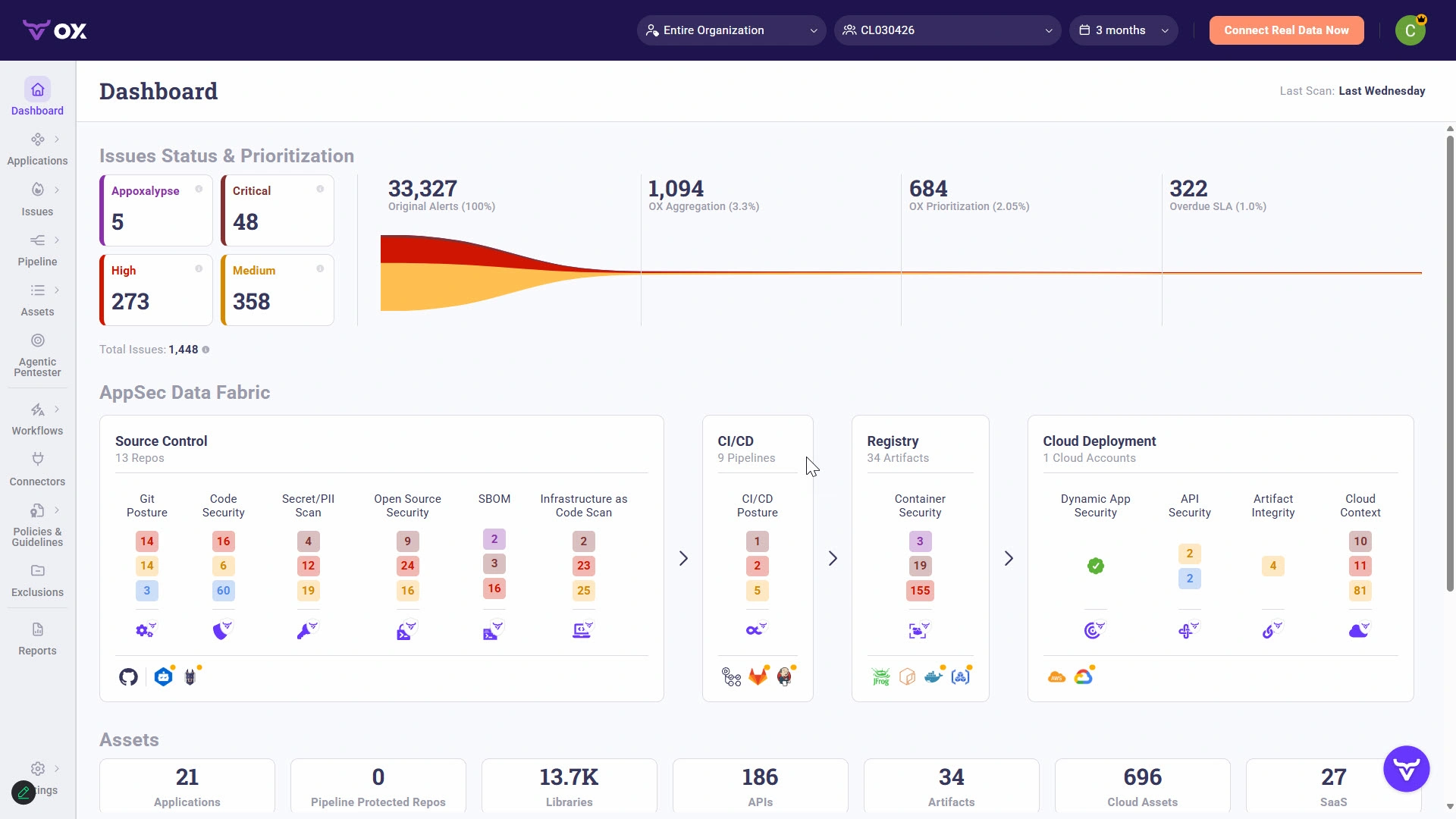
OX Security packs several features into one platform:
- Real-time threat detection across the entire development pipeline
- Comprehensive reporting tools for security teams and executives
- Advanced automation for continuous security monitoring
- Compliance tracking that maps to major frameworks
- Supply chain security to monitor third-party dependencies
- Auto-fix suggestions that help developers remediate issues quickly
The platform integrates with existing security scanners too. It doesn’t force you to rip and replace your current tools. Instead, it sits on top and aggregates findings from multiple sources.
Who Uses OX Security?
OX Security tends to attract organizations with mature security programs. These teams already run multiple scanning tools. They struggle with alert fatigue and need better prioritization.
Enterprise companies in regulated industries find the compliance features valuable. The platform maps security findings to frameworks like SOC 2, ISO 27001, and others. This makes audit preparation much easier.
According to user reviews on PeerSpot, 100% of OX Security users would recommend the solution. That’s a strong endorsement from actual customers using the platform daily.
What Is Snyk? A Complete Breakdown
Snyk started with a simple mission. Make security easy for developers. The company built its reputation on developer-friendly tools that fit naturally into existing workflows.
The name “Snyk” comes from “sneak.” The idea was to sneak security into the development process without slowing teams down. That developer-first philosophy still guides the product today.
The Developer-First Approach
Snyk designed everything around the developer experience. The tools integrate directly into IDEs, code repositories, and CI/CD pipelines. Developers don’t have to switch contexts or learn new interfaces.
When Snyk finds a vulnerability, it doesn’t just report the problem. It explains why the issue matters. It shows exactly where the vulnerable code lives. And it often suggests specific fixes developers can apply right away.
This approach reduces friction between security and development teams. Developers don’t feel like security is blocking their work. Security teams don’t have to chase developers for remediation.
Snyk Product Suite
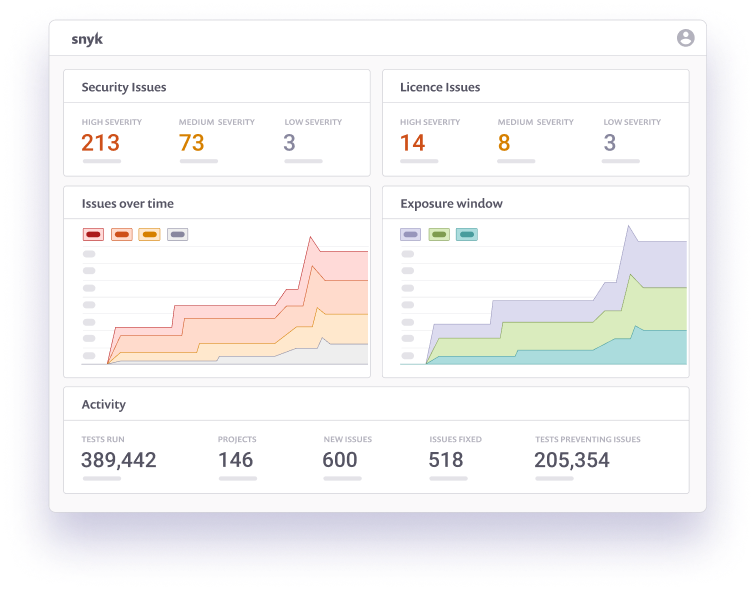
Snyk actually offers several distinct products:
- Snyk Code – Static analysis for proprietary code (SAST)
- Snyk Open Source – Scans for vulnerabilities in dependencies
- Snyk Container – Security for container images
- Snyk IaC – Infrastructure as Code scanning
- Snyk AppRisk – Application security posture management
Organizations can use these products individually or together. The modular approach lets teams start small and expand over time.
Snyk’s Vulnerability Database
One thing sets Snyk apart from many competitors. The company maintains its own vulnerability database. This database includes information beyond what you’ll find in public sources like the National Vulnerability Database (NVD).
Snyk’s security research team actively discovers new vulnerabilities. They also add context and remediation guidance that public databases lack. This proprietary intelligence gives Snyk users an edge in finding issues quickly.
According to user data from G2, 100% of Snyk users also recommend the platform. Both tools clearly satisfy their customers, which makes this comparison more interesting.
OX Security vs Snyk: Target Audience Comparison
These two platforms serve different primary audiences. Understanding this helps explain many of their design decisions.
Who Should Consider OX Security?
OX Security works best for organizations that fit this profile:
- Security-first teams – Organizations where security teams drive tool selection
- Complex environments – Companies running many different security scanners
- Regulated industries – Finance, healthcare, government contractors
- Large enterprises – Organizations with hundreds or thousands of developers
- Mature security programs – Teams past the “just get started” phase
If your security team drowns in alerts and can’t prioritize effectively, OX Security addresses that pain directly. The platform excels at making sense of chaos.
Who Should Consider Snyk?
Snyk fits a different profile well:
- Developer-led organizations – Companies where developers choose their own tools
- Startups and scale-ups – Teams building security programs from scratch
- DevOps-focused teams – Organizations practicing continuous deployment
- Open source heavy shops – Teams using lots of third-party dependencies
- Budget-conscious buyers – Organizations looking for good value
Snyk’s developer-friendly approach means adoption happens naturally. Developers actually want to use it. That alone solves a major challenge many security tools face.
Overlap Between the Two
Some organizations could genuinely go either way. Mid-size companies with growing security needs might find value in both approaches.
The decision often comes down to priorities. Do you want the best developer experience? Or do you need strong security posture management? There’s no wrong answer. It depends on your situation.
Vulnerability Detection: How Each Platform Finds Security Issues
Both platforms find vulnerabilities. But they go about it differently. Let’s break down the technical approaches.
OX Security’s Detection Method
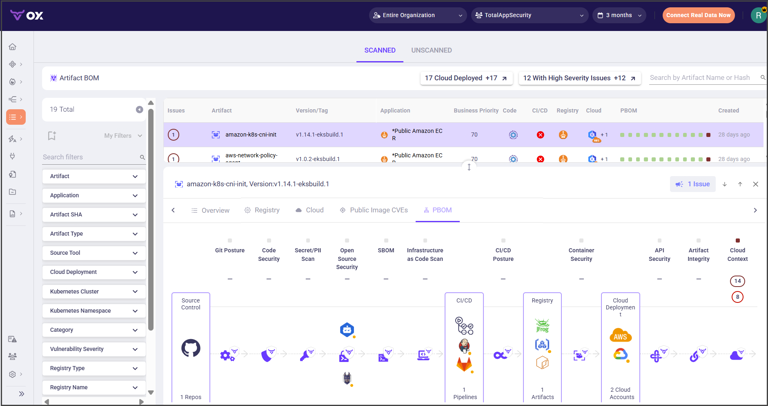
OX Security takes an aggregation-first approach. The platform doesn’t rely solely on its own scanning engine. Instead, it pulls findings from multiple sources and correlates them.
This includes:
- Native scanners built into OX
- Third-party SAST tools you already use
- SCA (Software Composition Analysis) findings
- Container security scanners
- Cloud security posture data
- Runtime monitoring information
The magic happens when OX combines these sources. A vulnerability flagged by one tool might get confirmed by another. Or runtime data might show the vulnerable code never actually executes. This correlation dramatically improves accuracy.
According to analysis from dev.to, OX Security achieves the lowest false positive rates among leading security scanning tools. That’s a big deal when you’re trying to reduce alert fatigue.
Snyk’s Detection Method
Snyk built its own scanning engines from the ground up. The platform uses different techniques for different scan types:
For Snyk Code (SAST):
- Semantic analysis of source code
- Data flow tracking across functions
- Machine learning models trained on millions of code samples
- Pattern matching for known vulnerability signatures
For Snyk Open Source (SCA):
- Dependency graph analysis
- Transitive dependency tracking
- License compliance checking
- Proprietary vulnerability database lookups
Snyk’s engines focus on being fast and accurate. The goal is quick scans that don’t block developer workflows. Most scans complete in seconds or minutes, not hours.
Detection Accuracy Comparison
| Criteria | OX Security | Snyk |
|---|---|---|
| False Positive Rate | Very Low (Best in class) | Low to Moderate |
| False Negative Rate | Low (due to multi-source correlation) | Low |
| Detection Speed | Moderate (aggregation takes time) | Very Fast |
| Language Coverage | Broad (via integrations) | Broad (native support) |
| Zero-Day Detection | Good | Excellent (proprietary research) |
The technical comparison from RFP.wiki notes that Snyk is the safer enterprise choice for organizations prioritizing stability. But OX Security’s lower false positives make it technically superior for teams focused on accuracy.
False Positive Rates: The Hidden Cost of Security Tools
False positives don’t just annoy developers. They cost real money. Every minute spent investigating a non-issue is a minute not spent building features or fixing real problems.
The True Cost of False Positives
Let’s put some numbers on this. Imagine your security tool generates 100 alerts per week. If 40% are false positives, that’s 40 wasted investigations every week.
Say each investigation takes 30 minutes. That’s 20 hours of developer time wasted weekly. Over a year, you’re looking at 1,000+ hours of lost productivity. At typical developer rates, that easily exceeds $100,000 annually.
And the hidden costs go deeper. Developer trust erodes. They start ignoring alerts entirely. Real vulnerabilities slip through because the signal got lost in the noise.
OX Security’s False Positive Management
OX Security tackles false positives through correlation and context. Here’s how:
Multi-source verification: When multiple tools flag the same issue, confidence increases. When only one tool flags something, OX treats it with appropriate skepticism.
Runtime correlation: OX checks if vulnerable code actually runs in production. Theoretical vulnerabilities in dead code paths get deprioritized automatically.
Reachability analysis: Can an attacker actually reach the vulnerable function? If not, the practical risk drops significantly. OX factors this into prioritization.
Contextual risk scoring: A SQL injection in your customer database matters more than one in an internal tool only five people use. OX weighs these factors.
The result? Security teams spend time on issues that actually matter. Developer trust in security alerts increases. Remediation rates improve because people believe the findings.
Snyk’s False Positive Approach
Snyk takes a different but effective approach. The platform invests heavily in tuning its scanning engines to reduce noise at the source.
Machine learning refinement: Snyk continuously trains its models on feedback from millions of scans. Patterns that generate false positives get adjusted.
Priority scoring: Not all vulnerabilities are created equal. Snyk assigns scores based on exploitability, severity, and other factors. Low-priority items can be filtered out.
Fix guidance validation: When Snyk suggests a fix, it validates that the fix actually addresses the issue. This reduces back-and-forth when developers apply remediation.
Community feedback: Snyk’s large user base provides constant feedback. Issues reported as false positives get investigated and fixed in the detection engine.
Real-World False Positive Comparison
According to analysis published in early 2026, OX Security leads in false positive reduction among AI-powered security scanning tools. The study compared real scan results across multiple codebases.
Snyk performed well but showed slightly higher false positive rates in certain scenarios. Complex codebases with lots of metaprogramming tend to generate more noise in most scanners, including Snyk.
For teams where accuracy trumps everything else, OX Security has an edge here. But Snyk’s false positive rate remains competitive with most alternatives in the market.
Prioritization and Risk Scoring: Making Sense of Findings
Finding vulnerabilities is only half the battle. Knowing which ones to fix first matters just as much. Both platforms offer prioritization features, but they work differently.
OX Security’s Prioritization Engine
OX Security built prioritization into its core architecture. The platform correlates code-to-runtime risk and uses that information to rank findings.
Here’s what OX considers when scoring an issue:
- CVSS score – The industry-standard severity rating
- Exploitability – Is there a known exploit in the wild?
- Internet exposure – Can attackers reach this from outside?
- Data sensitivity – Does this code touch sensitive information?
- Business context – How critical is the affected application?
- Compliance impact – Does fixing this help with regulatory requirements?
OX combines these factors into a unified risk score. Security teams see a single ranked list instead of scattered findings from multiple tools.
The platform also tracks remediation progress over time. You can see whether your security posture improves week over week. This visibility helps justify security investments to leadership.
Snyk’s Priority Score
Snyk developed its own scoring system called Priority Score. This goes beyond simple CVSS ratings to include practical factors.
Snyk’s Priority Score includes:
- CVSS severity – The baseline vulnerability rating
- Exploit maturity – Proof of concept, weaponized, or theoretical?
- Social trending – Is this vulnerability getting attention online?
- Fixability – How easy is it to actually remediate?
- Dependency depth – Direct dependency or buried deep in the tree?
- Age – How long has this vulnerability been public?
The scoring system updates continuously. A vulnerability that trends on social media might get bumped up. One where all exploitation attempts have failed might drop.
Snyk also offers customizable policies. Organizations can define their own rules about what matters most. A financial services company might weight data exposure higher than a gaming company would.
Prioritization Feature Comparison
| Feature | OX Security | Snyk |
|---|---|---|
| Runtime Context | Yes (native) | Limited |
| Business Context | Yes (configurable) | Yes (policies) |
| Cross-Tool Correlation | Yes (core feature) | Limited |
| Compliance Mapping | Yes (extensive) | Yes (basic) |
| Custom Scoring Rules | Yes | Yes |
| Trend Analysis | Yes | Yes (social trending) |
OX Security’s prioritization works better for organizations needing code-to-runtime correlation. Snyk’s works better for teams wanting quick, actionable guidance without extensive setup.
Developer Experience: Day-to-Day Usability
A security tool is only as good as its adoption rate. If developers don’t use it, vulnerabilities don’t get fixed. Both platforms approach developer experience differently.
OX Security’s Developer Interface
OX Security primarily targets security teams rather than individual developers. The interface reflects this priority. Dashboards emphasize organizational risk posture, compliance status, and aggregate metrics.
That said, OX does provide developer-facing features:
Pull request integration: OX can comment on pull requests with security findings. Developers see issues before merging code.
IDE plugins: Basic IDE support lets developers scan locally. But this isn’t OX’s primary strength.
Ticketing integration: OX creates tickets in Jira, ServiceNow, and other systems. Developers work in familiar tools rather than learning a new interface.
Auto-fix suggestions: When available, OX provides remediation guidance. According to analysis, OX Security offers the best auto-fix coverage among leading tools.
The learning curve for OX tends to be steeper. Security teams need to invest time configuring the platform. But once set up, the ongoing maintenance burden drops.
Snyk’s Developer Interface
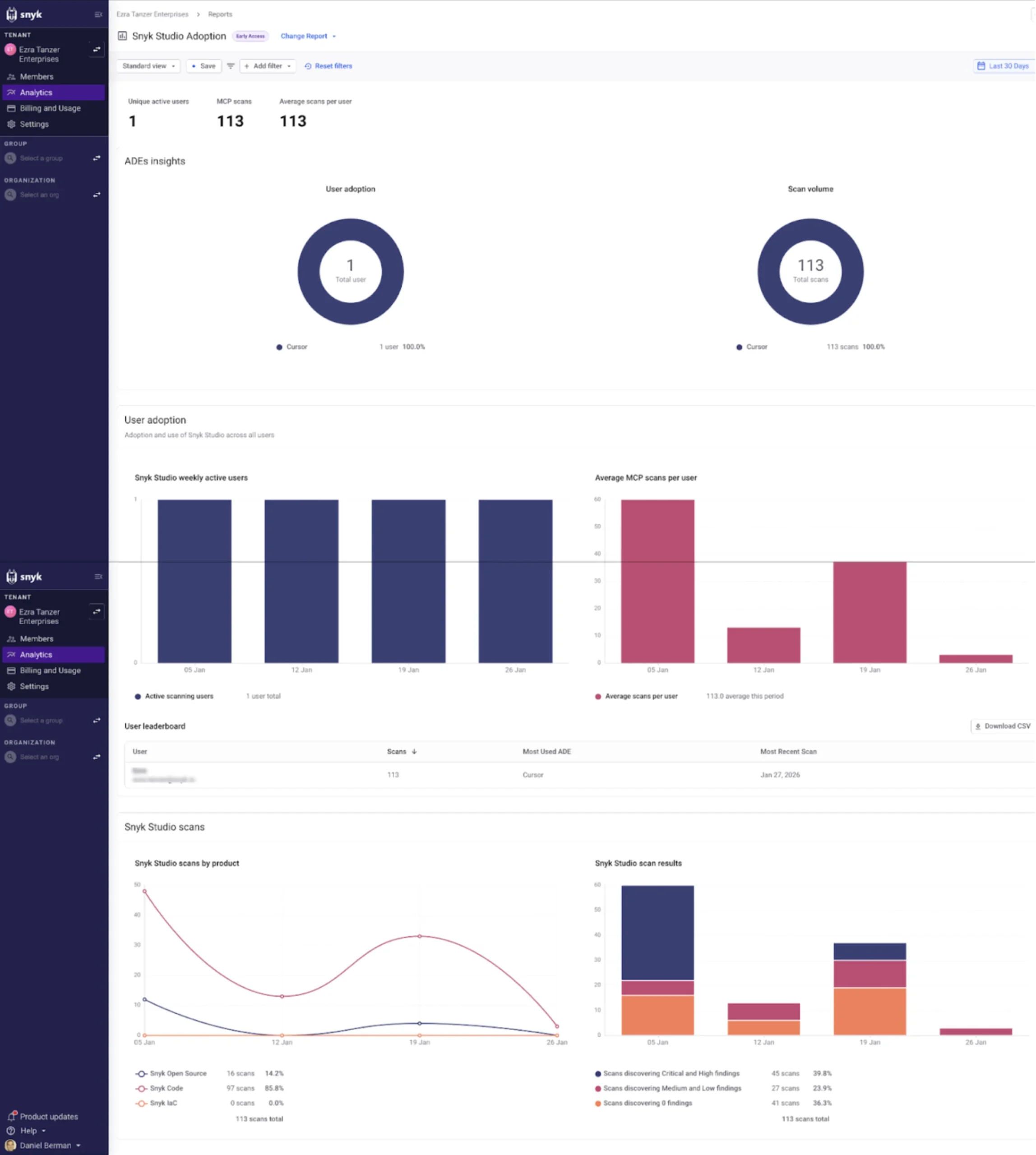
Snyk built its entire platform around developers. The experience feels native to modern development workflows.
IDE integration: Snyk offers deep IDE plugins for VS Code, IntelliJ, and others. Developers see vulnerabilities as they write code, similar to spell-check.
CLI tools: The Snyk command-line interface fits naturally into scripts and local workflows. Developers can scan anytime without leaving their terminal.
Git integration: Snyk monitors repositories automatically. Every push triggers a scan. Results appear directly in the repository interface.
Fix pull requests: Snyk doesn’t just report issues. It can open pull requests that fix vulnerabilities automatically. Developers just review and merge.
Clear explanations: Every finding includes context about why it matters and how to fix it. Developers don’t need security expertise to understand the guidance.
The result is much faster adoption. Developers often start using Snyk on their own before security teams formally roll it out.
Onboarding and Time to Value
How quickly can teams get started with each platform?
Snyk: Most teams get meaningful results within hours. Install the IDE plugin, connect your repository, and start scanning. The free tier makes experimentation easy.
OX Security: Expect a longer setup process. You’ll need to connect existing tools, configure correlation rules, and tune prioritization. Figure a few weeks to get everything dialed in.
This difference reflects the target audiences. Snyk wants developers to adopt instantly. OX wants security teams to build a comprehensive program.
Integration Capabilities: Fitting into Your Stack
Modern development uses dozens of tools. Your security platform needs to play nice with all of them.
OX Security’s Integration Approach
OX Security positions itself as an aggregation layer. It connects to your existing tools rather than replacing them.
Security tool integrations:
- Checkmarx, Veracode, and other SAST tools
- Dependabot, WhiteSource, and SCA scanners
- Aqua, Trivy, and container scanners
- AWS Security Hub, Azure Security Center
- Jira, ServiceNow for ticket management
CI/CD integrations:
- GitHub Actions
- GitLab CI
- Jenkins
- Azure DevOps
- CircleCI
Cloud provider integrations:
- AWS
- Azure
- Google Cloud
The breadth of integrations makes OX attractive for enterprise environments. Teams don’t have to rip out existing investments. OX adds value on top of what’s already there.
Snyk’s Integration Approach
Snyk integrates directly into developer tools. The focus is on being present wherever developers work.
IDE integrations:
- Visual Studio Code
- IntelliJ IDEA and JetBrains family
- Eclipse
- Visual Studio
Repository integrations:
- GitHub (including GitHub Enterprise)
- GitLab
- Bitbucket
- Azure Repos
CI/CD integrations:
- All major CI/CD platforms
- Native CLI for custom pipelines
- Pre-built actions and templates
Additional integrations:
- Docker Hub and container registries
- Kubernetes
- Terraform and Pulumi
- Slack and Microsoft Teams for notifications
Snyk’s API also enables custom integrations. Teams can build exactly what they need when standard integrations don’t fit.
Integration Comparison Table
| Integration Type | OX Security | Snyk |
|---|---|---|
| IDE Support | Basic | Excellent |
| Git Repositories | Good | Excellent |
| CI/CD Pipelines | Excellent | Excellent |
| Third-Party Scanners | Excellent | Limited |
| Cloud Providers | Good | Good |
| Ticketing Systems | Excellent | Good |
| API Quality | Good | Excellent |
Auto-Remediation and Fix Suggestions
Finding vulnerabilities matters little if they never get fixed. Both platforms offer features to help developers remediate issues quickly.
OX Security’s Auto-Fix Capabilities
OX Security invested heavily in auto-fix technology. The platform doesn’t just tell you what’s wrong. It tells you exactly how to fix it.
According to technical comparisons, OX Security offers the best auto-fix coverage in the market. This means more vulnerabilities can be resolved automatically or with minimal developer effort.
OX’s remediation features include:
- Code fix suggestions – Specific changes to resolve the vulnerability
- Dependency upgrade recommendations – Which version fixes the issue
- Configuration changes – For infrastructure and cloud settings
- Root cause analysis – Understanding why the vulnerability exists
The platform also tracks remediation over time. You can see how quickly your team fixes issues and identify bottlenecks in the process.
Snyk’s Fix Capabilities
Snyk pioneered the automated fix pull request. The platform can open PRs that resolve vulnerabilities without developer intervention.
Here’s how it works:
- Snyk scans your repository and finds a vulnerable dependency
- The platform identifies a fixed version that resolves the issue
- Snyk opens a pull request upgrading to the fixed version
- The PR includes test results showing nothing broke
- Developers review and merge
This workflow dramatically reduces remediation time. Developers don’t have to research fixes or test changes. Snyk handles the grunt work.
Snyk also offers:
- Snyk Advisor – Helps choose healthier dependencies from the start
- License fix suggestions – For license compliance issues
- Patch recommendations – When upgrades aren’t possible
Remediation Effectiveness Comparison
Both platforms help developers fix issues faster. But they excel in different scenarios.
OX Security excels when:
- Issues require complex, multi-step fixes
- Context from multiple sources informs the best remediation
- Root cause analysis helps prevent similar issues
Snyk excels when:
- Simple dependency upgrades resolve the issue
- Speed matters more than comprehensiveness
- Developers want minimal friction in their workflow
Supply Chain Security: Protecting Third-Party Code
Modern applications rely heavily on open source. A typical application includes hundreds of dependencies. Each one represents potential risk.
Why Supply Chain Security Matters in 2026
Supply chain attacks have exploded in recent years. Attackers realized they could compromise one popular package and affect thousands of downstream applications.
Famous examples include:
- The event-stream incident that targeted cryptocurrency applications
- The SolarWinds attack that affected major government agencies
- Dependency confusion attacks that tricked build systems
Any serious security program needs supply chain coverage. Both OX Security and Snyk address this need.
OX Security’s Supply Chain Features
OX Security treats supply chain as part of its broader posture management. The platform monitors dependencies alongside proprietary code.
Key supply chain capabilities:
- SBOM generation – Creates software bills of materials for compliance
- Transitive dependency tracking – Sees the full dependency tree
- License compliance – Identifies problematic licenses
- Dependency health scoring – Evaluates maintenance and community activity
- Malicious package detection – Flags known malicious packages
OX correlates supply chain risks with runtime data. A vulnerable dependency that never loads in production gets lower priority than one running in critical paths.
Snyk’s Supply Chain Features
Snyk Open Source provides comprehensive supply chain security. The product scans dependencies and monitors for new vulnerabilities continuously.
Snyk’s supply chain capabilities:
- Automatic scanning – Every repository push checks dependencies
- Vulnerability database – Proprietary research beyond public sources
- Fix pull requests – Automated upgrades for vulnerable packages
- License scanning – Catches GPL and other risky licenses
- Dependency upgrades – Proactive suggestions even without vulnerabilities
Snyk Advisor helps teams choose better dependencies from the start. The tool scores packages on maintenance activity, community size, security history, and more.
Supply Chain Feature Comparison
| Feature | OX Security | Snyk |
|---|---|---|
| Vulnerability Detection | Good | Excellent |
| Proprietary Research | Limited | Extensive |
| SBOM Generation | Yes | Yes |
| License Compliance | Yes | Yes |
| Auto-Fix PRs | Yes | Yes (best-in-class) |
| Runtime Correlation | Yes | Limited |
For pure supply chain security, Snyk has a slight edge due to its proprietary vulnerability research. But OX’s correlation with runtime data provides unique value for prioritization.
Compliance and Reporting: Meeting Regulatory Requirements
Organizations in regulated industries need more than vulnerability detection. They need proof of compliance. Both platforms offer compliance features, but with different strengths.
OX Security’s Compliance Capabilities
OX Security built compliance into its core platform. The tool maps security findings to major regulatory frameworks automatically.
Supported frameworks include:
- SOC 2 – Type I and Type II
- ISO 27001 – Information security management
- PCI DSS – Payment card industry standards
- HIPAA – Healthcare data protection
- GDPR – European data privacy
- NIST – US government cybersecurity framework
OX generates reports that auditors actually want to see. Instead of raw vulnerability lists, you get framework-aligned documentation showing control status.
The platform also tracks compliance over time. You can demonstrate continuous improvement rather than just point-in-time snapshots.
Snyk’s Compliance Capabilities
Snyk offers compliance features but with less emphasis than OX. The focus remains on developer productivity rather than audit preparation.
Snyk’s compliance features include:
- Reporting dashboards – High-level visibility for executives
- Policy enforcement – Block non-compliant code from deploying
- License compliance – Prevent problematic open source licenses
- Export capabilities – Generate data for external compliance tools
For basic compliance needs, Snyk works fine. Teams in highly regulated industries often supplement with additional tools.
Reporting Depth Comparison
OX Security offers more comprehensive reporting out of the box. The platform produces executive summaries, detailed technical reports, and audit-ready documentation.
Snyk’s reporting serves developer needs well but may not satisfy demanding auditors. Organizations often export Snyk data and build custom reports.
For teams where compliance is a primary driver, OX Security provides better native support. Snyk works but requires more customization.
Pricing: Cost Comparison and Value Analysis
Pricing for security tools varies widely. Both platforms offer multiple tiers. Understanding the cost structure helps with budgeting.
OX Security Pricing Structure
OX Security doesn’t publish pricing publicly. You’ll need to contact sales for a custom quote. This is typical for enterprise-focused platforms.
Factors that affect OX pricing:
- Number of developers or users
- Number of applications monitored
- Features and modules included
- Support level required
- Contract length
Enterprise software buyers report that OX Security pricing sits in the mid-to-upper range. It’s not the cheapest option but offers strong value for organizations needing its capabilities.
Snyk Pricing Structure
Snyk offers more transparent pricing with a freemium model. This lets teams start free and upgrade as needs grow.
Free tier:
- Limited tests per month
- Basic vulnerability scanning
- Community support only
- Great for individual developers or small projects
Team tier:
- More tests and scans
- Better reporting
- Priority support
- Suitable for small teams
Enterprise tier:
- Unlimited scans
- Advanced features
- Custom integrations
- Dedicated support
According to user reviews on PeerSpot, Snyk has an edge in pricing for cost-conscious users. The free tier and transparent pricing make budgeting easier.
Total Cost of Ownership
Raw pricing doesn’t tell the whole story. Consider the total cost including:
- Setup time – OX requires more initial configuration
- Training – Snyk’s developer-friendly design reduces training needs
- Maintenance – OX’s aggregation requires ongoing tuning
- Developer productivity – Better tools mean faster remediation
- Tool consolidation – OX can replace multiple point solutions
For organizations already running many security tools, OX might reduce total spend by consolidating. For teams starting fresh, Snyk’s lower barrier to entry makes sense.
Support and Customer Success
When things go wrong, you need help fast. Both vendors offer support, but the experience differs.
OX Security Support
OX Security provides enterprise-grade support. Customers report responsive teams and knowledgeable engineers.
Support options include:
- Dedicated customer success managers
- Technical support via email and chat
- Phone support for urgent issues
- Professional services for implementation
The company’s smaller size means customers often get more personalized attention. You’re not just a ticket number in a massive queue.
Snyk Support
Snyk has scaled support to handle its large customer base. Quality remains high, but experiences vary by tier.
Free tier users get:
- Community forums
- Documentation
- Self-service resources
Paid tier users get:
- Email support with SLAs
- Priority response times
- Access to Snyk experts
Enterprise users get:
- Dedicated support teams
- Custom training
- Professional services
Both vendors receive positive support ratings from customers. The choice depends more on other factors than support quality.
Market Position and Company Stability
Choosing a security vendor means betting on their future. Understanding each company’s position helps assess long-term risk.
OX Security’s Market Position
OX Security is newer and smaller than Snyk. The company focuses specifically on ASPM (Application Security Posture Management).
Strengths:
- Strong technical reputation
- High customer satisfaction (100% recommend rate)
- Growing market presence
- Innovation in correlation and prioritization
According to technical analysis, OX Security is technically the best tool in its category. But being newer carries some risk. Enterprise buyers should evaluate the company’s backing and roadmap.
Snyk’s Market Position
Snyk is the clear market leader in developer-first security. The company has raised significant funding and serves thousands of customers.
Strengths:
- Established market presence
- Large customer base provides stability
- Extensive ecosystem of integrations
- Strong brand recognition
Analysis describes Snyk as the safest enterprise choice for organizations prioritizing stability. The company isn’t going anywhere.
Risk Assessment
For risk-averse organizations, Snyk offers more certainty. The company’s size and market position provide stability.
For organizations willing to bet on newer technology, OX Security offers potentially better capabilities. The tradeoff is less market validation.
Use Case Scenarios: Which Tool for Which Situation
Let’s walk through specific scenarios to see which tool fits better.
Scenario 1: Fast-Growing Startup
Situation: 50 developers, moving fast, minimal security staff, mostly cloud-native applications.
Recommendation: Snyk
Why? Snyk’s free tier lets you start immediately. Developers will actually use it. The focus on speed matches startup culture. No need to hire a security team just to configure tools.
Scenario 2: Enterprise in Regulated Industry
Situation: 500 developers, dedicated security team, multiple existing scanners, strict compliance requirements.
Recommendation: OX Security
Why? OX’s compliance features address regulatory needs directly. The correlation across existing tools adds value without replacing them. Security team bandwidth justifies the setup investment.
Scenario 3: DevOps-Heavy Organization
Situation: 200 developers, strong DevOps culture, continuous deployment, security embedded in teams.
Recommendation: Snyk
Why? Snyk’s developer-first design matches DevOps philosophy. The IDE and CLI integrations fit naturally. Auto-fix pull requests accelerate the feedback loop.
Scenario 4: Security Team Building Comprehensive Program
Situation: Mature organization, security team leading initiative, goal of complete visibility across all code.
Recommendation: OX Security
Why? OX’s ASPM approach provides the comprehensive view security teams need. Correlation and prioritization reduce alert fatigue. Reporting satisfies executive stakeholders.
Scenario 5: Open Source Heavy Project
Situation: Application uses hundreds of open source packages, supply chain security is primary concern.
Recommendation: Snyk
Why? Snyk’s proprietary vulnerability database catches issues faster. Auto-fix pull requests handle dependency upgrades automatically. Snyk Advisor helps choose better packages from the start.
Making the Final Decision: Key Questions to Ask
Before choosing between OX Security and Snyk, answer these questions honestly.
Questions About Your Organization
- Who will own the tool? Security team ownership points to OX. Developer ownership points to Snyk.
- What’s your current security maturity? Early stage favors Snyk. Mature programs can handle OX’s complexity.
- How many existing security tools do you run? Many tools favor OX’s aggregation. Few tools favor Snyk’s completeness.
- What’s your compliance burden? Heavy compliance favors OX. Light compliance works with either.
- What’s your budget flexibility? Tight budgets favor Snyk’s free tier. Flexible budgets can evaluate both.
Questions About Your Technical Environment
- What languages do you use? Both support major languages, but check specific coverage.
- How complex is your dependency tree? Deep dependencies favor Snyk’s SCA strength.
- Do you run containers? Both handle containers well.
- What CI/CD platform do you use? Both integrate with major platforms.
Questions About Your Goals
- Is speed or accuracy more important? Speed favors Snyk. Accuracy favors OX.
- Do you need to consolidate tools? Consolidation favors OX.
- Is developer adoption a challenge? Adoption concerns favor Snyk.
Conclusion
OX Security and Snyk both solve real problems. They just approach them differently. Snyk wins on developer experience, speed, and ease of adoption. OX Security wins on accuracy, correlation, and compliance features. Your choice depends on what matters most to your organization. Consider running pilots with both before committing. The right tool is the one your team will actually use effectively.
Frequently Asked Questions About OX Security vs Snyk
| What is the main difference between OX Security and Snyk? | OX Security focuses on security posture management and correlating findings across multiple tools. Snyk focuses on developer-friendly vulnerability scanning and remediation. OX targets security teams while Snyk targets developers directly. |
| Which tool has lower false positive rates in the OX Security vs Snyk comparison? | OX Security achieves lower false positive rates according to technical analysis. The platform’s correlation across multiple sources helps filter out noise more effectively than single-source scanning. |
| Is OX Security or Snyk better for startups? | Snyk is generally better for startups. The free tier allows immediate adoption. The developer-friendly interface means faster onboarding. Startups typically don’t have dedicated security teams to configure more complex tools like OX. |
| Which platform offers better compliance features? | OX Security offers stronger compliance features out of the box. The platform maps findings to major frameworks like SOC 2, ISO 27001, and PCI DSS automatically. Snyk provides basic compliance but may require supplementation for heavily regulated industries. |
| Can I use both OX Security and Snyk together? | Yes. Some organizations use Snyk for developer-facing scanning and OX Security for aggregating findings across all their security tools. OX can ingest Snyk findings as one of its data sources. |
| Which tool is more cost-effective? | Snyk offers better value for cost-conscious buyers due to its free tier and transparent pricing. OX Security requires custom pricing but may reduce total cost by consolidating multiple tools. |
| How long does it take to set up each platform? | Snyk can be set up in hours. Install plugins, connect repositories, and start scanning immediately. OX Security typically requires weeks to fully configure, integrate with existing tools, and tune prioritization rules. |
| Which tool has better auto-fix capabilities? | Both offer strong auto-fix features. OX Security provides the broadest auto-fix coverage according to technical analysis. Snyk’s auto-fix pull requests for dependency upgrades are particularly well-implemented and developer-friendly. |
| Is OX Security or Snyk safer for enterprise adoption? | Snyk is considered the safer enterprise choice due to its established market presence and large customer base. OX Security offers potentially better technology but carries more risk as a newer vendor. |
| Which platform is better for supply chain security? | Snyk has a slight edge in supply chain security due to its proprietary vulnerability database and dedicated security research team. OX Security’s supply chain features are solid but don’t include the same level of proprietary research. |




 Stack Insight is intended to support informed decision-making by providing independent information about business software and services. Some product details, including pricing, features, and promotional offers, may be supplied by vendors or partners and can change without notice.