
Snyk vs GitHub Advanced Security: A Complete 2026 Comparison for Developer Security Teams
Picking the right application security tool can feel overwhelming. Two names keep coming up in 2026: Snyk and GitHub Advanced Security (GHAS). Both promise to catch vulnerabilities before they hit production. Both integrate into developer workflows. But they take different approaches to solving the same problem.
Snyk built its reputation on open-source dependency scanning and developer-friendly interfaces. GitHub Advanced Security leans into its native position within the GitHub ecosystem. Each has strengths. Each has gaps. Your choice depends on your codebase, your team’s workflow, and where your security priorities lie.
This comparison breaks down everything you need to know. We’ll look at features, pricing, integrations, ease of use, and real-world performance. By the end, you’ll have a clear picture of which tool fits your organization.
Understanding the Core Philosophy Behind Each Platform
Before diving into features, let’s talk about what drives each product. Understanding the “why” behind each tool helps explain the “what.”
Snyk’s Developer-First Security Approach
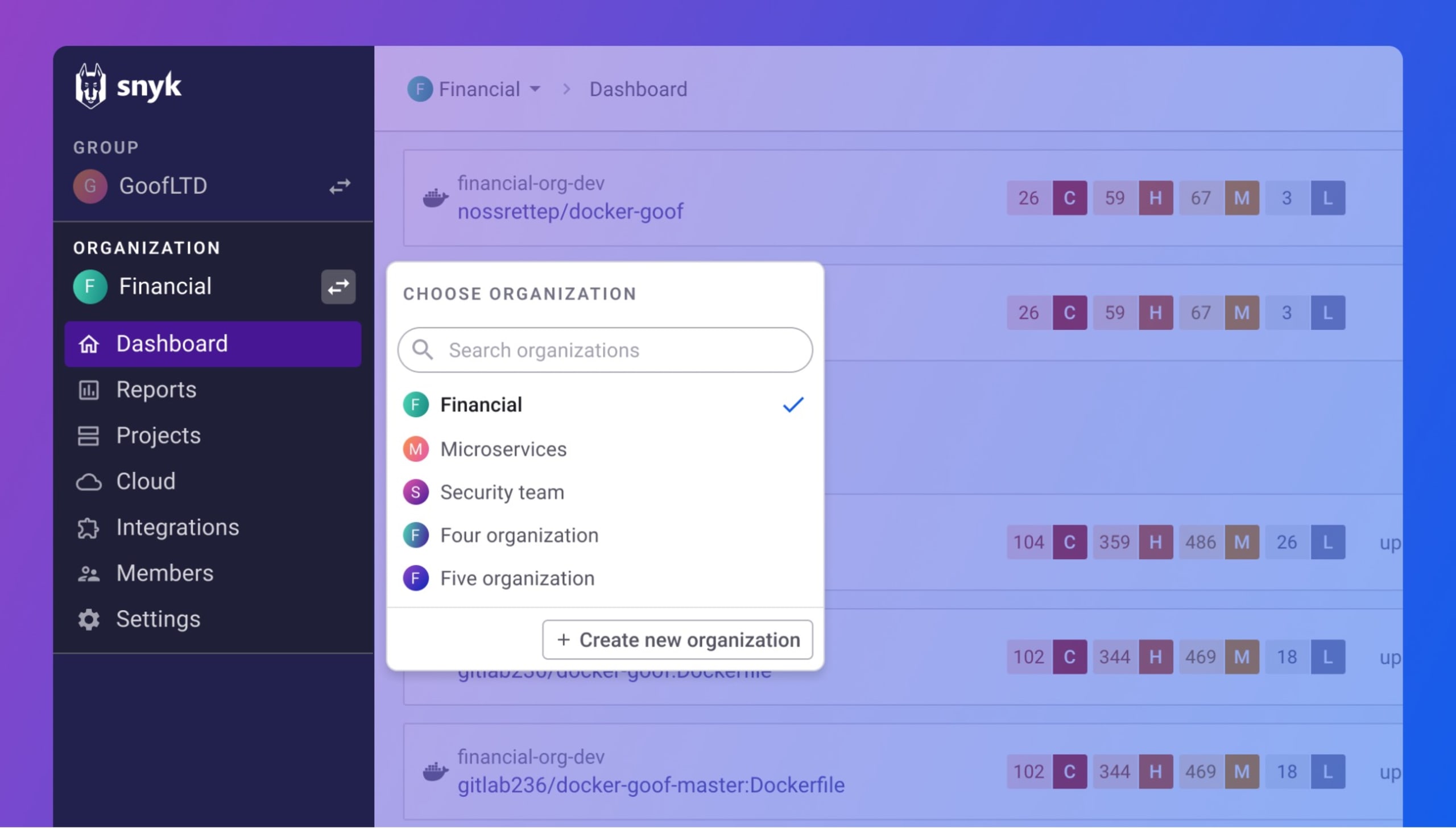
Snyk started with a simple idea: security should happen where developers already work. The company launched focusing on open-source vulnerabilities in npm packages. Over time, it expanded into container security, infrastructure-as-code scanning, and static code analysis.
The philosophy stays consistent. Make security easy. Give developers actionable fixes, not just warnings. Integrate everywhere they code.
Snyk’s tagline often mentions “developer-first security.” This isn’t just marketing. The platform genuinely prioritizes developer experience. Fixes come with code suggestions. Dashboards show what matters. Noise stays low.
According to PeerSpot data, 100% of Snyk users would recommend the solution. That’s a strong signal about user satisfaction.
GitHub Advanced Security’s Native Integration Strategy
GitHub Advanced Security takes a different path. It builds security directly into the world’s largest code hosting platform. If your code lives on GitHub, security checks happen without leaving the interface.
GHAS includes three main components: code scanning powered by CodeQL, secret scanning to catch leaked credentials, and dependency review for vulnerable packages. Everything ties into pull requests, issues, and the GitHub workflow.
The strategy makes sense. Over 100 million developers use GitHub. Embedding security into that experience removes friction. No new tools to learn. No separate dashboards to check.
PeerSpot reports that 91% of GitHub Advanced Security users would recommend it. Still strong, but slightly lower than Snyk’s perfect score.
How These Philosophies Affect Daily Use
These different approaches show up in daily use. Snyk users often praise flexibility. They can use it with GitHub, GitLab, Bitbucket, or Azure DevOps. Teams aren’t locked into one ecosystem.
GHAS users appreciate simplicity. Everything lives in one place. No context switching between tools. Security findings appear right in pull requests.
The tradeoff is clear. Snyk offers breadth across platforms. GHAS offers depth within GitHub.
Static Application Security Testing (SAST) Capabilities Compared
SAST tools scan source code for vulnerabilities before it runs. Both Snyk and GitHub Advanced Security offer SAST features, but they work differently.
Snyk Code: AI-Powered Static Analysis
Snyk Code is the SAST component of Snyk’s platform. It uses DeepCode AI to analyze code for security issues. The AI learned from millions of code commits and security fixes.
Key features of Snyk Code include:
- Real-time scanning as developers write code
- Context-aware fix suggestions with actual code snippets
- Support for 10+ programming languages
- IDE integrations for VS Code, IntelliJ, and others
- Data flow analysis to track vulnerabilities through code paths
Snyk Code doesn’t just find problems. It explains them. Each issue comes with a description, severity rating, and suggested fix. Developers can often click to apply the fix automatically.
The scanning speed impresses most users. Snyk Code analyzes code in seconds, not minutes. This matters when you’re waiting on a build.
GitHub CodeQL: Query-Based Vulnerability Detection
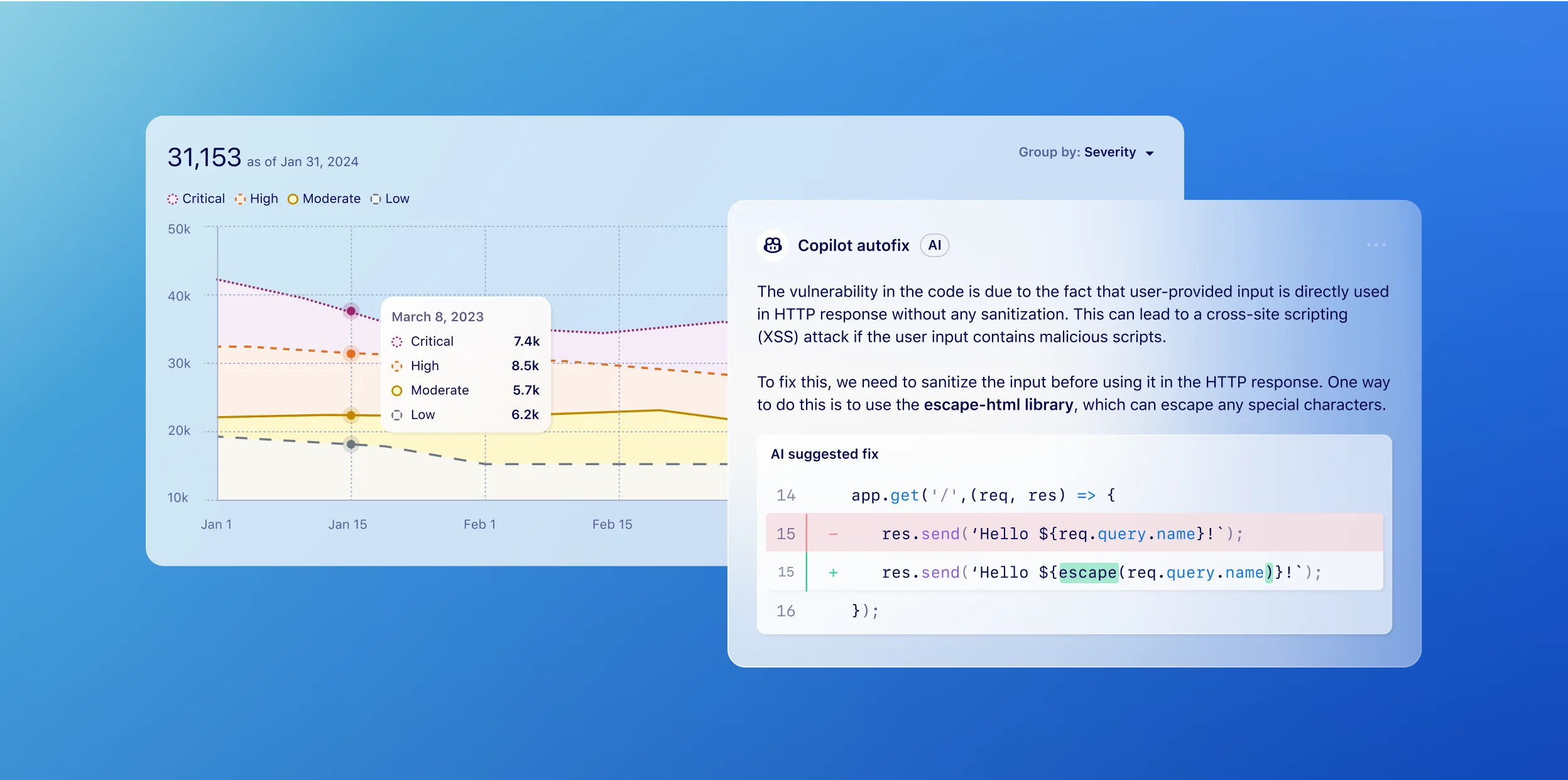
GitHub Advanced Security uses CodeQL for static analysis. CodeQL treats code as data. It builds a database from your codebase, then runs queries to find vulnerabilities.
What makes CodeQL interesting:
- Semantic code analysis that understands code meaning, not just patterns
- Extensive query library maintained by GitHub’s security team
- Custom query support for organization-specific rules
- Support for 10+ languages including C/C++, Java, JavaScript, Python
- GitHub Actions integration for automated scanning
CodeQL queries are powerful but complex. Writing custom queries requires learning the CodeQL language. Most teams stick with the default query packs.
Scan times vary based on codebase size. Large repositories can take several minutes to analyze. Smaller projects finish faster.
SAST Feature Comparison Table
| Feature | Snyk Code | GitHub CodeQL |
|---|---|---|
| Analysis Method | AI/ML-powered | Query-based semantic analysis |
| Scan Speed | Seconds to minutes | Minutes (varies by repo size) |
| Custom Rules | Limited customization | Full custom query support |
| Fix Suggestions | AI-generated code fixes | General remediation guidance |
| IDE Integration | Strong (multiple IDEs) | VS Code extension available |
| False Positive Rate | Low (AI filtering) | Low to moderate |
| Learning Curve | Easy | Moderate for custom queries |
Real-World SAST Performance
User feedback tells an interesting story. Snyk Code users consistently mention the quality of fix suggestions. One reviewer on PeerSpot noted that fixes often work without modification.
CodeQL users praise the depth of analysis. The query-based approach catches subtle vulnerabilities that pattern-matching tools miss. But some users wish for easier customization.
For teams wanting quick, actionable results, Snyk Code tends to win. For teams needing deep customization and precise control, CodeQL offers more flexibility.
Software Composition Analysis (SCA) and Dependency Scanning
Most modern applications contain more open-source code than custom code. SCA tools scan those dependencies for known vulnerabilities. This is where Snyk originally made its name.
Snyk Open Source: The Original Strength
Snyk started as a dependency scanner. It shows. The Snyk Open Source product remains one of the most complete SCA solutions available.
What Snyk Open Source delivers:
- Vulnerability database with 140,000+ tracked issues
- Automatic fix pull requests that update vulnerable packages
- License compliance scanning to avoid legal issues
- Transitive dependency analysis (dependencies of dependencies)
- Support for all major package managers (npm, pip, Maven, NuGet, etc.)
- Priority scoring based on exploitability and severity
Snyk doesn’t just find vulnerable packages. It tells you which ones matter most. The priority score considers factors like whether an exploit exists in the wild.
The automatic fix PRs save real time. Instead of manually updating package versions, Snyk creates a pull request with the fix. Review it, merge it, done.
GitHub Dependabot and Dependency Review
GitHub Advanced Security includes Dependabot for dependency management and vulnerability alerts. Dependabot has been free for years, but GHAS adds extra features.
Dependabot capabilities include:
- Automated security updates via pull requests
- Version updates to keep dependencies current
- Alerts in the Security tab of repositories
- Dependency review showing changes in pull requests
- Grouping of related updates to reduce PR noise
GHAS adds dependency review to pull requests. Before merging, you see which dependencies changed and whether they introduce vulnerabilities. This catches issues before they reach the main branch.
Dependabot covers major ecosystems but has gaps in some languages. Coverage continues improving with each GitHub release.
SCA Comparison: Snyk vs GitHub Dependabot
| Capability | Snyk Open Source | GitHub Dependabot/GHAS |
|---|---|---|
| Vulnerability Database Size | 140,000+ vulnerabilities | GitHub Advisory Database |
| Auto-Fix PRs | Yes, with smart versioning | Yes |
| License Scanning | Full license compliance | Limited |
| Transitive Dependencies | Deep analysis | Basic support |
| Priority Scoring | Exploitability-based | CVSS-based |
| Reachability Analysis | Available | Limited |
| Package Manager Support | Extensive | Good but some gaps |
License Compliance: A Key Differentiator
Snyk includes license compliance scanning in its SCA product. This matters more than many teams realize. Using a GPL-licensed library in proprietary software creates legal risk.
Snyk identifies license types across your dependency tree. It flags conflicts with your organization’s policies. You can set rules about which licenses are acceptable.
GitHub Dependabot shows license information but lacks policy enforcement. For teams with strict compliance requirements, this gap matters.
Secret Detection and Credential Scanning Features
Leaked credentials cause data breaches. Both platforms scan for secrets, but with different approaches and coverage.
GitHub Secret Scanning: Native and Extensive
GitHub’s secret scanning searches repositories for accidentally committed credentials. It looks for patterns matching API keys, tokens, passwords, and certificates.
GitHub partners with service providers to verify found secrets. If a valid AWS key appears in your code, GitHub alerts both you and Amazon. This partnership approach speeds up response times.
Key features of GitHub secret scanning:
- Push protection blocks commits containing secrets
- Partner program with 100+ service providers
- Custom pattern support for organization-specific secrets
- Historical scanning of existing repository content
- Alert management in the GitHub Security tab
Push protection is particularly valuable. Instead of finding secrets after commit, it blocks them before they enter the repository. Prevention beats detection.
Snyk’s Secret Detection Capabilities
Snyk added secret detection more recently. It’s not the company’s original focus, but coverage has grown.
Snyk’s approach to secrets:
- Scanning across multiple platforms, not just GitHub
- Integration with Snyk’s unified dashboard
- Detection of hardcoded credentials in code and config files
- CI/CD pipeline integration for pre-merge checks
Snyk’s secret scanning works well but isn’t as mature as GitHub’s. The partner verification program gives GitHub an edge here.
Secret Scanning Comparison
| Feature | GitHub Secret Scanning | Snyk |
|---|---|---|
| Push Protection | Yes, blocks commits | CI/CD pipeline blocking |
| Partner Verification | 100+ providers | Limited |
| Custom Patterns | Yes | Yes |
| Platform Support | GitHub only | Multiple platforms |
| Alert Resolution | Built into GitHub | Snyk dashboard |
For GitHub-centric teams, GHAS secret scanning is hard to beat. The push protection alone justifies the feature. Multi-platform teams might prefer Snyk’s broader coverage.
Container Security and Infrastructure-as-Code Scanning
Modern applications run in containers and deploy to cloud infrastructure. Security needs to cover both areas.
Snyk Container: Deep Container Analysis
Snyk Container scans container images for vulnerabilities. It goes beyond basic image scanning with several advanced features.
What Snyk Container provides:
- Base image recommendations suggesting more secure alternatives
- Layer-by-layer analysis showing where vulnerabilities come from
- Runtime monitoring for containers in production
- Kubernetes integration for cluster scanning
- Registry integrations (Docker Hub, ECR, ACR, etc.)
The base image recommendation feature deserves attention. Snyk tells you which base image to use to reduce vulnerabilities. This guidance saves time during image selection.
For example, if you’re using an old Debian base image with 50 vulnerabilities, Snyk might suggest Alpine with only 5. The suggestion includes migration guidance.
Snyk Infrastructure as Code (IaC)
Snyk IaC scans Terraform, CloudFormation, Kubernetes YAML, and ARM templates for misconfigurations. These misconfigurations often cause security incidents.
Common issues Snyk IaC catches:
- S3 buckets without encryption
- Security groups with overly permissive rules
- IAM policies with excessive permissions
- Kubernetes pods running as root
- Missing network policies
Each finding includes the specific file and line number. Fix suggestions explain how to remediate the issue. This makes fixes straightforward.
GitHub Advanced Security: Limited Container and IaC Coverage
GitHub Advanced Security focuses primarily on code and dependencies. Container and IaC scanning capabilities are limited compared to Snyk.
GHAS can scan Dockerfiles with CodeQL, catching some misconfigurations. But it lacks the depth of dedicated container security tools.
For IaC scanning, GitHub relies on third-party actions in GitHub Actions workflows. You can add tools like Checkov or tfsec, but they’re not native to GHAS.
This gap matters for cloud-native teams. If container and IaC security are priorities, Snyk offers more complete coverage out of the box.
Container and IaC Feature Comparison
| Capability | Snyk | GitHub Advanced Security |
|---|---|---|
| Container Image Scanning | Full, native | Limited/third-party |
| Base Image Recommendations | Yes | No |
| Kubernetes Scanning | Native support | Third-party actions |
| Terraform Scanning | Native support | Third-party actions |
| CloudFormation Scanning | Native support | Third-party actions |
| Runtime Monitoring | Available | Not available |
Integration Ecosystem and Platform Support
Security tools only work if they fit into existing workflows. Integration capabilities determine real-world usability.
Snyk’s Broad Integration Landscape
Snyk integrates with almost everything developers use. This flexibility comes from its platform-agnostic approach.
Source Control Integrations:
- GitHub (including GitHub Enterprise)
- GitLab (SaaS and self-managed)
- Bitbucket (Cloud and Data Center)
- Azure Repos
CI/CD Pipeline Integrations:
- Jenkins
- CircleCI
- Travis CI
- Azure Pipelines
- GitHub Actions
- GitLab CI
- Bamboo
IDE Integrations:
- VS Code
- IntelliJ IDEA
- PyCharm
- Eclipse
- Visual Studio
Communication Tools:
- Slack
- Jira
- ServiceNow
- PagerDuty
PeerSpot reviewers specifically mention Snyk’s ease of integration with tools like Slack. Notifications flow where teams already communicate.
This breadth matters for organizations using multiple platforms. A company with code on GitHub, GitLab, and Bitbucket can use one Snyk installation across all three.
GitHub Advanced Security: Deep but Narrow Integration
GHAS integrates deeply within the GitHub ecosystem. That depth is impressive. But the integration story ends at GitHub’s borders.
Native GitHub Integrations:
- Pull request checks and reviews
- Issue creation from findings
- Security tab dashboards
- GitHub Actions workflows
- GitHub Codespaces
- GitHub Mobile app alerts
Extended Platform Support:
- Azure DevOps (limited GHAS features)
- Third-party SIEM tools via webhooks
- GitHub API for custom integrations
GHAS works with Azure DevOps for some features. Microsoft owns both GitHub and Azure, so this connection makes sense. But GitLab and Bitbucket users can’t access GHAS at all.
The native GitHub experience is excellent. Security findings appear in pull requests without configuration. The Security tab provides a unified view. Everything feels built-in because it is.
Integration Comparison Summary
| Integration Type | Snyk | GitHub Advanced Security |
|---|---|---|
| GitHub | Yes | Native (best-in-class) |
| GitLab | Yes | No |
| Bitbucket | Yes | No |
| Azure DevOps | Yes | Limited |
| Jenkins | Native plugin | Via GitHub Actions |
| IDE Support | 5+ IDEs | VS Code primary |
| Slack/Jira | Native integrations | Via third-party apps |
The Platform Lock-In Question
Choosing GHAS means committing to GitHub. If your organization might move repositories later, this lock-in creates risk.
Snyk’s multi-platform support provides flexibility. You can switch source control providers without losing your security tooling.
For GitHub-only shops, the lock-in concern is minimal. The native experience often outweighs portability benefits.
User Experience and Developer Workflow Integration
Security tools that developers hate don’t get used. User experience determines adoption rates.
Snyk’s Focus on Developer Experience
Snyk builds everything with developers in mind. The company understands that security tools compete for developer attention.
What developers like about Snyk:
- Clean, modern interface that doesn’t feel like enterprise software
- Fast scans that don’t slow down workflows
- Actionable results with specific fix guidance
- IDE integration for catching issues while coding
- Low false positive rates that build trust
The IDE plugins deserve special mention. Finding vulnerabilities while writing code beats finding them in pull requests. Finding them in pull requests beats finding them in production.
Snyk’s interface groups related issues intelligently. Instead of 100 separate alerts for the same underlying problem, you see the root cause. This reduces alert fatigue.
GitHub Advanced Security’s Seamless Experience
GHAS has a major user experience advantage: no new tool to learn. Developers already know GitHub. Security findings appear where they already work.
GHAS user experience strengths:
- Zero context switching between security and development tools
- Findings in pull requests as code review comments
- Security tab provides overview without leaving GitHub
- Familiar interface requires no training
- Mobile app alerts for urgent issues
Pull request integration is particularly smooth. CodeQL findings appear as annotations on the code. Developers can dismiss false positives with a click. The experience feels like code review, not security auditing.
Onboarding and Learning Curve
Getting started with each platform differs significantly.
Snyk onboarding:
- Sign up for free tier to test
- Connect repositories from any platform
- Initial scan runs automatically
- Install IDE plugins for deeper integration
- Learning curve: 1-2 days for basic use
GHAS onboarding:
- Enable GHAS in repository settings (requires Enterprise)
- Configure code scanning workflow
- Set up branch protection rules
- Results appear after first workflow run
- Learning curve: Hours for basic use
GHAS has a shorter learning curve because there’s less to learn. Everything works within GitHub’s existing patterns. Snyk requires learning a new interface, but that interface is intuitive.
Developer Adoption Challenges
Both platforms face adoption challenges. Security tools often generate resistance from developers who see them as obstacles.
Snyk addresses this with education. The platform explains why vulnerabilities matter. Context helps developers understand rather than just comply.
GHAS addresses this with integration. By making security part of the existing workflow, it reduces friction. Developers don’t have to do anything different.
User satisfaction data supports both approaches. Snyk’s 100% recommendation rate and GHAS’s 91% rate both indicate strong satisfaction.
Reporting, Analytics, and Enterprise Features
Enterprise security teams need more than vulnerability detection. They need visibility, compliance reporting, and program management capabilities.
Snyk’s Enterprise-Grade Reporting
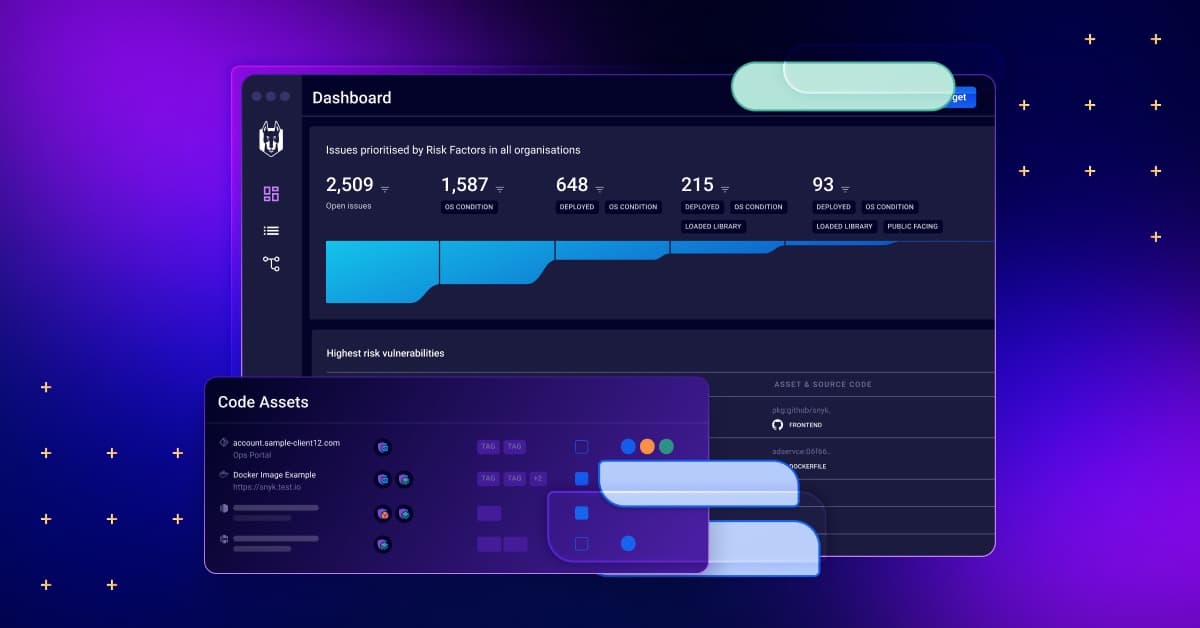
Snyk positions itself as an enterprise security platform. Its reporting reflects that ambition.
Key reporting capabilities:
- Executive dashboards showing security posture trends
- SLA tracking for vulnerability remediation times
- AppSec program metrics measuring team adoption
- Compliance reports for audit requirements
- Custom report building for specific needs
Snyk’s reporting helps security teams communicate with leadership. Charts show improvement over time. Metrics demonstrate program value.
The analytics also help prioritize work. Teams can identify which repositories have the most critical issues. They can track which teams respond fastest to security findings.
According to Snyk’s own comparison materials, their “reporting and analytics give dev and security teams the insights they need to take action.”
GitHub Advanced Security Reporting
GHAS reporting works within GitHub’s interface. It’s functional but less comprehensive than dedicated security platforms.
GHAS reporting features:
- Security overview across organization repositories
- Alert trends over time
- Code scanning results by repository
- Secret scanning alerts dashboard
- Dependabot alerts summary
The Security overview page shows organization-wide metrics. You can see which repositories have open alerts. You can filter by severity or alert type.
Users seeking more advanced reporting often request improvements. The current capabilities work for smaller teams but may feel limited for large enterprises.
Compliance and Audit Support
Regulated industries need compliance documentation. Both platforms help, but in different ways.
Snyk compliance features:
- SBOM (Software Bill of Materials) generation
- License compliance reporting
- Audit logs for all actions
- Policy-as-code for consistent rules
- Export capabilities for external tools
GHAS compliance features:
- Audit logs within GitHub Enterprise
- API access for custom reporting
- Security alerts exportable via API
- Branch protection rules for policy enforcement
Snyk’s license compliance scanning gives it an edge for legal and compliance teams. GHAS doesn’t offer equivalent functionality natively.
Enterprise Feature Comparison
| Feature | Snyk | GitHub Advanced Security |
|---|---|---|
| Executive Dashboards | Yes, comprehensive | Basic |
| SLA Tracking | Yes | Limited |
| Custom Reports | Yes | API-based |
| SBOM Generation | Yes | Via dependencies API |
| License Compliance | Full support | Not available |
| Role-Based Access | Granular controls | GitHub permissions model |
| SSO/SAML | Enterprise tier | GitHub Enterprise |
Pricing Models and Total Cost of Ownership
Pricing often determines which tool organizations can actually use. Both platforms have different pricing approaches.
Snyk Pricing Structure
Snyk offers tiered pricing based on features and usage:
Free Tier:
- Limited tests per month
- Good for individual developers and small projects
- Basic features only
Team Tier:
- More tests and users
- Better reporting
- Priority support
- Per-user pricing
Enterprise Tier:
- Unlimited tests
- Full feature access
- SSO and advanced controls
- Custom pricing based on organization size
Snyk’s pricing can add up for large organizations. Per-user costs multiply quickly with big teams. But the flexibility of using one tool across multiple platforms can offset this cost.
GitHub Advanced Security Pricing
GHAS pricing ties to GitHub Enterprise:
- Requires GitHub Enterprise (Cloud or Server)
- Per-committer pricing for active contributors
- Volume discounts available for large deployments
The per-committer model has pros and cons. Organizations with many committers pay more. But organizations with large codebases and few committers pay less than they might elsewhere.
One comparison noted that “GHAS wins on cost-of-ownership inside GitHub.” If you’re already paying for GitHub Enterprise, adding GHAS is incremental. If you’re not on GitHub Enterprise, the total cost increases significantly.
Cost Comparison Factors
| Factor | Snyk | GitHub Advanced Security |
|---|---|---|
| Base Requirement | None | GitHub Enterprise |
| Pricing Model | Per user/tests | Per active committer |
| Free Tier | Yes, limited | No (some features free) |
| Multi-Platform Value | High (covers all) | Low (GitHub only) |
| Enterprise Minimums | Varies | GitHub Enterprise required |
Hidden Costs to Consider
Beyond licensing, consider other costs:
Training costs: Snyk requires learning a new tool. GHAS uses familiar GitHub patterns.
Integration costs: Snyk integrates broadly but requires setup. GHAS is pre-integrated with GitHub.
Maintenance costs: Both require ongoing attention. Neither is truly “set and forget.”
Opportunity costs: Time spent managing security tools is time not spent building features.
For existing GitHub Enterprise customers, GHAS often has lower total cost. For organizations using multiple platforms, Snyk’s single-pane-of-glass approach may cost less overall.
Vulnerability Database Quality and Detection Accuracy
A security tool is only as good as its vulnerability intelligence. Database quality affects detection rates.
Snyk’s Vulnerability Database
Snyk maintains its own vulnerability database with over 140,000 tracked vulnerabilities. The company employs security researchers who analyze and verify vulnerabilities.
Database characteristics:
- Proprietary research finds issues before public disclosure
- Detailed remediation guidance for each vulnerability
- Exploit maturity ratings indicate real-world risk
- Regular updates as new vulnerabilities emerge
- Community contributions expand coverage
Snyk often discovers vulnerabilities before they receive CVE numbers. This early detection gives users advance warning.
The database includes context that other sources lack. Snyk researchers test whether vulnerabilities are actually exploitable. This context helps teams prioritize real risks over theoretical ones.
GitHub Advisory Database
GitHub maintains the GitHub Advisory Database that powers Dependabot and GHAS dependency scanning.
Database characteristics:
- CVE-based with additional GitHub-discovered issues
- Community-reviewed advisories
- Ecosystem-specific organization
- Open source and publicly accessible
- Integrated with npm, RubyGems, and other registries
GitHub’s database benefits from its massive user base. With millions of repositories, GitHub sees vulnerabilities in the wild quickly.
The partnership program with service providers adds value. When a secret appears in a repository, GitHub notifies the affected provider. This feedback loop improves coverage.
Detection Accuracy and False Positives
False positives waste developer time. Both platforms work to minimize them.
Snyk’s approach:
- AI filtering reduces noise
- Reachability analysis confirms code paths
- Context-aware prioritization
- User feedback improves models
GHAS approach:
- CodeQL queries tuned for precision
- Community query refinement
- Dismissal workflows for false positives
- Custom query options for specific needs
Both platforms report low false positive rates. User reviews generally confirm this. Neither is perfect, but both perform well.
Coverage Gaps
No tool catches everything. Understanding coverage gaps helps set expectations.
Snyk coverage gaps:
- Some newer languages have less coverage
- Custom frameworks may lack rules
- Very new vulnerabilities take time to add
GHAS coverage gaps:
- CodeQL query depth varies by language
- Some ecosystems have fewer queries
- Configuration issues outside code may be missed
Both vendors continuously improve coverage. What’s missing today may be covered tomorrow.
AI and Automation Capabilities in 2026
AI features have become standard in security tools. Both platforms use AI differently.
Snyk’s DeepCode AI
Snyk acquired DeepCode in 2020 and integrated its AI throughout the platform. DeepCode AI powers several features:
- Secure code suggestions as developers write
- Context-aware fix generation that matches coding style
- In-workflow training that teaches while fixing
- Pattern recognition across millions of code samples
- Automated triage of security findings
The AI doesn’t just find problems. It teaches developers to avoid them. Fix suggestions explain the underlying security concept. Over time, developers internalize secure coding patterns.
Snyk markets its AI as a way to “fix and secure AI-generated code.” As AI coding assistants become common, tools that can verify their output become more valuable.
GitHub Copilot and GHAS Integration
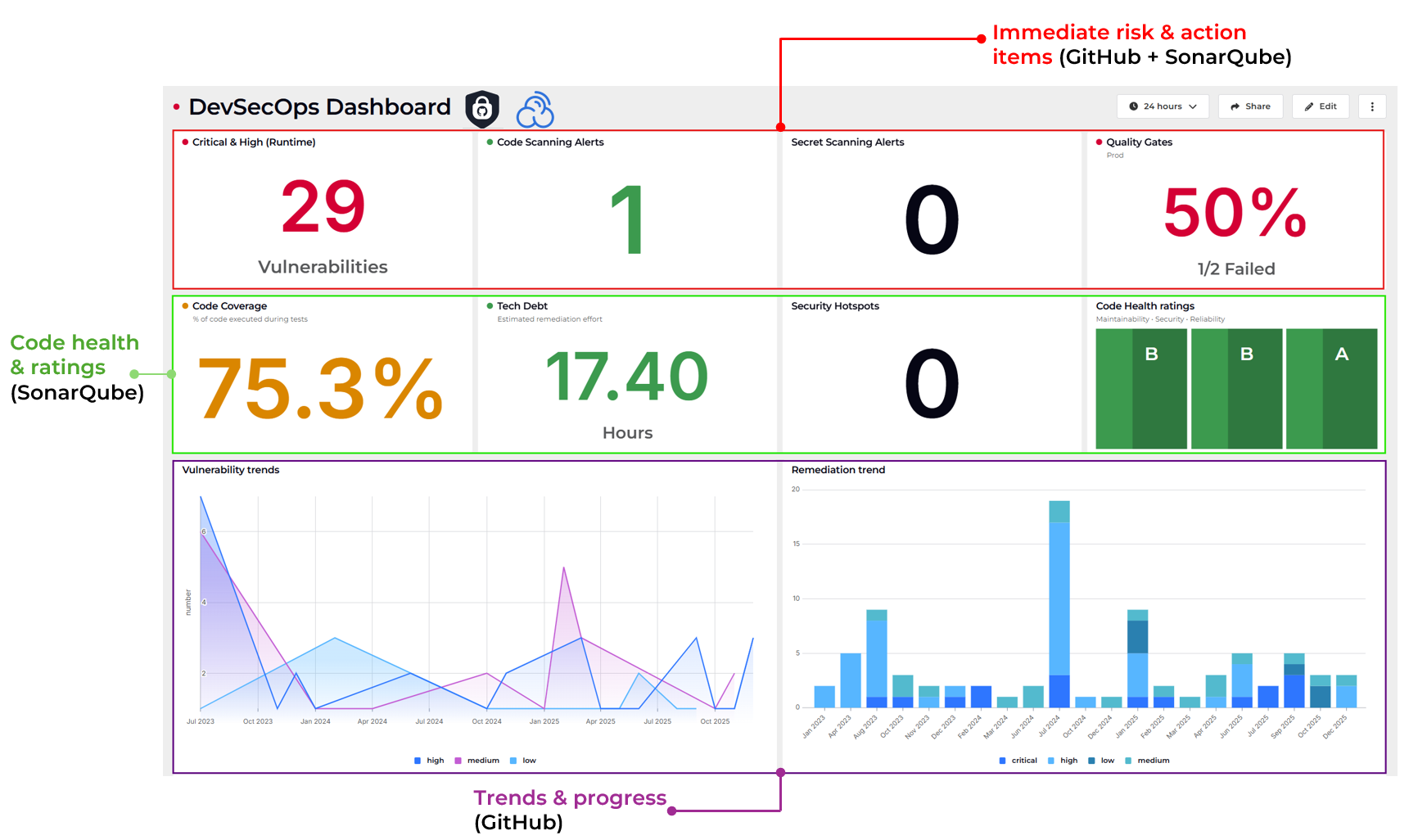
GitHub has Copilot for AI-assisted coding. Integration with GHAS creates interesting possibilities.
Current capabilities include:
- Copilot-generated code scanning through normal GHAS workflows
- Code suggestions that consider security patterns
- Natural language security queries in some contexts
The combination of Copilot and GHAS could become powerful. GitHub is well-positioned to use AI across both code generation and security scanning.
Automated Remediation Comparison
Both platforms offer some automated fixing:
| Automation Type | Snyk | GitHub Advanced Security |
|---|---|---|
| Auto-Fix PRs | Yes, AI-generated | Dependabot only |
| Code Fix Suggestions | DeepCode AI | Limited guidance |
| One-Click Fixes | Many issues | Dependency updates |
| Batch Remediation | Available | Grouped Dependabot PRs |
Snyk currently leads in AI-powered remediation. GitHub’s AI investments may close this gap, but as of 2026, Snyk offers more automated fixing.
Support Quality and Community Resources
When things go wrong, support matters. Community resources help teams get more from their tools.
Snyk Support and Documentation
Snyk provides tiered support based on subscription level:
- Community support for free tier via forums
- Email support for Team tier
- Priority support with faster response for Enterprise
- Dedicated customer success for large accounts
Documentation and learning resources:
- Comprehensive documentation portal
- Snyk Learn platform for security training
- Video tutorials and webinars
- Active community forums
- Developer security blog
Snyk Learn deserves mention. It’s a free security training platform that teaches secure coding practices. Even non-customers can use it.
GitHub Support and Documentation
GitHub support comes through standard GitHub channels:
- Community forums for general questions
- Premium support included with GitHub Enterprise
- 24/7 support for critical issues at Enterprise level
Documentation and learning resources:
- GitHub Docs site with GHAS guides
- GitHub Skills interactive courses
- GitHub Universe conference content
- Large Stack Overflow community
- Extensive third-party tutorials
GitHub benefits from its massive community. Questions about GHAS often get quick answers on forums and Stack Overflow.
Community Size and Ecosystem
Market share data shows interesting patterns:
- Snyk holds 5.0% mindshare in application security
- GitHub holds 2.4% mindshare in application security
These numbers from PeerSpot suggest Snyk has stronger positioning as a security-first product. GitHub’s identity centers on development, with security as an addition.
Both have active communities. Snyk’s community focuses on security practitioners. GitHub’s community includes the broader developer population.
Making the Right Choice: Decision Framework
Choosing between Snyk and GitHub Advanced Security depends on your specific situation. Here’s how to think through the decision.
Choose GitHub Advanced Security If…
Your code lives exclusively on GitHub. The native integration provides unmatched smoothness. You won’t find tighter GitHub integration anywhere else.
You already have GitHub Enterprise. Adding GHAS becomes incremental cost. The value proposition improves when you’re not paying for a separate platform.
Simplicity matters most. One platform, one interface, one vendor relationship. GHAS reduces complexity for GitHub-centric organizations.
Secret scanning is your top priority. GitHub’s push protection and partner verification program lead the market for credential detection.
Your developers resist new tools. GHAS requires no new interfaces. Security happens where developers already work.
Choose Snyk If…
You use multiple source control platforms. Snyk works with GitHub, GitLab, Bitbucket, and Azure DevOps. One tool covers everything.
Container and IaC security matter. Snyk offers native container scanning and infrastructure-as-code analysis. GHAS requires third-party tools for these areas.
You need strong license compliance. Snyk’s license scanning helps legal and compliance teams. GHAS doesn’t offer equivalent functionality.
AI-powered fixes appeal to your team. DeepCode AI provides sophisticated fix suggestions. The automation saves significant time.
Enterprise reporting is required. Snyk’s analytics and dashboards serve security program needs better than GHAS’s reporting.
Consider Both Tools Together
Some organizations use both. GHAS for GitHub-native scanning, Snyk for additional coverage. This approach costs more but maximizes coverage.
Common combination patterns:
- GHAS for secret scanning, Snyk for SCA
- GHAS for CodeQL analysis, Snyk for container security
- GHAS for internal repos, Snyk for multi-platform projects
The overlap creates redundancy in some areas. But defense-in-depth strategies accept some duplication.
Questions to Ask Your Team
Before deciding, discuss these questions:
- Where does our code actually live today?
- Will we stay on the current platforms for the next 3 years?
- What security capabilities do we lack currently?
- How much are developers willing to change their workflow?
- What compliance requirements must we meet?
- What’s our total budget for security tooling?
- Who will manage and maintain the security tools?
Honest answers guide better decisions. Technology alone doesn’t determine the right choice.
Conclusion: The Final Verdict on GitHub Security vs Snyk
Both Snyk and GitHub Advanced Security are strong products. Neither is universally better. The right choice depends on your organization’s specific needs and constraints.
GitHub Advanced Security wins for teams fully committed to the GitHub ecosystem. The native experience is smooth. Cost of ownership is lower when you’re already on GitHub Enterprise.
Snyk wins for organizations needing multi-platform coverage, container security, or sophisticated enterprise reporting. Its developer experience is excellent regardless of where your code lives.
Make your decision based on where your code is, what security coverage you need, and how much change your team can absorb. Both tools will improve your security posture.
Frequently Asked Questions About Snyk vs GitHub Advanced Security
| What is the main difference between Snyk and GitHub Advanced Security? The main difference is scope and integration. Snyk works across multiple source control platforms and offers broader security coverage including containers and IaC. GitHub Advanced Security integrates deeply with GitHub specifically but doesn’t work with other platforms. Snyk is a standalone security platform. GHAS is a security layer within GitHub. |
| Can I use Snyk with GitHub repositories? Yes, Snyk integrates well with GitHub. You can connect GitHub repositories to Snyk for scanning. Many organizations use Snyk even when their code lives on GitHub. The difference from GHAS is that Snyk runs as a separate platform rather than being built into GitHub’s interface. |
| Is GitHub Advanced Security free? No, GitHub Advanced Security requires a paid GitHub Enterprise subscription. Basic Dependabot features are free for public repositories. But the full GHAS feature set, including CodeQL scanning, secret scanning with push protection, and security overview, requires Enterprise licensing with per-committer fees. |
| Which tool is better for container security? Snyk is better for container security. Snyk Container provides native image scanning, base image recommendations, and Kubernetes integration. GitHub Advanced Security doesn’t include native container scanning. GHAS users need to add third-party tools for container security coverage. |
| Does Snyk or GHAS have better secret detection? GitHub Advanced Security has stronger secret detection. GHAS’s push protection blocks secrets before they’re committed. The partner program with 100+ service providers enables automatic secret revocation. Snyk offers secret detection but lacks the depth of GitHub’s implementation in this specific area. |
| Which platform has lower false positive rates? Both platforms report low false positive rates. User reviews generally confirm good accuracy for both. Snyk uses AI filtering to reduce noise. GHAS uses tuned CodeQL queries. Neither has a clear advantage. Your specific codebase may work better with one than the other. |
| Can I use both Snyk and GitHub Advanced Security together? Yes, some organizations use both. Common patterns include using GHAS for secret scanning while using Snyk for broader coverage. The overlap creates some redundancy but also provides defense in depth. Budget and management overhead are the main considerations. |
| Which tool is easier to set up? GitHub Advanced Security is easier to set up if you’re on GitHub. Enabling it takes a few clicks. Snyk requires connecting repositories and learning a new interface. GHAS wins on initial setup time. Snyk wins on flexibility once configured. |
| What languages do Snyk and GHAS support? Both support 10+ major programming languages including JavaScript, Python, Java, C/C++, Go, Ruby, and C#. Specific feature coverage varies by language. Check each vendor’s documentation for the languages most relevant to your codebase. |
| Which option is more cost-effective for small teams? For small teams on GitHub, GHAS may cost less if you already have GitHub Enterprise. Snyk offers a free tier for testing and small projects. The cost-effective choice depends on your existing GitHub subscription and specific security needs. Calculate total cost for your situation. |




 Stack Insight is intended to support informed decision-making by providing independent information about business software and services. Some product details, including pricing, features, and promotional offers, may be supplied by vendors or partners and can change without notice.