
Snyk vs ArmorCode: Complete Comparison Guide for 2026
Choosing the right application security tool can make or break your security posture. Two names keep coming up in conversations about AppSec: Snyk and ArmorCode. Both tools aim to protect your applications, but they take very different approaches to get there.
Snyk has built its reputation as a developer-first security platform. It focuses on finding and fixing vulnerabilities right where developers work. ArmorCode, on the other hand, positions itself as a security posture management solution. It pulls data from multiple security tools and gives you a bird’s eye view of your entire security landscape.
This comparison will break down everything you need to know about both platforms. We’ll look at features, pricing, ease of use, integrations, and real user feedback. By the end, you’ll have a clear picture of which tool fits your team’s needs in 2026.
What is Snyk? A Complete Overview
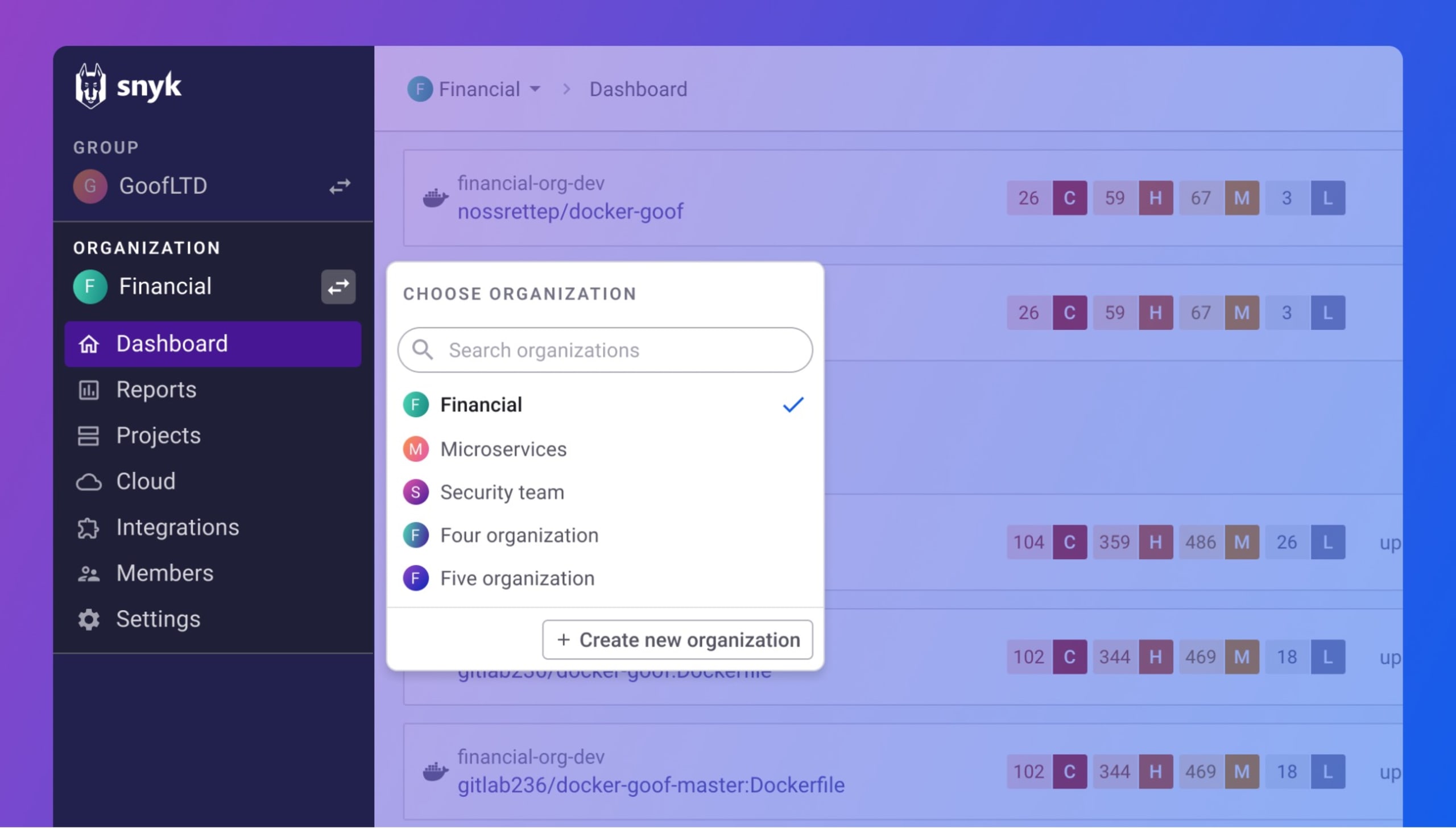
Snyk started in 2015 with a simple mission. Help developers find and fix security issues without slowing down their work. The platform has grown into one of the most recognized names in developer security.
Core Capabilities of Snyk
Snyk covers multiple security testing areas. These include static application security testing (SAST), software composition analysis (SCA), container security, and infrastructure as code (IaC) scanning. More recently, Snyk added DAST capabilities for API and web application testing.
The platform scans your code as you write it. It integrates directly into IDEs, Git repositories, and CI/CD pipelines. This means developers catch issues early, before code reaches production.
- Snyk Code: SAST scanning that analyzes your proprietary code for vulnerabilities
- Snyk Open Source: SCA that checks your dependencies for known security issues
- Snyk Container: Scans container images for vulnerabilities in base images and packages
- Snyk IaC: Checks your infrastructure as code files for misconfigurations
- Snyk AppRisk: Application security posture management features
Developer-Focused Design Philosophy
Snyk built everything around the developer experience. The interface feels familiar to developers who spend their days in code editors and terminals. You won’t find complex security jargon plastered everywhere.
When Snyk finds a vulnerability, it doesn’t just report it. The platform provides fix suggestions, often with one-click pull request generation. This approach removes friction from the remediation process. Developers can address issues in seconds rather than hours.
The platform also prioritizes education. Each vulnerability comes with detailed explanations. Developers learn why something is a problem and how to avoid similar issues in the future. This builds security awareness organically over time.
Snyk’s Market Position in 2026
Snyk has become one of the cloud leaders in the security space. The tool enjoys strong popularity among development teams of all sizes. From startups running free tier accounts to enterprises with complex security requirements, Snyk serves a broad customer base.
User satisfaction rates show strong endorsement. According to PeerSpot data, 100% of Snyk users would recommend the solution. This speaks to the platform’s ability to deliver on its promises.
What is ArmorCode? Understanding the Platform
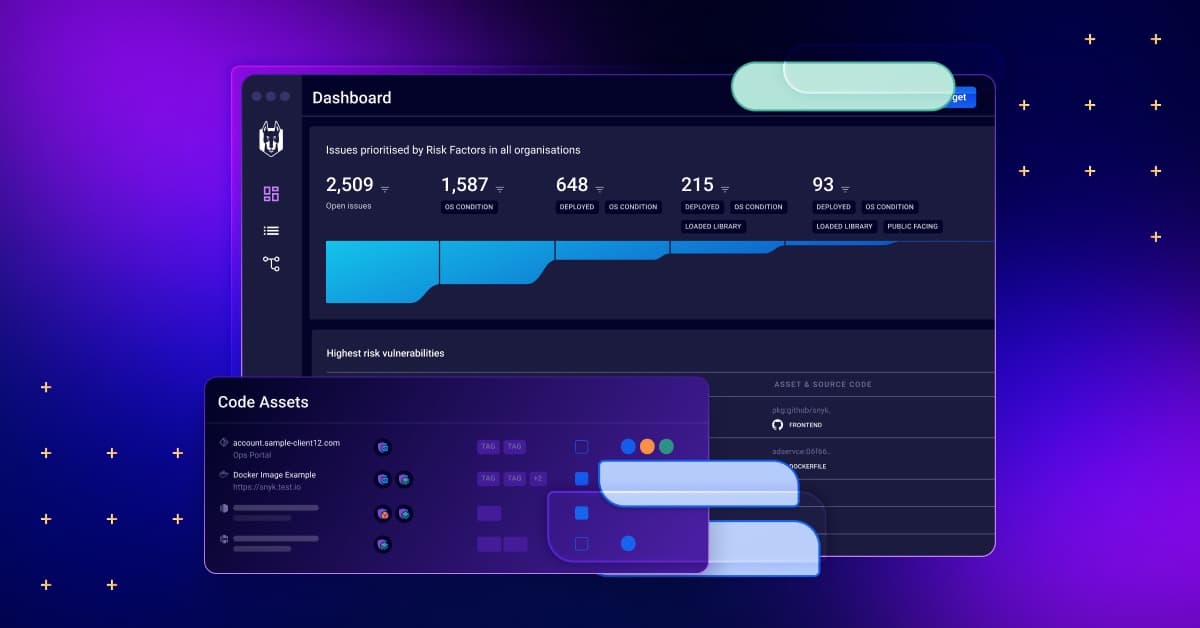
ArmorCode takes a fundamentally different approach to application security. Rather than scanning code directly, ArmorCode aggregates findings from multiple security tools. It acts as a central command center for your entire security operation.
ArmorCode’s Core Value Proposition
Most organizations use multiple security tools. SAST scanners, DAST tools, SCA analyzers, container scanners, and more. Each tool generates its own findings. These findings live in separate dashboards with different formats and priority schemes.
ArmorCode solves this fragmentation problem. The platform pulls data from all your security tools into one place. It normalizes findings, removes duplicates, and provides a unified view of your security posture.
This approach offers several benefits:
- Centralized visibility: See all security findings in one dashboard
- Correlation: Connect related findings across different tools
- Prioritization: Use business context to rank what matters most
- Workflow automation: Route findings to the right teams automatically
- Reporting: Generate compliance and executive reports from unified data
Application Security Posture Management
ArmorCode falls into the Application Security Posture Management (ASPM) category. This means it focuses on the big picture rather than individual scans. The platform helps security teams understand their overall risk exposure.
ASPM tools like ArmorCode answer questions like: Which applications carry the most risk? Where are we improving? Where are we falling behind? What vulnerabilities have existed longest? Which teams remediate fastest?
This strategic view helps security leaders make better decisions. They can allocate resources where they’ll have the biggest impact. They can track progress over time and demonstrate value to stakeholders.
ArmorCode’s Target Audience
ArmorCode targets enterprise organizations with mature security programs. These companies already have multiple security tools in place. They struggle with tool sprawl and finding consolidation.
The platform appeals particularly to security teams rather than developers. While developers might interact with ArmorCode through ticketing integrations, the primary users are security engineers, security managers, and CISOs.
According to PeerSpot reviews, 100% of ArmorCode users would recommend the solution. Users praise its comprehensive features and security management capabilities. The platform delivers insights across various security layers.
Snyk vs ArmorCode: Understanding the Core Difference
Before diving into detailed comparisons, let’s clarify what makes these tools fundamentally different. This distinction shapes every other comparison point.
Scanner vs Aggregator
Snyk is a security scanner. It examines your code, dependencies, containers, and infrastructure files. It finds vulnerabilities directly. When you add Snyk to your project, it does the actual work of identifying security issues.
ArmorCode is a security aggregator. It doesn’t scan code itself. Instead, it collects findings from other scanners like Snyk, Checkmarx, SonarQube, and dozens of others. It organizes and prioritizes these findings.
Think of it this way: Snyk is like a security guard who inspects packages entering a building. ArmorCode is like a security operations center that monitors feeds from multiple security guards across multiple buildings.
Complementary or Competing?
Here’s something interesting: many organizations use both Snyk and ArmorCode together. Snyk scans the code and finds vulnerabilities. ArmorCode ingests Snyk’s findings along with data from other tools. The platforms can complement each other rather than compete.
But for organizations choosing their primary investment, the decision matters. Do you need better scanning capabilities? Snyk makes sense. Do you need better management of findings you already have? ArmorCode becomes attractive.
Different Problems, Different Solutions
Consider two organizations with different challenges:
Company A lacks visibility into their open source dependencies. They’ve had incidents caused by vulnerable libraries. They need a tool that integrates with developer workflows and catches issues early.
Company B has five different security scanners. Each generates hundreds of findings weekly. Security teams drown in alerts. They can’t prioritize what matters. Developers ignore security tickets because there are too many.
Company A needs Snyk. Company B needs ArmorCode. The tools solve fundamentally different problems.
Feature Comparison: Snyk and ArmorCode Head to Head
Let’s examine specific features across both platforms. This detailed look will help you understand exactly what each tool offers.
Scanning Capabilities
| Capability | Snyk | ArmorCode |
|---|---|---|
| SAST (Code Scanning) | Yes, built-in | No, aggregates from other SAST tools |
| SCA (Dependency Scanning) | Yes, built-in | No, aggregates from other SCA tools |
| Container Scanning | Yes, built-in | No, aggregates from other container scanners |
| IaC Scanning | Yes, built-in | No, aggregates from other IaC tools |
| DAST (Web App Scanning) | Yes, added recently | No, aggregates from other DAST tools |
| Secrets Detection | Yes, built-in | No, aggregates from secrets scanners |
Snyk provides native scanning across multiple domains. You can get comprehensive AppSec coverage from a single vendor. ArmorCode requires you to bring your own scanners. It then adds value through aggregation and management.
Finding Management
Both platforms help you manage security findings. But they approach this differently.
Snyk’s approach: Findings from Snyk scans appear in the Snyk dashboard. You can filter, sort, and prioritize. Snyk provides its own severity ratings and priority scores. The platform suggests fixes and can automatically generate pull requests.
ArmorCode’s approach: Findings from all connected tools appear in one unified dashboard. ArmorCode normalizes severity ratings across different tools. It removes duplicate findings. It adds business context for risk-based prioritization.
ArmorCode excels when you have multiple security tools generating findings. Its correlation capabilities help you see relationships between findings from different sources. For example, it might connect a SAST finding about SQL injection with a DAST finding that confirms the vulnerability is exploitable.
Remediation Features
Getting vulnerabilities fixed matters more than finding them. Let’s look at how each platform handles remediation.
Snyk remediation features:
- Automatic fix pull requests for dependency vulnerabilities
- Upgrade recommendations with compatibility analysis
- Code fix suggestions for SAST findings
- Ignore policies with documented justifications
- Retest capabilities after fixes are applied
ArmorCode remediation features:
- Ticket creation in Jira, ServiceNow, and other systems
- Automated routing to appropriate teams
- SLA tracking and escalation
- Remediation workflow automation
- Progress tracking and reporting
Snyk focuses on making fixes easy at the code level. ArmorCode focuses on tracking and managing the remediation process across teams. If your developers need help fixing things, Snyk provides more. If you need to track who’s responsible and whether they’re meeting deadlines, ArmorCode provides more.
Reporting and Analytics
Security leaders need data to make decisions and communicate with stakeholders. Both platforms offer reporting, but with different strengths.
Snyk reporting includes:
- Project-level vulnerability summaries
- Organization-wide dashboards
- Dependency tree visualizations
- License compliance reports
- Trend analysis over time
- API access for custom reporting
ArmorCode reporting includes:
- Cross-tool vulnerability aggregation
- Risk scoring with business context
- Application portfolio risk views
- Team performance metrics
- Compliance framework mapping
- Executive dashboards and reports
ArmorCode’s reporting shines for executives and compliance needs. The platform can show your entire security posture across all tools. Snyk’s reporting works well for development teams who want to track their specific projects.
Integration Ecosystem: Snyk Compared to ArmorCode
Modern development involves many tools. Your security platform needs to fit into your existing workflow. Let’s examine how each platform handles integrations.
Snyk’s Integration Philosophy
Snyk integrates where developers already work. The goal is to make security invisible and frictionless. Developers shouldn’t need to change their workflow to stay secure.
IDE integrations: Snyk plugins exist for VS Code, IntelliJ, Eclipse, and other popular editors. Developers see vulnerability warnings as they type. No context switching required.
Source control integrations: Snyk connects to GitHub, GitLab, Bitbucket, and Azure Repos. It can scan pull requests automatically and block merges with critical vulnerabilities.
CI/CD integrations: Native integrations exist for Jenkins, CircleCI, GitHub Actions, GitLab CI, Azure DevOps, and more. Scans run automatically as part of your build pipeline.
Container registries: Snyk monitors images in Docker Hub, Amazon ECR, Google Container Registry, Azure Container Registry, and others.
Cloud platforms: AWS, Azure, and GCP integrations allow scanning of cloud resources and configurations.
ArmorCode’s Integration Philosophy
ArmorCode’s integrations focus on collecting data from security tools and connecting to workflow systems. The platform needs to pull findings from many sources and push work to ticketing systems.
Security tool integrations: ArmorCode connects to dozens of security scanners. This includes Snyk, Checkmarx, Veracode, SonarQube, Fortify, Burp Suite, OWASP ZAP, Tenable, Qualys, and many more.
Ticketing system integrations: Jira and ServiceNow integrations allow automatic ticket creation and synchronization. Findings turn into tracked work items.
CI/CD integrations: ArmorCode can integrate with CI/CD pipelines to receive scan results and enforce policies.
Communication tool integrations: Slack and Microsoft Teams integrations enable notifications and alerts.
Integration Depth Comparison
| Integration Category | Snyk | ArmorCode |
|---|---|---|
| IDEs | Deep, real-time scanning | Limited |
| Source Control | Deep, PR scanning and blocking | Read findings from SCM scanners |
| CI/CD | Native plugins with policy enforcement | Receives scan results, policy enforcement |
| Security Tools | Competes with other scanners | Aggregates from 70+ security tools |
| Ticketing | Basic Jira integration | Advanced ticketing workflows |
| Reporting Systems | API-based | Multiple BI tool connections |
If you need tight developer tooling integration, Snyk offers more. If you need to consolidate data from many security tools, ArmorCode’s breadth matters more.
API Capabilities
Both platforms provide APIs for automation and custom integrations.
Snyk’s API allows programmatic access to scanning, results, projects, and organizations. You can trigger scans, retrieve vulnerabilities, manage ignores, and build custom workflows. The API documentation is extensive and the developer experience is smooth.
ArmorCode’s API enables access to aggregated findings, risk scores, and workflow management. You can integrate ArmorCode data into custom dashboards and automate remediation workflows.
User Experience: How Teams Interact with Each Platform
The daily experience of using a security tool matters enormously. A tool that frustrates users won’t get adopted. Let’s examine how real users experience each platform.
Snyk’s User Experience
Snyk designed its interface for developers, not security experts. The UI feels modern and clean. Navigation is intuitive. You can find what you need without reading documentation.
The developer dashboard shows your projects and their security status at a glance. Color-coded severity indicators tell you immediately where to focus. Drill-down views provide vulnerability details without overwhelming you.
Vulnerability details include clear explanations of the issue. What’s the problem? Why does it matter? How do you fix it? Snyk answers these questions in plain language. You don’t need security expertise to understand the guidance.
Fix workflows minimize friction. For dependency vulnerabilities, Snyk often generates a pull request automatically. Click a button and the fix is ready for review. This one-click remediation capability sets Snyk apart.
Learning curve is gentle. New users typically become productive within hours. The interface guides you through setup and initial scans. Contextual help appears when you need it.
ArmorCode’s User Experience
ArmorCode’s interface targets security professionals managing enterprise programs. The UI is more complex because it handles more complex scenarios.
The main dashboard provides a risk-based view of your entire application portfolio. You see aggregate metrics, trends, and alerts. This high-level view helps security leaders understand their posture quickly.
Drill-down capabilities let you explore specific applications, teams, or vulnerability types. The platform handles large volumes of data from multiple sources. Filtering and search capabilities help you find specific issues.
Workflow management features help track remediation progress. You can see which teams have open findings, who’s meeting SLAs, and where bottlenecks exist. This operational view supports security program management.
Learning curve is steeper. ArmorCode’s power comes with complexity. Users need training to take full advantage of the platform’s capabilities. But for organizations managing large security programs, this complexity serves a purpose.
Who Uses Each Platform Day to Day?
User roles differ significantly between platforms.
Snyk users:
- Software developers checking their code
- DevOps engineers monitoring pipelines
- Security engineers reviewing findings
- Tech leads managing project security
ArmorCode users:
- Security engineers triaging findings
- Security managers tracking team performance
- CISOs reviewing risk dashboards
- Compliance officers generating reports
Developers might never log into ArmorCode directly. They receive tickets from ArmorCode through Jira. Snyk, by contrast, lives in the developer’s workflow. This distinction matters when choosing which tool to prioritize.
Pricing: Snyk vs ArmorCode Cost Analysis
Budget plays a major role in tool selection. Let’s look at how each platform approaches pricing.
Snyk’s Pricing Structure
Snyk offers a freemium model. Teams can start for free and scale up as needs grow.
Free tier: Unlimited testing for individual developers. Some feature limitations exist. Great for trying the platform or personal projects.
Team tier: Designed for small development teams. Includes collaboration features, more integrations, and higher test limits. Pricing per contributor per month.
Enterprise tier: Full feature set for larger organizations. Includes SSO, advanced reporting, and premium support. Custom pricing based on organization size.
Snyk’s pricing scales with the number of developers or contributors. The more people using the platform, the higher the cost. This model aligns with developer-focused tools.
Users report that Snyk is cost-effective with a quicker return on investment. The efficient integration features and competitive pricing structure make adoption easy. Teams see value quickly.
ArmorCode’s Pricing Structure
ArmorCode targets enterprise customers. Pricing reflects this focus.
Pricing model: ArmorCode uses custom enterprise pricing. Factors include the number of applications, data sources, and users. You need to contact sales for a quote.
No free tier: ArmorCode doesn’t offer a free version for individual users. The platform assumes organizational purchase.
Value proposition: ArmorCode positions itself as a valuable investment through superior security management capabilities. The platform aims to reduce time spent managing security programs, which justifies the cost.
Total Cost of Ownership Considerations
Sticker price doesn’t tell the full story. Consider these factors when comparing costs.
For Snyk:
- You get scanning capabilities included
- No need to purchase separate SAST, SCA, and container scanners
- Lower integration and setup costs
- Developer productivity gains from easy remediation
For ArmorCode:
- You still need to purchase scanners separately
- ArmorCode adds value on top of existing tool investments
- Efficiency gains from centralized management
- Reduced time in manual correlation and reporting
A fair comparison requires considering your existing tools. If you already have scanners, ArmorCode adds to that cost but provides consolidation value. If you’re starting fresh, Snyk provides more capabilities per dollar.
Pricing Comparison Summary
| Aspect | Snyk | ArmorCode |
|---|---|---|
| Starting Price | Free | Contact for pricing |
| Pricing Model | Per contributor | Custom enterprise |
| Free Trial | Yes, generous free tier | Demo available |
| Scanning Included | Yes | No, requires other tools |
| Best for Budget | Small to mid-size teams | Enterprises with existing tools |
Security Coverage: What Each Platform Detects and Protects
Security coverage determines what threats each platform can help you address. Let’s examine the scope of protection each offers.
Snyk’s Security Coverage Depth
Snyk provides direct security testing across multiple domains. Each capability has significant depth.
Open Source Security (SCA): Snyk’s vulnerability database covers millions of open source packages. The database includes vulnerabilities from public sources like NVD plus Snyk’s own research team discoveries. Coverage spans npm, Maven, PyPI, NuGet, RubyGems, Go modules, and more.
Code Security (SAST): Snyk Code analyzes proprietary code for security issues. It supports many languages including JavaScript, TypeScript, Python, Java, Go, C#, Ruby, PHP, and Kotlin. The scanner uses semantic analysis to reduce false positives.
Container Security: Snyk Container scans container images for vulnerable packages in the base image and application layers. It recommends base image upgrades that fix the most vulnerabilities with minimal disruption.
Infrastructure as Code Security: Snyk IaC checks Terraform, CloudFormation, Kubernetes manifests, and Helm charts for misconfigurations. It catches issues before they create cloud vulnerabilities.
DAST Capabilities: Snyk’s newer DAST module tests running applications for vulnerabilities. It integrates with the broader Snyk ecosystem for consolidated reporting across SAST, SCA, and runtime results.
ArmorCode’s Security Coverage Breadth
ArmorCode doesn’t scan directly. Its coverage depends on the tools you connect. But it adds value in how it handles findings from those tools.
Aggregation breadth: ArmorCode connects to 70+ security tools. This includes SAST, DAST, SCA, container scanners, cloud security tools, and more. Whatever scanners you use, ArmorCode likely supports them.
Correlation capabilities: ArmorCode correlates findings across tools. A vulnerability found by SAST might be confirmed exploitable by DAST. ArmorCode connects these findings and adjusts priority accordingly.
Risk scoring: ArmorCode adds business context to security findings. Not all applications are equal. A vulnerability in a payment system matters more than one in an internal wiki. ArmorCode factors this into risk scores.
Coverage gap identification: ArmorCode can show where you lack security coverage. If certain applications don’t have SAST scans, ArmorCode highlights this gap.
Coverage Philosophy Differences
These platforms think about coverage differently.
Snyk asks: “How well can we scan your code and dependencies?”
ArmorCode asks: “How well can we give you visibility across all your security tools?”
An organization using only Snyk gets solid coverage across multiple domains from one vendor. An organization using ArmorCode might have deeper coverage in specific areas (using best-of-breed scanners) plus better visibility across everything.
Coverage Comparison Table
| Security Domain | Snyk Approach | ArmorCode Approach |
|---|---|---|
| SAST | Built-in Snyk Code scanner | Aggregates from connected SAST tools |
| SCA | Built-in Snyk Open Source scanner | Aggregates from connected SCA tools |
| Container | Built-in Snyk Container scanner | Aggregates from container security tools |
| IaC | Built-in Snyk IaC scanner | Aggregates from IaC security tools |
| DAST | Built-in DAST module | Aggregates from DAST tools |
| Cloud Security | Cloud configuration scanning | Aggregates from CSPM tools |
| Secrets Detection | Built-in secrets scanning | Aggregates from secrets scanners |
Enterprise Readiness: ArmorCode vs Snyk for Large Organizations
Enterprise buyers have specific requirements. Security tools must meet compliance needs, scale to large portfolios, and support complex organizational structures.
Snyk’s Enterprise Features
Snyk has invested heavily in enterprise capabilities. The platform now serves many large organizations successfully.
Organization management: Snyk supports complex organizational hierarchies. You can structure teams, set permissions, and manage projects at scale. Role-based access control ensures people see only what they need.
Single sign-on: Enterprise SSO integrations include SAML 2.0, Azure AD, Okta, and others. This meets security requirements and simplifies user management.
Compliance features: License compliance scanning helps manage open source risk. Audit logs track user actions. Data residency options address regional requirements.
Support levels: Enterprise plans include premium support with faster response times. Dedicated success managers help organizations get value from the platform.
API and automation: Snyk’s comprehensive API supports enterprise automation needs. Custom integrations can meet specific workflow requirements.
ArmorCode’s Enterprise Features
ArmorCode was built for enterprises from the start. Its features reflect this focus.
Multi-tool consolidation: Enterprises often have many security tools. ArmorCode handles this complexity naturally. It was designed for environments with dozens of security data sources.
Business context: ArmorCode lets you add business criticality, data classification, and compliance requirements to applications. This context drives risk-based prioritization.
Workflow automation: Enterprise security programs need automated workflows. ArmorCode can automatically triage findings, create tickets, assign owners, track SLAs, and escalate as needed.
Executive reporting: Boards and executives need security metrics. ArmorCode provides dashboards and reports designed for non-technical audiences.
Compliance mapping: ArmorCode maps findings to compliance frameworks. This helps demonstrate compliance with SOC 2, PCI DSS, HIPAA, and other requirements.
Scale Considerations
How do these platforms handle scale?
Snyk at scale: Snyk handles millions of scans across thousands of projects. Performance remains good at enterprise scale. The challenge is sometimes managing the volume of findings across many teams.
ArmorCode at scale: ArmorCode aggregates findings from many tools across many applications. The platform is built for large finding volumes. Its correlation and deduplication help manage the noise.
Both platforms can handle enterprise scale. The question is which type of scale matters more to you: scanning scale (Snyk) or finding management scale (ArmorCode).
Enterprise Feature Comparison
| Enterprise Need | Snyk | ArmorCode |
|---|---|---|
| SSO/SAML | Yes | Yes |
| RBAC | Yes | Yes |
| Audit Logs | Yes | Yes |
| Multi-tool Aggregation | Limited | Core capability |
| Compliance Mapping | License compliance | Multiple frameworks |
| Executive Dashboards | Basic | Advanced |
| Workflow Automation | Basic | Advanced |
| Business Context | Project-level | Application portfolio level |
Real User Feedback: What Customers Say About Snyk and ArmorCode
Real user experiences matter more than marketing claims. Let’s examine what actual users report about each platform.
What Snyk Users Say
Snyk receives consistently positive feedback from users. PeerSpot data shows 100% of users would recommend the tool. Here are common themes:
Strengths users mention:
- “Integration into our development workflow was seamless”
- Developers actually use the tool, not just security teams
- Fix suggestions save significant time
- The vulnerability database is comprehensive and current
- Customer support is responsive and helpful
Challenges users mention:
- Pricing can become expensive as organizations scale
- Some false positives in SAST scanning
- Enterprise reporting could be stronger
- Managing many projects requires good organization
The overall sentiment: Snyk delivers on its developer-focused promise. Teams that want to shift security left find Snyk effective. The tool is very popular, and customers see it as one of the cloud leaders in the security space.
What ArmorCode Users Say
ArmorCode also receives strong user satisfaction. 100% of PeerSpot reviewers recommend the platform. Common themes include:
Strengths users mention:
- Comprehensive security posture management capabilities
- Centralized security protocol management
- Insights across various security layers
- Manages vulnerabilities holistically across the portfolio
- Valuable investment for security management
Challenges users mention:
- Requires existing security tools to provide value
- Setup and configuration takes time
- Pricing reflects enterprise focus
- Learning curve for full feature usage
The overall sentiment: ArmorCode excels at giving security teams visibility and control. Organizations with mature security programs and multiple tools find strong value. The platform’s comprehensive features offer valuable investment potential.
Head-to-Head User Feedback
When users compare these tools directly, interesting patterns emerge.
Users choosing Snyk over ArmorCode often say:
- We needed scanning capabilities, not just aggregation
- Developer adoption was our priority
- We wanted a faster time to value
- Budget constraints made consolidated scanning attractive
Users choosing ArmorCode over Snyk often say:
- We already had multiple security tools in place
- We needed to rationalize and prioritize across tools
- Security program management was our challenge
- Executive visibility into risk was a requirement
Use Cases: When to Choose Snyk vs When to Choose ArmorCode
Different organizations have different needs. Let’s examine specific scenarios where each platform shines.
Scenarios Where Snyk is the Better Choice
Scenario 1: Starting your AppSec program
You’re building security capabilities from scratch. You don’t have existing tools. You need to cover SAST, SCA, containers, and IaC quickly.
Why Snyk: One platform covers multiple domains. Fast implementation. Developer-friendly means faster adoption. The free tier lets you start immediately.
Scenario 2: Developer-centric security culture
Your organization believes developers should own security. You want security integrated into development workflows, not bolted on afterward.
Why Snyk: Purpose-built for developers. IDE integration, PR checks, and one-click fixes make security part of the coding process.
Scenario 3: Open source dependency management
You use many open source libraries. You’ve had incidents caused by vulnerable dependencies. You need visibility and control over third-party code.
Why Snyk: Snyk’s SCA capabilities are industry-leading. The vulnerability database is extensive. Automatic fix PRs make remediation efficient.
Scenario 4: Container security focus
You’re running containerized workloads. You need to scan images in development and monitor them in production registries.
Why Snyk: Snyk Container provides strong image scanning with practical upgrade recommendations. Registry monitoring catches new vulnerabilities in existing images.
Scenarios Where ArmorCode is the Better Choice
Scenario 1: Consolidating multiple security tools
You have five or more security scanners. Each generates findings. Security teams can’t keep up with the volume and fragmentation.
Why ArmorCode: Built specifically for this problem. Aggregates findings, removes duplicates, normalizes severity, and provides unified visibility.
Scenario 2: Security program management
You lead a security program with multiple teams. You need to track metrics, demonstrate improvement, and report to executives.
Why ArmorCode: Program management features like SLA tracking, team metrics, and executive dashboards support security leadership needs.
Scenario 3: Risk-based prioritization
You have thousands of findings. You can’t fix everything. You need to prioritize based on business impact, not just severity.
Why ArmorCode: Business context and risk scoring help you focus on what matters most. Not all applications are equally critical.
Scenario 4: Compliance-driven requirements
You need to demonstrate compliance with multiple frameworks. Auditors want evidence that you identify and track vulnerabilities.
Why ArmorCode: Compliance mapping and reporting features generate audit-ready documentation from your security data.
Scenarios Where You Might Use Both
Many organizations use Snyk and ArmorCode together. This isn’t unusual or wasteful.
Snyk for scanning: Use Snyk’s native scanning capabilities for SAST, SCA, containers, and IaC. Developers interact with Snyk directly.
ArmorCode for aggregation: Feed Snyk’s findings into ArmorCode along with data from other tools. Security teams use ArmorCode for program management and reporting.
This combination gives you strong scanning and strong management. The cost is higher, but for mature enterprises, the combined value can justify it.
Implementation: Getting Started with Each Platform
How quickly can you get value from each platform? Let’s examine the implementation process.
Implementing Snyk
Snyk’s implementation is designed to be fast and self-service.
Step 1: Sign up
Create a free account in minutes. No sales call required. You can start scanning immediately.
Step 2: Connect repositories
Link your GitHub, GitLab, Bitbucket, or Azure Repos account. Snyk imports your projects automatically.
Step 3: Run initial scans
Snyk scans your projects and shows results. Within an hour, you can see vulnerabilities across your codebase.
Step 4: Configure policies
Set up which severities matter. Configure PR checks. Decide what blocks builds.
Step 5: Enable CI/CD integration
Add Snyk to your build pipelines. Most integrations take minutes with provided plugins.
Time to value: Hours to days for initial value. Weeks to fully operationalize across an organization.
Implementing ArmorCode
ArmorCode’s implementation requires more planning and configuration.
Step 1: Requirements gathering
Identify which security tools you’ll connect. Document your current workflow and desired state.
Step 2: Platform setup
Work with ArmorCode to provision your instance. Configure authentication and user access.
Step 3: Connect data sources
Integrate your security tools. This requires API keys, credentials, and configuration for each tool.
Step 4: Configure business context
Add application information. Set criticality levels. Map applications to teams.
Step 5: Define workflows
Configure how findings route to teams. Set up SLAs and escalation paths. Integrate with ticketing systems.
Step 6: Customize reporting
Build dashboards for different audiences. Configure scheduled reports.
Time to value: Weeks to months for initial value. Ongoing refinement as you learn the platform’s capabilities.
Implementation Comparison
| Aspect | Snyk | ArmorCode |
|---|---|---|
| Self-service setup | Yes | Limited |
| Time to first scan | Minutes | N/A (doesn’t scan) |
| Time to first value | Hours | Weeks |
| Implementation complexity | Low | Medium to High |
| Professional services needed | Optional | Often helpful |
| Prerequisites | Code repositories | Existing security tools |
Future Direction: Where Snyk and ArmorCode Are Heading
Understanding each vendor’s direction helps you make a future-proof choice.
Snyk’s Evolution
Snyk continues expanding its platform coverage. Recent developments include:
- DAST additions: API and web application testing capabilities grow
- Snyk AppRisk: Application security posture management features added
- Cloud security: Expanded scanning of cloud configurations
- AI capabilities: Enhanced code analysis and fix suggestions
Snyk appears to be moving toward a more complete AppSec platform. They’re adding features that historically required separate tools. This addresses customers who want consolidated capabilities from one vendor.
ArmorCode’s Evolution
ArmorCode continues strengthening its ASPM capabilities:
- Broader integrations: More security tools supported
- Improved correlation: Better connecting findings across tools
- AI-powered triage: Automated prioritization improvements
- Workflow automation: More sophisticated remediation orchestration
ArmorCode focuses on making security programs more efficient. The goal is helping security teams manage ever-increasing volumes of findings without proportionally increasing headcount.
Market Trends Affecting Both
Several trends influence both platforms:
Platform consolidation: Organizations want fewer tools. Both platforms benefit from this, though in different ways.
Developer security ownership: Security shifting left continues. This favors developer-focused tools like Snyk.
Security operations efficiency: Growing finding volumes require better management. This favors orchestration tools like ArmorCode.
AI and automation: Both platforms invest in AI to improve accuracy and reduce manual work.
Making Your Decision: A Framework for Choosing Between Snyk and ArmorCode
Let’s pull everything together into a decision framework.
Key Questions to Ask Yourself
Question 1: Do you have existing security scanning tools?
- If no: Snyk provides scanning capabilities you need
- If yes: ArmorCode can aggregate what you have
Question 2: Who will primarily use the tool?
- If developers: Snyk fits their workflow
- If security teams: ArmorCode provides management capabilities
Question 3: What’s your biggest pain point?
- If lack of visibility into code vulnerabilities: Snyk
- If overwhelmed by findings from multiple tools: ArmorCode
Question 4: What’s your budget situation?
- If budget-constrained: Snyk’s free tier and competitive pricing help
- If enterprise budget available: ArmorCode provides advanced capabilities
Question 5: How fast do you need results?
- If immediate: Snyk’s fast implementation delivers
- If willing to invest time: ArmorCode’s deeper capabilities reward patience
Decision Matrix
| Your Situation | Recommended Choice |
|---|---|
| Starting AppSec program, no existing tools | Snyk |
| Want developers to own security | Snyk |
| Primary concern is open source dependencies | Snyk |
| Need fast time to value | Snyk |
| Have multiple security tools already | ArmorCode |
| Need security program management | ArmorCode |
| Require executive-level reporting | ArmorCode |
| Want risk-based prioritization | ArmorCode |
| Mature enterprise with budget | Consider both together |
Try Before You Commit
Both vendors support evaluation processes.
For Snyk: Start with the free tier. Connect a few repositories. Experience the developer workflow firsthand. No commitment required.
For ArmorCode: Request a demo. See how it handles your specific tools and scenarios. Understand the implementation requirements before committing.
Conclusion
Snyk and ArmorCode serve different purposes in application security. Snyk scans your code, dependencies, containers, and infrastructure. It excels at developer integration and making fixes easy. ArmorCode aggregates findings from multiple security tools. It excels at visibility, prioritization, and security program management.
Choose Snyk if you need scanning capabilities and developer-focused security. Choose ArmorCode if you need to consolidate and manage findings from existing tools. Many mature organizations find value in using both together.
FAQs About Snyk vs ArmorCode
| What is the main difference between Snyk and ArmorCode? | Snyk is a security scanner that directly examines your code, dependencies, containers, and infrastructure for vulnerabilities. ArmorCode is a security aggregation platform that collects and manages findings from multiple security tools including Snyk. They solve different problems and can be used together. |
| Can I use Snyk and ArmorCode together? | Yes, many organizations use both platforms together. Snyk handles the scanning and provides findings. ArmorCode ingests Snyk’s results along with data from other security tools, providing unified visibility and management across all sources. |
| Which is more affordable, Snyk or ArmorCode? | Snyk offers a free tier and per-contributor pricing that works well for small to mid-size teams. ArmorCode uses custom enterprise pricing without a free tier. However, ArmorCode requires existing security tools, so total cost includes those tools plus ArmorCode. Snyk provides scanning included in its price. |
| Who should use Snyk? | Snyk works best for development teams who want security integrated into their workflow, organizations starting their AppSec program without existing tools, companies focused on open source dependency security, and teams that want fast time to value with minimal setup. |
| Who should use ArmorCode? | ArmorCode works best for enterprises with multiple existing security tools, security teams managing large application portfolios, organizations needing risk-based prioritization across tools, and security leaders who need executive reporting and compliance mapping. |
| Does ArmorCode replace Snyk? | No, ArmorCode doesn’t replace scanning tools like Snyk. ArmorCode aggregates findings from scanners but doesn’t scan code itself. If you use ArmorCode, you still need tools like Snyk, Checkmarx, or other scanners to generate the findings that ArmorCode manages. |
| How long does it take to implement Snyk vs ArmorCode? | Snyk can be implemented in hours to days for initial value, with full operationalization taking weeks. ArmorCode typically takes weeks to months for initial value because it requires connecting multiple data sources and configuring workflows. Snyk offers self-service setup while ArmorCode often benefits from professional services. |
| What types of vulnerabilities does each platform detect? | Snyk directly detects vulnerabilities in code (SAST), open source dependencies (SCA), container images, infrastructure as code, and web applications (DAST). ArmorCode doesn’t detect vulnerabilities directly but aggregates and correlates findings from whatever security tools you connect to it. |
| Which platform has better developer experience? | Snyk has a much stronger developer experience. It integrates into IDEs, provides real-time scanning while coding, generates automatic fix pull requests, and is designed for developers to use directly. ArmorCode is designed primarily for security teams, with developers typically receiving tickets rather than using the platform directly. |
| What do users recommend about Snyk vs ArmorCode? | Both platforms have strong user satisfaction. According to PeerSpot, 100% of users would recommend both Snyk and ArmorCode. Users praise Snyk for developer integration and ease of use. Users praise ArmorCode for comprehensive security posture management and centralized visibility across tools. |




 Stack Insight is intended to support informed decision-making by providing independent information about business software and services. Some product details, including pricing, features, and promotional offers, may be supplied by vendors or partners and can change without notice.