
Checkmarx vs Aikido Security: Complete Comparison Guide for 2026
Picking the right application security tool can make or break your development workflow. Teams spend months evaluating options, running trials, and arguing in Slack channels about which scanner actually catches real bugs without drowning developers in false alarms.
This comparison breaks down Checkmarx vs Aikido Security across every angle that matters. We’ll cover scanning capabilities, pricing models, developer experience, and real-world performance. Both tools promise to secure your code, but they take very different approaches.
Checkmarx brings nearly two decades of enterprise security experience. Aikido Security offers a newer, all-in-one platform built for modern development teams. By the end of this guide, you’ll know exactly which one fits your team’s needs, budget, and technical requirements.
Company Background and Market Position
Understanding where each company comes from helps explain their product philosophy. Let’s look at the history and market standing of both platforms.
Checkmarx: The Enterprise Veteran
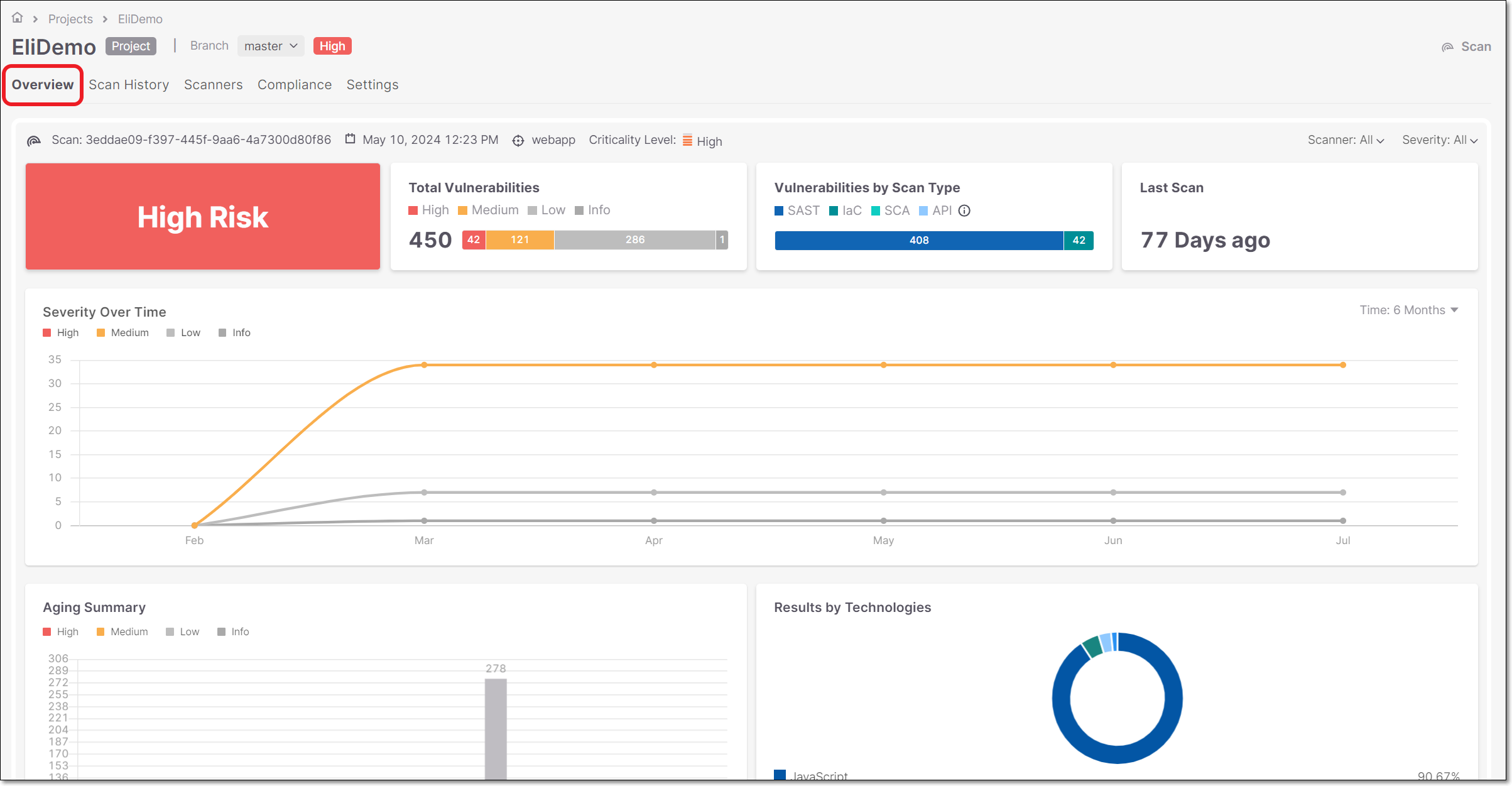
Checkmarx started in 2006, making it one of the oldest names in application security testing. The company built its reputation on static application security testing, or SAST. Over the years, they’ve scanned code for some of the world’s largest enterprises.
Their brand carries weight in compliance-heavy industries. Banks, healthcare systems, and government agencies recognize Checkmarx from audit checklists and security frameworks. This matters when you’re trying to pass SOC 2 or meet regulatory requirements.
The company launched Checkmarx One in 2021 as their cloud-native platform. This move signaled a shift from their traditional on-premises deployments. Worth noting: on-prem contracts are ending after 2025, pushing customers toward the cloud offering.
Key company facts:
- Founded in 2006 in Israel
- Over 525 reviews on major platforms
- 4.5 star average rating from verified users
- Strong presence in enterprise and regulated industries
- Acquired by Hellman & Friedman in 2020
Aikido Security: The Modern Challenger
Aikido Security represents a newer generation of application security tools. The company built their platform specifically for development teams that want broad coverage without managing multiple separate tools.
Their approach bundles 16 different scanners into one product. This includes code scanning, cloud security, attack surface monitoring, and runtime protection. The goal is giving teams everything they need in a single dashboard.
Aikido targets small to mid-sized development teams, though they serve enterprises too. Their pricing model reflects this focus, with transparent per-user costs that smaller companies can actually budget for.
Key company facts:
- Founded as a modern AppSec platform
- 44 reviews with 4.8 star average rating
- All-in-one approach covering code to cloud
- Pricing starts at $350-$1,050/month for 10 users
- Strong focus on developer experience
Market Positioning Differences
The contrast between these companies shows in their marketing and product design. Checkmarx sells to security teams and compliance officers. Aikido sells to developers and engineering leads.
This difference shapes everything from their user interface to their support model. Checkmarx assumes you have dedicated security personnel to manage the platform. Aikido assumes developers will run scans as part of their normal workflow.
| Aspect | Checkmarx | Aikido Security |
|---|---|---|
| Primary Buyer | Security teams, CISOs | Developers, Engineering leads |
| Market Segment | Large enterprise | SMB to mid-market |
| Brand Recognition | High in compliance circles | Growing in DevOps community |
| Review Volume | 525+ reviews | 44 reviews |
| Average Rating | 4.5 stars | 4.8 stars |
Core Scanning Capabilities Compared
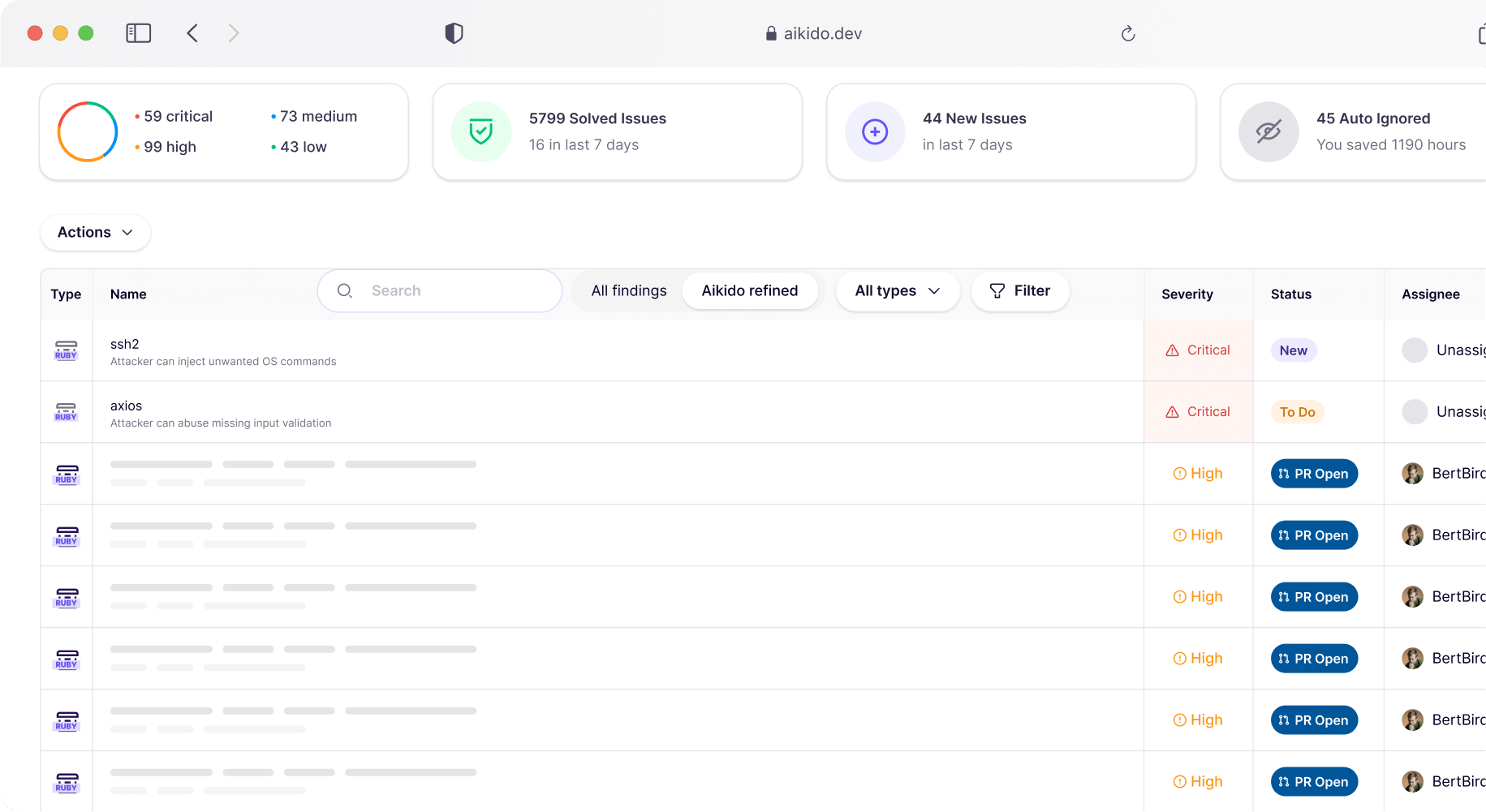
At their heart, both tools scan code for security problems. But how they do it, what they look for, and how they report findings differs quite a bit.
Static Application Security Testing (SAST)
SAST scans your source code without running it. This catches vulnerabilities like SQL injection, cross-site scripting, and buffer overflows before they reach production.
Checkmarx SAST has been their flagship product for years. It supports dozens of programming languages and finds complex vulnerabilities that simpler tools miss. The scanner looks at data flow through your application, tracking how user input moves through functions and methods.
Security teams appreciate Checkmarx’s detailed analysis. The reports show exactly how an attacker could exploit a vulnerability, step by step. This helps when explaining risks to management or prioritizing fixes.
But there’s a catch. Users report long scan times, especially on large codebases. Some teams run overnight scans because the process takes hours. This doesn’t fit well with CI/CD workflows where developers expect fast feedback.
Aikido SAST takes a different approach. The scanner works “out-of-the-box” and supports all major languages. Setup takes minutes rather than days. Scan times run faster because the tool is built for modern development cycles.
Aikido includes auto-fix features that generate remediation code with one click. Instead of just pointing out problems, the tool suggests specific fixes. This saves developers time and reduces the learning curve for security work.
Software Composition Analysis (SCA)
SCA tools scan your dependencies and open-source packages. Most applications use hundreds of third-party libraries, and any of them might contain known vulnerabilities.
Checkmarx SCA became part of their offering through acquisition. It scans your dependency trees and matches packages against vulnerability databases. The tool also checks license compliance, which matters for legal teams.
One useful feature in Checkmarx is reachability analysis. This tells you whether vulnerable code in a library is actually called by your application. A vulnerability in an unused function poses less risk than one in a hot code path.
Aikido SCA includes open-source scanning as part of their unified platform. The tool checks your dependencies automatically during code pushes. Results appear alongside other security findings in the same dashboard.
Aikido’s approach focuses on reducing noise. Instead of showing every CVE in every package, the platform highlights which vulnerabilities actually pose risk in your specific context. This helps developers focus on fixes that matter.
Dynamic Application Security Testing (DAST)
DAST tests your running application by simulating attacks. It finds vulnerabilities that only appear at runtime, like authentication bypasses or misconfigurations.
Checkmarx DAST is included in Checkmarx One. It crawls your web application, finds forms and inputs, and tries various attack payloads. The scanner looks for common web vulnerabilities from the OWASP Top 10.
The DAST capability was added to complete Checkmarx’s offering. It works, but it’s not what made the company famous. Some users report that the DAST features feel less polished than the SAST scanner.
Aikido DAST monitors your applications and APIs for vulnerabilities like SQL injection, XSS, and CSRF. It tests both surface-level endpoints and authenticated areas of your application.
Aikido’s DAST runs automatically as part of their continuous monitoring. You don’t schedule separate scans; the tool watches your applications and flags problems as they appear.
Secrets Detection
Hardcoded credentials in source code cause major breaches. Both tools scan for API keys, passwords, and other secrets that shouldn’t be committed to repositories.
Checkmarx includes secrets detection as part of their scanning suite. The tool looks for patterns that match credentials and flags them in scan results.
Aikido scans code and surfaces risky secrets with context about where they appear. The platform checks not just your code but also your deployment configurations and environment files.
Container Security
Modern applications run in containers, and those containers need scanning too. Vulnerabilities in base images or installed packages can expose your entire application.
Checkmarx offers container scanning as part of Checkmarx One. It checks your Docker images against vulnerability databases and flags outdated or vulnerable packages.
Aikido scans container operating systems and the packages installed in them. Their auto-fix feature can update vulnerable packages automatically, creating pull requests that developers can review and merge.
| Scanning Type | Checkmarx | Aikido Security |
|---|---|---|
| SAST | Mature, detailed analysis, long scan times | Fast, auto-fix included, developer-focused |
| SCA | Reachability analysis, license checking | Context-aware, noise reduction |
| DAST | Included in Checkmarx One | Continuous monitoring, authenticated scans |
| Secrets | Pattern matching | Context-aware detection |
| Containers | Image scanning | Scanning plus auto-fix |
Infrastructure and Cloud Security Features
Application security now extends beyond code into infrastructure. Both platforms address this, but Aikido goes further.
Infrastructure as Code (IaC) Scanning
Terraform files, CloudFormation templates, and Kubernetes manifests can contain security mistakes. Misconfigured resources become attack vectors in production.
Checkmarx includes IaC scanning in their platform. It checks your infrastructure definitions against security best practices. The tool flags overly permissive IAM policies, unencrypted storage, and exposed network ports.
Aikido includes IaC scanning as one of their 16 bundled scanners. The tool checks your infrastructure code alongside your application code, showing everything in one view. Misconfigurations appear with the same severity ratings and fix suggestions as code vulnerabilities.
Cloud Security Posture Management (CSPM)
CSPM tools watch your cloud environments for misconfigurations and drift from security baselines. This catches problems that appear after deployment.
Checkmarx focuses primarily on application security. While they’ve expanded their scope, CSPM isn’t their main strength. Teams often pair Checkmarx with dedicated cloud security tools.
Aikido includes CSPM as part of their code-to-cloud coverage. The platform monitors your AWS, Azure, or GCP environments for security issues. It connects what’s in your code to what’s running in your cloud.
This integration matters because many vulnerabilities span both code and infrastructure. A secure application on a misconfigured server is still vulnerable. Aikido’s unified view helps teams see the full picture.
Runtime Protection
Scanning finds known vulnerabilities, but what about attacks that slip through? Runtime protection watches your applications in production and blocks active attacks.
Checkmarx doesn’t include runtime protection as a core feature. Their focus stays on finding vulnerabilities during development. For production monitoring, you’d need additional tools.
Aikido includes runtime protection in their platform. This watches your applications while they run and flags suspicious activity. The tool can detect attacks in progress, not just theoretical vulnerabilities.
Attack Surface Monitoring
Your attack surface includes everything exposed to the internet. APIs, domains, and services you forgot about can all become entry points for attackers.
Checkmarx doesn’t emphasize attack surface monitoring. Their tools scan what you point them at, not what you might have forgotten.
Aikido actively monitors your external attack surface. The platform discovers assets and watches for changes. If someone spins up a new service without proper security, Aikido flags it.
Accuracy and False Positive Rates
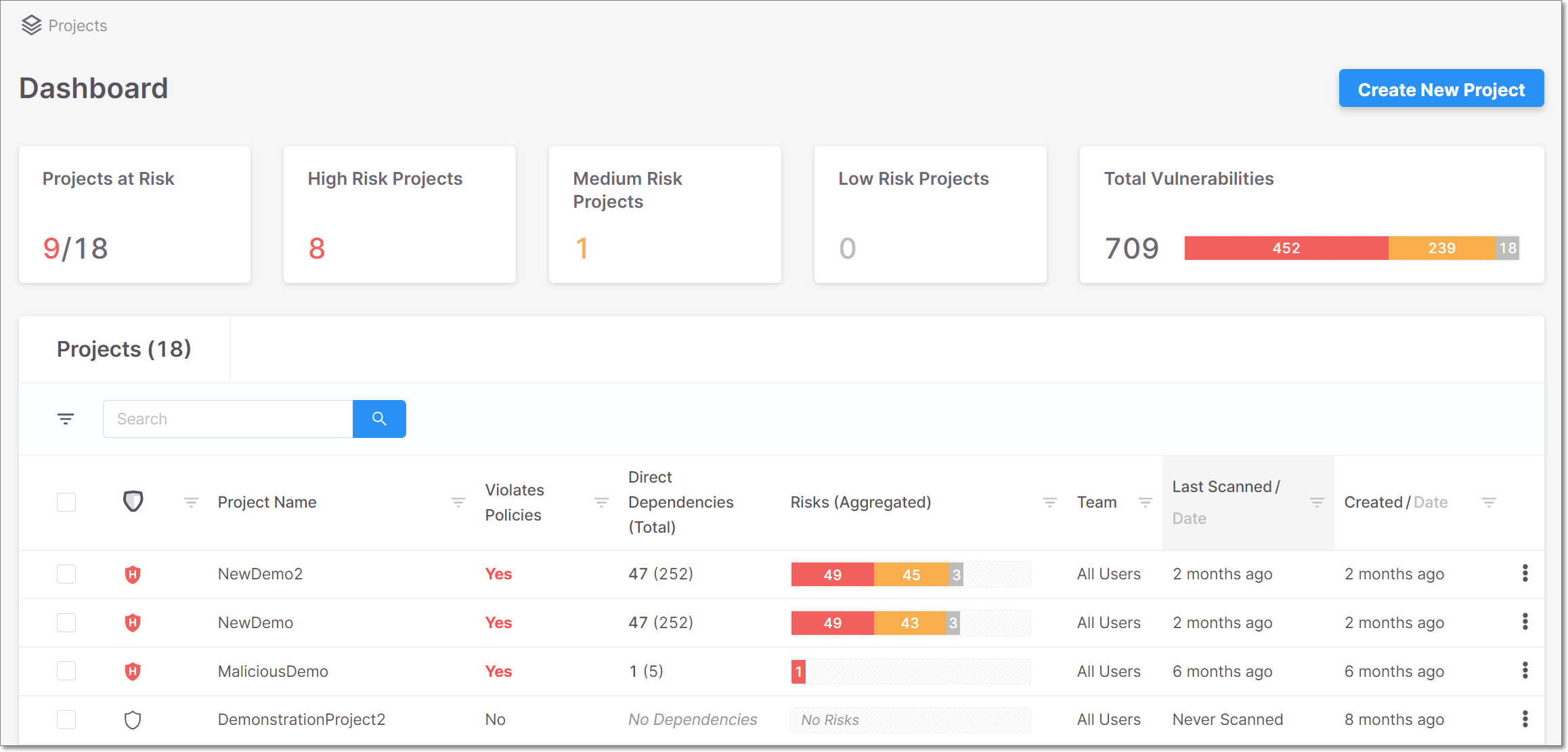
Finding vulnerabilities matters less if your tool drowns developers in false alarms. Both platforms handle accuracy differently.
The False Positive Problem
False positives kill productivity. Developers learn to ignore security alerts when half of them turn out to be nothing. Eventually, real vulnerabilities get missed because nobody trusts the scanner anymore.
Checkmarx users frequently mention high false positive rates in reviews. The detailed analysis that catches complex vulnerabilities also flags code that isn’t actually vulnerable. Security teams spend hours triaging results before developers see them.
The reachability analysis in newer Checkmarx versions helps some. It identifies which vulnerable code paths are actually used. But this is more about prioritizing real issues than eliminating false ones.
Aikido focuses on reducing noise from the start. Their platform filters results by context, showing what actually poses risk in your specific setup. The goal is giving developers a short list of real problems rather than a long list of maybes.
“Zero-in on real threats” is how Aikido describes their approach. Instead of showing every potential issue, the tool applies context to determine what matters.
Vulnerability Prioritization
Not all vulnerabilities deserve equal attention. A critical flaw in internet-facing code matters more than a medium issue in unused legacy code.
Checkmarx provides severity ratings based on the vulnerability type. SQL injection gets flagged as critical; informational issues get low priority. But prioritization based on your specific application context requires manual work.
Aikido prioritizes based on multiple factors. The platform considers whether vulnerable code is reachable, whether it’s exposed to the internet, and how it connects to sensitive data. This automatic prioritization helps teams focus their limited time.
Real-World Accuracy Comparison
Reviews paint a consistent picture here. Checkmarx catches more potential issues but requires more triage. Aikido shows fewer findings but higher accuracy on what it shows.
| Accuracy Factor | Checkmarx | Aikido Security |
|---|---|---|
| Detection Depth | Deep, catches complex issues | Good, focuses on actionable findings |
| False Positive Rate | Higher, requires triage | Lower, context-filtered |
| Prioritization | Severity-based | Context-aware auto-prioritization |
| Developer Trust | Often requires security team filter | Direct to developer workflow |
Developer Experience and Workflow Integration
Security tools only work if developers actually use them. Friction in the workflow means findings get ignored.
Onboarding and Initial Setup
Checkmarx traditionally required professional services for deployment. The on-premises version needed dedicated infrastructure and configuration by trained staff. Checkmarx One simplified this with cloud deployment, but setup still takes time.
Configuring scan rules, connecting to repositories, and tuning for your tech stack can take weeks. Large enterprises expect this and budget for it. Smaller teams find it frustrating.
Aikido emphasizes quick setup. Their platform connects to repositories through OAuth and starts scanning immediately. The “works out-of-the-box” promise means teams can run their first scan within minutes of signing up.
Read-only repository access keeps developers comfortable. Aikido doesn’t need write access to find vulnerabilities, which reduces the permissions you’re granting to a third-party tool.
IDE and Editor Integration
The best time to catch a vulnerability is while writing code. Both tools offer some level of IDE integration.
Checkmarx provides plugins for popular IDEs. Developers can trigger scans from within their editor and see results without switching contexts. But the scans take time, and many developers end up disabling plugins that slow them down.
Aikido focuses on CI/CD integration rather than IDE plugins. The philosophy is different: scan on commit rather than constantly scanning during development. This keeps the coding experience fast while still catching issues before merge.
CI/CD Pipeline Integration
Modern development runs through pipelines. Security scanning needs to fit into this flow without becoming a bottleneck.
Checkmarx offers integrations with major CI/CD systems. Jenkins, GitHub Actions, GitLab CI, and Azure DevOps all support Checkmarx scanning. But teams report that scan times can break their pipelines.
A scan that takes two hours doesn’t fit in a pipeline where developers expect results in minutes. Some teams run Checkmarx as a scheduled background scan rather than blocking merges.
Aikido built their platform for CI/CD from the start. Scans run quickly and return results fast enough to include in pull request checks. The tool integrates with GitHub, GitLab, Bitbucket, and other common platforms.
Auto-fix features create pull requests that developers can review and merge. Instead of just reporting problems, Aikido suggests specific code changes. This speeds up remediation dramatically.
Issue Tracking and Notification
Security findings need to reach the right people through familiar channels.
Checkmarx integrates with Jira, ServiceNow, and other ticketing systems. Vulnerabilities can automatically create tickets for remediation tracking. The detailed reports satisfy compliance requirements and audit trails.
Aikido sends notifications through Slack, email, and integrates with common ticketing systems. The platform fits into existing workflows rather than requiring new ones.
Learning Curve and Documentation
Checkmarx has extensive documentation built up over years. Training courses and certifications exist for power users. But the depth reflects the complexity: there’s a lot to learn.
Aikido aims for intuitive use without extensive training. The interface guides users through findings and remediation. Developers who’ve never used security tools can navigate the platform.
| Developer Experience | Checkmarx | Aikido Security |
|---|---|---|
| Setup Time | Days to weeks | Minutes to hours |
| Scan Speed | Often hours for large codebases | Fast, fits in CI/CD |
| Auto-Fix | Limited | One-click AI fixes |
| Learning Curve | Steep, requires training | Gentle, intuitive interface |
| Repository Access | Varies by setup | Read-only by default |
Pricing Models and Total Cost of Ownership
Security tools represent a real investment. Understanding the full cost helps avoid surprises.
Checkmarx Pricing Structure
Checkmarx doesn’t publish prices on their website. You’ll need to contact sales and go through a discovery process. This is typical for enterprise software but frustrating for teams trying to compare options.
Pricing reportedly depends on:
- Number of developers or applications
- Lines of code scanned
- Features and modules selected
- Deployment model (cloud vs. on-prem)
- Contract length
Enterprise contracts often start in six figures annually. Some teams report spending $200,000 or more per year for full platform access. This puts Checkmarx out of reach for many smaller organizations.
Beyond the license cost, factor in:
- Professional services for setup
- Training for your team
- Time spent triaging false positives
- Infrastructure costs for on-prem deployments
Aikido Security Pricing Structure
Aikido publishes transparent pricing. Their model charges per user per month, making costs predictable and scalable.
Pricing ranges from $350 to $1,050 per month for 10 users, depending on the tier. This includes all scanning types: SAST, DAST, SCA, IaC, secrets, containers, CSPM, and runtime protection.
No credit card is required to start. Teams can run their first scans before committing to a purchase. This try-before-you-buy approach helps teams validate the tool for their specific needs.
The all-in-one pricing means no surprise add-ons. You don’t pay extra for DAST or CSPM; everything comes in the base package.
Cost Comparison for Different Team Sizes
Let’s estimate costs for typical scenarios:
Small team (5 developers):
- Checkmarx: Contact sales, likely $30,000+ annually
- Aikido: Approximately $2,100-$6,300 annually
Medium team (25 developers):
- Checkmarx: Contact sales, likely $75,000-$150,000 annually
- Aikido: Approximately $10,500-$31,500 annually
Large team (100+ developers):
- Checkmarx: Enterprise agreement, $200,000+ annually
- Aikido: Custom enterprise pricing
These estimates vary based on features, negotiations, and specific needs. But the general pattern holds: Aikido costs significantly less than Checkmarx at most team sizes.
Hidden Costs to Consider
The sticker price doesn’t tell the whole story. Consider these hidden costs:
For Checkmarx:
- Security team time spent reviewing findings
- Developer time lost to false positive investigations
- Delayed releases due to long scan times
- Training costs for new team members
- Migration costs if moving from on-prem to cloud
For Aikido:
- Potential need for additional deep-dive tools
- Learning curve for teams expecting Checkmarx-style reports
- Possible gaps for very specialized scanning needs
Return on Investment Considerations
A cheaper tool that misses vulnerabilities isn’t actually cheaper. A expensive tool that slows development isn’t worth its price.
Checkmarx’s depth may catch issues that simpler tools miss. For compliance-heavy industries where a single breach costs millions, this matters. The price becomes a reasonable insurance premium.
Aikido’s speed and accuracy may mean faster remediation and fewer developer hours wasted. For teams where developer time is the bottleneck, efficiency gains add up quickly.
| Cost Factor | Checkmarx | Aikido Security |
|---|---|---|
| Pricing Transparency | Contact sales required | Published pricing |
| Entry Cost | High (enterprise-focused) | Low ($350/month starts) |
| Per-User Cost | Variable, often high | Predictable, scalable |
| Trial Availability | Through sales process | No credit card required |
| Feature Bundling | Often à la carte | All-in-one included |
Language and Framework Support
Your security tool needs to understand your code. Language support determines whether scanning actually works for your tech stack.
Checkmarx Language Coverage
Checkmarx supports dozens of programming languages. Their years in the market mean they’ve added support for virtually every major language and many minor ones.
Supported languages include:
- Java, C#, C++, C
- JavaScript, TypeScript
- Python, Ruby, Go
- PHP, Perl
- Swift, Objective-C
- Kotlin, Scala
- APEX, ABAP, Cobol
- And many more
The depth of analysis varies by language. Java and .NET receive the most attention, with comprehensive rule sets built over years. Newer languages may have fewer rules and catch fewer issues.
Checkmarx also supports framework-specific scanning. It understands Spring, .NET Core, React, Angular, and other common frameworks. This lets it find framework-specific vulnerabilities rather than just generic code issues.
Aikido Language Coverage
Aikido supports “all major languages” according to their documentation. The platform handles common enterprise and startup stacks well.
Supported languages include:
- JavaScript, TypeScript
- Python
- Java, Kotlin
- Go
- Ruby
- PHP
- C#
- And other popular languages
For most modern development teams, Aikido’s coverage is sufficient. If you’re maintaining legacy COBOL or using rare languages, Checkmarx’s broader support matters more.
Framework and Library Recognition
Recognizing frameworks helps scanners understand code patterns and find framework-specific issues.
Checkmarx has years of framework rule development. It understands how data flows through Spring MVC, Django, Express, and dozens of other frameworks. This deep knowledge helps find real vulnerabilities.
Aikido supports major frameworks and updates quickly for new ones. Their focus on modern stacks means they cover what most teams use today, though they may lack rules for legacy or rare frameworks.
Handling Polyglot Codebases
Real applications often use multiple languages. A typical stack might combine JavaScript frontend, Python API, and Go microservices.
Checkmarx scans each language separately and combines results. The platform handles polyglot codebases but may require separate configuration for each language.
Aikido scans entire repositories regardless of language mix. The unified approach means one scan covers your whole codebase without language-specific setup.
Reporting and Compliance Features
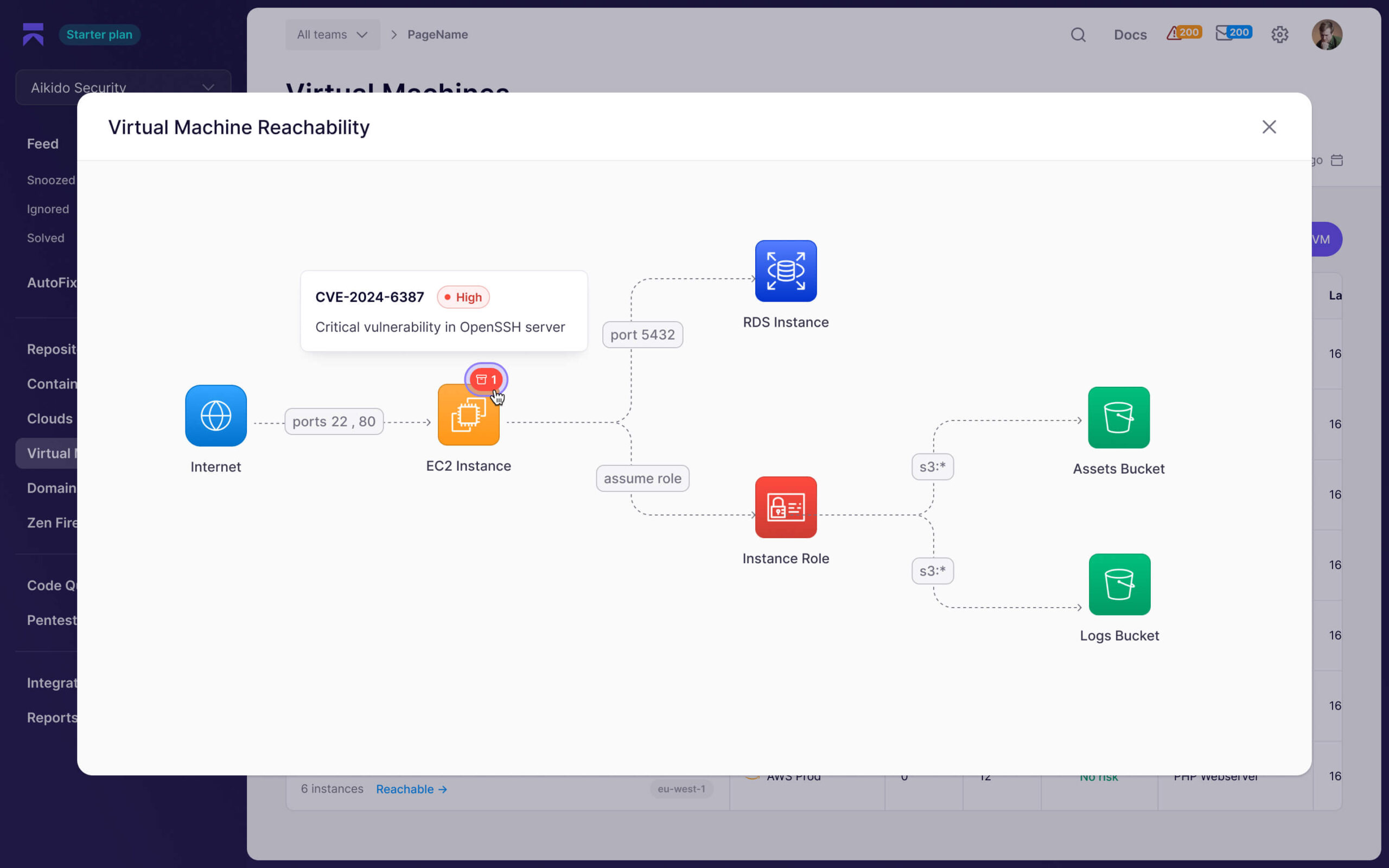
Security scanning produces findings. How those findings become reports determines their usefulness for different audiences.
Executive and Board Reporting
Leadership wants to understand security posture without reading technical details. Both tools offer high-level dashboards.
Checkmarx excels at enterprise reporting. Years of serving large organizations mean they understand what executives and boards want to see. Trend lines, risk scores, and comparison charts help tell the security story.
The detailed reports also satisfy auditors who want evidence of security testing. Checkmarx’s brand recognition means auditors trust the reports without deep technical review.
Aikido provides dashboard views that show overall security status. The reports focus on actionable information: what’s wrong and how to fix it. Less emphasis on compliance evidence, more on actual security improvement.
Compliance Framework Mapping
Regulatory requirements often specify security testing. Tools that map findings to compliance frameworks simplify audit preparation.
Checkmarx maps findings to multiple compliance frameworks:
- PCI DSS
- HIPAA
- SOC 2
- OWASP Top 10
- SANS Top 25
- CWE/CVE standards
This mapping helps compliance teams demonstrate that specific requirements are met. Auditors can see which controls are addressed by scanning.
Aikido supports compliance reporting but focuses more on security outcomes than checkbox compliance. The tool generates audit-grade reports that satisfy common frameworks. AI-powered pentesting can produce reports suitable for compliance evidence.
Developer-Focused Reporting
Developers need different information than executives. They want to know exactly what to fix and how.
Checkmarx provides detailed technical reports showing vulnerable code paths, attack scenarios, and remediation guidance. The depth helps developers understand complex vulnerabilities.
But the volume can overwhelm. Developers facing hundreds of findings with detailed explanations may not know where to start.
Aikido presents findings in a developer-friendly format. Each issue shows the vulnerable code, explains the risk, and suggests a fix. The one-click auto-fix feature means developers can remediate without even reading the full explanation.
Trend Analysis and Improvement Tracking
Security should improve over time. Tracking trends shows whether your efforts are working.
Checkmarx provides trend reports showing vulnerability counts over time. Teams can see whether they’re finding fewer issues as they mature. Comparison between projects and teams helps identify areas needing attention.
Aikido tracks security posture changes across your code and cloud environments. The unified platform means trends reflect your entire security surface, not just code scanning.
| Reporting Feature | Checkmarx | Aikido Security |
|---|---|---|
| Executive Dashboards | Comprehensive, enterprise-ready | Clean, action-focused |
| Compliance Mapping | Extensive framework support | Core frameworks covered |
| Developer Reports | Detailed but potentially overwhelming | Actionable with fix suggestions |
| Audit Evidence | Strong, recognized by auditors | AI pentest reports available |
| Trend Tracking | Yes, code-focused | Yes, code-to-cloud view |
Support and Customer Success
Implementation is just the beginning. Ongoing support determines whether you get value from your investment.
Support Channels and Response Times
Checkmarx offers tiered support based on contract level. Enterprise customers get dedicated support contacts and faster response times. Standard support follows typical enterprise software patterns.
The large customer base means Checkmarx has seen most problems before. Their support team can draw on years of implementation experience. But response times and quality depend on your support tier.
Aikido emphasizes responsive support for all customers. The smaller customer base means support teams know customers individually. Response times tend to be fast across tiers.
Professional Services and Implementation Help
Checkmarx has a significant professional services organization. They help with:
- Initial deployment and configuration
- Integration with existing tools
- Custom rule development
- Training and enablement
- Ongoing optimization
These services often add to the total cost but can be valuable for complex deployments. Large enterprises typically engage professional services for initial setup.
Aikido designed their platform to minimize professional services needs. Quick setup and intuitive interfaces mean most teams can implement on their own. Support is available for questions but not required for basic deployment.
Training and Enablement Resources
Checkmarx offers extensive training programs. Certification courses help security teams master the platform. Regular webinars and user groups share best practices.
The depth of training reflects the platform’s complexity. Teams often need formal training to use Checkmarx effectively.
Aikido provides documentation and guides but emphasizes self-service learning. The interface guides users through features without formal training. Most teams can start using the platform productively within days.
Community and Ecosystem
Checkmarx has a large user community built over nearly two decades. User forums, integration partners, and community resources are extensive. Security conferences often feature Checkmarx content.
Aikido has a growing community focused on modern development practices. Integration with DevOps tools and developer-focused communication makes them part of the broader DevSecOps movement.
Security and Data Privacy Considerations
Your security tool sees your code. Understanding how that data is handled matters for risk management.
Data Handling and Storage
Checkmarx One scans your code in their cloud environment. Code is transmitted for analysis and results are stored for reporting. Enterprise agreements can specify data handling requirements.
The traditional on-prem Checkmarx kept everything within your infrastructure. With on-prem ending after 2025, teams need to plan for cloud transition or find alternatives.
Aikido emphasizes that “your data won’t be shared.” The platform uses read-only access to repositories, which limits what they can do with your code. Scans happen in their cloud but with privacy commitments.
Compliance and Certifications
Checkmarx maintains enterprise security certifications. Their long history with regulated industries means they understand compliance requirements for the tool itself.
Aikido provides security commitments appropriate for their target market. Growing enterprises should verify that Aikido’s certifications meet their compliance requirements.
Access Control and Permissions
Checkmarx offers granular access control for large organizations. Different teams can have different permissions. Integration with enterprise identity providers (SAML, LDAP) is standard.
Aikido provides team-based access control appropriate for most organizations. OAuth integration for repository access means you control what Aikido can see.
Strengths and Weaknesses Summary
Let’s be direct about where each tool shines and where it falls short.
Checkmarx Strengths
- Deep scanning analysis catches complex vulnerabilities that simpler tools miss
- Extensive language support covers virtually any technology stack
- Enterprise compliance features satisfy auditors and regulators
- Established reputation carries weight with security-focused organizations
- Detailed technical reports help security teams understand and prioritize
- Large ecosystem of integrations and partners
Checkmarx Weaknesses
- Long scan times don’t fit modern CI/CD workflows
- High false positive rates require security team triage
- Steep learning curve means slow adoption
- High cost puts it out of reach for smaller teams
- Waterfall-era design doesn’t match how modern teams work
- On-prem sunset forces migration decisions
Aikido Security Strengths
- All-in-one platform covers code to cloud without multiple tools
- Fast, developer-friendly fits in CI/CD pipelines
- Low false positive rate means developers trust findings
- Auto-fix features speed up remediation
- Transparent pricing makes budgeting simple
- Quick setup gets teams scanning in minutes
- Runtime protection catches attacks in production
Aikido Security Weaknesses
- Newer company has less track record
- Fewer reviews mean less community validation
- May lack depth for very complex analysis
- Limited legacy language support for rare technologies
- Less recognized brand in compliance circles
Use Case Recommendations
Different teams have different needs. Here’s when each tool makes the most sense.
Choose Checkmarx When:
You’re in a heavily regulated industry. Banking, healthcare, and government organizations often face auditors who specifically look for recognized tools. Checkmarx’s reputation can simplify compliance conversations.
You have a dedicated security team. Checkmarx assumes someone will triage findings, configure rules, and manage the platform. If you have those resources, you can get significant value from its depth.
You need deep analysis of complex vulnerabilities. Some security issues require sophisticated data flow analysis to detect. Checkmarx’s years of rule development catch things simpler tools miss.
You’re already invested in the ecosystem. If your team knows Checkmarx and your processes assume its reports, switching has costs. Sometimes staying with a known tool makes sense.
You use rare or legacy languages. COBOL, ABAP, or other unusual languages may only be supported by tools with Checkmarx’s breadth.
Choose Aikido Security When:
Developers will run and respond to scans. Aikido’s design assumes developers, not security specialists, will see and fix findings. The low friction and auto-fix features support this workflow.
You want one tool instead of many. Instead of SAST plus SCA plus DAST plus CSPM, Aikido bundles everything. This simplifies purchasing, management, and learning.
Fast feedback matters more than exhaustive analysis. If you’d rather catch 90% of issues in minutes than 99% of issues in hours, Aikido’s speed wins.
Budget constraints limit your options. Starting at $350/month, Aikido is accessible to teams that could never afford enterprise tools. Effective security shouldn’t require a massive budget.
You’re building modern cloud applications. Aikido’s code-to-cloud coverage matches how modern applications work. If you’re deploying to Kubernetes on AWS, the platform understands your world.
Consider Both When:
You need defense in depth. Some organizations run multiple security tools intentionally. Aikido for daily developer workflow; Checkmarx for periodic deep analysis. This approach costs more but catches more.
You’re migrating from Checkmarx. With on-prem ending, Checkmarx customers evaluating options might run both in parallel. Test Aikido against your known issues before committing to a switch.
Migration and Implementation Considerations
Moving from one tool to another, or adding a new tool, requires planning.
Migrating from Checkmarx to Aikido
If you’re considering a switch, plan for these steps:
1. Baseline your current findings. Before changing tools, document what Checkmarx currently catches. You’ll want to compare Aikido’s results against this baseline.
2. Run parallel scans. Start Aikido scanning alongside Checkmarx. Compare findings to understand the differences in detection and presentation.
3. Evaluate developer acceptance. Have developers try Aikido’s workflow. Their willingness to use the tool determines its actual value.
4. Plan for gaps. Aikido may not catch everything Checkmarx does. Decide whether gaps matter for your specific applications and risk tolerance.
5. Update processes. Reports, dashboards, and workflows built around Checkmarx need updating. Plan for this transition time.
Implementing Aikido as First Security Tool
Teams new to application security tools can start quickly:
1. Connect repositories. Aikido’s OAuth integration takes minutes. Start with your most active repositories.
2. Run initial scans. Let the tool analyze your codebase. Expect to find issues; every codebase has them.
3. Triage initial backlog. Review findings and decide what to fix first. Aikido’s prioritization helps, but human judgment matters.
4. Add to CI/CD. Configure scans to run on pull requests. This catches new issues before they merge.
5. Expand coverage. After mastering code scanning, explore CSPM, runtime, and other features.
Implementing Checkmarx for Enterprise Deployment
Enterprise Checkmarx deployments need more planning:
1. Engage professional services. Checkmarx’s complexity means most teams benefit from implementation help.
2. Plan infrastructure. Even Checkmarx One cloud deployments need integration planning. On-prem (while available) needs dedicated infrastructure.
3. Configure scanning rules. Default rules produce many false positives. Tuning requires security expertise and time.
4. Train security team. Someone needs to manage Checkmarx and triage results. Plan for training.
5. Roll out gradually. Start with pilot projects before enterprise-wide deployment. Learn from early experience.
Conclusion: Making Your Decision
Checkmarx and Aikido Security both improve application security, but they serve different needs. Checkmarx brings enterprise depth, compliance weight, and exhaustive analysis for teams with dedicated security resources and big budgets. Aikido offers a modern, developer-friendly platform that covers code to cloud at a fraction of the cost.
Your choice depends on your team structure, budget, workflow, and risk tolerance. Smaller teams and modern development shops will likely find Aikido’s approach more practical. Large enterprises with compliance requirements and security teams may still need Checkmarx’s depth.
Frequently Asked Questions About Checkmarx vs Aikido Security
| What’s the main difference between Checkmarx and Aikido Security? | Checkmarx is a deep enterprise SAST tool with nearly 20 years of development, focused on detailed code analysis for security teams. Aikido is a newer all-in-one platform that bundles 16 scanners (SAST, DAST, SCA, CSPM, runtime) in a developer-friendly package at lower cost. |
| Which tool is better for small development teams? | Aikido Security is typically better for small teams. Its transparent pricing ($350-$1,050/month for 10 users), quick setup, and developer-focused design match how small teams work. Checkmarx’s enterprise pricing and complexity make it harder to justify for smaller organizations. |
| Does Checkmarx or Aikido have better accuracy? | Checkmarx catches more potential issues through deeper analysis but has higher false positive rates. Aikido focuses on reducing noise and showing only actionable findings. Checkmarx may catch that rare complex vulnerability; Aikido keeps developers from ignoring alerts due to alert fatigue. |
| Can Aikido Security replace Checkmarx for compliance? | It depends on your specific compliance requirements. Aikido provides audit-grade reports and meets common compliance needs. But Checkmarx’s brand recognition with auditors and extensive compliance mapping may matter in heavily regulated industries where auditors expect specific tools. |
| How do scan times compare between Checkmarx and Aikido? | Aikido scans run much faster and fit within CI/CD pipelines for real-time feedback. Checkmarx scans can take hours for large codebases, which often means running scans overnight or as scheduled background jobs rather than blocking pull requests. |
| What happens to Checkmarx on-premises deployments? | Checkmarx is ending on-premises contracts after 2025, pushing customers toward Checkmarx One cloud. Teams currently using on-prem Checkmarx need to plan migration to the cloud version or evaluate alternatives like Aikido. |
| Does Aikido Security offer features Checkmarx doesn’t have? | Yes. Aikido includes cloud security posture management (CSPM), runtime protection, and attack surface monitoring as standard features. Checkmarx focuses primarily on code-level security and doesn’t include these cloud-era capabilities in its core platform. |
| Which tool integrates better with modern development workflows? | Aikido was built for modern CI/CD workflows with fast scans, auto-fix features, and developer-friendly interfaces. Checkmarx was designed for waterfall development cycles and works better with dedicated security teams reviewing and triaging findings. |
| Can I use both Checkmarx and Aikido Security together? | Yes, some organizations run multiple security tools for defense in depth. Aikido could handle daily developer workflow scanning while Checkmarx provides periodic deep analysis. This costs more but catches more issues across different detection approaches. |
| Which has better customer support: Checkmarx or Aikido? | Checkmarx offers tiered enterprise support with dedicated contacts for premium customers. Aikido provides responsive support across all tiers with a more personal approach due to their smaller customer base. Both receive generally positive support reviews. |




 Stack Insight is intended to support informed decision-making by providing independent information about business software and services. Some product details, including pricing, features, and promotional offers, may be supplied by vendors or partners and can change without notice.