
Checkmarx vs Legit Security: Complete 2026 Comparison Guide for Application Security
Picking the right application security platform can feel overwhelming. There are dozens of vendors, each promising to solve your security problems. Two names that come up often in enterprise conversations are Checkmarx and Legit Security. Both tackle application security, but they approach it from different angles.
Checkmarx has been around since 2006. It’s built its reputation on deep code scanning capabilities. Legit Security is the newer player, founded in 2020. It focuses on what’s called Application Security Posture Management (ASPM). In this comparison, we’ll break down everything you need to know about both platforms. We’ll cover their features, pricing approaches, integrations, ease of use, and where each one shines.
By the end of this guide, you’ll have a clear picture of which tool fits your team’s needs. Let’s dig in.
Understanding the Core Difference Between Checkmarx and Legit Security
Before we get into the details, let’s establish what makes these two platforms fundamentally different. This distinction matters because it affects everything else about how they work.
What Checkmarx Actually Does
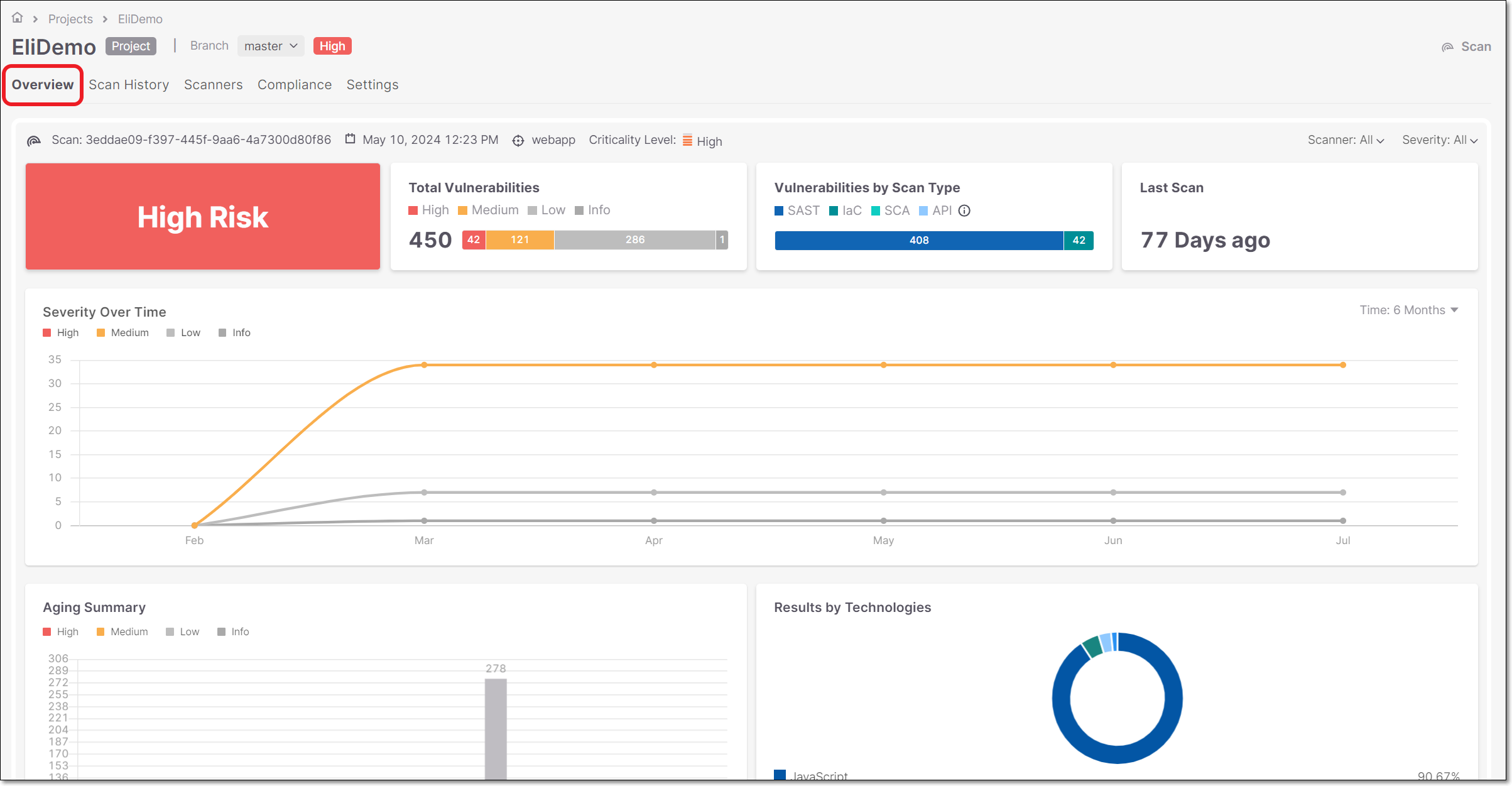
Checkmarx is a comprehensive application security testing platform. Think of it as a Swiss Army knife for finding vulnerabilities in your code. It bundles multiple scanning technologies into one platform:
- SAST (Static Application Security Testing) – scans your source code without running it
- DAST (Dynamic Application Security Testing) – tests your live applications like an attacker would
- IAST (Interactive Application Security Testing) – combines elements of both SAST and DAST
- SCA (Software Composition Analysis) – checks your open-source dependencies for known vulnerabilities
- API Security – protects your APIs from common attack vectors
Checkmarx is ranked #3 in the application security space with an average rating of 8.1 according to peer review platforms. It holds about 9.2% mindshare in the ASPM market. The platform targets large enterprises with complex codebases and strict compliance requirements.
What Legit Security Brings to the Table
Legit Security calls itself an AI-native ASPM platform. ASPM stands for Application Security Posture Management. Instead of just scanning code, Legit Security focuses on giving you visibility across your entire software development lifecycle.
The platform watches your development environment. It tracks your code repositories. It monitors your CI/CD pipelines. It correlates findings from multiple security tools you might already have. Think of it as a security operations center for your application development process.
Legit Security is ranked #13 in the ASPM space. It’s newer, but it’s growing fast. The company focuses on helping organizations understand their overall security posture rather than just finding individual bugs.
The Philosophy Gap
Here’s the real difference. Checkmarx asks: “What vulnerabilities exist in your code?” Legit Security asks: “How secure is your entire development process?”
Both questions matter. But they lead to very different products. Checkmarx gives you deep scanning capabilities. Legit Security gives you broad visibility and orchestration. Some organizations need one. Some need the other. Many need both types of capabilities working together.
Static Application Security Testing (SAST) Capabilities Compared
SAST is the bread and butter of application security. It scans your source code to find vulnerabilities before you ship. Let’s see how each platform handles this.
Checkmarx SAST: Deep Code Analysis
Checkmarx built its reputation on SAST. The company has been refining its static analysis engine for nearly two decades. Here’s what you get:
Language support is extensive. Checkmarx covers over 25 programming languages. Java, JavaScript, Python, C#, C++, PHP, Ruby, Go, Kotlin, Swift, and more. The depth of analysis varies by language, but major languages get full treatment.
The scanning engine uses data-flow analysis. This means it doesn’t just pattern-match. It actually traces how data moves through your application. This catches vulnerabilities that simpler tools miss. For example, it can track a user input from a web form, through multiple functions, and into a database query where it might cause SQL injection.
Custom query capabilities let security teams build their own rules. If you have company-specific coding standards or industry regulations, you can encode them into Checkmarx. This makes the tool adapt to your needs rather than the other way around.
Incremental scanning speeds things up. After the first full scan, Checkmarx only analyzes changed code. This matters when you’re scanning large codebases in CI/CD pipelines. Nobody wants to wait hours for scan results.
One Gartner reviewer noted: “What I like most about Checkmarx is how well it supports end to end AppSec Operations. Everything from deployment and scanning, to reporting and remediation.”
Legit Security’s Approach to Static Analysis
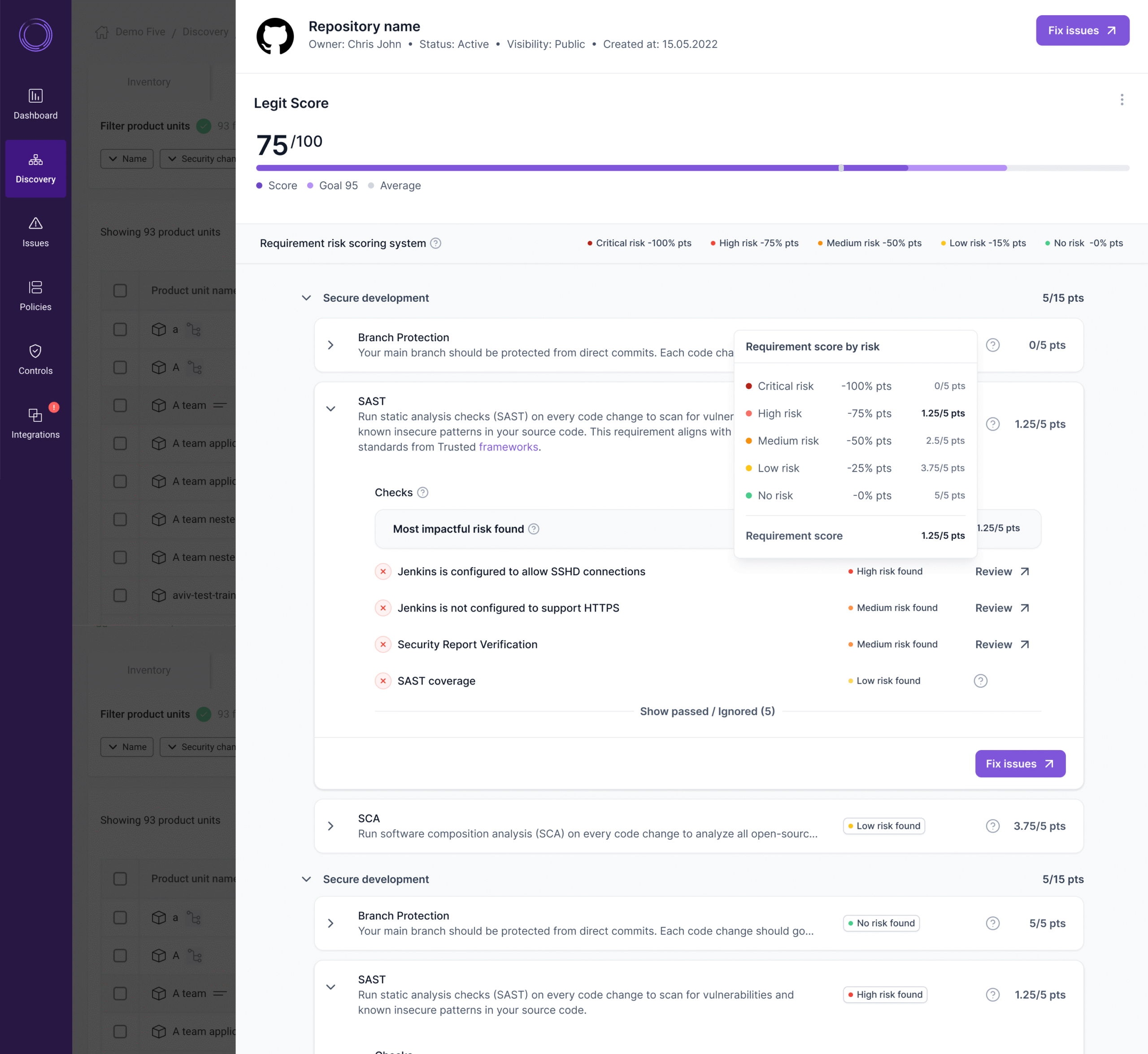
Legit Security doesn’t have its own SAST engine. That’s a key point to understand. Instead, it takes a different approach.
Legit integrates with existing SAST tools. If you already use tools like SonarQube, Semgrep, or even Checkmarx, Legit Security can pull in those results. It then correlates them with other data sources to give you a unified view.
The platform focuses on orchestration. It helps you manage multiple scanning tools from one dashboard. It de-duplicates findings. It prioritizes issues based on business context. It tracks remediation progress across teams.
AI helps with prioritization. Legit Security’s AI-native approach means it can automatically identify which vulnerabilities matter most. Not all bugs are created equal. A SQL injection in a public-facing API is more urgent than a minor information leak in an internal tool.
SAST Comparison Summary
| Feature | Checkmarx | Legit Security |
|---|---|---|
| Native SAST Engine | Yes – proprietary, mature | No – relies on integrations |
| Language Support | 25+ languages | Depends on integrated tools |
| Data-Flow Analysis | Yes, deep tracing | Varies by integrated tool |
| Custom Rules | Yes, CxQL language | Limited to integrated tools |
| Incremental Scanning | Yes | Depends on integrated tools |
| Prioritization | Yes | Yes, AI-powered |
Bottom line: If you need a standalone SAST solution, Checkmarx is the clear winner. If you already have SAST tools and need better orchestration, Legit Security adds value on top.
Dynamic Application Security Testing (DAST) Analysis
DAST tests your running applications. It acts like an external attacker, poking at your app to find weaknesses. This catches issues that static analysis misses.
How Checkmarx Handles DAST
Checkmarx includes DAST as part of its unified platform. The Checkmarx DAST module can:
Crawl your web applications automatically. Point it at a URL, and it maps out all the pages, forms, and endpoints. It then tests each one for common vulnerabilities like XSS, SQL injection, and authentication flaws.
Handle modern JavaScript-heavy apps. Many DAST tools struggle with single-page applications built on React, Angular, or Vue. Checkmarx’s DAST uses a real browser engine to render JavaScript properly. This means it can test modern apps, not just traditional server-rendered pages.
Support authenticated scanning. You can configure Checkmarx to log in to your application and test protected areas. This is where many vulnerabilities hide. Public pages get more attention, but authenticated areas often have weaker security.
Run scheduled scans. Set up regular scanning jobs to catch new vulnerabilities as your application changes. You can run nightly scans on staging environments to catch issues before they hit production.
Integrate with CI/CD pipelines. Trigger DAST scans automatically when you deploy to a test environment. This brings DAST into your development workflow rather than treating it as an afterthought.
Legit Security and DAST
Legit Security doesn’t offer native DAST capabilities. It follows the same pattern as with SAST. You integrate external DAST tools into the Legit platform.
Common integrations include:
- OWASP ZAP
- Burp Suite
- Qualys WAS
- Other commercial DAST products
Legit Security then aggregates the findings. It correlates DAST results with SAST findings and other data. This can help you understand if a vulnerability found in static analysis is actually exploitable in the running application.
The orchestration layer adds value. Say you find the same issue in both SAST and DAST. Legit Security can link these together. You fix it once, and both findings close. This reduces duplicate work and confusion.
DAST Feature Breakdown
| Capability | Checkmarx | Legit Security |
|---|---|---|
| Native DAST Engine | Yes | No |
| JavaScript Rendering | Yes, full browser | Depends on tool |
| Authenticated Scanning | Yes | Depends on tool |
| API Testing | Yes | Depends on tool |
| Unified Dashboard | Yes | Yes |
| Correlation with SAST | Yes | Yes |
The takeaway: Checkmarx offers a complete DAST solution out of the box. Legit Security requires you to bring your own DAST tool but helps you make better use of the results.
Software Composition Analysis (SCA) for Open Source Security
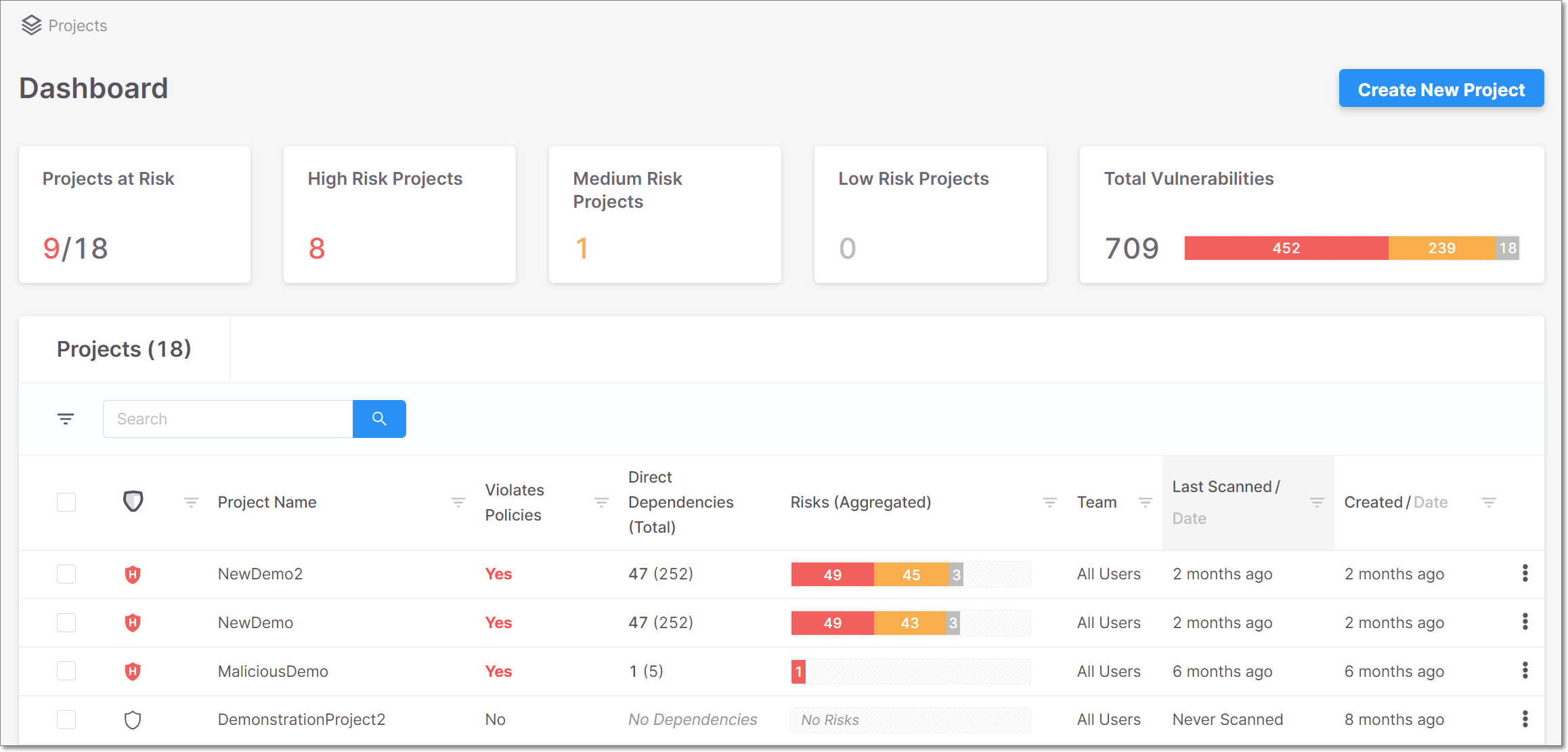
Most modern applications use open-source components. Lots of them. A typical enterprise app might have hundreds or thousands of dependencies. SCA tools scan these dependencies for known vulnerabilities and license issues.
Checkmarx SCA Capabilities
Checkmarx acquired a company called Dustico to build out its SCA offering. The result is a capable SCA solution integrated into the Checkmarx One platform.
Dependency detection works across package managers. Whether you use npm, Maven, NuGet, pip, Go modules, or others, Checkmarx SCA finds your dependencies. It builds a complete picture of your third-party code.
Transitive dependency scanning goes deep. Your package.json might list 50 dependencies. But each of those has its own dependencies. And those have dependencies. Checkmarx traces this entire tree. Vulnerabilities in deeply nested packages get flagged.
Exploitability analysis adds context. Not every vulnerability is actually exploitable in your specific context. Checkmarx analyzes whether vulnerable code paths are actually reachable in your application. This helps prioritize fixes.
License compliance tracking prevents legal issues. Some open-source licenses have strict requirements. GPL, for example, might require you to open-source your own code. Checkmarx SCA identifies license risks before they become legal problems.
Remediation guidance speeds up fixes. When a vulnerability is found, Checkmarx tells you which version to upgrade to. It even flags if the upgrade might break things based on semantic versioning.
Legit Security’s SCA Approach
Legit Security includes some native SCA capabilities, but its strength lies in aggregation and context.
Visibility into your software supply chain is the main draw. Legit Security maps out where your code comes from. It tracks which repositories use which dependencies. It identifies shadow IT development happening outside approved channels.
SBOM generation helps with compliance. Software Bills of Materials (SBOMs) are increasingly required by regulations and enterprise customers. Legit Security can generate and maintain SBOMs across your portfolio.
Risk scoring considers business context. A vulnerable dependency in a customer-facing payment service is more urgent than one in an internal tool. Legit Security lets you tag applications with business criticality and adjusts risk scores accordingly.
Integration with other SCA tools. If you already use Snyk, WhiteSource, or Black Duck, Legit Security can pull in those findings. It then combines them with other data sources for a more complete picture.
SCA Comparison Table
| SCA Feature | Checkmarx | Legit Security |
|---|---|---|
| Native SCA Engine | Yes | Partial |
| Transitive Dependencies | Yes | Yes |
| Exploitability Analysis | Yes | Limited |
| License Compliance | Yes | Yes |
| SBOM Generation | Yes | Yes |
| Third-Party SCA Integration | Limited | Strong |
API Security Protection: Checkmarx versus Legit Security
APIs are everywhere. They connect your microservices. They expose your data to partners. They power your mobile apps. API security has become a major concern for organizations of all sizes.
Checkmarx API Security Features
Checkmarx treats API security as a first-class concern. The platform includes dedicated API security testing capabilities.
API discovery finds shadow APIs. Developers create APIs all the time. Not all of them get documented. Checkmarx can scan your code and traffic to find APIs you didn’t know existed. These shadow APIs are often the least secured.
OpenAPI and Swagger support enables specification-based testing. If you have API documentation in standard formats, Checkmarx uses it to generate more thorough tests. It knows what endpoints exist, what parameters they accept, and how they should behave.
SAST for API code catches server-side issues. The same deep code analysis that finds vulnerabilities in web apps works for API backends. Authentication flaws, authorization bypasses, injection attacks, all get detected.
Runtime API protection monitors live traffic. Beyond testing, Checkmarx can watch your API traffic for suspicious patterns. This catches attacks in real-time, not just in testing.
OWASP API Top 10 coverage ensures complete protection. The OWASP API Security Top 10 lists the most common API vulnerabilities. Checkmarx specifically tests for all of them: broken object level authorization, broken authentication, excessive data exposure, and more.
Legit Security and API Protection
Legit Security approaches API security from a governance perspective rather than direct testing.
API inventory management tracks your APIs. Which teams own which APIs? What data do they expose? Are they using proper authentication? Legit Security helps answer these questions across your organization.
Configuration checking identifies weak settings. Are your APIs enforcing HTTPS? Is rate limiting enabled? Are CORS policies too permissive? Legit Security checks these configuration issues that scanning might miss.
Integration with API security tools fills gaps. For deep API testing, Legit Security integrates with specialized tools like Salt Security, Noname, or API-specific DAST solutions.
Risk context helps prioritization. Which APIs handle PII? Which are public versus internal? Legit Security tracks this metadata to help you focus security efforts where they matter most.
API Security Feature Comparison
| API Security Feature | Checkmarx | Legit Security |
|---|---|---|
| Native API Testing | Yes | Limited |
| API Discovery | Yes | Yes |
| Runtime Protection | Yes | Via integrations |
| Configuration Checking | Limited | Yes |
| OWASP API Top 10 | Full coverage | Partial |
Supply Chain Security and Development Pipeline Protection
Software supply chain attacks have exploded in recent years. SolarWinds. Log4j. Codecov. These incidents showed that attackers target the development process itself. Both platforms address this, but in different ways.
Checkmarx Supply Chain Security
Checkmarx has expanded its supply chain security capabilities. The focus is on catching malicious code before it enters your organization.
Dependency analysis checks for known malicious packages. The npm ecosystem alone has had hundreds of malicious packages published. Checkmarx maintains a database of known-bad packages and alerts when they appear in your projects.
Behavioral analysis catches new threats. Not all malicious packages are known. Some are new. Checkmarx analyzes package behavior for suspicious patterns: unexpected network calls, file system access, environment variable reading. These might indicate a supply chain attack.
Repository security checks for exposed secrets. Developers accidentally commit passwords and API keys to git repositories constantly. Checkmarx scans for these secrets to prevent credential leaks.
CI/CD pipeline integration ensures continuous protection. Scans run automatically during builds. Vulnerable or malicious code gets caught before it ships.
Legit Security’s Supply Chain Focus
Supply chain security is actually Legit Security’s strongest area. It’s a core part of their platform, not an add-on.
Complete visibility into your SDLC is the foundation. Legit Security maps your entire software development lifecycle. Code repositories. Build systems. Artifact registries. Deployment pipelines. Cloud environments. Everything is tracked.
Pipeline security analysis catches misconfigurations. Are your builds reproducible? Are artifacts signed? Are there proper access controls on your CI/CD systems? Legit Security checks these hygiene issues that often get overlooked.
Code provenance tracking ensures integrity. Where did this code come from? Who approved it? Has it been tampered with? Legit Security maintains an audit trail from commit to deployment.
Third-party access monitoring tracks external contributors. If contractors or partners have access to your code, Legit Security monitors their activity. Unusual behavior gets flagged.
Compliance with frameworks like SLSA. Supply chain Levels for Software Artifacts (SLSA) is becoming the standard for supply chain security. Legit Security helps you understand and improve your SLSA level.
Supply Chain Security Comparison
| Supply Chain Feature | Checkmarx | Legit Security |
|---|---|---|
| Malicious Package Detection | Yes | Yes |
| SDLC Visibility | Partial | Comprehensive |
| Pipeline Security | Limited | Strong |
| Code Provenance | Limited | Yes |
| SLSA Compliance | Partial | Yes |
| Third-Party Monitoring | Limited | Yes |
Key insight: If supply chain security is your primary concern, Legit Security has the edge. If you need deep code scanning with some supply chain coverage, Checkmarx is stronger.
Integration Capabilities and Ecosystem Compatibility
No security tool exists in isolation. Both Checkmarx and Legit Security need to work with your existing toolchain. Let’s compare their integration stories.
Checkmarx Integration Options
Checkmarx has years of integration work behind it. The platform connects to most enterprise development tools.
IDE plugins bring security to developers’ fingertips. Plugins exist for VS Code, IntelliJ, Eclipse, and Visual Studio. Developers see security findings without leaving their coding environment. This speeds up fixes and builds security awareness.
SCM integrations cover major platforms. GitHub, GitLab, Bitbucket, Azure DevOps. Checkmarx can trigger scans on pull requests and block merges if critical issues are found. This prevents vulnerabilities from reaching main branches.
CI/CD tool support is broad. Jenkins, Azure Pipelines, GitHub Actions, GitLab CI, CircleCI, TeamCity, Bamboo. Plugins and CLI tools let you add Checkmarx to virtually any build pipeline.
Ticketing system integrations streamline workflows. When Checkmarx finds a vulnerability, it can automatically create a Jira ticket, ServiceNow incident, or similar. This ensures issues don’t get lost and assigns ownership.
SIEM and SOAR connections enable security operations. Checkmarx can send findings to Splunk, QRadar, Sentinel, or other security platforms. This lets your SOC team incorporate application security data into their workflows.
Legit Security Integration Philosophy
Legit Security was built from the ground up as an integration platform. Connecting to other tools is its core function.
Developer platform integrations are comprehensive. Legit Security connects to all major source control systems, CI/CD platforms, and cloud providers. It pulls data from these systems to build its security posture view.
Security tool integrations aggregate findings. SAST tools, DAST tools, SCA tools, container scanners, cloud security tools. Legit Security pulls findings from all of these and normalizes them into a single view.
Bidirectional sync keeps everything updated. When you remediate an issue in Legit Security, it can update the source tool. When the source tool finds new issues, they appear in Legit Security automatically.
API-first architecture enables custom integrations. If Legit Security doesn’t have a built-in integration for something, you can build your own. The REST API exposes most functionality.
Workflow automation triggers actions based on conditions. When a critical vulnerability is found in a production application, automatically page the on-call engineer. When a new repo is created without branch protection, alert the DevOps team. These automated workflows reduce manual toil.
Integration Comparison Matrix
| Integration Type | Checkmarx | Legit Security |
|---|---|---|
| IDE Plugins | Strong | Limited |
| SCM Platforms | Yes | Yes |
| CI/CD Tools | Yes | Yes |
| Third-Party Scanners | Limited | Extensive |
| SIEM/SOAR | Yes | Yes |
| Custom API | Yes | Yes |
Developer Experience and Usability
Security tools only work if people actually use them. Developer experience has become a major differentiator in application security. Let’s see how these platforms compare.
Checkmarx Developer Experience
Checkmarx has invested heavily in improving developer experience. The platform has evolved from a pure security team tool to something developers can use directly.
IDE integration keeps developers in their flow. Nobody wants to switch to a separate security dashboard. Checkmarx plugins show findings right in the code editor. Click a finding, see the vulnerable line, understand the fix.
Pull request comments explain issues in context. When a scan finds problems, comments appear on the PR. They point to the exact lines and explain what’s wrong. Developers don’t need to hunt through reports.
Codebashing provides training within the tool. Checkmarx includes e-learning modules that teach developers about security. When someone creates a vulnerability, they can take a quick lesson on that specific issue type. This builds long-term security skills.
The query language can be complex. Power users love CxQL, the Checkmarx query language. It lets you customize exactly what gets detected. But it has a learning curve. Casual users might find it intimidating.
Scan times can frustrate developers. Deep static analysis takes time. On large codebases, initial scans might take hours. Incremental scans help, but developers used to instant feedback might get impatient.
Legit Security Developer Experience
Legit Security targets a different user persona primarily. The platform is designed more for security teams than individual developers.
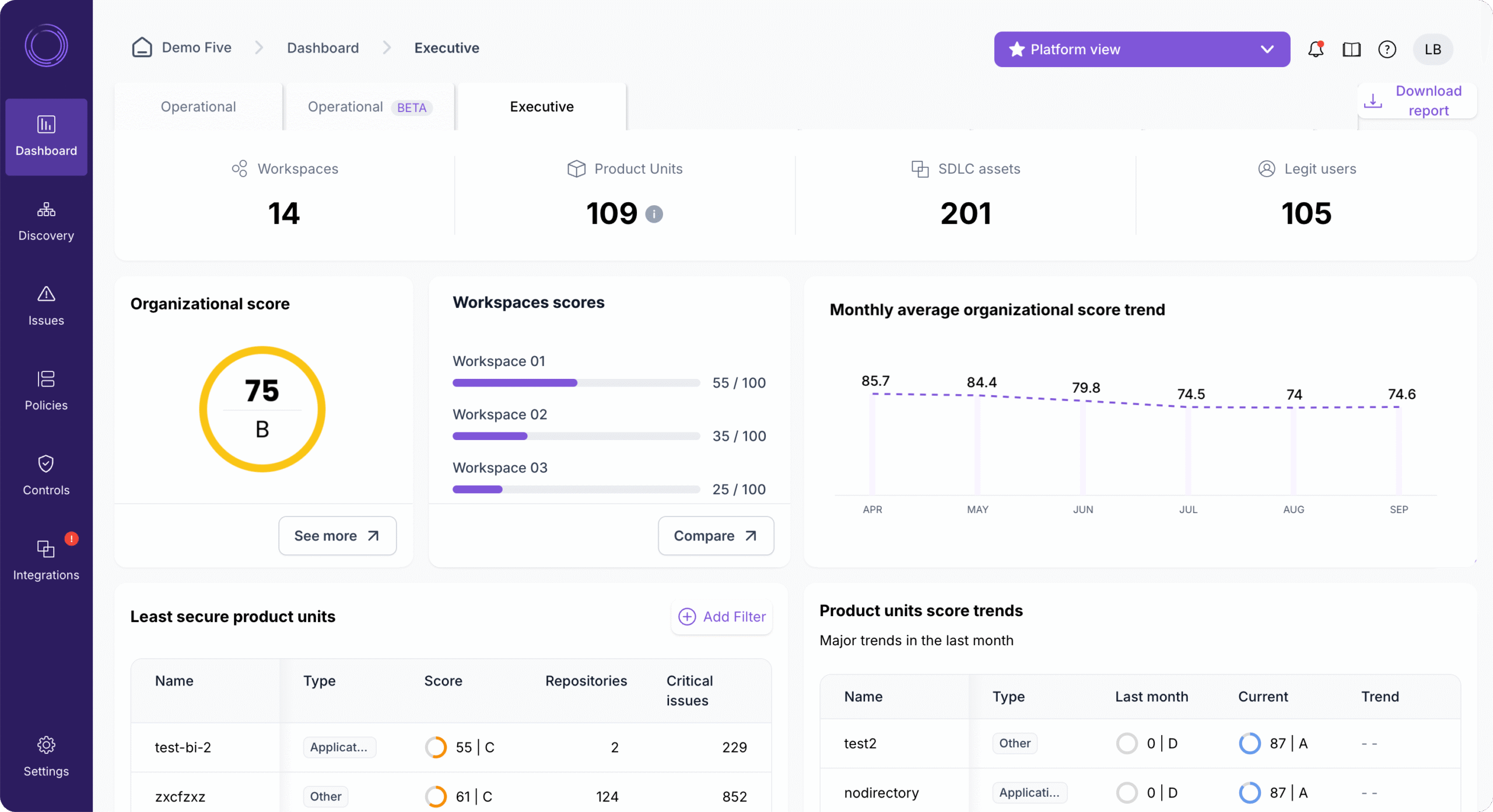
The dashboard gives a security posture overview. At a glance, you see which repos have issues, which pipelines are at risk, which applications need attention. This bird’s-eye view helps security teams prioritize work.
Drill-down capabilities let you investigate. From the dashboard, click into any application or repo. See all findings from all sources in one place. Understand the full risk picture without switching tools.
Developer notifications can be configured. Legit Security can notify developers through Slack, email, or ticketing systems. But the notifications come from Legit Security, not from the native scanning tools. This adds a layer of indirection.
Less direct developer interaction. Legit Security doesn’t have IDE plugins or direct PR integration in the same way Checkmarx does. It’s more of a security team dashboard than a developer tool.
AI assists with prioritization. The AI-native approach helps surface what matters most. Instead of drowning in thousands of findings, teams see prioritized lists. This reduces noise and helps focus effort.
Developer Experience Scorecard
| Aspect | Checkmarx | Legit Security |
|---|---|---|
| IDE Integration | Strong | Weak |
| PR Feedback | Yes, detailed | Via integrations |
| Security Training | Yes, Codebashing | Limited |
| Dashboard Usability | Good | Very Good |
| Noise Reduction | Manual tuning needed | AI-assisted |
| Learning Curve | Steeper | Moderate |
Pricing and Licensing Models
Both vendors keep detailed pricing close to the chest. Enterprise software pricing is almost always negotiated. But we can discuss the general models and what to expect.
Checkmarx Pricing Structure
Checkmarx uses a modular pricing approach. You pay for what you need.
The main pricing factors include:
- Modules purchased – SAST, DAST, SCA, API security each have separate pricing
- Lines of code – larger codebases cost more
- Number of applications – scanning more apps increases the price
- Scan frequency – unlimited scanning vs. limited scans per period
- Deployment model – cloud, on-premises, or hybrid
Checkmarx One bundles everything together. For organizations that want the full platform, Checkmarx One provides all capabilities in a single license. This simplifies procurement but requires a larger upfront commitment.
Enterprise pricing typically starts in six figures. Small organizations might find Checkmarx expensive. The platform is designed for large enterprises with big security budgets. If you have a few developers and a small codebase, Checkmarx might be overkill.
Implementation services add to total cost. Getting Checkmarx fully deployed takes effort. Professional services for configuration, integration, and training are often sold separately. Budget for these beyond the license cost.
Legit Security Pricing Approach
Legit Security uses a different model focused on coverage rather than scanning volume.
Main pricing factors include:
- Number of developers – pricing often scales with team size
- Number of repositories – more repos mean more to monitor
- Integrations used – connecting more tools might affect pricing
- Features enabled – different tiers include different capabilities
The ASPM model can be more predictable. Since you’re not paying per scan, costs don’t spike when you increase scan frequency. This makes budgeting easier for many organizations.
Legit Security targets mid-market and enterprise. Pricing is competitive with other ASPM tools. It’s generally less than full Checkmarx implementation but more than simple point solutions.
You still need scanning tools. Legit Security orchestrates but doesn’t replace SAST, DAST, and SCA tools. You need to budget for those separately. This can make total cost comparison tricky.
Total Cost of Ownership Considerations
| Cost Factor | Checkmarx | Legit Security |
|---|---|---|
| License Cost | Higher | Moderate |
| Implementation Cost | Higher | Moderate |
| Additional Tools Needed | Few | SAST, DAST, SCA |
| Training Investment | Higher | Moderate |
| Ongoing Maintenance | Moderate | Lower |
The real question: Do you want one platform that does everything (Checkmarx) or a platform that orchestrates multiple specialized tools (Legit Security)? Your existing tool investments heavily influence which approach makes more financial sense.
Enterprise Deployment and Scalability
Enterprise organizations have unique requirements. Compliance. Scale. Global distribution. On-premises options. Let’s see how each platform handles these needs.
Checkmarx Enterprise Deployment
Checkmarx has nearly two decades of enterprise deployment experience. The platform handles large-scale implementations.
Deployment options include:
- Cloud (SaaS) – fastest to deploy, Checkmarx handles infrastructure
- On-premises – for organizations that can’t use cloud services
- Private cloud – run in your own AWS, Azure, or GCP environment
- Hybrid – mix of cloud and on-premises components
On-premises support is strong. Many enterprises, especially in finance and government, can’t send code to external services. Checkmarx can run entirely within your data center. This adds complexity but meets compliance requirements.
Scaling handles large codebases. Organizations with tens of millions of lines of code use Checkmarx. The platform can distribute scanning across multiple engines for parallelization.
Multi-tenant architecture supports large organizations. Different business units can have separate views while sharing infrastructure. Role-based access controls who sees what.
Compliance certifications are extensive. SOC 2, ISO 27001, FedRAMP (for cloud deployment). These certifications matter for regulated industries.
Legit Security Enterprise Features
Legit Security is newer but was built for enterprise from the start.
Cloud-native architecture is the default. Legit Security runs as a SaaS platform. This simplifies deployment but means your data goes to their cloud.
Private deployment options exist. For organizations with strict requirements, Legit Security can deploy in your cloud environment. This keeps data within your control.
Scalability comes from cloud infrastructure. Adding more repos and tools just works. You don’t need to provision additional servers or worry about capacity.
SSO and enterprise identity support. Okta, Azure AD, and other enterprise identity providers integrate easily. This simplifies access management in large organizations.
Role-based access controls who sees what. Security teams see everything. Developers see their applications. Executives see summary dashboards. Permissions can be tuned precisely.
Enterprise Capabilities Comparison
| Enterprise Feature | Checkmarx | Legit Security |
|---|---|---|
| On-Premises Option | Yes | Limited |
| Private Cloud | Yes | Yes |
| Air-Gapped Networks | Yes | No |
| Multi-Tenant | Yes | Yes |
| SSO Support | Yes | Yes |
| FedRAMP | Yes | In progress |
Reporting and Analytics Capabilities
Security data is only useful if you can understand it. Both platforms offer reporting, but they take different approaches.
Checkmarx Reporting Features
Checkmarx provides comprehensive reporting for security teams and management.
Vulnerability reports show detailed findings. Every detected issue includes description, severity, location, and remediation guidance. You can export reports in PDF, CSV, or other formats for sharing.
Trend analysis tracks progress over time. Are you fixing vulnerabilities faster than you’re creating them? How has your security posture changed over the past year? These charts help answer those questions.
Compliance reports map to standards. Need to show OWASP Top 10 coverage for an audit? Want to demonstrate PCI DSS compliance? Checkmarx can generate reports mapped to specific frameworks.
Executive dashboards summarize risk. CISOs don’t need to see every SQL injection. They need to know: Are we getting better? Where should we invest? High-level dashboards answer these questions.
Custom reports can be built. If standard reports don’t meet your needs, you can create custom ones. This requires some technical skill but offers flexibility.
Legit Security Reporting Approach
Legit Security focuses on posture reporting rather than individual finding reports.
Security posture dashboards show the big picture. How secure is your development environment overall? Which areas need attention? The dashboard presents risk in context.
Aggregated views combine multiple tools. Instead of looking at separate reports from SAST, DAST, SCA, and other tools, you see everything in one place. This holistic view is Legit Security’s main advantage.
Risk scoring prioritizes effort. Not all findings are equal. Legit Security scores risk based on exploitability, business impact, and other factors. This helps teams focus on what matters.
Compliance mapping to frameworks. SLSA, SOC 2, NIST CSF, and other frameworks can be mapped. See your compliance gaps clearly.
Developer productivity metrics. How long does it take to fix vulnerabilities? Which teams are fastest? These metrics help improve processes over time.
Reporting Comparison
| Reporting Feature | Checkmarx | Legit Security |
|---|---|---|
| Detailed Finding Reports | Yes | Aggregated |
| Trend Analysis | Yes | Yes |
| Compliance Reports | Yes | Yes |
| Executive Dashboards | Yes | Yes |
| Cross-Tool Aggregation | Limited | Strong |
| Risk Scoring | Yes | AI-enhanced |
Support, Training, and Community Resources
Enterprise software requires ongoing support. Let’s compare what each vendor offers.
Checkmarx Support Options
Checkmarx provides multiple support tiers for different needs.
Standard support includes:
- Email and portal-based ticketing
- Business hours coverage
- Knowledge base access
- Community forums
Premium support adds:
- 24/7 coverage
- Phone support
- Faster response times
- Dedicated technical account manager
Training options are extensive. Checkmarx University offers courses on using the platform effectively. Security training through Codebashing teaches developers to write secure code. Certification programs validate expertise.
Professional services help with implementation. For complex deployments, Checkmarx consultants can help configure the platform, integrate with your systems, and tune scanning rules.
The community is established. Checkmarx has been around long enough to have an active user community. Forums, user groups, and annual conferences provide networking and learning opportunities.
Legit Security Support Offerings
As a newer company, Legit Security focuses on high-touch support.
Customer success is emphasized. Every customer gets a customer success manager. This dedicated contact helps with onboarding, best practices, and ongoing optimization.
Technical support is responsive. As a smaller company, Legit Security often provides faster, more personalized support. You’re not ticket number 47,382.
Documentation is modern and comprehensive. Online docs cover setup, configuration, and usage. API documentation enables custom integrations.
Training is available. Webinars, documentation, and direct training sessions help teams get up to speed. The learning curve is generally shorter than Checkmarx.
The community is smaller but growing. Being newer, Legit Security doesn’t have the same community scale. But the company is actively building this through events and content.
Support Comparison Summary
| Support Aspect | Checkmarx | Legit Security |
|---|---|---|
| 24/7 Support | Premium tier | Available |
| Dedicated CSM | Premium tier | Standard |
| Training Programs | Extensive | Growing |
| Certification | Yes | Limited |
| Community Size | Large | Small but engaged |
Use Cases: When to Choose Which Platform
Different organizations have different needs. Here’s guidance on which platform fits which situations.
Choose Checkmarx When:
You need deep code scanning capabilities. If finding every possible vulnerability in your source code is the priority, Checkmarx’s mature SAST engine delivers. The depth of analysis catches issues simpler tools miss.
You want a single platform for all testing types. SAST, DAST, IAST, SCA, API security, all in one. No need to manage multiple vendor relationships. One contract, one dashboard, one support team.
You’re in a highly regulated industry. Financial services, healthcare, government. These sectors need on-premises options, compliance certifications, and audit trails. Checkmarx has mature compliance capabilities.
Developer experience matters. IDE plugins, PR integration, Codebashing training. If you want developers actively engaged with security, Checkmarx provides the tools.
You have complex, custom codebases. Large enterprise applications with millions of lines of code, multiple languages, and complex data flows. Checkmarx handles these at scale.
Choose Legit Security When:
You already have multiple security tools. If you’ve invested in Snyk, Semgrep, ZAP, or other tools, Legit Security helps you get more from them. It aggregates and correlates findings across your stack.
Supply chain security is a top concern. Software supply chain attacks keep you up at night. Legit Security’s SDLC visibility and pipeline security features directly address this threat.
You need better visibility across development. You have dozens of teams, hundreds of repos, multiple CI/CD systems. Legit Security maps all of this and shows where risks hide.
Security posture management is the goal. You’re less concerned with individual vulnerabilities and more concerned with overall security health. Legit Security’s posture-focused approach fits this mindset.
You want to reduce tool sprawl over time. Start with Legit Security as an orchestration layer. Over time, consolidate scanning tools based on what the data tells you. Make informed decisions about your security stack.
Consider Both When:
You need deep scanning AND posture management. Some organizations use Checkmarx for code scanning and Legit Security to orchestrate across their broader security program. The two can complement each other.
You’re building a comprehensive AppSec program. Large enterprises often use multiple platforms. Checkmarx for core scanning, Legit Security for visibility and orchestration. It’s more expensive but provides complete coverage.
Market Position and Industry Recognition
Understanding where each vendor sits in the market helps assess their trajectory and stability.
Checkmarx Market Standing
Checkmarx is an established leader in application security testing.
Industry analyst recognition is strong. Checkmarx consistently appears in Gartner and Forrester reports as a leader. This recognition matters for enterprises that follow analyst guidance.
Market share is significant. With 9.2% mindshare in ASPM according to peer review data, Checkmarx is a major player. Large enterprises worldwide use the platform.
Ranking reflects maturity. Checkmarx sits at #3 in peer rankings with an 8.1 average rating. This reflects both its capabilities and its longevity.
Continuous investment in R&D. Checkmarx keeps adding capabilities. AI features, supply chain security, improved developer experience. The platform evolves with the market.
Acquisition and PE backing. Private equity ownership means focus on profitability. This affects product decisions and pricing. Some see it as stability; others worry about cost increases.
Legit Security Market Position
Legit Security is a rising star in the ASPM space.
Founded in 2020 but growing fast. The company raised significant funding and has been expanding its customer base rapidly. Momentum matters in enterprise software.
Ranked #13 in ASPM. This is impressive for a newer entrant. The ranking reflects genuine traction, not just hype.
Focus on emerging threats. Supply chain security wasn’t a major category five years ago. Legit Security built for where the market is going, not just where it was.
AI-native approach differentiates. Being built with AI from the start, not retrofitted, gives Legit Security some advantages. The AI capabilities are baked in, not bolted on.
Smaller but agile. Legit Security can move faster than larger competitors. New features and integrations appear quickly. Customer feedback influences the roadmap directly.
Final Comparison: Checkmarx Compared to Legit Security Summary
Let’s bring everything together in a final summary comparison.
| Category | Checkmarx | Legit Security | Winner |
|---|---|---|---|
| SAST Capability | Native, deep analysis | Via integrations | Checkmarx |
| DAST Capability | Native | Via integrations | Checkmarx |
| SCA Capability | Native | Partial native + integrations | Checkmarx |
| API Security | Strong | Moderate | Checkmarx |
| Supply Chain Security | Growing | Core strength | Legit Security |
| SDLC Visibility | Limited | Comprehensive | Legit Security |
| Tool Integration | Good | Excellent | Legit Security |
| Developer Experience | Strong | Moderate | Checkmarx |
| Enterprise Deployment | Mature | Cloud-focused | Checkmarx |
| AI Capabilities | Added | Native | Legit Security |
| Pricing | Higher | Moderate (plus tool costs) | Depends on existing tools |
| Maturity | Very mature | Newer but proven | Checkmarx |
Conclusion
Checkmarx and Legit Security serve different but related needs. Checkmarx is your choice for comprehensive, deep application security testing from a single vendor. Legit Security excels at visibility, orchestration, and supply chain security across your development environment. Large enterprises often benefit from using both together. Mid-market organizations typically choose one based on their specific priorities. Your existing tooling, team structure, and security goals should drive the decision.
Frequently Asked Questions About Checkmarx vs Legit Security
| Which platform is better for small development teams? | Neither platform is ideal for small teams. Checkmarx is built for enterprise scale and priced accordingly. Legit Security also targets larger organizations. Small teams might consider simpler tools like Snyk or Semgrep as starting points. |
| Can Legit Security replace Checkmarx entirely? | No. Legit Security doesn’t have native SAST, DAST, or comprehensive SCA capabilities. It orchestrates other tools. If you remove Checkmarx, you need to replace its scanning capabilities with other tools that Legit Security can then orchestrate. |
| Does Checkmarx integrate with Legit Security? | Yes. Legit Security can pull findings from Checkmarx and combine them with data from other sources. Some organizations use both platforms together for maximum coverage. |
| Which platform has better compliance reporting? | Both offer compliance reporting. Checkmarx has more mature, audit-ready reports for traditional frameworks like PCI DSS and HIPAA. Legit Security is stronger on newer frameworks like SLSA for supply chain security. |
| How long does implementation take for each platform? | Checkmarx full implementation can take 3-6 months for large enterprises. Custom rules, integrations, and tuning take time. Legit Security typically deploys faster, often in weeks, since it connects to existing systems rather than replacing them. |
| Which platform is better for DevOps teams? | Legit Security’s focus on pipeline security and SDLC visibility appeals to DevOps. Checkmarx has strong CI/CD integrations but is more security-team focused. It depends on whether you want scanning or visibility. |
| Do both platforms support on-premises deployment? | Checkmarx fully supports on-premises deployment. Legit Security is primarily cloud-based with limited private deployment options. For air-gapped or strict on-prem requirements, Checkmarx is the clear choice. |
| Which platform has better AI capabilities in 2026? | Legit Security was built as an AI-native platform. Its AI capabilities are more deeply integrated. Checkmarx has added AI features but as additions to an existing platform. For AI-first approaches, Legit Security leads. |
| What’s the typical pricing range for each platform? | Checkmarx enterprise deals typically start at $100,000+ annually, scaling with codebase size and modules. Legit Security is generally more affordable for the platform itself but requires separate scanning tools. Total cost depends on your existing investments. |
| Which platform is better for startup security programs? | For organizations building their first security program, Checkmarx provides complete coverage from one vendor. For organizations that have already built a tool stack and need to make sense of it, Legit Security adds more value. |




 Stack Insight is intended to support informed decision-making by providing independent information about business software and services. Some product details, including pricing, features, and promotional offers, may be supplied by vendors or partners and can change without notice.