
Snyk vs GitLab Ultimate: A Complete Comparison for DevSecOps Teams in 2026
Picking the right security tool for your development workflow isn’t easy. The market is crowded. Vendors make big promises. And your team needs something that actually works without slowing everything down.
Two names keep coming up in conversations about application security testing: Snyk and GitLab Ultimate. Both aim to help developers find and fix vulnerabilities early. But they take different paths to get there.
Snyk built its reputation as a developer-first security solution focused on open-source libraries and containers. It plugs directly into your existing tools. GitLab Ultimate, on the other hand, bundles security scanning into a complete DevOps platform. You get source code management, CI/CD pipelines, and security testing all in one place.
This comparison breaks down how each tool handles real security challenges. We’ll look at scanning capabilities, pricing models, integrations, and more. By the end, you’ll know which one fits your team’s needs better.
Understanding the Core Differences Between Snyk and GitLab Ultimate
Before we get into specific features, let’s talk about what makes these tools fundamentally different. It comes down to philosophy and scope.
Snyk’s Approach: Developer-First Security Scanning
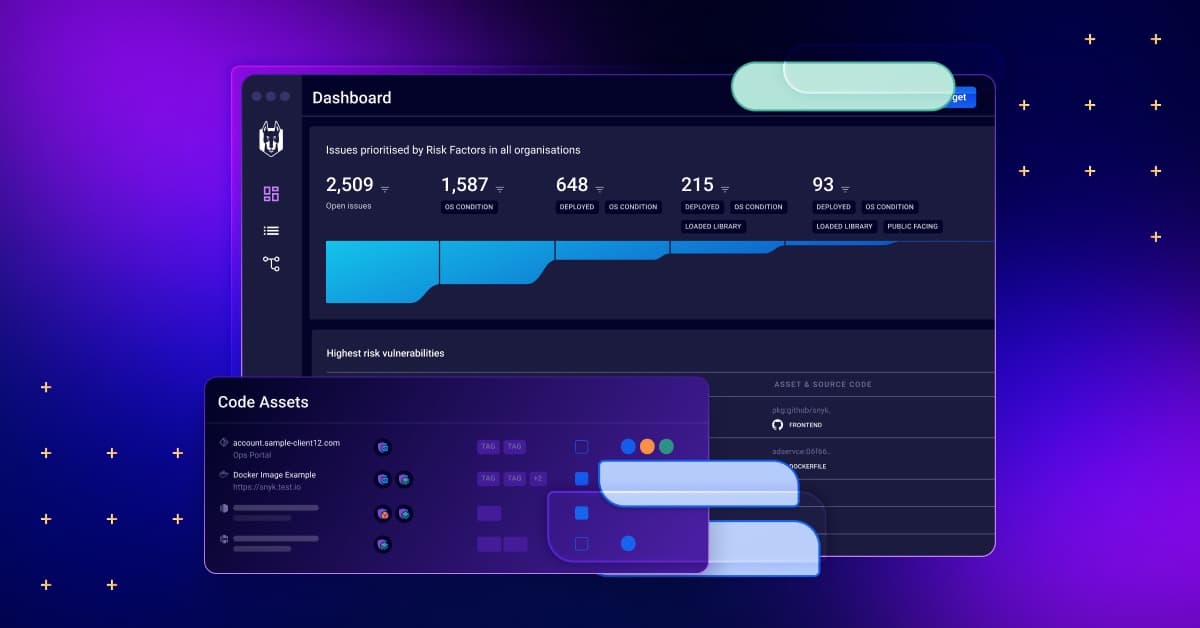
Snyk positions itself as a tool built for developers, not just used by them. The company has invested heavily in making security feel like a natural part of coding. Not an afterthought. Not a roadblock.
When you scan a project with Snyk, it doesn’t just flag problems. It explains them in developer-friendly terms. It suggests fixes. Often, it can even create pull requests automatically to patch vulnerable dependencies.
Snyk’s core strength lies in software composition analysis (SCA). This means scanning the open-source packages your code depends on. According to user feedback on platforms like PeerSpot, Snyk has “invested heavily in determining where the vulnerabilities are in the dependency and whether they are exploitable with how they are being leveraged in your code.”
That last part matters a lot. Knowing that a library has a vulnerability is one thing. Knowing whether your code actually uses the vulnerable function is another. Snyk tries to give you that context. Although as we’ll discuss later, some users feel this reachability analysis could go deeper.
GitLab Ultimate’s Approach: All-in-One DevSecOps Platform
GitLab takes a different path. Instead of being a specialized security tool, it’s a complete platform. Source code management. Issue tracking. CI/CD pipelines. And yes, security scanning.
With GitLab Ultimate, you get security features baked into the same tool you use to write, review, and deploy code. No context switching. No juggling multiple dashboards. Everything lives in one place.
GitLab Ultimate includes multiple types of security scanning:
- Static Application Security Testing (SAST)
- Dynamic Application Security Testing (DAST)
- Software Composition Analysis (SCA)
- Container Scanning
- Secret Detection
- License Compliance
This breadth is GitLab’s main selling point against Snyk. As one comparison document notes: “Snyk offers security scanning of open source components and container scanning. GitLab Ultimate offers not only these capabilities but also Static and Dynamic” testing.
The Fundamental Tradeoff
So here’s the real question. Do you want the best specialized tool for SCA and container security? Or do you want a broader platform that does more things pretty well?
Snyk goes deep on open-source vulnerabilities. GitLab goes wide across the entire security testing spectrum. Neither approach is wrong. It depends on what your team needs most.
Security Scanning Capabilities: Feature-by-Feature Breakdown
Let’s get into the specifics. What can each tool actually do when it comes to finding vulnerabilities?
Software Composition Analysis (SCA)
This is where Snyk shines brightest. SCA means scanning your dependencies. The npm packages. The Python libraries. The Java JARs. All that third-party code your project pulls in.
Snyk’s SCA Features:
- Scans package manifest files (package.json, requirements.txt, pom.xml, etc.)
- Identifies known vulnerabilities in dependencies
- Shows transitive dependencies (dependencies of your dependencies)
- Provides remediation advice with specific version upgrades
- Can automatically generate pull requests with fixes
- Monitors projects continuously for new vulnerabilities
- Offers priority scoring based on exploitability
Snyk maintains its own vulnerability database. It’s updated frequently. The company employs security researchers who analyze vulnerabilities and verify fixes. This investment shows in the quality of remediation advice.
GitLab Ultimate’s SCA Features:
- Dependency scanning for multiple package managers
- Integration with GitLab’s CI/CD pipelines
- Vulnerability reports in merge requests
- Security dashboard for tracking issues over time
- License compliance checking
GitLab’s SCA is solid. But it’s not as mature as Snyk’s. Users in forum discussions have noted that Snyk is “pretty progressive in what they are doing in terms of SCA.” GitLab’s dependency scanning works, but the depth of analysis and remediation guidance doesn’t quite match Snyk’s specialized focus.
Static Application Security Testing (SAST)
SAST analyzes your source code for security flaws. It looks at the code itself, not the running application.
GitLab Ultimate’s SAST:
GitLab includes SAST scanners for many languages. It uses a combination of open-source tools and proprietary analyzers. The results show up directly in merge requests, so developers see security issues before code gets merged.
Supported languages include:
- JavaScript and TypeScript
- Python
- Java
- Go
- Ruby
- C/C++
- PHP
- Scala
- .NET languages
Having SAST built into the platform is convenient. No extra configuration needed beyond enabling it. Results integrate with GitLab’s security dashboard and vulnerability management workflow.
Snyk’s SAST (Snyk Code):
Snyk does offer SAST through its Snyk Code product. It’s a relatively newer addition to their lineup. The tool focuses on speed, claiming to scan code much faster than traditional SAST tools.
Snyk Code uses a semantic analysis approach. Instead of pattern matching, it tries to understand what the code is actually doing. This reduces false positives. But coverage isn’t as broad as GitLab’s SAST in terms of languages and frameworks.
Dynamic Application Security Testing (DAST)
DAST tests running applications. It sends requests to your app and analyzes responses for vulnerabilities. Think of it as automated penetration testing.
GitLab Ultimate’s DAST:
GitLab includes DAST scanning capabilities. You can configure it to run against deployed environments. It checks for common web vulnerabilities like:
- SQL injection
- Cross-site scripting (XSS)
- Insecure authentication
- Server misconfigurations
- Sensitive data exposure
GitLab also offers browser-based DAST for scanning single-page applications and sites that rely heavily on JavaScript.
Snyk’s DAST:
Snyk doesn’t have a native DAST solution. This is a significant gap if your security strategy requires runtime testing. You’d need to bring in a separate tool for DAST coverage.
Container Security Scanning
Both tools offer container scanning. But they approach it differently.
Snyk Container:
Snyk Container scans your Docker images for vulnerabilities. It checks both the base image and any packages installed on top. What makes Snyk’s approach interesting is the base image recommendations.
If your image uses an outdated Debian base with lots of vulnerabilities, Snyk will suggest a newer or slimmer alternative. These recommendations come with estimated vulnerability reductions. “Switch to this image and you’ll eliminate 47 vulnerabilities” type advice.
Snyk also integrates with container registries. It can monitor images after they’re built. If a new vulnerability appears in a package your image uses, you get notified.
GitLab Container Scanning:
GitLab’s container scanning runs as part of CI/CD pipelines. It uses tools like Trivy under the hood to scan images. Results appear in the security dashboard alongside other vulnerability types.
The integration is smooth since everything happens within GitLab. But the depth of analysis and remediation guidance doesn’t match Snyk Container. You get the vulnerability list. Getting to a fix takes more manual work.
Infrastructure as Code (IaC) Security
Snyk IaC:
Snyk scans Terraform, CloudFormation, Kubernetes manifests, and other IaC files. It catches misconfigurations before they reach production. Things like overly permissive security groups, unencrypted storage, or public S3 buckets.
GitLab IaC Scanning:
GitLab includes IaC scanning through its SAST framework. It supports Terraform and other common formats. The coverage overlaps significantly with Snyk’s IaC capabilities.
Comparing Snyk and GitLab Ultimate Integration Capabilities
How well do these tools fit into your existing workflow? Integration matters. A great security tool that nobody uses is worthless.
Snyk’s Integration Ecosystem
Snyk plays well with others. It has to. Since it’s not a complete DevOps platform, integration is essential to its value.
Source Code Management Integrations:
- GitHub (including GitHub Enterprise)
- GitLab (all tiers)
- Bitbucket (Cloud and Server)
- Azure Repos
Snyk can import projects directly from these platforms. It creates webhooks to scan on every commit or pull request. Results show up as checks on PRs, blocking merges if critical vulnerabilities are found.
CI/CD Integrations:
- Jenkins
- CircleCI
- Travis CI
- GitHub Actions
- GitLab CI
- Azure Pipelines
- Bitbucket Pipelines
The CI/CD integration usually involves adding Snyk’s CLI to your pipeline. It runs scans and can fail builds based on vulnerability thresholds you set.
IDE Integrations:
- VS Code
- JetBrains IDEs (IntelliJ, PyCharm, WebStorm, etc.)
- Visual Studio
- Eclipse
IDE plugins let developers scan as they code. This catches vulnerabilities at the earliest possible moment. Before they even commit. Snyk’s IDE experience is polished. Real-time feedback without leaving your editor.
Container and Artifact Registries:
- Docker Hub
- Amazon ECR
- Google Container Registry
- Azure Container Registry
- JFrog Artifactory
- Nexus Repository
Ticketing and Communication:
- Jira
- Slack
- Microsoft Teams
GitLab Ultimate’s Integration Story
GitLab’s integration story is different. Since security is part of the platform, many “integrations” are just features you enable.
If you’re already using GitLab for source code and CI/CD, security scanning requires minimal setup. Enable the scanners. Configure your pipelines. Done. Everything works together because it’s all one system.
External Integrations:
GitLab does support external integrations:
- Jira for issue tracking
- Slack and Microsoft Teams for notifications
- Prometheus for monitoring
- Various cloud providers for deployment
You can also integrate external security scanners if GitLab’s built-in options don’t meet your needs. The platform supports importing results from third-party tools into its security dashboard.
What If You Don’t Use GitLab for Everything?
This is where things get tricky. GitLab Ultimate’s security features work best when you’ve committed to the GitLab ecosystem. If your source code lives in GitHub and you use CircleCI for builds, GitLab Ultimate isn’t really an option for security scanning.
Snyk, by contrast, works with whatever stack you’re using. That flexibility has real value for teams with heterogeneous tooling.
Vulnerability Detection Quality and Database Coverage
Finding vulnerabilities is only useful if the findings are accurate and actionable. Let’s compare detection quality.
Snyk’s Vulnerability Intelligence
Snyk maintains its own vulnerability database. This isn’t just a copy of the National Vulnerability Database (NVD). Snyk’s security research team adds:
- Vulnerabilities not yet in NVD
- More detailed remediation advice
- Exploit maturity information
- CVSS score adjustments based on their analysis
The database update frequency matters too. Snyk often lists vulnerabilities before they appear in public databases. For fast-moving open-source ecosystems, this speed advantage translates to earlier protection.
False Positive Rates:
User reviews generally praise Snyk for reasonable false positive rates. The tool tries to understand context. But it’s not perfect. Some users on G2 and PeerSpot note that Snyk sometimes lacks reachability analysis depth.
As one review mentioned, Snyk struggles to “understand how libraries are being used by the larger codebase.” This can lead to noise. You get alerts for vulnerabilities in code paths your application never executes.
Priority Scoring:
Snyk uses its Priority Score to rank vulnerabilities. This score considers:
- CVSS severity
- Exploit availability
- Fix availability
- Whether the vulnerable package is direct or transitive
- Social media trends (is this vulnerability being discussed?)
The goal is helping you focus on what matters most first.
GitLab Ultimate’s Vulnerability Detection
GitLab pulls vulnerability data from multiple sources:
- NVD
- Various advisory databases for specific ecosystems
- Third-party vulnerability databases
The detection quality depends partly on which scanner you’re using. For SCA, GitLab uses Gemnasium and other tools. For SAST, it uses a combination of analyzers.
Vulnerability Management Workflow:
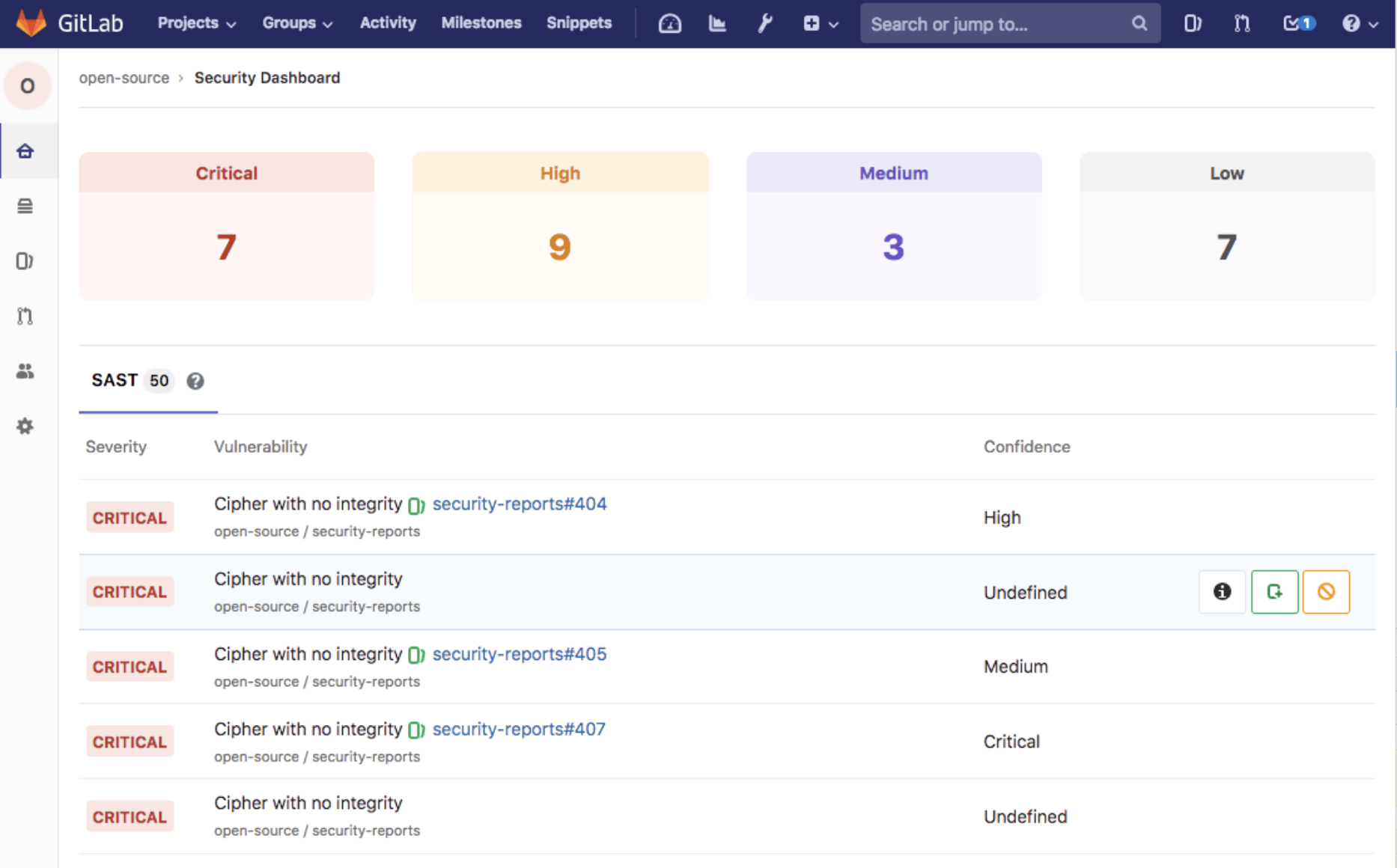
GitLab provides a centralized security dashboard. You can see all vulnerabilities across projects. Filter by severity. Track remediation progress over time.
One nice feature: vulnerability dismissal with reasons. If a finding is a false positive, you can dismiss it and record why. This prevents the same false positive from cluttering reports repeatedly.
Detection Gaps:
Because GitLab relies more on existing databases and third-party tools, there can be delays in detecting new vulnerabilities. Snyk’s dedicated research team sometimes catches things faster.
Head-to-Head Detection Comparison
| Criteria | Snyk | GitLab Ultimate |
|---|---|---|
| Proprietary vulnerability database | Yes, actively researched | Relies mostly on public sources |
| Speed of new vulnerability coverage | Often ahead of NVD | Generally follows public disclosure |
| False positive handling | Context-aware but imperfect | Standard filtering options |
| Exploit maturity tracking | Yes | Limited |
| Reachability analysis | Partial (criticized by some users) | Limited |
| Priority scoring | Comprehensive multi-factor score | Severity-based primarily |
Remediation and Fix Automation
Finding vulnerabilities is half the battle. Fixing them is the other half. How do these tools help you actually resolve issues?
Snyk’s Fix-Focused Approach
This is where Snyk really differentiates itself. The company built its reputation on making fixes easy.
Automated Pull Requests:
When Snyk finds a vulnerable dependency with an available fix, it can create a pull request automatically. The PR upgrades the package to a safe version. It includes details about what vulnerability is being fixed and any potential breaking changes.
For many teams, this changes the security workflow dramatically. Instead of “here’s a list of problems, go figure it out,” you get “here’s a fix, review and merge.”
Fix Advice Quality:
When automatic upgrades aren’t possible, Snyk provides detailed guidance. It might suggest:
- Upgrading to a specific version that contains the patch
- Pinning a transitive dependency to avoid pulling in a vulnerable version
- Applying a Snyk-created patch in cases where no upstream fix exists
- Alternative packages if the vulnerable one is abandoned
Snyk Patches:
Sometimes a vulnerability exists in a package but the maintainer hasn’t released a fix. Snyk maintains its own patches for some of these cases. You can apply Snyk’s patch as a temporary measure while waiting for an official fix.
GitLab Ultimate’s Remediation Features
GitLab provides remediation through its merge request workflow. When scanners find vulnerabilities, they appear in the security widget on the MR.
Auto Remediation:
GitLab offers some auto-remediation capabilities. For dependency scanning, it can suggest version upgrades. But the automation isn’t as sophisticated as Snyk’s.
Vulnerability Resolution Tracking:
GitLab excels at tracking. You can see which vulnerabilities were introduced in which commit. Track how long vulnerabilities stay open. Set policies that block deployments if critical issues exist.
Security Policies:
With GitLab Ultimate, you can create security policies that enforce standards:
- Require approval for MRs that introduce high-severity vulnerabilities
- Block deployment pipelines if scans fail
- Mandate specific scan types for certain projects
This governance capability helps larger organizations maintain security standards across many teams.
Remediation Comparison Summary
| Feature | Snyk | GitLab Ultimate |
|---|---|---|
| Automatic fix PRs | Yes, very polished | Limited support |
| Custom patches | Yes (Snyk patches) | No |
| Upgrade recommendations | Detailed with breaking change warnings | Basic |
| Policy enforcement | Yes | Yes, with more flexibility |
| Resolution tracking | Yes | Yes, integrated with GitLab workflow |
Pricing Models: Snyk Pricing vs GitLab Ultimate Costs
Let’s talk money. Both tools represent a real investment. Understanding the pricing models helps you budget properly.
Snyk’s Pricing Structure
Snyk offers multiple pricing tiers:
Free Tier:
- Limited number of tests per month
- Open source projects only in some cases
- Basic features without advanced reporting
- Good for individual developers or tiny teams
Team Tier:
- Per-user pricing (typically around $52 per developer per month when billed annually)
- More tests per month
- Better support
- Suitable for small to medium teams
Enterprise Tier:
- Custom pricing based on organization size and needs
- All features including advanced compliance
- SSO/SAML integration
- Priority support
- Account management
Snyk’s pricing adds up per product. If you want Snyk Open Source, Snyk Code, Snyk Container, and Snyk IaC, each adds to the cost. Enterprise customers often negotiate bundles.
Hidden Costs to Consider:
- Test limits can force upgrades for active projects
- Additional products increase cost substantially
- Training time for multiple Snyk tools
GitLab Ultimate’s Pricing Structure
GitLab uses tier-based pricing for its entire platform:
Free Tier:
- Basic GitLab features
- No security scanning included
- Not relevant for this comparison
Premium Tier:
- Around $29 per user per month
- Some security features but not all
- Missing SAST, DAST, container scanning
Ultimate Tier:
- Around $99 per user per month
- All security scanning features
- Compliance management
- Advanced analytics
- Portfolio management
With GitLab Ultimate, you get everything: source code management, CI/CD, security scanning, project management. If you’re already paying for GitLab Premium and need security features, the upgrade makes the security cost effectively $70 per user per month.
GitLab’s Pricing Advantage:
If you need multiple types of scanning (SAST, DAST, SCA, containers), GitLab Ultimate might be cheaper than buying Snyk plus additional tools. You’d need separate tools for SAST and DAST if you went the Snyk route.
Snyk’s Pricing Advantage:
If you only need SCA and container scanning, Snyk’s focused offering might cost less than moving everything to GitLab Ultimate. Especially if you’re happy with your current CI/CD and source control tools.
Total Cost of Ownership Analysis
| Scenario | Snyk Cost Factors | GitLab Ultimate Cost Factors |
|---|---|---|
| Small team (10 devs) | ~$520/month for Team tier | ~$990/month for all features |
| Medium team (50 devs) | ~$2,600/month base, more with add-ons | ~$4,950/month for everything |
| Need SAST and DAST too? | Add separate tools (extra cost) | Included in Ultimate |
| Already using GitLab Premium | Adds new tool to stack | Upgrade cost only |
| Using GitHub or Bitbucket | Integrates cleanly | Would require migration |
Note: Prices are approximate and subject to change. Contact vendors for current pricing.
Developer Experience and Usability
Security tools only work if developers actually use them. Let’s compare the day-to-day experience.
Snyk’s Developer Experience
Snyk built its brand on developer friendliness. And it shows.
Onboarding:
Getting started with Snyk takes minutes. Connect your repository. Run a scan. See results. The learning curve is gentle for basic usage.
IDE Experience:
Snyk’s IDE plugins are polished. You get real-time vulnerability information as you write code. Seeing security issues immediately, rather than in a CI pipeline 20 minutes later, changes behavior.
CLI Experience:
The Snyk CLI is straightforward. Common commands:
snyk test– scan for vulnerabilitiessnyk monitor– upload snapshot for continuous monitoringsnyk fix– apply automatic fixes where possible
Documentation is clear. Error messages are helpful. Developers don’t need security expertise to understand results.
Dashboard:
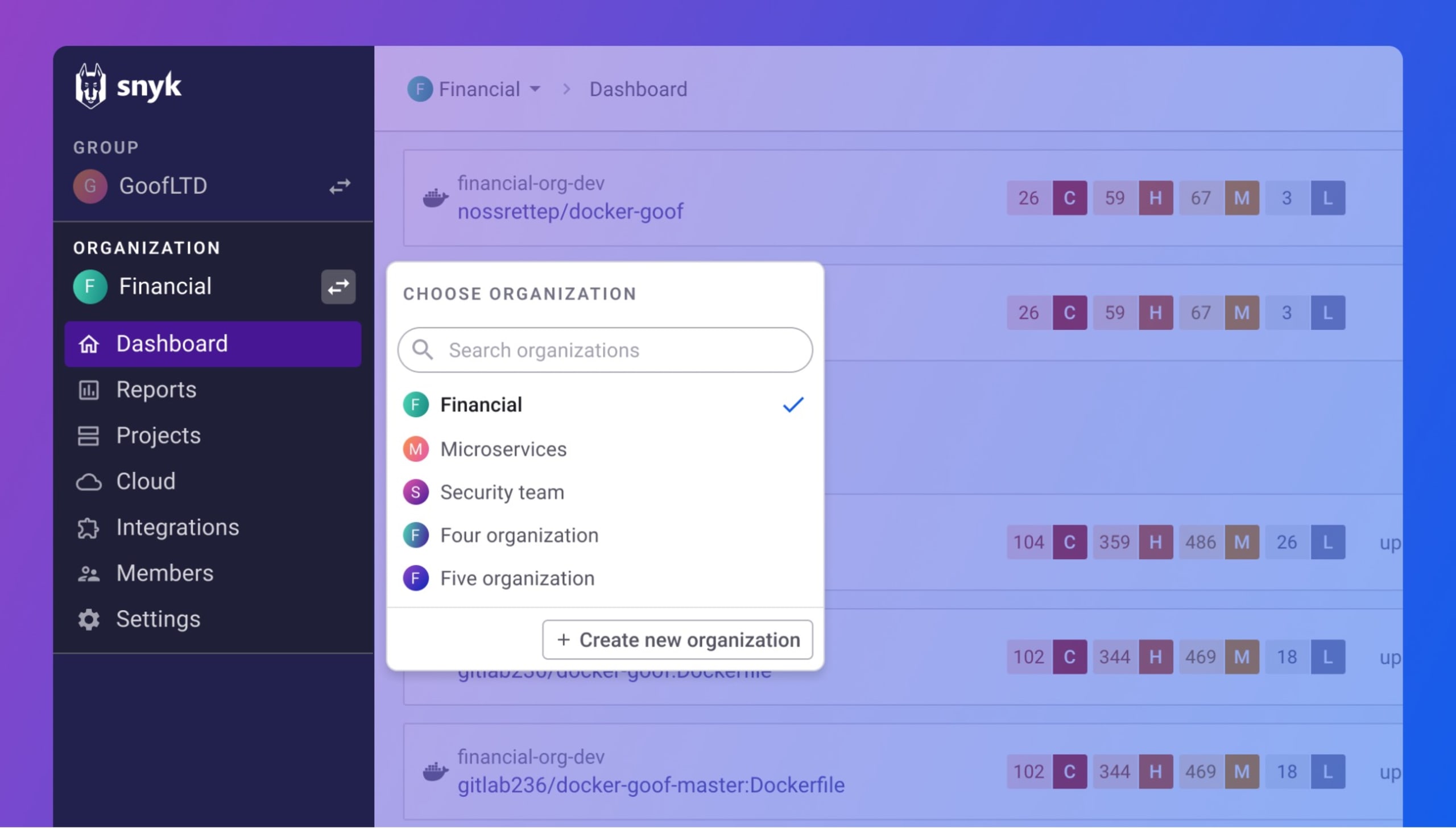
Snyk’s web dashboard organizes projects clearly. You can see vulnerability counts, trends over time, and drill into specific issues. The interface feels modern and responsive.
GitLab Ultimate’s Developer Experience
GitLab’s security features integrate into the existing GitLab workflow. That’s both a strength and limitation.
Integration with Existing Workflow:
If your team already uses GitLab daily, security results appear right where you work. The merge request security widget shows issues inline. No new dashboard to check. No context switching.
Security Dashboard:
GitLab provides a centralized security dashboard at the project and group levels. You can see all vulnerabilities, filter by type and severity, and track trends. The interface is functional but can feel dense with information.
Pipeline Integration:
Security scans run as pipeline jobs. You configure them in your .gitlab-ci.yml file. This gives you control but requires more setup than Snyk’s automatic PR integration.
Learning Curve:
For teams already on GitLab, adding security scanning is relatively easy. For teams new to GitLab, there’s a steeper learning curve since you’re learning a whole platform, not just a security tool.
Usability Comparison
| Aspect | Snyk | GitLab Ultimate |
|---|---|---|
| Time to first scan | Minutes | Longer (pipeline setup needed) |
| IDE support | Excellent | Limited |
| CLI usability | Very intuitive | More complex |
| Learning curve | Gentle | Steeper (but you learn more) |
| Context switching required | Yes (separate tool) | No (all in one place) |
| Documentation quality | Excellent | Good |
Enterprise Features and Compliance
Large organizations have additional requirements. Compliance certifications. Role-based access control. Audit logs. How do these tools measure up for enterprise use?
Snyk’s Enterprise Capabilities
Access Control:
Snyk Enterprise offers role-based access control. Define who can see which projects. Set permissions for different actions. Integrate with your identity provider via SAML SSO.
Compliance Features:
- License compliance scanning to catch problematic licenses
- Policy management for organizational standards
- Reporting for compliance audits
- SOC 2 Type 2 certified
Reporting:
Snyk provides various reports for different audiences. Executive dashboards for leadership. Detailed technical reports for security teams. Trend analysis over time.
API Access:
Snyk’s API lets you build custom integrations. Pull vulnerability data into other systems. Automate actions based on scan results. Build custom workflows.
GitLab Ultimate’s Enterprise Capabilities
Access Control:
GitLab has mature access control. Groups, projects, and protected branches. SAML and LDAP integration. Fine-grained permissions for different roles.
Compliance Features:
- Compliance dashboard for tracking adherence to standards
- Audit events for tracking who did what
- Compliance pipelines that enforce required jobs
- License compliance scanning
- Various compliance certifications including SOC 2
Security Policies:
GitLab Ultimate allows you to define security policies as code. These policies can:
- Require certain scans for all projects in a group
- Mandate approvals when vulnerabilities are introduced
- Block deployments based on security criteria
This policy-as-code approach gives security teams control without slowing down development teams unnecessarily.
Audit and Governance:
GitLab logs extensive audit events. Who merged what. When security scanners ran. Which vulnerabilities were dismissed and by whom. This audit trail helps with compliance requirements and security investigations.
Enterprise Feature Comparison
| Feature | Snyk Enterprise | GitLab Ultimate |
|---|---|---|
| SAML/SSO | Yes | Yes |
| Role-based access | Yes | Yes, more granular |
| Audit logging | Yes | Yes, very detailed |
| Security policies as code | Limited | Yes, more mature |
| Compliance certifications | SOC 2 | SOC 2 and others |
| Self-hosted option | Yes (Snyk Broker) | Yes (GitLab Self-Managed) |
| API access | Yes | Yes |
Performance and Scalability
How do these tools perform at scale? Speed matters when you’re scanning on every commit.
Snyk Performance
Scan Speed:
Snyk prioritizes fast scans. SCA scans typically complete in seconds to minutes depending on project size. Snyk Code (SAST) claims to be significantly faster than traditional SAST tools.
Scalability:
As a SaaS offering, Snyk handles scaling for you. Large organizations scan thousands of projects without managing infrastructure. The limiting factor becomes how many tests your license allows.
CI/CD Impact:
Snyk scans add time to pipelines. Typically a few minutes. For most teams, this is acceptable. But if you have very tight deployment windows, every minute counts.
GitLab Ultimate Performance
Scan Speed:
GitLab’s scan times vary by type:
- Dependency scanning: usually fast
- SAST: can be slow for large codebases
- DAST: inherently slower since it tests running applications
Self-Hosted Considerations:
If you run GitLab Self-Managed, performance depends on your infrastructure. You need adequate runners for security scanning jobs. This adds operational overhead but gives you control.
Pipeline Optimization:
GitLab lets you run scans in parallel. You can configure pipelines to run security jobs at the same time as other stages. This reduces total pipeline time even if individual scans take a while.
Support and Community
When things go wrong, support matters. And community resources help with day-to-day questions.
Snyk Support
Documentation:
Snyk’s documentation is comprehensive and well-organized. Guides walk you through common scenarios. Reference docs cover every feature. The writing style is clear and developer-friendly.
Community:
Snyk has an active community Slack. Blog posts cover security topics regularly. The company is active in open-source security discussions.
Paid Support:
Enterprise customers get priority support with SLAs. Account managers help with strategic adoption. Training resources are available.
GitLab Support
Documentation:
GitLab’s documentation is extensive. Security features are documented within the larger GitLab docs. Finding security-specific information sometimes requires navigation, but it’s all there.
Community:
GitLab has a large community forum. Security questions get discussed regularly. The platform’s open-source nature means many community contributions and extensions.
Paid Support:
GitLab Ultimate includes Priority Support. Response time SLAs. Dedicated support channels. Customer success resources.
Real-World User Reviews and Feedback
What do actual users say? Let’s look at feedback from review platforms.
What Users Like About Snyk
Based on reviews from PeerSpot, G2, and Gartner:
- Easy to set up – Many users mention quick onboarding
- Good developer experience – IDE integrations praised
- Automatic fix PRs – Reduces time to remediation
- Comprehensive SCA – Deep coverage for open-source dependencies
- Clear vulnerability information – Easy to understand findings
What Users Criticize About Snyk
- Pricing concerns – Gets expensive as teams grow
- Limited reachability analysis – Can’t always tell if code actually calls vulnerable functions
- False positives – Some users report noise in results
- No native DAST – Need additional tools for runtime testing
- Test limits – Free and lower tiers feel restrictive
What Users Like About GitLab Ultimate
- All-in-one platform – Everything in one place is convenient
- Good SAST coverage – Supports many languages
- Pipeline integration – Security fits naturally into CI/CD
- Policy management – Enterprise governance features are strong
- Value for money – Multiple scan types included in one price
What Users Criticize About GitLab Ultimate
- SCA not as deep as Snyk – Remediation advice is less detailed
- Complex setup – More configuration required
- Requires GitLab adoption – Not useful if you use other source control
- Resource intensive – Self-hosted requires significant infrastructure
- Learning curve – Lots of features to learn
Market Positioning Comparison
According to Gartner and other analyst sources, both tools hold respectable market positions. GitLab is “ranked #6 with an average rating of 8.3” in Application Security Testing, while Snyk is “ranked #7 with an average rating of 8.3.”
The identical ratings suggest these tools compete closely. Choice often comes down to specific requirements rather than overall quality.
When to Choose Snyk Over GitLab Ultimate
Snyk makes more sense in certain scenarios. Let’s be specific.
Choose Snyk If:
1. You use GitHub, Bitbucket, or multiple source control platforms
Snyk works with whatever you’re using. If your code lives outside GitLab, Snyk is the obvious choice. It integrates cleanly without forcing you to change your stack.
2. Open-source dependency security is your primary concern
If SCA is your biggest security gap, Snyk’s specialized focus pays off. The depth of vulnerability intelligence, remediation advice, and automatic fix PRs are hard to match.
3. Developer adoption is a challenge
Snyk’s developer-friendly approach helps with adoption. If you’ve struggled to get developers to care about security tools, Snyk’s UX might make the difference.
4. You want fast time to value
Snyk gets you scanning quickly. If you need security insights today, not after a migration project, Snyk delivers faster.
5. Container security is a priority
Snyk Container’s base image recommendations and detailed remediation for container vulnerabilities are strong. If you’re heavily containerized, this matters.
When to Choose GitLab Ultimate Over Snyk
GitLab Ultimate wins in other scenarios.
Choose GitLab Ultimate If:
1. You’re already using GitLab
If your source code, CI/CD, and project management live in GitLab, adding Ultimate for security is the natural path. No new tool to adopt. No integration to maintain.
2. You need SAST and DAST in addition to SCA
GitLab Ultimate includes multiple scan types. If you need comprehensive coverage and don’t want to manage multiple tools, the bundled approach makes sense financially and operationally.
3. Governance and compliance are key requirements
GitLab’s security policies, compliance dashboards, and audit capabilities serve enterprise governance needs well. If demonstrating compliance matters, GitLab’s features help.
4. You want to consolidate tools
Reducing the number of vendors and tools simplifies operations. If “fewer tools, less complexity” is a goal, GitLab Ultimate supports that vision.
5. Budget favors a platform approach
When you add up the cost of Snyk plus SAST tools plus DAST tools, GitLab Ultimate might cost less. The math depends on your specific situation, but it’s worth calculating.
Using Snyk and GitLab Together
Here’s something people don’t talk about enough: you can use both.
Complementary Use Cases
Some organizations use GitLab for source control and CI/CD while using Snyk for SCA. This isn’t unusual. Snyk integrates directly with GitLab repositories. You get:
- GitLab’s pipeline and project management
- Snyk’s superior SCA and remediation
- GitLab’s SAST for code analysis
- GitLab’s DAST for runtime testing
Yes, you’re paying for overlapping SCA capabilities. But if Snyk’s SCA quality matters enough, the overlap might be acceptable.
Integration Points
Snyk can:
- Import projects from GitLab repositories
- Run in GitLab CI/CD pipelines via CLI
- Create merge requests with fixes in GitLab
- Post scan results as pipeline job artifacts
This hybrid approach gives you flexibility. Use each tool where it’s strongest.
Migration Considerations
Switching between these tools or adding one to an existing stack involves planning.
Moving to Snyk
If you’re adopting Snyk:
- Start with a pilot project to understand the workflow
- Connect your repositories and run initial scans
- Expect an initial wave of vulnerability reports (this is normal)
- Use Snyk’s priority scoring to focus on what matters
- Roll out IDE plugins to development teams gradually
- Set up CI/CD integration once teams are comfortable with the findings
The biggest adjustment is often dealing with the initial vulnerability backlog. Don’t try to fix everything at once. Prioritize and make steady progress.
Moving to GitLab Ultimate
If you’re upgrading to GitLab Ultimate or migrating to GitLab:
- Plan the migration carefully if coming from another platform
- Enable security scanners incrementally, not all at once
- Start with dependency scanning for quick wins
- Add SAST next, tuning false positives as you go
- Introduce DAST once other scanners are working smoothly
- Define security policies after teams understand the workflow
Migration to GitLab is a bigger project if you’re not already on the platform. Factor in time for moving repositories, pipelines, and team training.
Future Outlook and Roadmap Considerations
Both tools continue evolving. What’s coming matters for long-term decisions.
Snyk’s Direction
Snyk has been expanding beyond its SCA roots. Snyk Code (SAST) is relatively new and improving. Snyk IaC addresses cloud configuration. The company is investing in developer experience and AI-assisted remediation.
Potential future developments might include better reachability analysis and deeper code context, addressing current criticisms.
GitLab’s Direction
GitLab continues adding security capabilities. Each release brings improvements to scanning accuracy and coverage. The company invests in AI features across the platform, including security applications.
GitLab’s advantage is the integrated platform. As they improve security features, the value of the all-in-one approach grows.
Making Your Decision: A Framework
Here’s a practical framework for choosing between Snyk and GitLab Ultimate.
Step 1: Assess Your Current Stack
What source control do you use? What CI/CD? Are you committed to these tools or open to change? If you’re deeply invested in non-GitLab tooling, Snyk fits better. If you’re already on GitLab, Ultimate makes more sense.
Step 2: Identify Your Primary Security Gaps
Where are you most exposed? If open-source dependency vulnerabilities keep you up at night, Snyk’s focus addresses that directly. If you need broader coverage including code analysis and runtime testing, GitLab’s breadth helps.
Step 3: Consider Your Team
How security-savvy are your developers? Will they adopt new tools? Snyk’s developer experience lowers adoption barriers. GitLab’s integration reduces context switching for teams already on the platform.
Step 4: Calculate Total Cost
Don’t just compare list prices. Calculate what it costs to cover all your security scanning needs. Include the cost of additional tools if you go with Snyk. Include migration costs if you go with GitLab.
Step 5: Try Before You Buy
Both offer trials or free tiers. Test them with real projects. See how they feel in practice. The best tool is the one your team will actually use consistently.
Conclusion
Choosing between Snyk and GitLab Ultimate depends on your specific situation. Snyk excels at open-source dependency security with developer-friendly workflows and automatic fix generation. GitLab Ultimate offers broader coverage with SAST, DAST, and SCA bundled into a complete DevOps platform. Neither is universally “better.” The right choice depends on your existing tools, primary security concerns, and team preferences. Take time to evaluate both against your actual requirements.
Frequently Asked Questions About Snyk vs GitLab Ultimate
| What is the main difference between Snyk and GitLab Ultimate? | Snyk is a specialized security tool focused on open-source vulnerability scanning and container security. GitLab Ultimate is a complete DevOps platform that includes security scanning (SAST, DAST, SCA, container scanning) as part of a broader feature set. Snyk goes deeper on SCA while GitLab goes wider across scan types. |
| Can I use Snyk with GitLab? | Yes. Snyk integrates directly with GitLab repositories. You can import GitLab projects into Snyk, run Snyk scans in GitLab CI/CD pipelines, and have Snyk create merge requests with vulnerability fixes. Many organizations use both tools together. |
| Which is cheaper, Snyk or GitLab Ultimate? | It depends on your needs. GitLab Ultimate costs around $99 per user per month and includes all security features. Snyk starts lower but adds up if you need multiple products (Open Source, Code, Container, IaC). For comprehensive coverage, GitLab might cost less. For focused SCA only, Snyk might be cheaper. |
| Does Snyk offer SAST and DAST scanning? | Snyk offers SAST through Snyk Code, which focuses on fast, semantic code analysis. Snyk does not offer native DAST scanning. If you need DAST, you’ll need a separate tool alongside Snyk. GitLab Ultimate includes both SAST and DAST. |
| Which tool has better vulnerability detection for open-source dependencies? | Most users and reviewers consider Snyk stronger for open-source dependency scanning. Snyk maintains its own vulnerability database with dedicated researchers, often catches vulnerabilities before public disclosure, and provides more detailed remediation advice. |
| Is GitLab Ultimate only useful if I use GitLab for everything? | Mostly yes. GitLab Ultimate’s security features work best when integrated with GitLab repositories and pipelines. If your code lives in GitHub or Bitbucket, GitLab Ultimate isn’t practical for security scanning. Snyk works with any source control platform. |
| Which tool is easier for developers to adopt? | Snyk is generally considered more developer-friendly, with polished IDE integrations and automatic fix PRs. GitLab Ultimate requires less context switching if your team already works in GitLab daily. Ease of adoption depends on your current tools. |
| Do both tools support enterprise compliance requirements? | Yes. Both offer SAML SSO, role-based access control, audit logging, and compliance reporting. GitLab Ultimate has more mature security policies as code. Both hold SOC 2 certification. Both can support common compliance frameworks. |
| Which tool is better for container security in 2026? | Snyk Container offers more detailed remediation advice, including base image recommendations. GitLab container scanning works well but provides less guidance on fixes. For organizations heavily focused on containers, Snyk’s approach is often preferred. |
| Can I start with one tool and switch to the other later? | Yes, though migration has costs. Switching from Snyk to GitLab Ultimate might involve platform migration if you’re not already on GitLab. Switching from GitLab to Snyk is easier since Snyk integrates with existing tools without requiring migration. |




 Stack Insight is intended to support informed decision-making by providing independent information about business software and services. Some product details, including pricing, features, and promotional offers, may be supplied by vendors or partners and can change without notice.