
Checkmarx vs ArmorCode: A Complete Comparison for 2026
Picking the right application security solution isn’t easy. Your development teams are shipping code faster than ever. Security can’t slow them down. But vulnerabilities keep piling up, and your current tools might not be cutting it anymore.
Two platforms keep coming up in conversations: Checkmarx and ArmorCode. They tackle application security from different angles. Checkmarx focuses on finding vulnerabilities in your code through scanning. ArmorCode brings all your security findings together from whatever tools you already use.
This comparison breaks down everything you need to know. We’ll look at how each platform works, what it costs, how it integrates with your stack, and which teams benefit most from each approach. By the end, you’ll have a clear picture of which solution fits your organization.
What Is Checkmarx One? Platform Overview
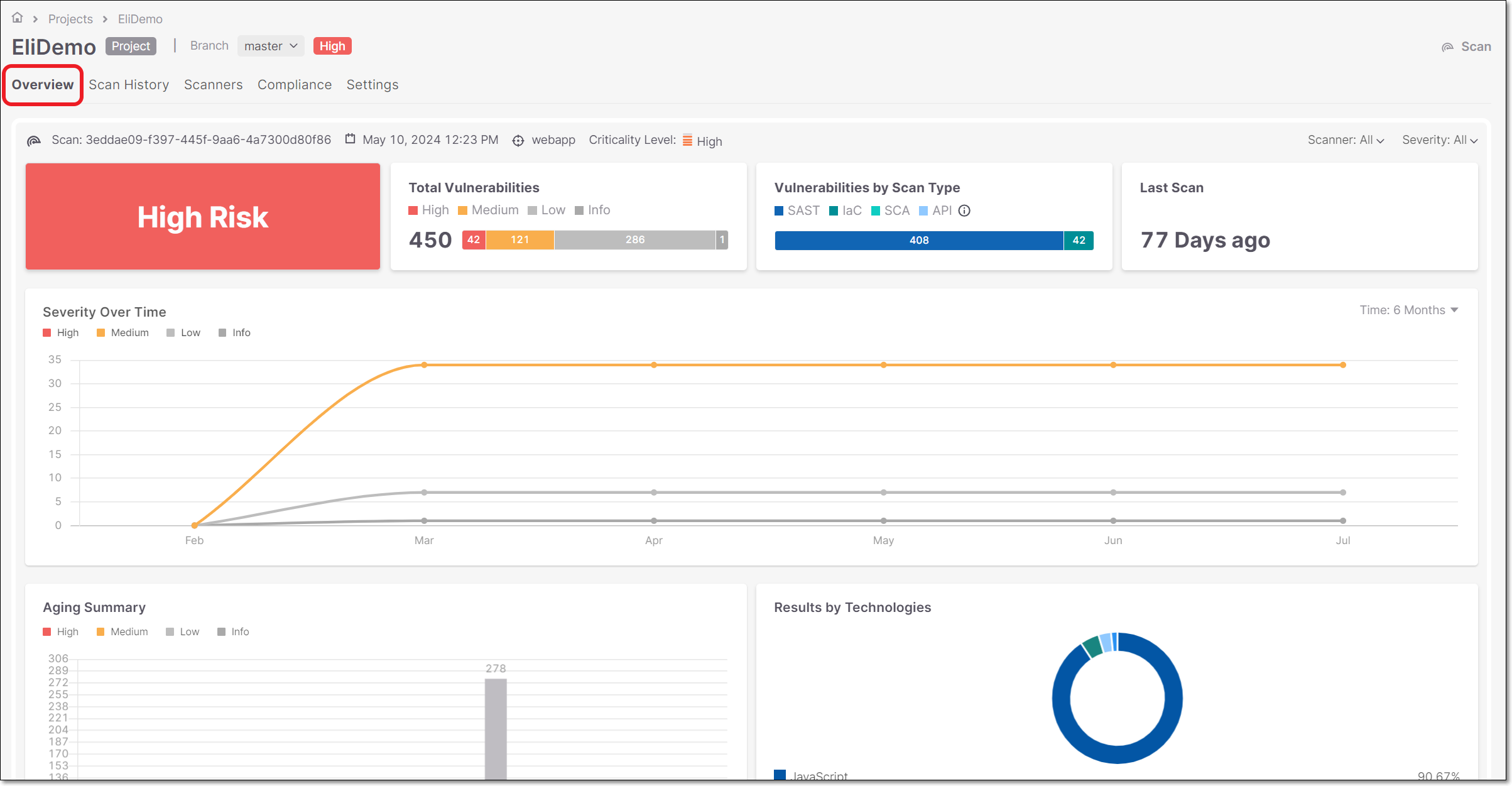
Checkmarx started back in 2006 in Israel. The company has been building application security tools for almost two decades now. Their flagship product, Checkmarx One, launched as a cloud-native platform that combines multiple security testing capabilities.
Core Scanning Capabilities
Checkmarx One is primarily a scanning platform. It looks at your code and finds security problems before they reach production. The platform includes several testing types:
- Static Application Security Testing (SAST) – Analyzes source code without running it
- Software Composition Analysis (SCA) – Checks open source dependencies for known vulnerabilities
- Dynamic Application Security Testing (DAST) – Tests running applications from the outside
- Infrastructure as Code Security – Scans configuration files for misconfigurations
- Container Security – Examines container images for vulnerabilities
- API Security Testing – Discovers and tests API endpoints
All these tools work from one dashboard. Security teams see results in a single view instead of jumping between different products.
How Checkmarx Handles Risk Prioritization
Finding vulnerabilities is one thing. Knowing which ones matter most is another. Checkmarx One uses what they call Fusion correlation to connect findings across different scan types.
Here’s an example. SAST might find a SQL injection vulnerability in your code. SCA might find that same code path uses a vulnerable library. DAST confirms the vulnerability is exploitable in the running application. Checkmarx combines these findings into one actionable item.
This approach helps teams focus on real risks rather than chasing theoretical problems. A vulnerability that’s exploitable in production matters more than one buried in unused code.
Developer Experience and Integration
Checkmarx puts a lot of effort into the developer experience. The platform integrates directly into IDEs like Visual Studio Code, IntelliJ, and Eclipse. Developers see security feedback while they’re writing code, not days later.
The platform also plugs into CI/CD pipelines. Jenkins, GitHub Actions, GitLab CI, Azure DevOps, and others all work with Checkmarx. Scans run automatically on pull requests or commits.
Results appear where developers already work. No need to learn a new tool or check a separate dashboard. Security becomes part of the normal workflow.
Learning and Remediation Guidance
Checkmarx doesn’t just tell you what’s wrong. It helps developers understand why something is a problem and how to fix it. The Checkmarx Codebashing feature provides bite-sized training modules tied to specific vulnerabilities.
Find a cross-site scripting issue? The platform shows exactly what the problem is, explains how attackers could exploit it, and provides code examples for the fix. This educational approach helps developers write more secure code over time.
What Is ArmorCode? Platform Overview
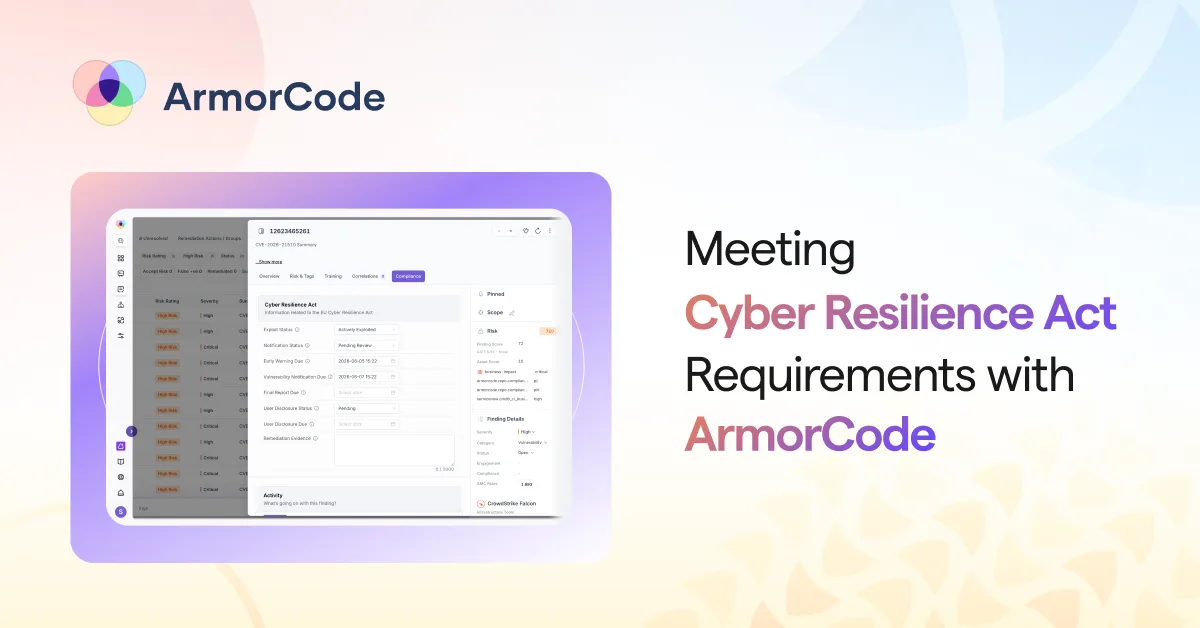
ArmorCode launched in 2020, making it a much newer player in the space. The company is headquartered in Palo Alto, California. Their platform takes a fundamentally different approach than Checkmarx.
The ASPM Approach
ArmorCode is an Application Security Posture Management (ASPM) platform. It doesn’t scan your code directly. Instead, it pulls findings from whatever security tools you already have.
Think of it as a command center. You might be running Snyk for SCA, SonarQube for SAST, and Burp Suite for DAST. ArmorCode ingests results from all of these and presents them in one unified view.
The platform supports integration with over 320 security tools. That’s a staggering number. Whatever scanning tools your organization uses, ArmorCode can probably work with them.
AI-Powered Prioritization
ArmorCode leans heavily on artificial intelligence. The platform has processed over 40 billion findings across Fortune 1000 deployments. All that data trains their prioritization models.
Raw vulnerability counts can be overwhelming. A typical enterprise might have millions of findings across their applications. ArmorCode’s AI looks at factors like:
- Business criticality of the affected application
- Exploitability of the vulnerability
- Whether the vulnerable code is reachable
- Environmental factors and compensating controls
- Historical data on similar vulnerabilities
The result is a prioritized backlog that tells teams what to fix first. Security teams stop treating all findings equally and focus on what actually matters.
The Anya Agentic AI
ArmorCode introduced Anya, an agentic AI assistant. Anya answers natural-language questions about your security data. Instead of building complex queries or digging through dashboards, you can ask questions like:
- “What are our most critical vulnerabilities in customer-facing applications?”
- “Which team has the highest number of open critical findings?”
- “Show me the trend of SQL injection vulnerabilities over the past quarter.”
This conversational interface makes security data accessible to more people. Managers and executives can get answers without needing to understand the technical details of each tool.
No-Code Workflows
ArmorCode includes workflow automation that doesn’t require programming. Security teams can build rules that route findings to the right people automatically.
For example, you might set up a workflow that:
- Identifies critical vulnerabilities in production applications
- Checks if the finding is a duplicate of something already tracked
- Creates a Jira ticket assigned to the owning team
- Sends a Slack notification to the security champion
- Escalates if not addressed within 48 hours
These workflows run without human intervention. Findings flow to the right teams without manual triage from security analysts.
Checkmarx Versus ArmorCode: Fundamental Differences
These two platforms solve different problems. Understanding that distinction is the key to making the right choice.
Scanner vs. Aggregator
Checkmarx is fundamentally a scanner. It generates security findings by analyzing your code, containers, and applications. Without Checkmarx, those specific findings wouldn’t exist.
ArmorCode is fundamentally an aggregator. It doesn’t generate findings on its own. It takes findings from other tools and makes them more useful through correlation, prioritization, and workflow automation.
This difference has huge implications. If you’re starting from zero with no security scanning in place, Checkmarx gives you immediate capability. ArmorCode would have nothing to aggregate.
If you already have multiple security tools generating findings, ArmorCode helps you make sense of them all. Checkmarx might add another tool to your existing sprawl.
Build vs. Buy Existing Tools
Checkmarx wants to be your primary application security platform. Their strategy is consolidation: use Checkmarx One for everything, and you won’t need other scanning tools.
ArmorCode takes the opposite approach. Keep using whatever tools you already have. ArmorCode makes them work together better than they would alone.
Neither approach is inherently better. The right choice depends on your current situation:
| Situation | Better Fit |
|---|---|
| Starting fresh with no AppSec tools | Checkmarx |
| Have multiple tools but struggling to manage findings | ArmorCode |
| Want to reduce number of security vendors | Checkmarx |
| Have strong preferences for specific best-of-breed tools | ArmorCode |
| Need immediate scanning capability | Checkmarx |
| Need to unify reporting across existing tools | ArmorCode |
Depth vs. Breadth
Checkmarx goes deep on scanning technology. They’ve spent almost 20 years refining their SAST engine. The rules, the accuracy, the language support – all have been tuned over countless deployments.
ArmorCode goes wide on integration. With 320+ supported tools, they can pull data from almost any security product. But they depend on those tools for the quality of the findings themselves.
A poorly configured third-party scanner will give ArmorCode poor data. ArmorCode can prioritize and correlate that data, but it can’t fix fundamental scanning problems. Checkmarx controls the entire scanning process, so they can ensure quality from the start.
Static Application Security Testing (SAST) Comparison
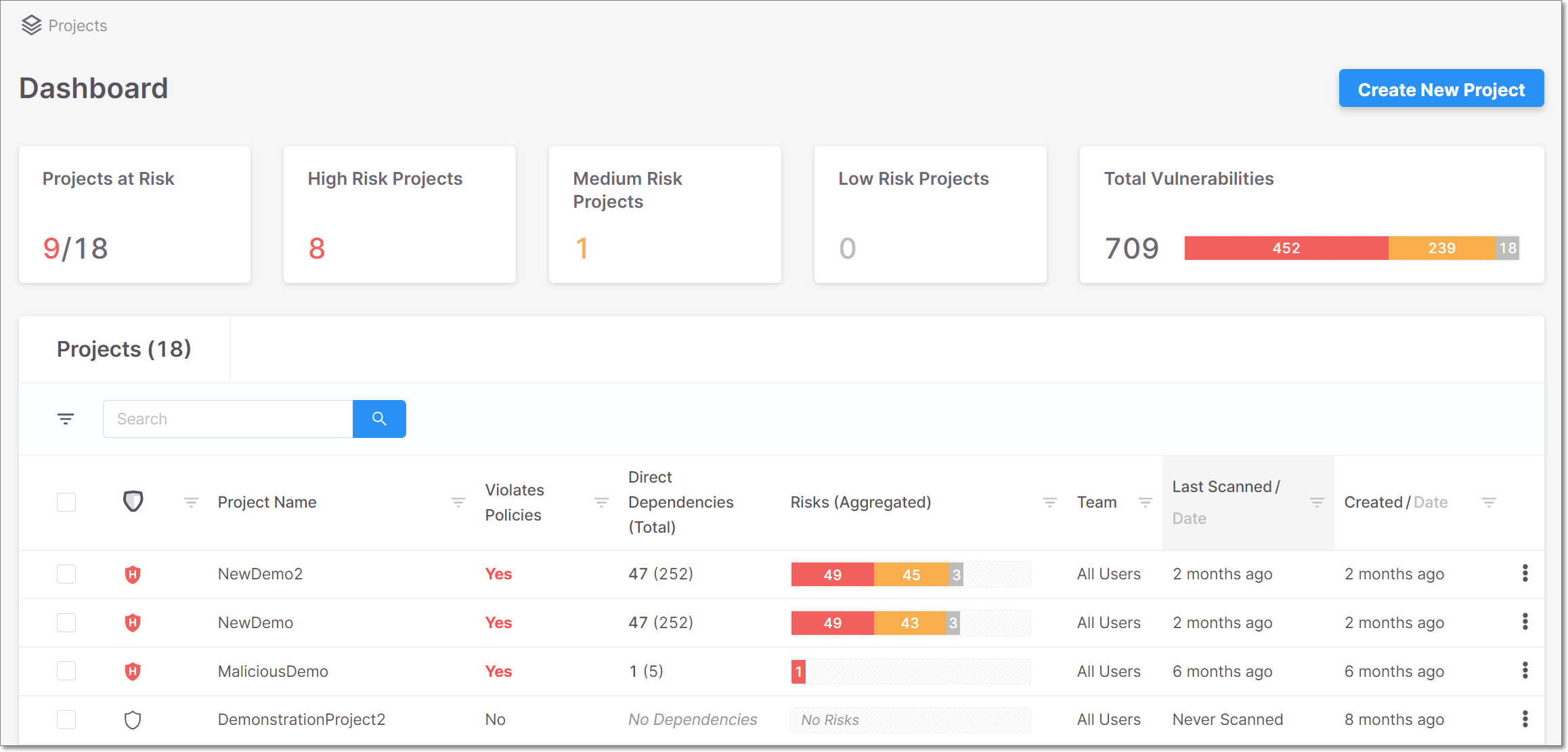
SAST is often the foundation of an application security program. Let’s look at how each platform handles it.
Checkmarx SAST Capabilities
Checkmarx has one of the most mature SAST engines in the industry. Their scanner supports over 30 programming languages and frameworks. From mainstream languages like Java, C#, and Python to niche ones like COBOL and ABAP, Checkmarx can handle them.
The engine uses multiple analysis techniques:
- Data flow analysis – Traces how data moves through code
- Control flow analysis – Maps execution paths
- Semantic analysis – Understands code meaning, not just syntax
- Configuration analysis – Checks security settings
Checkmarx’s SAST is known for accuracy. The false positive rate is lower than many competitors, which matters a lot. Developers lose trust in tools that cry wolf constantly.
ArmorCode SAST Capabilities
ArmorCode doesn’t have a native SAST engine. It integrates with external SAST tools and aggregates their findings. Supported SAST integrations include:
- Checkmarx
- Fortify
- SonarQube
- Veracode
- Snyk Code
- Semgrep
- CodeQL
The quality of SAST findings in ArmorCode depends entirely on which tool is generating them. ArmorCode adds value through correlation and prioritization, not through better scanning.
SAST Comparison Summary
| Feature | Checkmarx | ArmorCode |
|---|---|---|
| Native SAST Engine | Yes, built-in | No, relies on integrations |
| Language Support | 30+ languages | Depends on integrated tool |
| Customizable Rules | Yes, extensive | Managed in source tool |
| Incremental Scanning | Yes | Depends on integrated tool |
| IDE Integration | Native plugins | Through source tool |
| False Positive Management | Built-in triage | Aggregates triage decisions |
If SAST is your primary need and you don’t have a scanner yet, Checkmarx is the clear choice. If you already have a SAST tool you like, ArmorCode can help you get more value from it.
Software Composition Analysis (SCA) Comparison
Open source components make up the majority of modern applications. SCA tools find vulnerabilities in these dependencies.
Checkmarx SCA Capabilities
Checkmarx SCA is part of the Checkmarx One platform. It analyzes your project’s dependencies and matches them against vulnerability databases.
Key features include:
- Dependency tree analysis – Shows direct and transitive dependencies
- License compliance – Flags components with problematic licenses
- Malicious package detection – Identifies known malicious packages
- Outdated component identification – Shows components behind on updates
- Exploitability analysis – Determines if vulnerable code is actually reachable
The exploitability analysis deserves special mention. Not every vulnerability in a dependency actually affects your application. Checkmarx traces code paths to determine if you’re using the vulnerable function. This dramatically reduces noise.
ArmorCode SCA Capabilities
Like SAST, ArmorCode relies on integrations for SCA data. The platform works with:
- Snyk
- WhiteSource (now Mend)
- Black Duck
- Dependabot
- OWASP Dependency-Check
- JFrog Xray
ArmorCode adds value by correlating SCA findings with data from other tools. A vulnerable library is more serious if it’s in a public-facing application handling sensitive data. ArmorCode’s prioritization considers this context.
SCA Comparison Summary
| Feature | Checkmarx | ArmorCode |
|---|---|---|
| Native SCA Engine | Yes | No |
| Vulnerability Database | Proprietary + public | From integrated tool |
| License Compliance | Yes | If source tool supports |
| Reachability Analysis | Yes | Some integrations support |
| Package Manager Support | npm, Maven, pip, etc. | Depends on source tool |
| SBOM Generation | Yes | Through integrations |
The story is similar to SAST. Checkmarx provides native capability. ArmorCode aggregates from existing tools and adds prioritization.
Dynamic Application Security Testing (DAST) Analysis
DAST tools test running applications from the outside, simulating real attacks. Both platforms handle this differently.
Checkmarx DAST Features
Checkmarx One includes DAST capabilities through their acquisition of Codebashing and internal development. The scanner tests web applications and APIs for vulnerabilities like:
- SQL injection
- Cross-site scripting (XSS)
- Authentication issues
- Session management problems
- Security misconfigurations
Checkmarx DAST integrates with the rest of the platform. DAST findings correlate with SAST findings, showing which code issues are actually exploitable. This connection between static and dynamic testing is powerful.
ArmorCode DAST Integration
ArmorCode integrates with DAST tools including:
- Burp Suite
- OWASP ZAP
- Acunetix
- Netsparker
- Qualys WAS
- Tenable Web App Scanning
The platform pulls DAST findings and correlates them with other data sources. A DAST finding becomes more actionable when ArmorCode connects it to the responsible code repository and development team.
DAST Comparison Summary
| Feature | Checkmarx | ArmorCode |
|---|---|---|
| Native DAST Scanner | Yes | No |
| API Testing | Yes | Through integrations |
| Authenticated Scanning | Yes | Depends on source tool |
| SAST Correlation | Native | Cross-tool correlation |
| CI/CD Integration | Yes | Through source tool |
Integration Capabilities and Ecosystem
Both platforms need to fit into your existing development and security workflows. Integration capability matters a lot.
Checkmarx Integration Options
Checkmarx One integrates with the major development and DevOps tools. The focus is on embedding security into the development workflow.
Source Code Management:
- GitHub
- GitLab
- Bitbucket
- Azure Repos
CI/CD Platforms:
- Jenkins
- GitHub Actions
- GitLab CI
- Azure DevOps
- CircleCI
- Bamboo
IDEs:
- Visual Studio Code
- IntelliJ IDEA
- Eclipse
- Visual Studio
Issue Tracking:
- Jira
- Azure Boards
- ServiceNow
Checkmarx provides native plugins for most of these tools. The integration is tight and well-maintained.
ArmorCode Integration Options
ArmorCode’s integration story is different. They integrate with 320+ security tools to ingest findings. They also integrate with development and operations tools for workflow automation.
Security Tool Categories:
- SAST tools (20+)
- SCA tools (15+)
- DAST tools (15+)
- Container security tools (10+)
- Cloud security tools (20+)
- Infrastructure security tools (30+)
- Penetration testing tools
- Bug bounty platforms
Development and Operations:
- Jira
- ServiceNow
- Slack
- Microsoft Teams
- PagerDuty
- GitHub
- GitLab
The sheer number of security tool integrations is ArmorCode’s main strength. If you’re running multiple scanners, ArmorCode can probably connect to all of them.
Integration Philosophy Comparison
Checkmarx integrates to embed scanning into developer workflows. The goal is making security testing invisible and automatic.
ArmorCode integrates to aggregate data from diverse sources. The goal is creating a unified view across all your security tools.
Both approaches work. The right choice depends on whether you want to consolidate on one scanning platform or orchestrate multiple tools.
Pricing and Cost Considerations
Neither company publishes detailed pricing publicly. Both use custom quotes based on your specific situation. But we can discuss the general pricing models and factors.
Checkmarx Pricing Model
Checkmarx typically prices based on:
- Number of developers or users
- Lines of code scanned
- Number of applications scanned
- Which modules you need (SAST, SCA, DAST, etc.)
Enterprise pricing often starts in the six-figure range annually for larger organizations. Smaller deployments might run $50,000-$100,000 per year depending on scope.
The platform includes training, support, and updates. Some professional services for implementation may be additional.
ArmorCode Pricing Model
ArmorCode pricing typically considers:
- Number of applications being managed
- Volume of findings processed
- Number of users accessing the platform
- Tier of features needed
Because ArmorCode doesn’t include scanning, you still need to pay for your underlying security tools. This is additive cost on top of existing tool spending.
Total Cost of Ownership
Here’s where things get interesting. Checkmarx might seem more expensive upfront, but it replaces multiple point tools. ArmorCode is cheaper on its own, but you’re still paying for all those scanners.
Consider this scenario:
Option A: Checkmarx One
- Checkmarx One license: $150,000/year
- Replaces separate SAST, SCA, DAST tools
- Total: $150,000/year
Option B: ArmorCode + Existing Tools
- ArmorCode license: $80,000/year
- Existing SAST tool: $60,000/year
- Existing SCA tool: $40,000/year
- Existing DAST tool: $30,000/year
- Total: $210,000/year
These numbers are illustrative, not actual quotes. But the pattern is real. ArmorCode’s value is highest when you have multiple tools generating findings that need consolidation. If you’re buying everything new, Checkmarx might be more economical.
Hidden Costs to Consider
Training: Both platforms require learning. Checkmarx has more to learn since you’re using their scanning technology. ArmorCode is simpler if you already know your underlying tools.
Implementation: Checkmarx deployments can be complex. Tuning SAST rules to reduce false positives takes time. ArmorCode is faster to get running since you’re just connecting existing tools.
Maintenance: Checkmarx requires ongoing rule tuning and scan optimization. ArmorCode requires maintaining integrations as underlying tools update.
Ease of Use and Learning Curve
According to user reviews on comparison sites, Checkmarx One scores higher in ease of use and learning curve. Let’s explore why.
Checkmarx User Experience
Checkmarx One provides a unified dashboard for all security testing. Users learn one interface and one set of concepts. Reports look consistent whether you’re viewing SAST, SCA, or DAST results.
The platform includes guided remediation. Developers see not just what’s wrong but how to fix it. Code examples and explanations help people learn as they work.
Administration is centralized. Security teams manage policies, users, and integrations from one place. This simplifies governance and reduces operational overhead.
ArmorCode User Experience
ArmorCode’s interface focuses on aggregation and prioritization. The dashboard shows findings from all connected tools in one view. Users can slice and dice data in many ways.
The learning curve is different. Users need to understand ArmorCode’s interface plus all the underlying tools. If you have five different scanners, you’re maintaining knowledge of six products.
ArmorCode’s strength is in making sense of massive volumes of data. The AI-powered prioritization and natural language queries simplify analysis.
User Experience Comparison
| Factor | Checkmarx | ArmorCode |
|---|---|---|
| Interface Consistency | Single unified UI | Unified, but data comes from various tools |
| Learning Curve | Moderate, one platform | Varies by number of integrated tools |
| Developer Experience | IDE plugins, PR comments | Through underlying tools |
| Executive Reporting | Good | Excellent |
| Customization | High | High |
Real-World Results and Customer Examples
Both vendors share customer success stories. Looking at actual outcomes helps understand what each platform delivers.
Checkmarx Customer Results
Checkmarx serves over 1,800 customers including many Fortune 500 companies. Common outcomes include:
- Reduced security tool sprawl by consolidating multiple point solutions
- Faster vulnerability identification through automated scanning in CI/CD
- Improved developer security skills through integrated training
- Better collaboration between security and development teams
Organizations using Checkmarx report catching critical vulnerabilities earlier in development. The shift-left approach saves money compared to finding issues in production.
ArmorCode Customer Results
ArmorCode shares impressive metrics from their customers:
- Shutterfly reduced vulnerability remediation time from 240 days to 7 days. That’s a 97% improvement.
- NetApp consolidated findings from 30+ scanners into one view, dramatically simplifying their security operations.
These results highlight ArmorCode’s strengths: faster remediation through better prioritization, and simplified management of complex tool environments.
What the Numbers Mean
Shutterfly’s 240-to-7-day improvement didn’t come from better scanning. The vulnerabilities existed either way. ArmorCode helped them figure out which ones mattered and route them to the right teams faster.
NetApp’s consolidation story is about visibility. With 30+ scanners, they had findings everywhere. ArmorCode created one source of truth.
Checkmarx results focus more on finding vulnerabilities that wouldn’t have been found otherwise. Different value propositions, both legitimate.
When to Choose Checkmarx Over ArmorCode
Certain situations clearly favor Checkmarx. Here’s when it makes sense.
You’re Starting Your AppSec Program
If you don’t have application security tools in place, Checkmarx gives you immediate capability. You can start scanning code on day one after implementation.
ArmorCode without underlying tools has nothing to aggregate. You’d need to buy scanners anyway, so Checkmarx’s all-in-one approach makes sense.
You Want to Consolidate Vendors
Some organizations are drowning in security tools. They have different products from different vendors, all doing overlapping things. The maintenance burden is real.
Checkmarx One can replace multiple point solutions with one platform. Fewer vendor relationships, fewer contracts, fewer integrations to maintain.
Developer Experience Is Your Priority
Checkmarx puts significant effort into the developer experience. Native IDE plugins, inline feedback, educational content, and clear remediation guidance.
If your goal is making developers more security-aware and building secure coding habits, Checkmarx’s approach works well.
You Need Deep Control Over Scanning
Checkmarx gives you fine-grained control over how scanning works. Custom rules, exclusion patterns, query optimization, and scan timing are all configurable.
With ArmorCode, you configure scanning in each underlying tool. ArmorCode orchestrates but doesn’t control the scanning itself.
When to Choose ArmorCode Over Checkmarx
ArmorCode shines in different scenarios. Here’s when it’s the better choice.
You Have Multiple Security Tools You Like
Maybe you’ve invested in Snyk for SCA because their database is excellent. You use Semgrep for SAST because your developers love it. You have Burp Suite for DAST because your pen testers know it inside out.
ArmorCode lets you keep all these tools. It just makes them work together better. You don’t have to rip and replace anything.
You’re Drowning in Findings
Large organizations often have millions of security findings across their applications. Figuring out what to fix first is a massive challenge.
ArmorCode’s AI prioritization shines here. The platform processes all those findings and surfaces what actually matters. Security teams focus on real risks instead of chasing everything.
You Need Unified Reporting Across Tools
Reporting to executives and auditors is hard when data lives in multiple systems. Each tool has different metrics and formats.
ArmorCode creates a single source of truth. Reports pull from all your tools automatically. Compliance evidence is in one place.
Your Organization Is Decentralized
In large enterprises, different teams often choose their own tools. Mandating one scanner for everyone causes friction and slows adoption.
ArmorCode works with whatever each team uses. The security organization gets unified visibility without dictating tool choices to development teams.
ArmorCode and Checkmarx Together?
Here’s something interesting: you could use both. Checkmarx is one of the tools ArmorCode integrates with.
The Combined Approach
Some organizations use Checkmarx for scanning and ArmorCode for aggregation. This makes sense when:
- You standardize on Checkmarx for application security testing
- You have other security tools for cloud, infrastructure, and endpoints
- You want all security findings in one management platform
ArmorCode pulls Checkmarx findings alongside data from your CSPM, EDR, and other tools. Security teams see the complete picture.
When This Makes Sense
The combined approach works for large enterprises with complex security ecosystems. If you’re managing security across thousands of applications, dozens of cloud accounts, and multiple security domains, unified visibility matters.
For smaller organizations, this might be overkill. Checkmarx One alone provides good visibility into application security.
Security Posture Management Comparison
Both platforms offer some form of security posture management, but their approaches differ significantly.
Checkmarx Security Posture
Checkmarx One includes application security posture features:
- Application inventory showing all scanned applications
- Risk scoring based on scan results
- Trend analysis showing security improvement over time
- Policy management for security gates and standards
The posture view focuses specifically on application security. It doesn’t extend to cloud infrastructure, endpoints, or other security domains.
ArmorCode Security Posture
ArmorCode is specifically an ASPM (Application Security Posture Management) platform. In fact, ArmorCode was named a Leader in the IDC MarketScape: Worldwide ASPM 2025 Vendor Assessment.
Their posture management capabilities include:
- Cross-tool correlation linking findings to applications and owners
- Business context mapping applications to criticality
- Compliance mapping connecting findings to regulatory requirements
- Risk quantification using AI-powered analysis
- Benchmark comparisons showing how you compare to peers
ArmorCode’s posture management extends beyond the application itself to include the entire software supply chain and development environment.
Posture Management Comparison
| Capability | Checkmarx | ArmorCode |
|---|---|---|
| Application Inventory | Scanned apps only | All discovered apps |
| Risk Scoring | Based on scan findings | AI-powered, multi-factor |
| Business Context | Limited | Rich context modeling |
| Cross-Tool Correlation | Within Checkmarx tools | Across 320+ tools |
| Compliance Mapping | Basic | Detailed with evidence |
| SBOM Management | Yes | Aggregated from tools |
Support and Professional Services
Implementation and ongoing support matter, especially for complex security platforms.
Checkmarx Support
Checkmarx offers multiple support tiers:
- Standard support with business hours coverage
- Premium support with faster response times
- Technical Account Managers for enterprise customers
- Professional services for implementation and optimization
The company has been around since 2006, so their support organization is mature. They have deep expertise in application security and can help tune scanning for your specific needs.
Checkmarx also provides extensive documentation, training courses, and certification programs.
ArmorCode Support
ArmorCode, as a newer company, offers:
- Customer success managers assigned to accounts
- Integration support for connecting your tools
- Training on the platform
- Workflow design assistance
Because ArmorCode doesn’t own the underlying scanning, support is somewhat simpler. They help you get value from the platform but refer scanning questions to your tool vendors.
Implementation Considerations
Checkmarx implementation typically involves:
- Setting up scanning infrastructure (on-prem or cloud)
- Configuring CI/CD integrations
- Tuning rules to reduce false positives
- Training developers and security teams
- Timeline: 4-12 weeks depending on complexity
ArmorCode implementation typically involves:
- Connecting existing security tools via API
- Mapping applications and ownership
- Configuring prioritization rules
- Setting up workflows and notifications
- Timeline: 2-6 weeks typically
ArmorCode is generally faster to deploy because you’re not implementing new scanning technology.
Future Roadmap and Company Direction
Where each company is heading matters for long-term technology decisions.
Checkmarx Strategic Direction
Checkmarx continues to invest in their unified platform approach. Recent focus areas include:
- AI-powered remediation suggesting specific code fixes
- Supply chain security protecting the development environment
- API security for the growing API attack surface
- Cloud-native security for modern architectures
The company’s message is clear: Checkmarx One should be your complete application security platform. Expect continued investment in making that vision reality.
ArmorCode Strategic Direction
ArmorCode is expanding their ASPM leadership position. Focus areas include:
- Agentic AI with more capabilities for the Anya assistant
- Additional integrations as new security tools emerge
- Workflow automation reducing manual security operations
- Risk quantification helping security speak the language of business
ArmorCode isn’t trying to replace your scanners. They’re doubling down on making all your tools work better together.
Head-to-Head Feature Comparison
Here’s a comprehensive comparison table covering all major features.
| Feature | Checkmarx One | ArmorCode |
|---|---|---|
| Platform Type | Application Security Testing Platform | Application Security Posture Management |
| Native SAST | Yes | No |
| Native SCA | Yes | No |
| Native DAST | Yes | No |
| Container Security | Yes | Via integrations |
| IaC Security | Yes | Via integrations |
| API Security | Yes | Via integrations |
| Tool Integrations | 50+ | 320+ |
| AI Prioritization | Yes | Yes, more advanced |
| Natural Language Query | Limited | Yes (Anya AI) |
| Workflow Automation | Basic | Advanced no-code |
| IDE Integration | Native plugins | Through source tools |
| Developer Training | Yes (Codebashing) | No |
| Deployment Options | Cloud, on-prem, hybrid | Cloud |
| Compliance Reporting | Yes | Yes, more comprehensive |
| Company Founded | 2006 | 2020 |
Final Verdict: Which Platform Wins?
There’s no universal winner. The right choice depends entirely on your situation.
Choose Checkmarx If:
- You need application security testing capability
- You want to reduce vendor sprawl
- Developer experience is a top priority
- You prefer a single platform over multiple tools
- You’re building an AppSec program from scratch
Choose ArmorCode If:
- You already have multiple security tools you want to keep
- Your biggest challenge is prioritizing millions of findings
- You need unified visibility across diverse security tools
- Workflow automation and remediation speed matter most
- You want an ASPM platform specifically
Consider Both If:
- You’re a large enterprise with complex security needs
- You want Checkmarx for AppSec testing and ArmorCode for aggregation
- You have security tools beyond just application security
Conclusion
Checkmarx and ArmorCode solve different problems. Checkmarx finds vulnerabilities through scanning. ArmorCode makes sense of findings from whatever tools you use. If you’re starting fresh, Checkmarx provides immediate capability. If you’re struggling to manage multiple tools, ArmorCode brings order to chaos. Many large organizations could benefit from both. Evaluate your current tools, your biggest pain points, and where you want to be. That will guide you to the right choice.
FAQs About Checkmarx vs ArmorCode
| Can I use Checkmarx and ArmorCode together? | Yes. ArmorCode integrates with Checkmarx. Many organizations use Checkmarx for scanning and ArmorCode to aggregate findings from Checkmarx plus other security tools. |
| Which platform is better for small companies? | Checkmarx is typically better for smaller organizations. It provides everything you need for application security in one platform. ArmorCode’s value increases with the number of tools you’re trying to manage. |
| Does ArmorCode do any scanning itself? | No. ArmorCode aggregates findings from other security tools. It doesn’t have native scanning capability for SAST, SCA, or DAST. |
| Which platform has better AI capabilities? | ArmorCode has more advanced AI features, including the Anya agentic AI for natural language queries. Checkmarx uses AI for remediation suggestions but focuses more on scanning accuracy. |
| How long does implementation take for each platform? | Checkmarx typically takes 4-12 weeks depending on complexity. ArmorCode usually takes 2-6 weeks since you’re connecting existing tools rather than implementing new scanning. |
| Which platform is more expensive? | Neither publishes pricing. Checkmarx may seem more expensive but can replace multiple tools. ArmorCode is additive cost on top of your existing scanner spending. Total cost depends on your situation. |
| Can either platform help with compliance requirements? | Both help with compliance. Checkmarx provides evidence of security testing. ArmorCode maps findings to compliance frameworks across all your tools. ArmorCode’s compliance reporting is more comprehensive if you have multiple data sources. |
| Which platform is better for developers? | Checkmarx has a stronger developer experience with native IDE plugins, inline feedback, and training content. ArmorCode is more focused on security teams and management. |
| How many integrations does each platform support? | Checkmarx integrates with 50+ development and DevOps tools. ArmorCode integrates with 320+ security tools plus development platforms. |
| Is there a free trial for Checkmarx or ArmorCode? | Both vendors offer demos and proofs of concept. Contact their sales teams directly to arrange a trial or pilot in your environment. |




 Stack Insight is intended to support informed decision-making by providing independent information about business software and services. Some product details, including pricing, features, and promotional offers, may be supplied by vendors or partners and can change without notice.